
How to Reduce Screen Time Naturally for Lasting Focus
Mak Kordić
,
February 13, 2026


You check your phone over your morning coffee, jump between emails and chats at work, then scroll through news and social media late into the night. For many busy professionals, these patterns can quietly chip away at focus and energy. Breaking the cycle starts with a personal digital audit, helping you map when and why screens take over your day. This practical guide delivers research-backed steps to help you reclaim clarity by identifying triggers, setting goals, and building digital habits that serve your well-being.
Table of Contents
- Step 1: Identify Screen Time Triggers And Patterns
- Step 2: Set Meaningful Goals For Digital Balance
- Step 3: Add Physical App Locks With Nfc Tags
- Step 4: Customize Device And App Settings Strategically
- Step 5: Track Progress And Adjust Your Routine
Quick Summary
Key PointExplanation
1. Track Screen Time Patterns
Conduct a personal digital audit to identify when and why you use devices excessively.
2. Set Realistic Digital Goals
Establish specific, measurable objectives to reduce screen time and improve digital balance.
3. Use NFC Tags for App Control
Place NFC tags in strategic locations to physically limit app usage and minimize distractions.
4. Customize Device Settings
Adjust your device settings to automate distractions and enhance focus through technological adjustments.
5. Regularly Track Progress
Monitor your screen time weekly to analyze patterns and make informed adjustments for ongoing improvement.
Step 1: Identify screen time triggers and patterns
Understanding your digital consumption habits is the first crucial step in reducing screen time and reclaiming your mental focus. By mapping out exactly when and why you reach for your devices, you can develop targeted strategies to interrupt unconscious scrolling patterns.
Start by conducting a personal digital audit - track your screen time meticulously for one week using your smartphone's built-in tracking features or third-party apps. Screen time patterns reveal behavioral insights that can help you understand your digital dependencies.
Key areas to analyze include:
- Time of day when screen usage peaks
- Primary devices used (smartphone, computer, tablet)
- Specific apps consuming most of your time
- Emotional states triggering device usage (boredom, stress, procrastination)
- Work versus personal screen time
Pay special attention to contextual triggers. For many professionals, screen time escalates during:
- Early morning check-ins
- Lunch breaks
- Post-work wind-down periods
- Late-night browsing
Understanding your unique screen time patterns is the first step toward intentional digital wellness.
Pro tip: Create a simple spreadsheet or use a dedicated tracking app to log your screen time meticulously, noting emotional states and environmental contexts triggering device usage.
Step 2: Set meaningful goals for digital balance
Establishing intentional digital boundaries requires more than just wishful thinking - it demands strategic goal setting that transforms your relationship with technology. The key is creating specific and measurable digital wellness objectives that align with your personal and professional life.
Start by defining clear, realistic screen time reduction targets. These goals should be personalized and reflect your unique lifestyle and work requirements. Consider creating goals across multiple dimensions:
- Quantitative screen time limits (e.g., reduce daily smartphone usage by 25%)
- Quality-focused objectives (minimize social media scrolling during work hours)
- Behavioral changes (replace evening screen time with reading or physical activity)
- Mental health targets (improve sleep quality by limiting nighttime device use)
- Productivity enhancements (create device-free work blocks)
Break down your overarching digital balance goals into actionable, incremental steps:
- Define your current baseline screen time
- Set realistic weekly reduction targets
- Identify specific replacement activities
- Create accountability mechanisms
- Regularly review and adjust your approach
Meaningful digital balance isn't about complete elimination, but intentional, mindful technology consumption.
Pro tip: Use smartphone tracking features to establish your baseline and create a visual progress chart, making your digital wellness journey tangible and motivating.
Step 3: Add physical app locks with NFC tags
Turning digital self-control into a tangible, physical experience can dramatically transform how you manage screen time. NFC technology offers a revolutionary approach to interrupting unconscious device usage by creating real-world barriers to digital distraction.
NFC tags can strategically control app management by allowing you to place physical triggers around your environment that automatically lock or limit specific applications. This method leverages your physical space as a powerful tool for digital wellness.
Here's how to implement NFC-based app locks effectively:
- Identify high-distraction zones in your home and workplace
- Purchase NFC tags compatible with your smartphone
- Map specific app restrictions to each physical location
- Install a companion NFC lock app on your device
Strategic NFC tag placement can help you create intentional digital boundaries:
- Place a tag near your workspace to disable social media apps
- Install a tag in your bedroom to lock entertainment apps after 9 PM
- Position a tag in your home office to limit non-work related applications
- Create a tag near your workout area to prevent mindless scrolling
Physical barriers create mental clarity - your environment can be your most powerful productivity tool.
Pro tip: Experiment with different NFC tag locations and app restrictions, treating it like a personal digital wellness experiment to find what works best for your unique lifestyle.
Step 4: Customize device and app settings strategically
Transforming your digital environment requires more than willpower - it demands strategic technological configuration that proactively prevents distractions. By intentionally customizing your device settings, you can create a more focused and intentional digital experience.
Evidence-based strategies help minimize digital distractions by leveraging built-in digital wellness tools that interrupt unconscious scrolling and notification cycles. Your smartphone's settings can become a powerful ally in reclaiming your attention and productivity.
Key strategic customization areas include:
- Notification management to reduce interruption frequency
- Grayscale display settings to make screens less visually appealing
- Focus mode configurations for work and personal time
- App-specific time limit restrictions
- Automatic do not disturb scheduling
Implement these strategic device modifications systematically:
- Audit current notification settings across all apps
- Enable digital wellness tracking features
- Set strict app time limits during work hours
- Create separate profiles for professional and personal use
- Regularly review and adjust your configuration
Your device should serve you, not distract you - technological tools can be designed for intentional living.
Pro tip: Treat your device settings like a personal productivity experiment, making small adjustments weekly and tracking their impact on your focus and mental clarity.
Step 5: Track progress and adjust your routine
Transforming your digital habits is a dynamic process that requires consistent monitoring and strategic adaptation. Success isn't about perfect execution, but about understanding your evolving relationship with technology and making intentional adjustments.
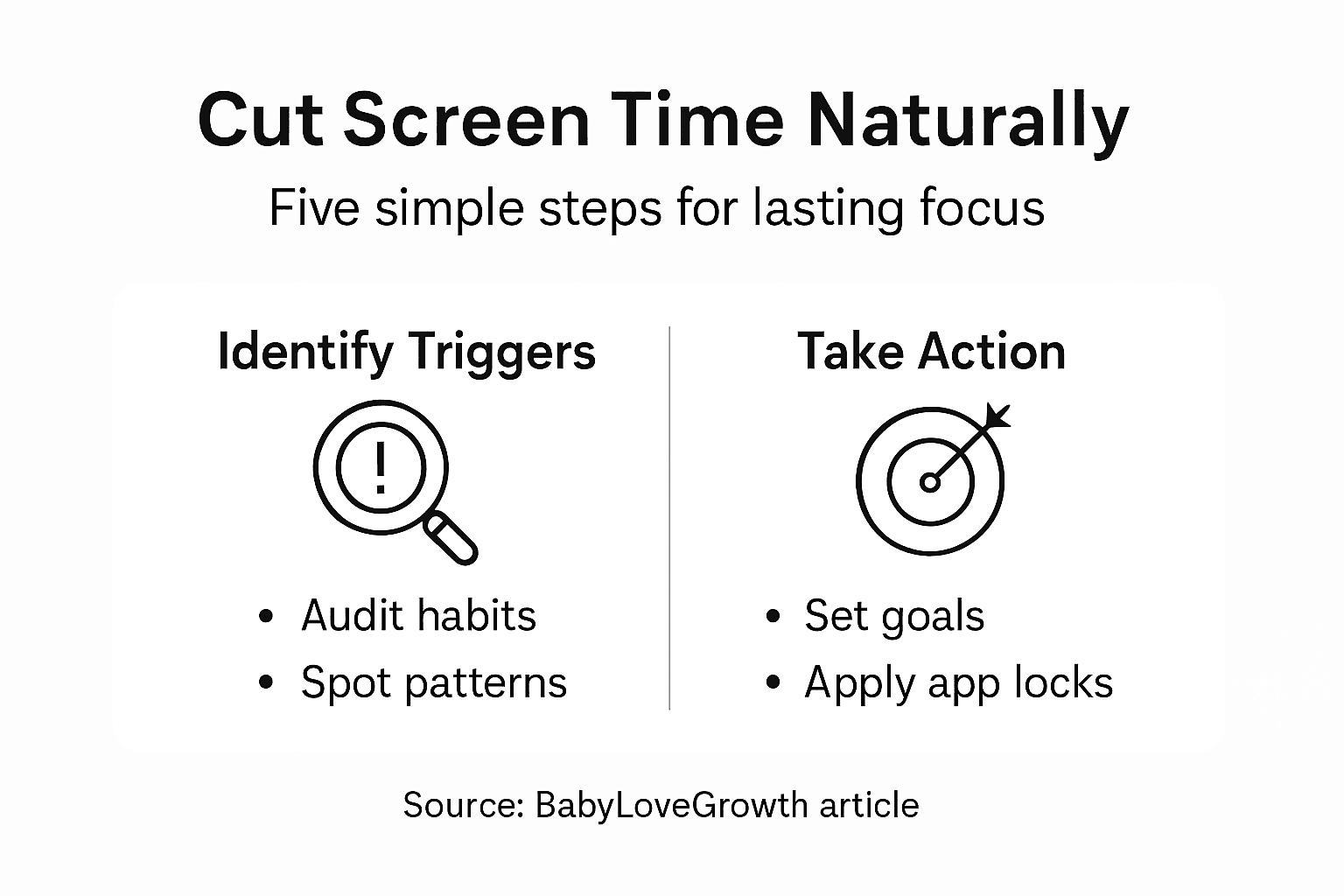
Self-monitoring strategies drive behavioral change by providing concrete feedback and motivational insights into your screen time patterns. Tracking allows you to transform abstract goals into measurable progress.
Key tracking and adjustment strategies include:
- Weekly screen time review across all devices
- Comparative analysis of initial versus current usage
- Identifying consistent distraction patterns
- Celebrating incremental improvements
- Adjusting strategies based on real data
Develop a systematic tracking approach:
- Choose a consistent tracking method
- Set specific, measurable screen time reduction goals
- Document your progress in a dedicated journal
- Schedule monthly comprehensive reviews
- Be flexible and compassionate with yourself
Progress is not linear - it's a continuous journey of small, meaningful adjustments.
Pro tip: Create a simple spreadsheet or use a dedicated app to visualize your screen time reduction journey, making the process engaging and motivational.
Reclaim Your Focus with Physical App Locks and Intentional Digital Habits
Struggling to reduce screen time and break free from autopilot scrolling is a common challenge. This article highlights the importance of identifying triggers, setting meaningful goals, and creating physical barriers to digital distractions. If you want to move beyond vague intentions and take real control over your device usage, Well O’Clock offers a unique solution that combines physical NFC tags with a mobile app to help you lock distracting apps in the moment. This approach turns your environment into a powerful tool for mental clarity and lasting focus.
Take the next step in your digital wellness journey today by exploring how our system can help you interrupt unconscious device habits with simple physical taps. Visit Well O’Clock now to discover customizable NFC tags designed to fit into your lifestyle. Learn how incorporating physical app locks and strategic device management can transform your productivity and sleep quality. Start reclaiming your time and mental well-being with actionable tools that support your goals. Explore the future of intentional technology use at Well O’Clock and unlock your focus now.
Frequently Asked Questions
How can I identify my screen time triggers?
To identify your screen time triggers, conduct a personal digital audit for one week, tracking your device usage and emotional states. Record details like the time of day you use your devices the most, which apps consume the most time, and any emotional reasons behind your usage.
What are some effective goals for reducing screen time?
Effective goals for reducing screen time include setting specific quantitative limits, such as aiming to reduce daily smartphone usage by 25%. Break your goals into actionable steps, like identifying replacement activities for time spent on your devices.
How can I use NFC tags to manage app usage?
NFC tags can be placed in areas where you tend to use distracting apps to create physical barriers. For instance, install a tag in your bedroom to lock entertainment apps after 9 PM, helping to reinforce boundaries around your digital consumption.
What device settings can I customize to minimize distractions?
Customize your device settings by managing notifications and enabling grayscale displays to make screens less appealing. Set app-specific time limits during work hours and create a Do Not Disturb schedule that fits your routine.
How often should I track my screen time progress?
You should conduct a weekly review of your screen time to understand your progress and make necessary adjustments. Document your usage, compare it to your initial baseline, and celebrate small victories to keep yourself motivated.
What is the importance of replacing screen time with other activities?
Replacing screen time with other activities, like reading or physical exercise, enhances your mental health and overall productivity. Aim to engage in alternative activities for at least 30 minutes each day to help break the cycle of mindless digital consumption.
Recommended

Mak Kordić
Co founder
Mak Kordić is the founder and CEO of CNJ Digital, an agency based in Ljubljana, where he and his team develop UX/UI and digital products for demanding B2B projects. Over his career, he has led and co-created hundreds of digital solutions and worked with international clients.








How to Reduce Screen Time Naturally for Lasting Focus
Mak Kordić
,
February 13, 2026
You check your phone over your morning coffee, jump between emails and chats at work, then scroll through news and social media late into the night. For many busy professionals, these patterns can quietly chip away at focus and energy. Breaking the cycle starts with a personal digital audit, helping you map when and why screens take over your day. This practical guide delivers research-backed steps to help you reclaim clarity by identifying triggers, setting goals, and building digital habits that serve your well-being.
Table of Contents
- Step 1: Identify Screen Time Triggers And Patterns
- Step 2: Set Meaningful Goals For Digital Balance
- Step 3: Add Physical App Locks With Nfc Tags
- Step 4: Customize Device And App Settings Strategically
- Step 5: Track Progress And Adjust Your Routine
Quick Summary
Key PointExplanation
1. Track Screen Time Patterns
Conduct a personal digital audit to identify when and why you use devices excessively.
2. Set Realistic Digital Goals
Establish specific, measurable objectives to reduce screen time and improve digital balance.
3. Use NFC Tags for App Control
Place NFC tags in strategic locations to physically limit app usage and minimize distractions.
4. Customize Device Settings
Adjust your device settings to automate distractions and enhance focus through technological adjustments.
5. Regularly Track Progress
Monitor your screen time weekly to analyze patterns and make informed adjustments for ongoing improvement.
Step 1: Identify screen time triggers and patterns
Understanding your digital consumption habits is the first crucial step in reducing screen time and reclaiming your mental focus. By mapping out exactly when and why you reach for your devices, you can develop targeted strategies to interrupt unconscious scrolling patterns.
Start by conducting a personal digital audit - track your screen time meticulously for one week using your smartphone's built-in tracking features or third-party apps. Screen time patterns reveal behavioral insights that can help you understand your digital dependencies.
Key areas to analyze include:
- Time of day when screen usage peaks
- Primary devices used (smartphone, computer, tablet)
- Specific apps consuming most of your time
- Emotional states triggering device usage (boredom, stress, procrastination)
- Work versus personal screen time
Pay special attention to contextual triggers. For many professionals, screen time escalates during:
- Early morning check-ins
- Lunch breaks
- Post-work wind-down periods
- Late-night browsing
Understanding your unique screen time patterns is the first step toward intentional digital wellness.
Pro tip: Create a simple spreadsheet or use a dedicated tracking app to log your screen time meticulously, noting emotional states and environmental contexts triggering device usage.
Step 2: Set meaningful goals for digital balance
Establishing intentional digital boundaries requires more than just wishful thinking - it demands strategic goal setting that transforms your relationship with technology. The key is creating specific and measurable digital wellness objectives that align with your personal and professional life.
Start by defining clear, realistic screen time reduction targets. These goals should be personalized and reflect your unique lifestyle and work requirements. Consider creating goals across multiple dimensions:
- Quantitative screen time limits (e.g., reduce daily smartphone usage by 25%)
- Quality-focused objectives (minimize social media scrolling during work hours)
- Behavioral changes (replace evening screen time with reading or physical activity)
- Mental health targets (improve sleep quality by limiting nighttime device use)
- Productivity enhancements (create device-free work blocks)
Break down your overarching digital balance goals into actionable, incremental steps:
- Define your current baseline screen time
- Set realistic weekly reduction targets
- Identify specific replacement activities
- Create accountability mechanisms
- Regularly review and adjust your approach
Meaningful digital balance isn't about complete elimination, but intentional, mindful technology consumption.
Pro tip: Use smartphone tracking features to establish your baseline and create a visual progress chart, making your digital wellness journey tangible and motivating.
Step 3: Add physical app locks with NFC tags
Turning digital self-control into a tangible, physical experience can dramatically transform how you manage screen time. NFC technology offers a revolutionary approach to interrupting unconscious device usage by creating real-world barriers to digital distraction.
NFC tags can strategically control app management by allowing you to place physical triggers around your environment that automatically lock or limit specific applications. This method leverages your physical space as a powerful tool for digital wellness.
Here's how to implement NFC-based app locks effectively:
- Identify high-distraction zones in your home and workplace
- Purchase NFC tags compatible with your smartphone
- Map specific app restrictions to each physical location
- Install a companion NFC lock app on your device
Strategic NFC tag placement can help you create intentional digital boundaries:
- Place a tag near your workspace to disable social media apps
- Install a tag in your bedroom to lock entertainment apps after 9 PM
- Position a tag in your home office to limit non-work related applications
- Create a tag near your workout area to prevent mindless scrolling
Physical barriers create mental clarity - your environment can be your most powerful productivity tool.
Pro tip: Experiment with different NFC tag locations and app restrictions, treating it like a personal digital wellness experiment to find what works best for your unique lifestyle.
Step 4: Customize device and app settings strategically
Transforming your digital environment requires more than willpower - it demands strategic technological configuration that proactively prevents distractions. By intentionally customizing your device settings, you can create a more focused and intentional digital experience.
Evidence-based strategies help minimize digital distractions by leveraging built-in digital wellness tools that interrupt unconscious scrolling and notification cycles. Your smartphone's settings can become a powerful ally in reclaiming your attention and productivity.
Key strategic customization areas include:
- Notification management to reduce interruption frequency
- Grayscale display settings to make screens less visually appealing
- Focus mode configurations for work and personal time
- App-specific time limit restrictions
- Automatic do not disturb scheduling
Implement these strategic device modifications systematically:
- Audit current notification settings across all apps
- Enable digital wellness tracking features
- Set strict app time limits during work hours
- Create separate profiles for professional and personal use
- Regularly review and adjust your configuration
Your device should serve you, not distract you - technological tools can be designed for intentional living.
Pro tip: Treat your device settings like a personal productivity experiment, making small adjustments weekly and tracking their impact on your focus and mental clarity.
Step 5: Track progress and adjust your routine
Transforming your digital habits is a dynamic process that requires consistent monitoring and strategic adaptation. Success isn't about perfect execution, but about understanding your evolving relationship with technology and making intentional adjustments.
Self-monitoring strategies drive behavioral change by providing concrete feedback and motivational insights into your screen time patterns. Tracking allows you to transform abstract goals into measurable progress.
Key tracking and adjustment strategies include:
- Weekly screen time review across all devices
- Comparative analysis of initial versus current usage
- Identifying consistent distraction patterns
- Celebrating incremental improvements
- Adjusting strategies based on real data
Develop a systematic tracking approach:
- Choose a consistent tracking method
- Set specific, measurable screen time reduction goals
- Document your progress in a dedicated journal
- Schedule monthly comprehensive reviews
- Be flexible and compassionate with yourself
Progress is not linear - it's a continuous journey of small, meaningful adjustments.
Pro tip: Create a simple spreadsheet or use a dedicated app to visualize your screen time reduction journey, making the process engaging and motivational.
Reclaim Your Focus with Physical App Locks and Intentional Digital Habits
Struggling to reduce screen time and break free from autopilot scrolling is a common challenge. This article highlights the importance of identifying triggers, setting meaningful goals, and creating physical barriers to digital distractions. If you want to move beyond vague intentions and take real control over your device usage, Well O’Clock offers a unique solution that combines physical NFC tags with a mobile app to help you lock distracting apps in the moment. This approach turns your environment into a powerful tool for mental clarity and lasting focus.
Take the next step in your digital wellness journey today by exploring how our system can help you interrupt unconscious device habits with simple physical taps. Visit Well O’Clock now to discover customizable NFC tags designed to fit into your lifestyle. Learn how incorporating physical app locks and strategic device management can transform your productivity and sleep quality. Start reclaiming your time and mental well-being with actionable tools that support your goals. Explore the future of intentional technology use at Well O’Clock and unlock your focus now.
Frequently Asked Questions
How can I identify my screen time triggers?
To identify your screen time triggers, conduct a personal digital audit for one week, tracking your device usage and emotional states. Record details like the time of day you use your devices the most, which apps consume the most time, and any emotional reasons behind your usage.
What are some effective goals for reducing screen time?
Effective goals for reducing screen time include setting specific quantitative limits, such as aiming to reduce daily smartphone usage by 25%. Break your goals into actionable steps, like identifying replacement activities for time spent on your devices.
How can I use NFC tags to manage app usage?
NFC tags can be placed in areas where you tend to use distracting apps to create physical barriers. For instance, install a tag in your bedroom to lock entertainment apps after 9 PM, helping to reinforce boundaries around your digital consumption.
What device settings can I customize to minimize distractions?
Customize your device settings by managing notifications and enabling grayscale displays to make screens less appealing. Set app-specific time limits during work hours and create a Do Not Disturb schedule that fits your routine.
How often should I track my screen time progress?
You should conduct a weekly review of your screen time to understand your progress and make necessary adjustments. Document your usage, compare it to your initial baseline, and celebrate small victories to keep yourself motivated.
What is the importance of replacing screen time with other activities?
Replacing screen time with other activities, like reading or physical exercise, enhances your mental health and overall productivity. Aim to engage in alternative activities for at least 30 minutes each day to help break the cycle of mindless digital consumption.
Recommended
Mak Kordić
Co founder
Mak Kordić is the founder and CEO of CNJ Digital, an agency based in Ljubljana, where he and his team develop UX/UI and digital products for demanding B2B projects. Over his career, he has led and co-created hundreds of digital solutions and worked with international clients.
How to Reduce Screen Time Naturally for Lasting Focus
Mak Kordić
,
February 13, 2026
You check your phone over your morning coffee, jump between emails and chats at work, then scroll through news and social media late into the night. For many busy professionals, these patterns can quietly chip away at focus and energy. Breaking the cycle starts with a personal digital audit, helping you map when and why screens take over your day. This practical guide delivers research-backed steps to help you reclaim clarity by identifying triggers, setting goals, and building digital habits that serve your well-being.
Table of Contents
- Step 1: Identify Screen Time Triggers And Patterns
- Step 2: Set Meaningful Goals For Digital Balance
- Step 3: Add Physical App Locks With Nfc Tags
- Step 4: Customize Device And App Settings Strategically
- Step 5: Track Progress And Adjust Your Routine
Quick Summary
Key PointExplanation
1. Track Screen Time Patterns
Conduct a personal digital audit to identify when and why you use devices excessively.
2. Set Realistic Digital Goals
Establish specific, measurable objectives to reduce screen time and improve digital balance.
3. Use NFC Tags for App Control
Place NFC tags in strategic locations to physically limit app usage and minimize distractions.
4. Customize Device Settings
Adjust your device settings to automate distractions and enhance focus through technological adjustments.
5. Regularly Track Progress
Monitor your screen time weekly to analyze patterns and make informed adjustments for ongoing improvement.
Step 1: Identify screen time triggers and patterns
Understanding your digital consumption habits is the first crucial step in reducing screen time and reclaiming your mental focus. By mapping out exactly when and why you reach for your devices, you can develop targeted strategies to interrupt unconscious scrolling patterns.
Start by conducting a personal digital audit - track your screen time meticulously for one week using your smartphone's built-in tracking features or third-party apps. Screen time patterns reveal behavioral insights that can help you understand your digital dependencies.
Key areas to analyze include:
- Time of day when screen usage peaks
- Primary devices used (smartphone, computer, tablet)
- Specific apps consuming most of your time
- Emotional states triggering device usage (boredom, stress, procrastination)
- Work versus personal screen time
Pay special attention to contextual triggers. For many professionals, screen time escalates during:
- Early morning check-ins
- Lunch breaks
- Post-work wind-down periods
- Late-night browsing
Understanding your unique screen time patterns is the first step toward intentional digital wellness.
Pro tip: Create a simple spreadsheet or use a dedicated tracking app to log your screen time meticulously, noting emotional states and environmental contexts triggering device usage.
Step 2: Set meaningful goals for digital balance
Establishing intentional digital boundaries requires more than just wishful thinking - it demands strategic goal setting that transforms your relationship with technology. The key is creating specific and measurable digital wellness objectives that align with your personal and professional life.
Start by defining clear, realistic screen time reduction targets. These goals should be personalized and reflect your unique lifestyle and work requirements. Consider creating goals across multiple dimensions:
- Quantitative screen time limits (e.g., reduce daily smartphone usage by 25%)
- Quality-focused objectives (minimize social media scrolling during work hours)
- Behavioral changes (replace evening screen time with reading or physical activity)
- Mental health targets (improve sleep quality by limiting nighttime device use)
- Productivity enhancements (create device-free work blocks)
Break down your overarching digital balance goals into actionable, incremental steps:
- Define your current baseline screen time
- Set realistic weekly reduction targets
- Identify specific replacement activities
- Create accountability mechanisms
- Regularly review and adjust your approach
Meaningful digital balance isn't about complete elimination, but intentional, mindful technology consumption.
Pro tip: Use smartphone tracking features to establish your baseline and create a visual progress chart, making your digital wellness journey tangible and motivating.
Step 3: Add physical app locks with NFC tags
Turning digital self-control into a tangible, physical experience can dramatically transform how you manage screen time. NFC technology offers a revolutionary approach to interrupting unconscious device usage by creating real-world barriers to digital distraction.
NFC tags can strategically control app management by allowing you to place physical triggers around your environment that automatically lock or limit specific applications. This method leverages your physical space as a powerful tool for digital wellness.
Here's how to implement NFC-based app locks effectively:
- Identify high-distraction zones in your home and workplace
- Purchase NFC tags compatible with your smartphone
- Map specific app restrictions to each physical location
- Install a companion NFC lock app on your device
Strategic NFC tag placement can help you create intentional digital boundaries:
- Place a tag near your workspace to disable social media apps
- Install a tag in your bedroom to lock entertainment apps after 9 PM
- Position a tag in your home office to limit non-work related applications
- Create a tag near your workout area to prevent mindless scrolling
Physical barriers create mental clarity - your environment can be your most powerful productivity tool.
Pro tip: Experiment with different NFC tag locations and app restrictions, treating it like a personal digital wellness experiment to find what works best for your unique lifestyle.
Step 4: Customize device and app settings strategically
Transforming your digital environment requires more than willpower - it demands strategic technological configuration that proactively prevents distractions. By intentionally customizing your device settings, you can create a more focused and intentional digital experience.
Evidence-based strategies help minimize digital distractions by leveraging built-in digital wellness tools that interrupt unconscious scrolling and notification cycles. Your smartphone's settings can become a powerful ally in reclaiming your attention and productivity.
Key strategic customization areas include:
- Notification management to reduce interruption frequency
- Grayscale display settings to make screens less visually appealing
- Focus mode configurations for work and personal time
- App-specific time limit restrictions
- Automatic do not disturb scheduling
Implement these strategic device modifications systematically:
- Audit current notification settings across all apps
- Enable digital wellness tracking features
- Set strict app time limits during work hours
- Create separate profiles for professional and personal use
- Regularly review and adjust your configuration
Your device should serve you, not distract you - technological tools can be designed for intentional living.
Pro tip: Treat your device settings like a personal productivity experiment, making small adjustments weekly and tracking their impact on your focus and mental clarity.
Step 5: Track progress and adjust your routine
Transforming your digital habits is a dynamic process that requires consistent monitoring and strategic adaptation. Success isn't about perfect execution, but about understanding your evolving relationship with technology and making intentional adjustments.
Self-monitoring strategies drive behavioral change by providing concrete feedback and motivational insights into your screen time patterns. Tracking allows you to transform abstract goals into measurable progress.
Key tracking and adjustment strategies include:
- Weekly screen time review across all devices
- Comparative analysis of initial versus current usage
- Identifying consistent distraction patterns
- Celebrating incremental improvements
- Adjusting strategies based on real data
Develop a systematic tracking approach:
- Choose a consistent tracking method
- Set specific, measurable screen time reduction goals
- Document your progress in a dedicated journal
- Schedule monthly comprehensive reviews
- Be flexible and compassionate with yourself
Progress is not linear - it's a continuous journey of small, meaningful adjustments.
Pro tip: Create a simple spreadsheet or use a dedicated app to visualize your screen time reduction journey, making the process engaging and motivational.
Reclaim Your Focus with Physical App Locks and Intentional Digital Habits
Struggling to reduce screen time and break free from autopilot scrolling is a common challenge. This article highlights the importance of identifying triggers, setting meaningful goals, and creating physical barriers to digital distractions. If you want to move beyond vague intentions and take real control over your device usage, Well O’Clock offers a unique solution that combines physical NFC tags with a mobile app to help you lock distracting apps in the moment. This approach turns your environment into a powerful tool for mental clarity and lasting focus.
Take the next step in your digital wellness journey today by exploring how our system can help you interrupt unconscious device habits with simple physical taps. Visit Well O’Clock now to discover customizable NFC tags designed to fit into your lifestyle. Learn how incorporating physical app locks and strategic device management can transform your productivity and sleep quality. Start reclaiming your time and mental well-being with actionable tools that support your goals. Explore the future of intentional technology use at Well O’Clock and unlock your focus now.
Frequently Asked Questions
How can I identify my screen time triggers?
To identify your screen time triggers, conduct a personal digital audit for one week, tracking your device usage and emotional states. Record details like the time of day you use your devices the most, which apps consume the most time, and any emotional reasons behind your usage.
What are some effective goals for reducing screen time?
Effective goals for reducing screen time include setting specific quantitative limits, such as aiming to reduce daily smartphone usage by 25%. Break your goals into actionable steps, like identifying replacement activities for time spent on your devices.
How can I use NFC tags to manage app usage?
NFC tags can be placed in areas where you tend to use distracting apps to create physical barriers. For instance, install a tag in your bedroom to lock entertainment apps after 9 PM, helping to reinforce boundaries around your digital consumption.
What device settings can I customize to minimize distractions?
Customize your device settings by managing notifications and enabling grayscale displays to make screens less appealing. Set app-specific time limits during work hours and create a Do Not Disturb schedule that fits your routine.
How often should I track my screen time progress?
You should conduct a weekly review of your screen time to understand your progress and make necessary adjustments. Document your usage, compare it to your initial baseline, and celebrate small victories to keep yourself motivated.
What is the importance of replacing screen time with other activities?
Replacing screen time with other activities, like reading or physical exercise, enhances your mental health and overall productivity. Aim to engage in alternative activities for at least 30 minutes each day to help break the cycle of mindless digital consumption.
Recommended
Mak Kordić
Co founder
Mak Kordić is the founder and CEO of CNJ Digital, an agency based in Ljubljana, where he and his team develop UX/UI and digital products for demanding B2B projects. Over his career, he has led and co-created hundreds of digital solutions and worked with international clients.