
Guide to Mindful Phone Use for Focused Families
Mak Kordić
,
March 3, 2026


Every parent faces the challenge of watching screens creep into family moments that used to be shared. For tech-savvy families in places like New York, London, or Sydney, the urge to check notifications or scroll “just for a minute” disrupts real connection and makes healthy routines harder to keep. This guide shows you how to use mindful phone habits and smart tools to spot distractions, set simple app limits, and bring more intention to your family's digital life.
Table of Contents
- Step 1: Identify Problem Apps And Habits
- Step 2: Set Up Physical Nfc Tags And App
- Step 3: Customize Locking Rules For Family Needs
- Step 4: Track Progress And Adjust Behaviors
Step 1: Identify Problem Apps and Habits
Before you can change anything, you need to see clearly what's actually happening. Start by tracking which apps consume your family's time and which habits feel hardest to break. This isn't about judgment, it's about gathering data.
Spend three to five days simply observing without making changes. Notice:
- Which apps your kids open first thing in the morning or immediately after school
- How often family members check their phones during meals or conversations
- Which apps trigger the "just one more minute" feeling that stretches into 30 minutes
- Times when phone use feels automatic rather than intentional
Most families find that frequent phone checking happens at predictable moments, like during transitions between activities or when someone feels bored or anxious. You're looking for patterns, not random behavior.
Create a simple list of your top three to five problem apps. Be honest about which ones pull the most attention from actual family time. Social media, gaming, and notification-heavy apps typically rank highest, but everyone's situation is different.
Next, identify the habits tied to these apps. Does someone scroll while talking to family? Check their phone immediately after waking? Use apps to avoid a difficult task? The app itself isn't always the villain, the habit around it often is.
" Identifying problem apps is the foundation everything else rests on, so take time to notice what's actually happening before rushing to solutions. "
Write down what you observe. Seeing it on paper makes the pattern real and helps you remember why change matters when motivation fades.
Pro tip: Use your phone's built-in screen time tracker for the first week, then talk as a family about what surprised you most, this opens conversation without blame.
Step 2: Set Up Physical NFC Tags and App
Now that you know what's pulling your family's attention, it's time to build your defense system. Physical NFC tags paired with your smartphone create a tangible way to interrupt autopilot phone habits and redirect toward intentional use.
Start by gathering what you need:
- An NFC-enabled smartphone (most modern Android and iPhone models support this)
- Blank NFC tags (small, affordable chips available online or at tech retailers)
- An NFC programming app like NFC Tools or Tag Writer
The beauty of this approach is the physicality. Unlike digital reminders that live inside your phone, NFC tags sit in the real world, where you can actually tap them when you need a pause.
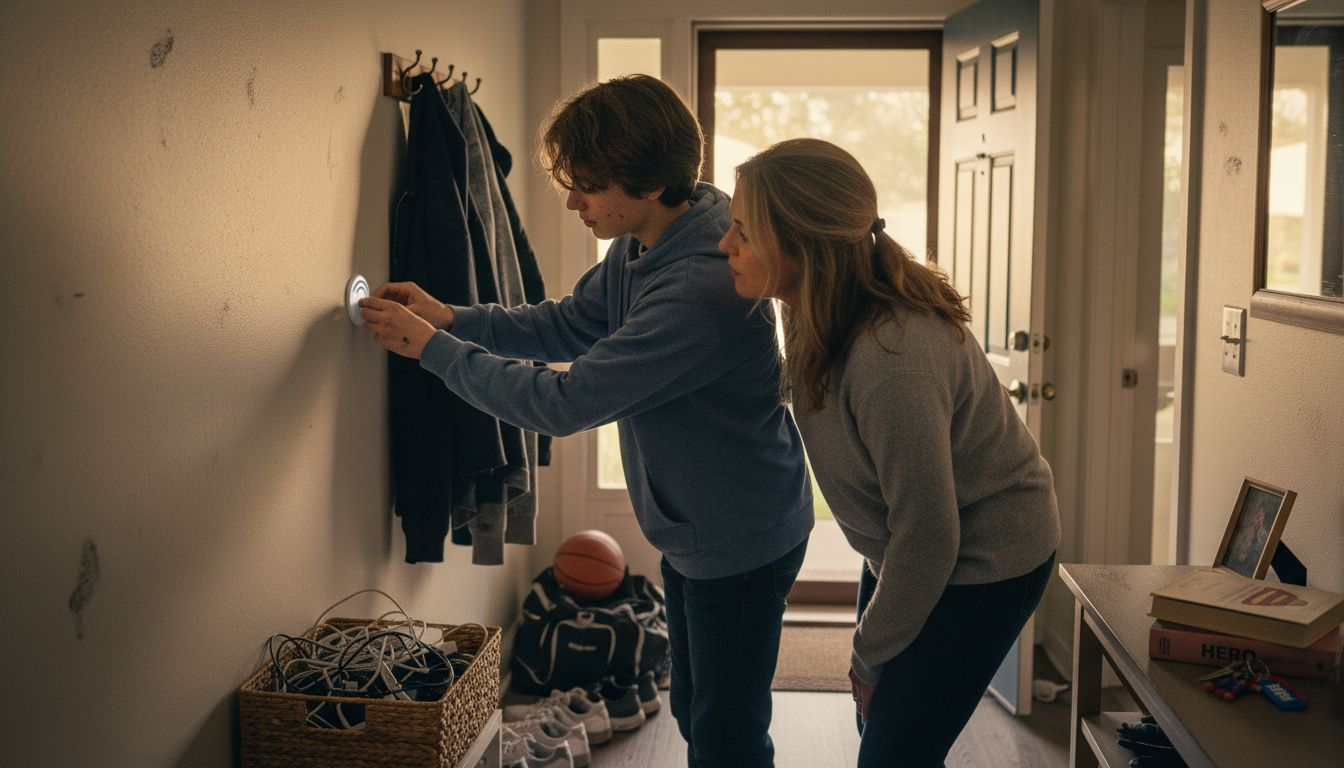
Once you have your materials, download your chosen NFC app and create your first tag. You can program it to trigger specific actions like locking distracting apps, launching a focus timer, or opening a breathing exercise. When programming NFC tags, follow your app's step-by-step guide, which typically takes just a few minutes per tag.
Place your tags in strategic locations around your home:
- One near the kitchen table for meal times
- One by the bedroom door as a bedtime reminder
- One in your work area or study space
- One by the front door for when you're about to leave
The positioning matters because you want the tag encounter to feel natural, not forced. When someone reaches for their phone out of habit, the nearby tag becomes a visual cue to pause and tap instead.
Start with two or three tags, not ten. You want your family to actually use them and build the habit of reaching for the tag before reaching for the phone.
" Physical tags work because they break the invisible cycle, the moment you tap one, you shift from autopilot to awareness. "
Test your setup with your whole family. Let everyone tap the tags and see what happens. This is when you discover what actually works for your household versus what seemed good in theory.
Pro tip: Program your first tag to open a family check-in screen where everyone shares one thing from their day, making the pause feel rewarding instead of restrictive.
Step 3: Customize Locking Rules for Family Needs
Every family is different, and your locking rules should reflect that reality. A teenager needs different boundaries than a seven-year-old, and weekends might call for different rules than school nights. This step is where you create a system that actually works for your household.
Start by thinking about your specific goals. Are you trying to protect sleep schedules? Reduce social media during homework? Create phone-free meal times? Your rules should directly address the problem habits you identified in Step 1.
Consider these dimensions when building your rules:
- Time-based limits on apps (like one hour per day for TikTok)
- Scheduled lock periods (all apps locked from 8 PM to 8 AM)
- Category restrictions (social media blocked during school hours)
- Per-person customization (different rules for different family members)
Features like app timers and screen pinning let you set precise boundaries without micromanaging every moment. You're not watching constantly, the system enforces the rules automatically.
Start simple. Most families benefit from three core rules:
1. All apps locked during sleep hours (bedroom curfew)
2. Social media restricted during school or work time
3. Phone-free meal times enforced
Once these feel natural, you can add more nuance. The goal is building habits, not creating a surveillance state that breeds resentment.
Involve your family in setting the rules. When everyone helps decide the boundaries, compliance skyrockets because it feels fair rather than punitive. Explain the why behind each rule, not just the what.
" Rules without buy-in create rebels, but rules your family helped design create responsibility. "
Test your rules for one week before adjusting. You'll quickly discover which restrictions work and which ones feel too rigid. Kids will tell you if a rule is unreasonable, and that feedback matters.
Pro tip: Set one "flex day" per week where rules relax slightly, giving everyone something to work toward and showing that boundaries exist for wellness, not punishment.
Step 4: Track Progress and Adjust Behaviors
Setting rules is just the beginning. Real change comes from watching what happens, noticing what works, and adjusting when something isn't landing. This step turns your system into something dynamic that actually evolves with your family.
Start by collecting baseline data before your rules take effect. How many times per day is someone checking their phone? How much total screen time? Which apps consume the most attention? This gives you something concrete to measure against.
Most families benefit from tracking these metrics:
- Total daily screen time per person
- App usage by category (social media, gaming, productivity)
- Time of day when phone use peaks
- How often rules are being bypassed or ignored
You don't need fancy software to start. A simple notebook works, or use your phone's built-in screen time dashboard. Tools like app performance tracking can provide deeper insights into which apps are creating the most friction or distraction for your family.
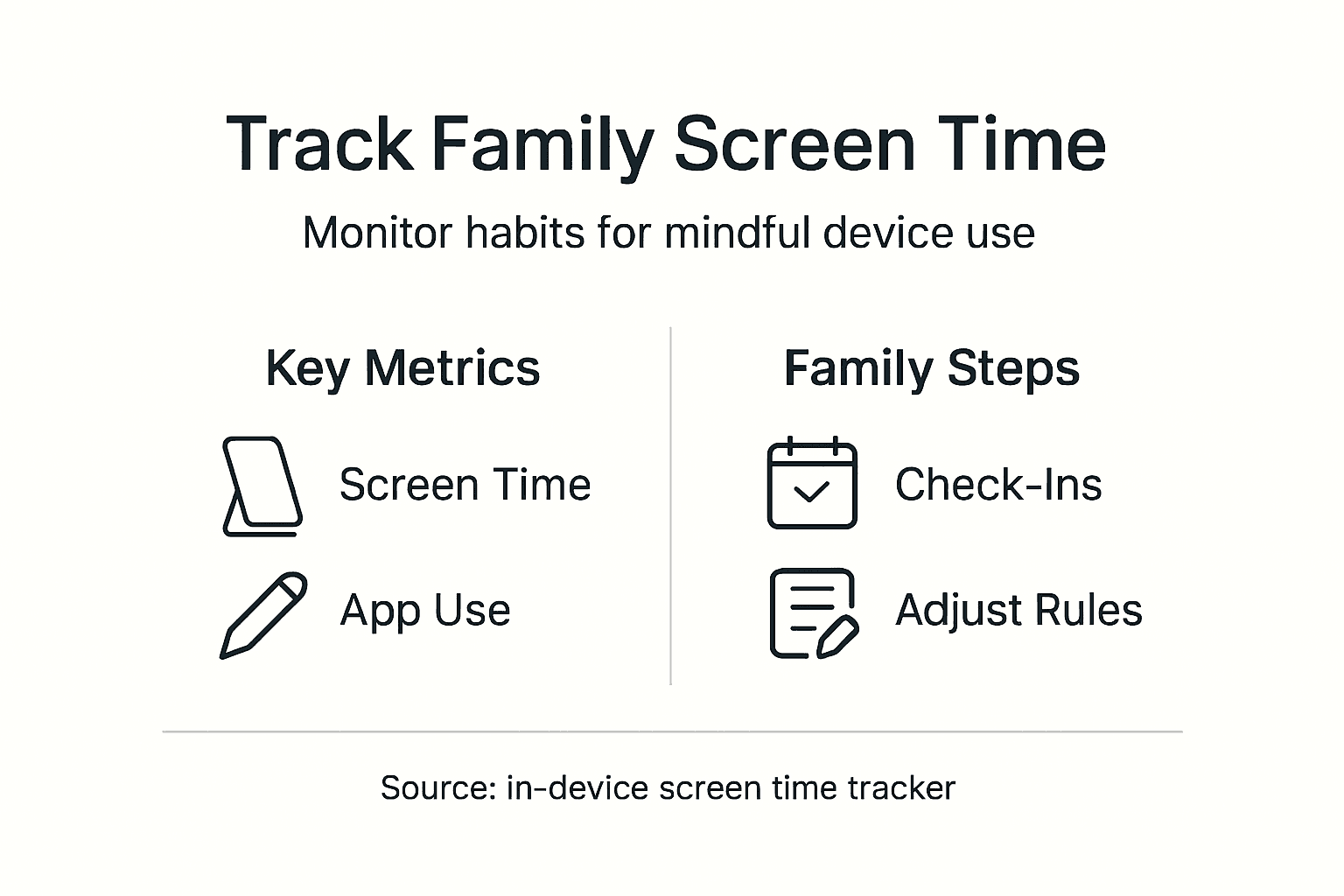
Review your data weekly as a family. Pull out the metrics and talk about what's shifted. Did screen time drop? Did focus during homework improve? Are bedtimes earlier? Celebrate the wins, no matter how small.
Watch for unintended consequences. Sometimes a rule creates a workaround you didn't anticipate. Maybe kids are using a different app instead of the one you locked, or staying up later to use devices when you're asleep. This isn't failure, it's feedback.
" The numbers tell a story that feelings can't, so let the data guide your next move. "
Adjust your rules based on what the data shows. If social media limits aren't working, maybe the window is too generous or the timing is wrong. If sleep improved dramatically, that's worth maintaining. Be willing to pivot when something isn't serving your family.
Schedule a monthly family check-in to discuss progress openly. Ask what feels sustainable and what feels punitive. Listen to genuine concerns. Your system should evolve toward something your family actually wants to maintain long-term.
Pro tip: Create a visual progress chart showing screen time reduction over four weeks, letting everyone see the collective impact of your changes and building motivation to sustain the new habits.
Unlock Mindful Phone Use and Reclaim Family Focus Today
The article highlights the challenge many families face with automatic phone usage and disruptive digital habits. You have likely noticed how some apps trigger endless scrolling that steals precious time from family moments and impacts sleep and focus. If you are searching for a real way to interrupt those autopilot behaviors and turn intention back on, Well O’Clock offers a powerful solution that fits perfectly with the guide’s recommendations. Our unique system uses physical NFC tags paired with a smartphone app to create tangible, real-world cues to pause and redirect phone usage.
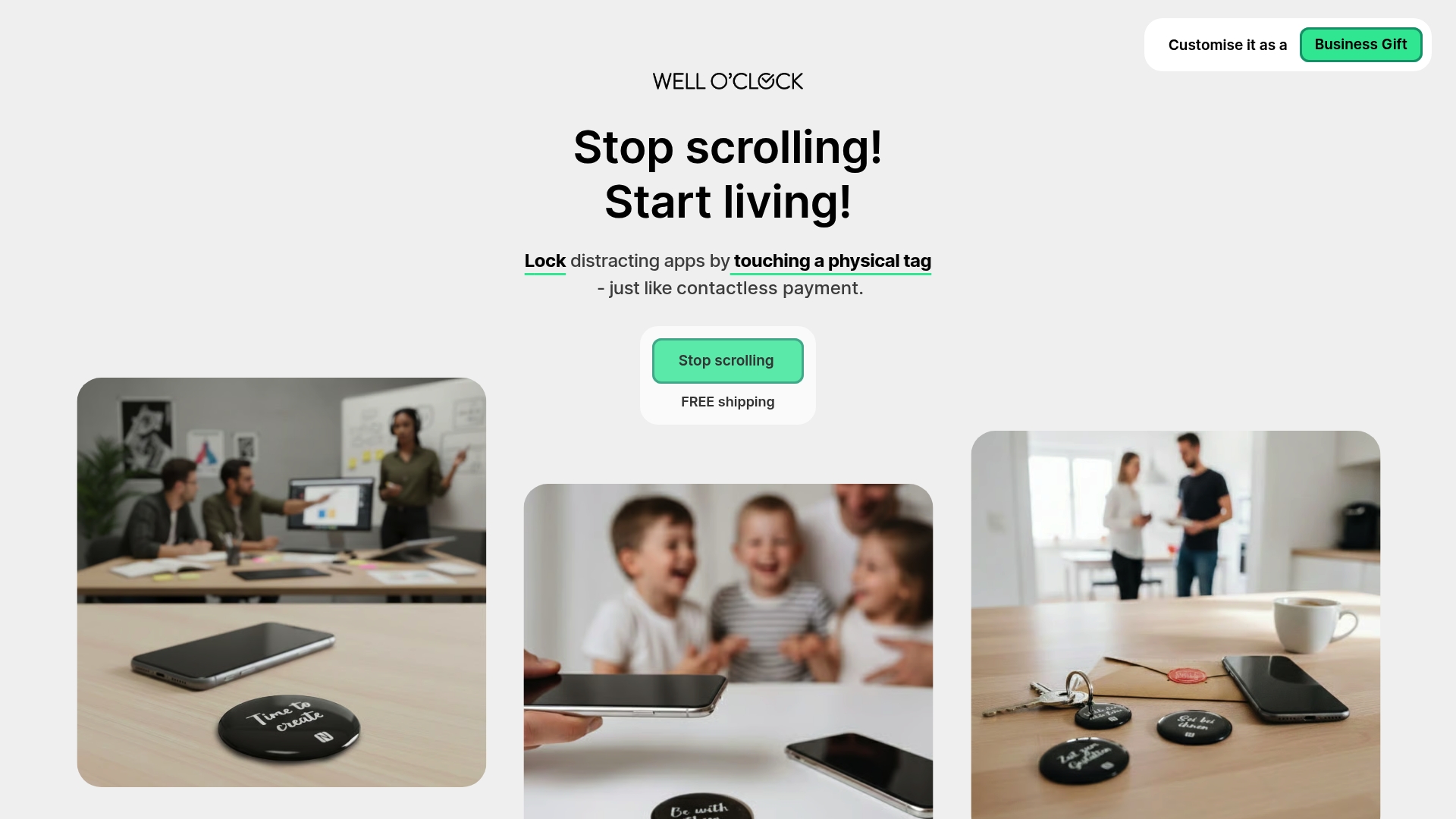
Take control of your family’s digital habits now by exploring how these NFC tags can help you lock distracting apps at key moments such as meals or bedtime. Customizable rules and effortless setup make it simple to create boundaries everyone agrees on. Start your journey toward improved focus, better sleep, and deeper connections by visiting Well O’Clock and discovering tools designed with your wellness in mind. Let us help you turn awareness into action - because meaningful change begins when your phone habits become intentional. Learn more about mindful phone use and start transforming your family’s screen time today. Visit Well O’Clock to get started.
Frequently Asked Questions
How can I identify problem apps in my family's phone use?
Start by tracking which apps your family uses most frequently and when they check their phones. Spend three to five days observing behaviors without making any changes, and create a list of the top three to five apps that distract from family time.
What are physical NFC tags and how can they help reduce phone distractions?
Physical NFC tags are small chips that trigger specific actions on smartphones when tapped. Program these tags to lock distracting apps or open focus-related tools, and place them in areas where phone use tends to be habitual, encouraging more intentional usage.
How do I set effective phone locking rules for my family?
Create rules based on the specific habits you've observed, such as restricting social media use during homework or locking apps during sleep hours. Start with three core rules to establish a routine and revise them together as a family after testing them for one week.
What metrics should I track to measure phone use changes in my family?
Track metrics such as total daily screen time, app usage by category, and compliance with your established rules. Use this data to evaluate how phone habits evolve over time, aiming for clear improvements within four weeks.
How can I encourage family participation in establishing phone use rules?
Involve your family in the rule-making process by discussing the rationale behind each proposed limit. When everyone contributes to the boundaries, they are more likely to comply, leading to a sense of shared responsibility and accountability.

Mak Kordić
Co founder
Mak Kordić is the founder and CEO of CNJ Digital, an agency based in Ljubljana, where he and his team develop UX/UI and digital products for demanding B2B projects. Over his career, he has led and co-created hundreds of digital solutions and worked with international clients.








Guide to Mindful Phone Use for Focused Families
Mak Kordić
,
March 3, 2026
Every parent faces the challenge of watching screens creep into family moments that used to be shared. For tech-savvy families in places like New York, London, or Sydney, the urge to check notifications or scroll “just for a minute” disrupts real connection and makes healthy routines harder to keep. This guide shows you how to use mindful phone habits and smart tools to spot distractions, set simple app limits, and bring more intention to your family's digital life.
Table of Contents
- Step 1: Identify Problem Apps And Habits
- Step 2: Set Up Physical Nfc Tags And App
- Step 3: Customize Locking Rules For Family Needs
- Step 4: Track Progress And Adjust Behaviors
Step 1: Identify Problem Apps and Habits
Before you can change anything, you need to see clearly what's actually happening. Start by tracking which apps consume your family's time and which habits feel hardest to break. This isn't about judgment, it's about gathering data.
Spend three to five days simply observing without making changes. Notice:
- Which apps your kids open first thing in the morning or immediately after school
- How often family members check their phones during meals or conversations
- Which apps trigger the "just one more minute" feeling that stretches into 30 minutes
- Times when phone use feels automatic rather than intentional
Most families find that frequent phone checking happens at predictable moments, like during transitions between activities or when someone feels bored or anxious. You're looking for patterns, not random behavior.
Create a simple list of your top three to five problem apps. Be honest about which ones pull the most attention from actual family time. Social media, gaming, and notification-heavy apps typically rank highest, but everyone's situation is different.
Next, identify the habits tied to these apps. Does someone scroll while talking to family? Check their phone immediately after waking? Use apps to avoid a difficult task? The app itself isn't always the villain, the habit around it often is.
" Identifying problem apps is the foundation everything else rests on, so take time to notice what's actually happening before rushing to solutions. "
Write down what you observe. Seeing it on paper makes the pattern real and helps you remember why change matters when motivation fades.
Pro tip: Use your phone's built-in screen time tracker for the first week, then talk as a family about what surprised you most, this opens conversation without blame.
Step 2: Set Up Physical NFC Tags and App
Now that you know what's pulling your family's attention, it's time to build your defense system. Physical NFC tags paired with your smartphone create a tangible way to interrupt autopilot phone habits and redirect toward intentional use.
Start by gathering what you need:
- An NFC-enabled smartphone (most modern Android and iPhone models support this)
- Blank NFC tags (small, affordable chips available online or at tech retailers)
- An NFC programming app like NFC Tools or Tag Writer
The beauty of this approach is the physicality. Unlike digital reminders that live inside your phone, NFC tags sit in the real world, where you can actually tap them when you need a pause.
Once you have your materials, download your chosen NFC app and create your first tag. You can program it to trigger specific actions like locking distracting apps, launching a focus timer, or opening a breathing exercise. When programming NFC tags, follow your app's step-by-step guide, which typically takes just a few minutes per tag.
Place your tags in strategic locations around your home:
- One near the kitchen table for meal times
- One by the bedroom door as a bedtime reminder
- One in your work area or study space
- One by the front door for when you're about to leave
The positioning matters because you want the tag encounter to feel natural, not forced. When someone reaches for their phone out of habit, the nearby tag becomes a visual cue to pause and tap instead.
Start with two or three tags, not ten. You want your family to actually use them and build the habit of reaching for the tag before reaching for the phone.
" Physical tags work because they break the invisible cycle, the moment you tap one, you shift from autopilot to awareness. "
Test your setup with your whole family. Let everyone tap the tags and see what happens. This is when you discover what actually works for your household versus what seemed good in theory.
Pro tip: Program your first tag to open a family check-in screen where everyone shares one thing from their day, making the pause feel rewarding instead of restrictive.
Step 3: Customize Locking Rules for Family Needs
Every family is different, and your locking rules should reflect that reality. A teenager needs different boundaries than a seven-year-old, and weekends might call for different rules than school nights. This step is where you create a system that actually works for your household.
Start by thinking about your specific goals. Are you trying to protect sleep schedules? Reduce social media during homework? Create phone-free meal times? Your rules should directly address the problem habits you identified in Step 1.
Consider these dimensions when building your rules:
- Time-based limits on apps (like one hour per day for TikTok)
- Scheduled lock periods (all apps locked from 8 PM to 8 AM)
- Category restrictions (social media blocked during school hours)
- Per-person customization (different rules for different family members)
Features like app timers and screen pinning let you set precise boundaries without micromanaging every moment. You're not watching constantly, the system enforces the rules automatically.
Start simple. Most families benefit from three core rules:
1. All apps locked during sleep hours (bedroom curfew)
2. Social media restricted during school or work time
3. Phone-free meal times enforced
Once these feel natural, you can add more nuance. The goal is building habits, not creating a surveillance state that breeds resentment.
Involve your family in setting the rules. When everyone helps decide the boundaries, compliance skyrockets because it feels fair rather than punitive. Explain the why behind each rule, not just the what.
" Rules without buy-in create rebels, but rules your family helped design create responsibility. "
Test your rules for one week before adjusting. You'll quickly discover which restrictions work and which ones feel too rigid. Kids will tell you if a rule is unreasonable, and that feedback matters.
Pro tip: Set one "flex day" per week where rules relax slightly, giving everyone something to work toward and showing that boundaries exist for wellness, not punishment.
Step 4: Track Progress and Adjust Behaviors
Setting rules is just the beginning. Real change comes from watching what happens, noticing what works, and adjusting when something isn't landing. This step turns your system into something dynamic that actually evolves with your family.
Start by collecting baseline data before your rules take effect. How many times per day is someone checking their phone? How much total screen time? Which apps consume the most attention? This gives you something concrete to measure against.
Most families benefit from tracking these metrics:
- Total daily screen time per person
- App usage by category (social media, gaming, productivity)
- Time of day when phone use peaks
- How often rules are being bypassed or ignored
You don't need fancy software to start. A simple notebook works, or use your phone's built-in screen time dashboard. Tools like app performance tracking can provide deeper insights into which apps are creating the most friction or distraction for your family.
Review your data weekly as a family. Pull out the metrics and talk about what's shifted. Did screen time drop? Did focus during homework improve? Are bedtimes earlier? Celebrate the wins, no matter how small.
Watch for unintended consequences. Sometimes a rule creates a workaround you didn't anticipate. Maybe kids are using a different app instead of the one you locked, or staying up later to use devices when you're asleep. This isn't failure, it's feedback.
" The numbers tell a story that feelings can't, so let the data guide your next move. "
Adjust your rules based on what the data shows. If social media limits aren't working, maybe the window is too generous or the timing is wrong. If sleep improved dramatically, that's worth maintaining. Be willing to pivot when something isn't serving your family.
Schedule a monthly family check-in to discuss progress openly. Ask what feels sustainable and what feels punitive. Listen to genuine concerns. Your system should evolve toward something your family actually wants to maintain long-term.
Pro tip: Create a visual progress chart showing screen time reduction over four weeks, letting everyone see the collective impact of your changes and building motivation to sustain the new habits.
Unlock Mindful Phone Use and Reclaim Family Focus Today
The article highlights the challenge many families face with automatic phone usage and disruptive digital habits. You have likely noticed how some apps trigger endless scrolling that steals precious time from family moments and impacts sleep and focus. If you are searching for a real way to interrupt those autopilot behaviors and turn intention back on, Well O’Clock offers a powerful solution that fits perfectly with the guide’s recommendations. Our unique system uses physical NFC tags paired with a smartphone app to create tangible, real-world cues to pause and redirect phone usage.
Take control of your family’s digital habits now by exploring how these NFC tags can help you lock distracting apps at key moments such as meals or bedtime. Customizable rules and effortless setup make it simple to create boundaries everyone agrees on. Start your journey toward improved focus, better sleep, and deeper connections by visiting Well O’Clock and discovering tools designed with your wellness in mind. Let us help you turn awareness into action - because meaningful change begins when your phone habits become intentional. Learn more about mindful phone use and start transforming your family’s screen time today. Visit Well O’Clock to get started.
Frequently Asked Questions
How can I identify problem apps in my family's phone use?
Start by tracking which apps your family uses most frequently and when they check their phones. Spend three to five days observing behaviors without making any changes, and create a list of the top three to five apps that distract from family time.
What are physical NFC tags and how can they help reduce phone distractions?
Physical NFC tags are small chips that trigger specific actions on smartphones when tapped. Program these tags to lock distracting apps or open focus-related tools, and place them in areas where phone use tends to be habitual, encouraging more intentional usage.
How do I set effective phone locking rules for my family?
Create rules based on the specific habits you've observed, such as restricting social media use during homework or locking apps during sleep hours. Start with three core rules to establish a routine and revise them together as a family after testing them for one week.
What metrics should I track to measure phone use changes in my family?
Track metrics such as total daily screen time, app usage by category, and compliance with your established rules. Use this data to evaluate how phone habits evolve over time, aiming for clear improvements within four weeks.
How can I encourage family participation in establishing phone use rules?
Involve your family in the rule-making process by discussing the rationale behind each proposed limit. When everyone contributes to the boundaries, they are more likely to comply, leading to a sense of shared responsibility and accountability.
Mak Kordić
Co founder
Mak Kordić is the founder and CEO of CNJ Digital, an agency based in Ljubljana, where he and his team develop UX/UI and digital products for demanding B2B projects. Over his career, he has led and co-created hundreds of digital solutions and worked with international clients.
Guide to Mindful Phone Use for Focused Families
Mak Kordić
,
March 3, 2026
Every parent faces the challenge of watching screens creep into family moments that used to be shared. For tech-savvy families in places like New York, London, or Sydney, the urge to check notifications or scroll “just for a minute” disrupts real connection and makes healthy routines harder to keep. This guide shows you how to use mindful phone habits and smart tools to spot distractions, set simple app limits, and bring more intention to your family's digital life.
Table of Contents
- Step 1: Identify Problem Apps And Habits
- Step 2: Set Up Physical Nfc Tags And App
- Step 3: Customize Locking Rules For Family Needs
- Step 4: Track Progress And Adjust Behaviors
Step 1: Identify Problem Apps and Habits
Before you can change anything, you need to see clearly what's actually happening. Start by tracking which apps consume your family's time and which habits feel hardest to break. This isn't about judgment, it's about gathering data.
Spend three to five days simply observing without making changes. Notice:
- Which apps your kids open first thing in the morning or immediately after school
- How often family members check their phones during meals or conversations
- Which apps trigger the "just one more minute" feeling that stretches into 30 minutes
- Times when phone use feels automatic rather than intentional
Most families find that frequent phone checking happens at predictable moments, like during transitions between activities or when someone feels bored or anxious. You're looking for patterns, not random behavior.
Create a simple list of your top three to five problem apps. Be honest about which ones pull the most attention from actual family time. Social media, gaming, and notification-heavy apps typically rank highest, but everyone's situation is different.
Next, identify the habits tied to these apps. Does someone scroll while talking to family? Check their phone immediately after waking? Use apps to avoid a difficult task? The app itself isn't always the villain, the habit around it often is.
" Identifying problem apps is the foundation everything else rests on, so take time to notice what's actually happening before rushing to solutions. "
Write down what you observe. Seeing it on paper makes the pattern real and helps you remember why change matters when motivation fades.
Pro tip: Use your phone's built-in screen time tracker for the first week, then talk as a family about what surprised you most, this opens conversation without blame.
Step 2: Set Up Physical NFC Tags and App
Now that you know what's pulling your family's attention, it's time to build your defense system. Physical NFC tags paired with your smartphone create a tangible way to interrupt autopilot phone habits and redirect toward intentional use.
Start by gathering what you need:
- An NFC-enabled smartphone (most modern Android and iPhone models support this)
- Blank NFC tags (small, affordable chips available online or at tech retailers)
- An NFC programming app like NFC Tools or Tag Writer
The beauty of this approach is the physicality. Unlike digital reminders that live inside your phone, NFC tags sit in the real world, where you can actually tap them when you need a pause.
Once you have your materials, download your chosen NFC app and create your first tag. You can program it to trigger specific actions like locking distracting apps, launching a focus timer, or opening a breathing exercise. When programming NFC tags, follow your app's step-by-step guide, which typically takes just a few minutes per tag.
Place your tags in strategic locations around your home:
- One near the kitchen table for meal times
- One by the bedroom door as a bedtime reminder
- One in your work area or study space
- One by the front door for when you're about to leave
The positioning matters because you want the tag encounter to feel natural, not forced. When someone reaches for their phone out of habit, the nearby tag becomes a visual cue to pause and tap instead.
Start with two or three tags, not ten. You want your family to actually use them and build the habit of reaching for the tag before reaching for the phone.
" Physical tags work because they break the invisible cycle, the moment you tap one, you shift from autopilot to awareness. "
Test your setup with your whole family. Let everyone tap the tags and see what happens. This is when you discover what actually works for your household versus what seemed good in theory.
Pro tip: Program your first tag to open a family check-in screen where everyone shares one thing from their day, making the pause feel rewarding instead of restrictive.
Step 3: Customize Locking Rules for Family Needs
Every family is different, and your locking rules should reflect that reality. A teenager needs different boundaries than a seven-year-old, and weekends might call for different rules than school nights. This step is where you create a system that actually works for your household.
Start by thinking about your specific goals. Are you trying to protect sleep schedules? Reduce social media during homework? Create phone-free meal times? Your rules should directly address the problem habits you identified in Step 1.
Consider these dimensions when building your rules:
- Time-based limits on apps (like one hour per day for TikTok)
- Scheduled lock periods (all apps locked from 8 PM to 8 AM)
- Category restrictions (social media blocked during school hours)
- Per-person customization (different rules for different family members)
Features like app timers and screen pinning let you set precise boundaries without micromanaging every moment. You're not watching constantly, the system enforces the rules automatically.
Start simple. Most families benefit from three core rules:
1. All apps locked during sleep hours (bedroom curfew)
2. Social media restricted during school or work time
3. Phone-free meal times enforced
Once these feel natural, you can add more nuance. The goal is building habits, not creating a surveillance state that breeds resentment.
Involve your family in setting the rules. When everyone helps decide the boundaries, compliance skyrockets because it feels fair rather than punitive. Explain the why behind each rule, not just the what.
" Rules without buy-in create rebels, but rules your family helped design create responsibility. "
Test your rules for one week before adjusting. You'll quickly discover which restrictions work and which ones feel too rigid. Kids will tell you if a rule is unreasonable, and that feedback matters.
Pro tip: Set one "flex day" per week where rules relax slightly, giving everyone something to work toward and showing that boundaries exist for wellness, not punishment.
Step 4: Track Progress and Adjust Behaviors
Setting rules is just the beginning. Real change comes from watching what happens, noticing what works, and adjusting when something isn't landing. This step turns your system into something dynamic that actually evolves with your family.
Start by collecting baseline data before your rules take effect. How many times per day is someone checking their phone? How much total screen time? Which apps consume the most attention? This gives you something concrete to measure against.
Most families benefit from tracking these metrics:
- Total daily screen time per person
- App usage by category (social media, gaming, productivity)
- Time of day when phone use peaks
- How often rules are being bypassed or ignored
You don't need fancy software to start. A simple notebook works, or use your phone's built-in screen time dashboard. Tools like app performance tracking can provide deeper insights into which apps are creating the most friction or distraction for your family.
Review your data weekly as a family. Pull out the metrics and talk about what's shifted. Did screen time drop? Did focus during homework improve? Are bedtimes earlier? Celebrate the wins, no matter how small.
Watch for unintended consequences. Sometimes a rule creates a workaround you didn't anticipate. Maybe kids are using a different app instead of the one you locked, or staying up later to use devices when you're asleep. This isn't failure, it's feedback.
" The numbers tell a story that feelings can't, so let the data guide your next move. "
Adjust your rules based on what the data shows. If social media limits aren't working, maybe the window is too generous or the timing is wrong. If sleep improved dramatically, that's worth maintaining. Be willing to pivot when something isn't serving your family.
Schedule a monthly family check-in to discuss progress openly. Ask what feels sustainable and what feels punitive. Listen to genuine concerns. Your system should evolve toward something your family actually wants to maintain long-term.
Pro tip: Create a visual progress chart showing screen time reduction over four weeks, letting everyone see the collective impact of your changes and building motivation to sustain the new habits.
Unlock Mindful Phone Use and Reclaim Family Focus Today
The article highlights the challenge many families face with automatic phone usage and disruptive digital habits. You have likely noticed how some apps trigger endless scrolling that steals precious time from family moments and impacts sleep and focus. If you are searching for a real way to interrupt those autopilot behaviors and turn intention back on, Well O’Clock offers a powerful solution that fits perfectly with the guide’s recommendations. Our unique system uses physical NFC tags paired with a smartphone app to create tangible, real-world cues to pause and redirect phone usage.
Take control of your family’s digital habits now by exploring how these NFC tags can help you lock distracting apps at key moments such as meals or bedtime. Customizable rules and effortless setup make it simple to create boundaries everyone agrees on. Start your journey toward improved focus, better sleep, and deeper connections by visiting Well O’Clock and discovering tools designed with your wellness in mind. Let us help you turn awareness into action - because meaningful change begins when your phone habits become intentional. Learn more about mindful phone use and start transforming your family’s screen time today. Visit Well O’Clock to get started.
Frequently Asked Questions
How can I identify problem apps in my family's phone use?
Start by tracking which apps your family uses most frequently and when they check their phones. Spend three to five days observing behaviors without making any changes, and create a list of the top three to five apps that distract from family time.
What are physical NFC tags and how can they help reduce phone distractions?
Physical NFC tags are small chips that trigger specific actions on smartphones when tapped. Program these tags to lock distracting apps or open focus-related tools, and place them in areas where phone use tends to be habitual, encouraging more intentional usage.
How do I set effective phone locking rules for my family?
Create rules based on the specific habits you've observed, such as restricting social media use during homework or locking apps during sleep hours. Start with three core rules to establish a routine and revise them together as a family after testing them for one week.
What metrics should I track to measure phone use changes in my family?
Track metrics such as total daily screen time, app usage by category, and compliance with your established rules. Use this data to evaluate how phone habits evolve over time, aiming for clear improvements within four weeks.
How can I encourage family participation in establishing phone use rules?
Involve your family in the rule-making process by discussing the rationale behind each proposed limit. When everyone contributes to the boundaries, they are more likely to comply, leading to a sense of shared responsibility and accountability.
Mak Kordić
Co founder
Mak Kordić is the founder and CEO of CNJ Digital, an agency based in Ljubljana, where he and his team develop UX/UI and digital products for demanding B2B projects. Over his career, he has led and co-created hundreds of digital solutions and worked with international clients.