
Top 4 Opal Alternatives in 2026 for Efficient Time Management
Mak Kordić
,
February 17, 2026


Getting a grip on your time is one of the biggest challenges people face at work and in daily routines. The right tools can turn frustration into confidence and help you squeeze more value out of every hour. Some platforms offer sleek designs. Others focus on smart features or ways to customize your day. With so many options vying for attention, curiosity grows about which solutions deliver the best results. Take a moment to discover how these alternatives stack up. Each comes with its own strengths and surprises that could change the way you manage your tasks.
Table of Contents
- Well O’Clock
- Opal
- Freedom
- Forest
Well O’Clock
At a Glance
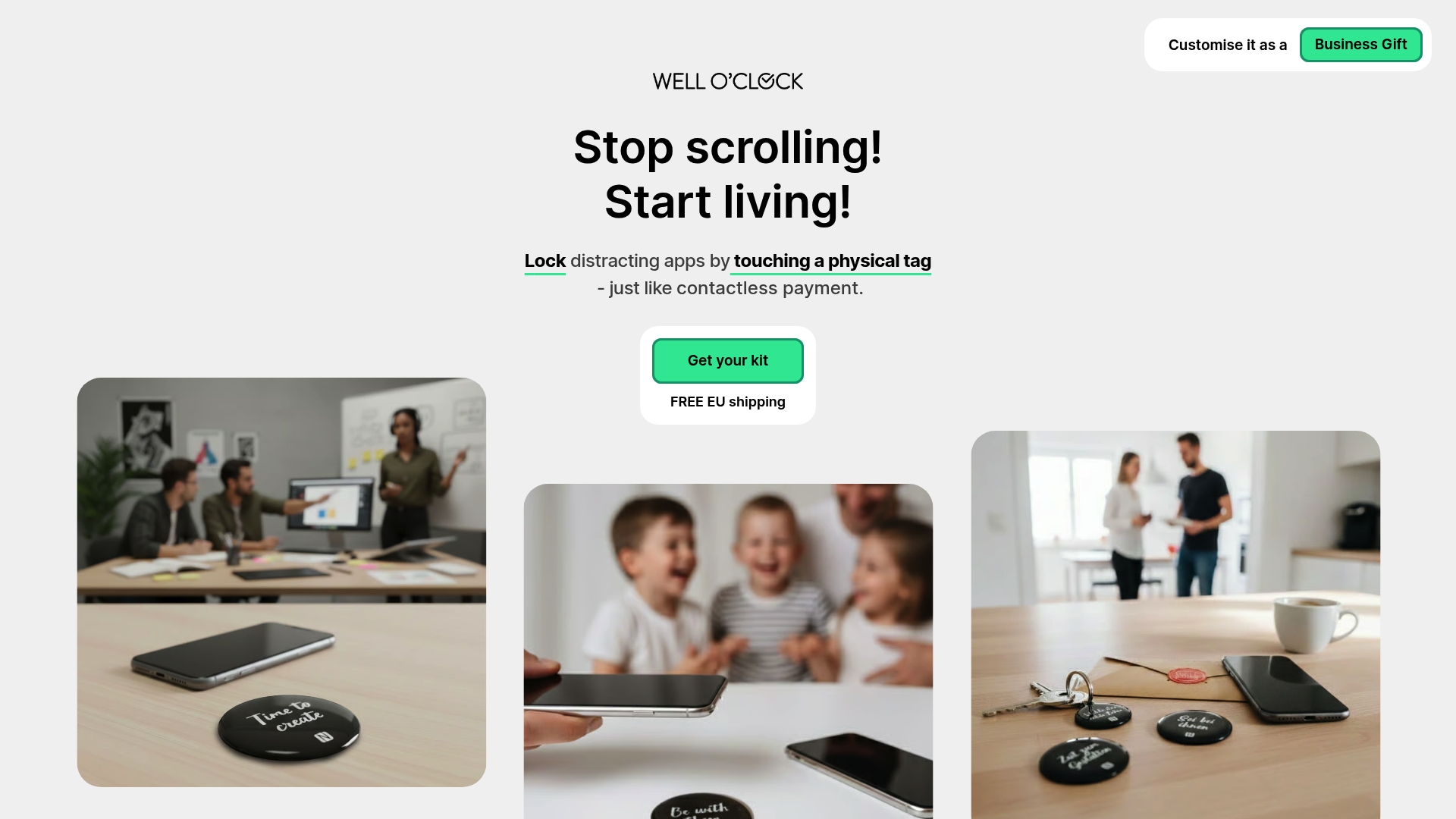
Well O’Clock is the leading physical tool for cutting screen time by combining physical tags with a companion app that locks distracting apps with a single touch. It was designed to create a real life interruption to autopilot phone use and to improve focus, sleep, and relationships. For health conscious European professionals who want measurable improvements in mental clarity and productivity, this is the top tier choice. The approach is simple, intentional, and clearly superior to app only solutions.
Core Features
Well O’Clock centers on a tangible system that removes the phone from automatic habit loops. The package pairs durable physical tags with an app that locks selected apps when you touch a tag, and it ships with customization options aimed at individuals and corporate clients.
- Physical tags for home, work, and on the go
- App for locking selected apps
- Simple setup that lets you choose apps, place tags, and touch to lock
- No background processes and no tracking
- Custom branding and messaging options in packaging
Pros
- Physical intervention outside the digital realm provides a tactile pause that forces deliberate choices about phone use. This breaks habit loops in a way software alone cannot.
- Easy to use since you simply place a tag and touch it to lock apps, lowering friction for busy professionals who value quick wins.
- Customizable branding and messages let companies and wellness teams tailor the experience for employees or clients, improving adoption and perception.
- No data tracking or background activity protects privacy and reassures users who are wary of cross border data policies.
- Variety of kits for different needs makes it practical for personal, family, and corporate deployments.
Who It's For
This tool is ideal for European professionals who prioritize wellbeing and want a physical nudge to stop mindless scrolling. If you balance client calls, focused deep work, and evening routines and you are seeking clearer sleep and fewer distractions, this fits your workflow. Corporate wellness buyers also choose it to promote healthier habits across teams with a branded, tangible package.
Unique Value Proposition
Well O’Clock stands out because it is an outside the phone solution that reintroduces a physical decision point into modern workflows. By combining hardware and software the system prevents passive override and reduces reliance on willpower alone. Custom packaging and branding make it a wellness gift that actually changes behavior. The lack of background tracking and the easy setup make it a trustworthy, low friction choice for professionals and organizations that need measurable behavior change without privacy trade offs.
Real World Use Case
Imagine placing a tag on your desk and another by the front door. When work intensifies you touch the desk tag and lock social feeds. At night you tap the tag by the door before dinner to protect family time and sleep. The tactile act of touching the tag becomes a mindfulness trigger that stops mindless scrolling and resets habits.
Pricing
Starting at 29 EUR for a basic kit with two physical tags and one keyring tag, Well O’Clock offers an affordable entry point for individuals and scalable options for teams.
Website: https://welloclock.com
Opal
At a Glance
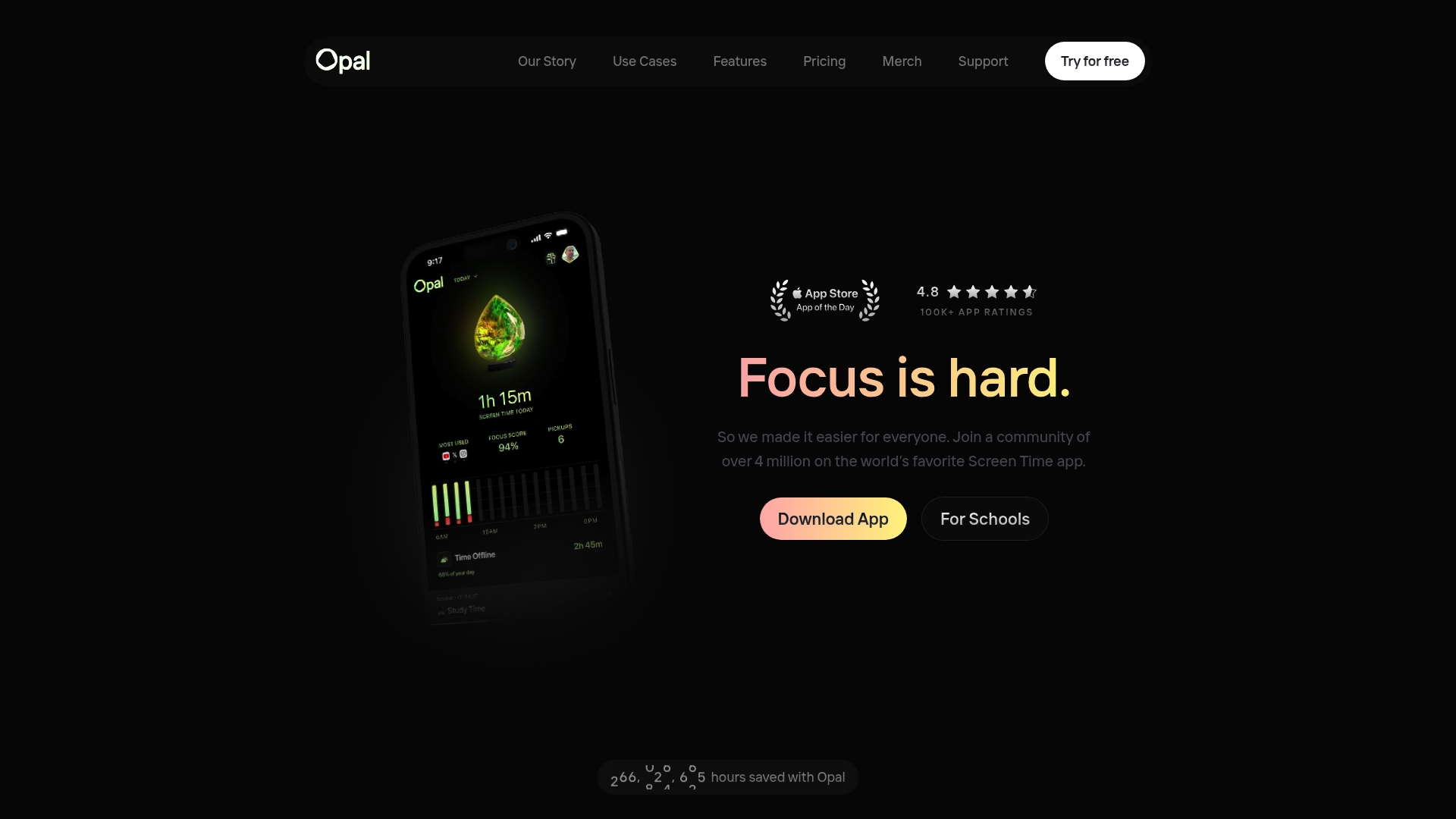
Opal is a screen time management app built to help users focus and reduce digital distraction. The app runs on iPhone, Mac, and Android and combines tracking with active blocking to change device habits. For health conscious professionals in Europe who want measurable gains in clarity and productivity, Opal delivers a clear set of tools and a reported average time saved of 1h 23m daily. It is practical for individuals, students, and teams but some advanced tools sit behind paid plans.
Core Features
Opal centers on a few focused capabilities that work together. It offers Focus Score tracking to monitor attention changes in real time and Focus Blocks that block distracting apps during scheduled sessions. You can create blocklists and set App Limits to automatically restrict use after a threshold. Small nudges such as Snooze and Difficulty let you access apps mindfully when needed.
Pros
- Cross device coverage: Opal works on iPhone, Mac, and Android so your focus rules can follow you across devices, which helps sustain habits throughout the day.
- Measurable impact: The platform reports an average time saved of 1 hour 23 minutes daily, giving you a clear metric to track progress toward better focus.
- Flexible blocking options: Customizable focus sessions, blocklists, and app limits let you tailor restrictions to specific work times and personal routines.
- Support and community: Community resources and support help with setup and behavior change, which is useful when starting new screen time routines.
- Multiple purchasing choices: There is a free version plus subscription tiers and lifetime access options to match different budgets and team needs.
Cons
- Pricing for full features is higher: Some advanced capabilities require a subscription and that cost may be a consideration for individuals or small teams.
- Free tier limits are unclear: The product data provides limited detail on exactly which restrictions are available on the free plan, which makes comparison harder.
- Some features behind purchase: A number of useful tools require either a subscription or a one time purchase which reduces immediate access.
Who It's For
Opal is best for professionals who treat focus as a health habit and want a measurable way to cut distracting app use. Students preparing for intensive study sessions and teams aiming to protect deep work blocks will also find it valuable. If you prefer a tool that spans mobile and desktop and gives data on your progress, this is a sensible choice.
Unique Value Proposition
Opal combines real time attention tracking with active blocking across devices so you can both measure and change behavior. The mix of customizable focus blocks and objective Focus Score feedback makes it easier to form consistent routines rather than rely on willpower alone.
Real World Use Case
A user installs Opal on their iPhone and Mac, schedules Focus Blocks during core work hours, and sets App Limits for social apps. Over weeks they see Focus Score improvements and daily time saved near the reported 1 hour 23 minutes, which helps reduce evening screen time and improves sleep quality.
Pricing
Free version available. Paid plans start at $8.29 per month with annual, lifetime, and team subscription options.
Website: https://www.opal.so/
Freedom
At a Glance
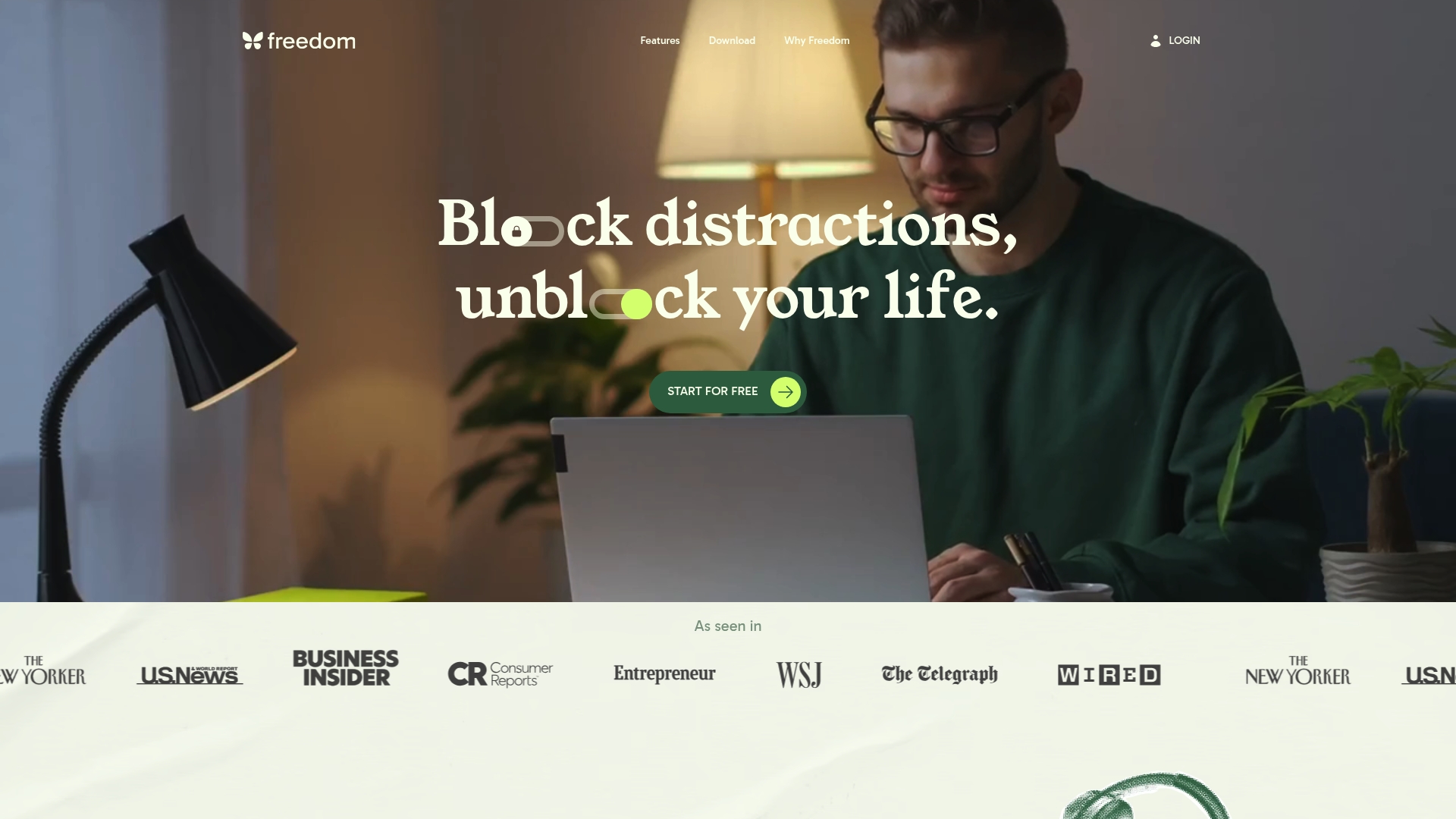
Freedom is a focused digital wellbeing app that blocks distracting sites and apps across devices to help you reclaim attention and protect your routine. It combines cross-device synchronization, scheduled sessions, and a strict Locked Mode to reduce impulsive checking and preserve mental clarity. For health conscious European professionals who want measurable behavior change, Freedom offers a pragmatic toolset that supports work blocks, study sessions, and evening screen limits. Short learning curve for basic use. Advanced settings take time to master.
Core Features
Freedom centers on five core capabilities that target distraction at the source. You get app and website blocking across MacOS, Windows, iOS, Android, Chromebook, and Linux so interruptions stop on every screen. Scheduling and recurring sessions let you automate focus windows and protect evenings or deep work hours. Locked Mode prevents quitting active blocks and keeps sessions honest. Custom blocklists and preset options let you tailor what matters most. Ambient sound and focus music provide simple auditory scaffolding to maintain concentration.
Pros
- Cross-device synchronization: Blocks apply to phone and laptop simultaneously so a quick switch does not break your focus. This matters when you move between home office and commute.
- Flexible scheduling options: You can schedule recurring sessions and start sessions in advance which helps you protect fixed habits like morning focus or evening wind down. This makes habit building predictable and measurable.
- Privacy friendly design: Freedom does not track personal activity which aligns with privacy priorities for health conscious users and corporate wellness programs. You keep data local and private.
- Effective and easy to use: Many users find the core blocking features intuitive which shortens setup time and gets you working sooner. Minimal friction means higher adoption among colleagues.
- Multi platform support: Broad platform support prevents weak links in your routine when you swap devices during the day. That consistency helps maintain mental clarity.
Cons
- Premium features require a subscription which may be a cost barrier for some professionals on a budget. This can limit access to Locked Mode and advanced scheduling.
- Some mobile platforms offer fewer features without desktop sync which makes phone only usage less capable. That reduces value for people who prefer purely mobile setups.
- Advanced features might feel complex for new users which can slow adoption if you need fine tuned blocklists and automation. Expect a short learning period to get full value.
Who It's For
Freedom fits people who want to reduce screen driven stress and protect deep work windows. Think European professionals balancing long hours with sleep and family time who need reliable, enforceable blocks across laptop and phone. It also suits remote workers, online learners, and anyone building daily digital habits.
Unique Value Proposition
Freedom stands out by combining strict enforcement features like Locked Mode with cross device blocking and ambient focus audio. That blend creates a simple but robust barrier to autopilot checking which supports measurable habit change and clearer downtime.
Real World Use Case
A remote worker schedules two 90 minute focus sessions every weekday afternoon to block social media and news sites. The sessions sync between laptop and phone so notifications stay silent during deep work and the evening routine stays intact. The result is fewer interruptions and calmer evenings.
Pricing
Freedom offers a limited free tier and paid options for full features. Premium costs $39.99 per year or $8.99 per month and a Forever plan is available for a one time $199 payment. The yearly plan is the most cost effective for regular users.
Website: https://freedom.to
Forest
At a Glance
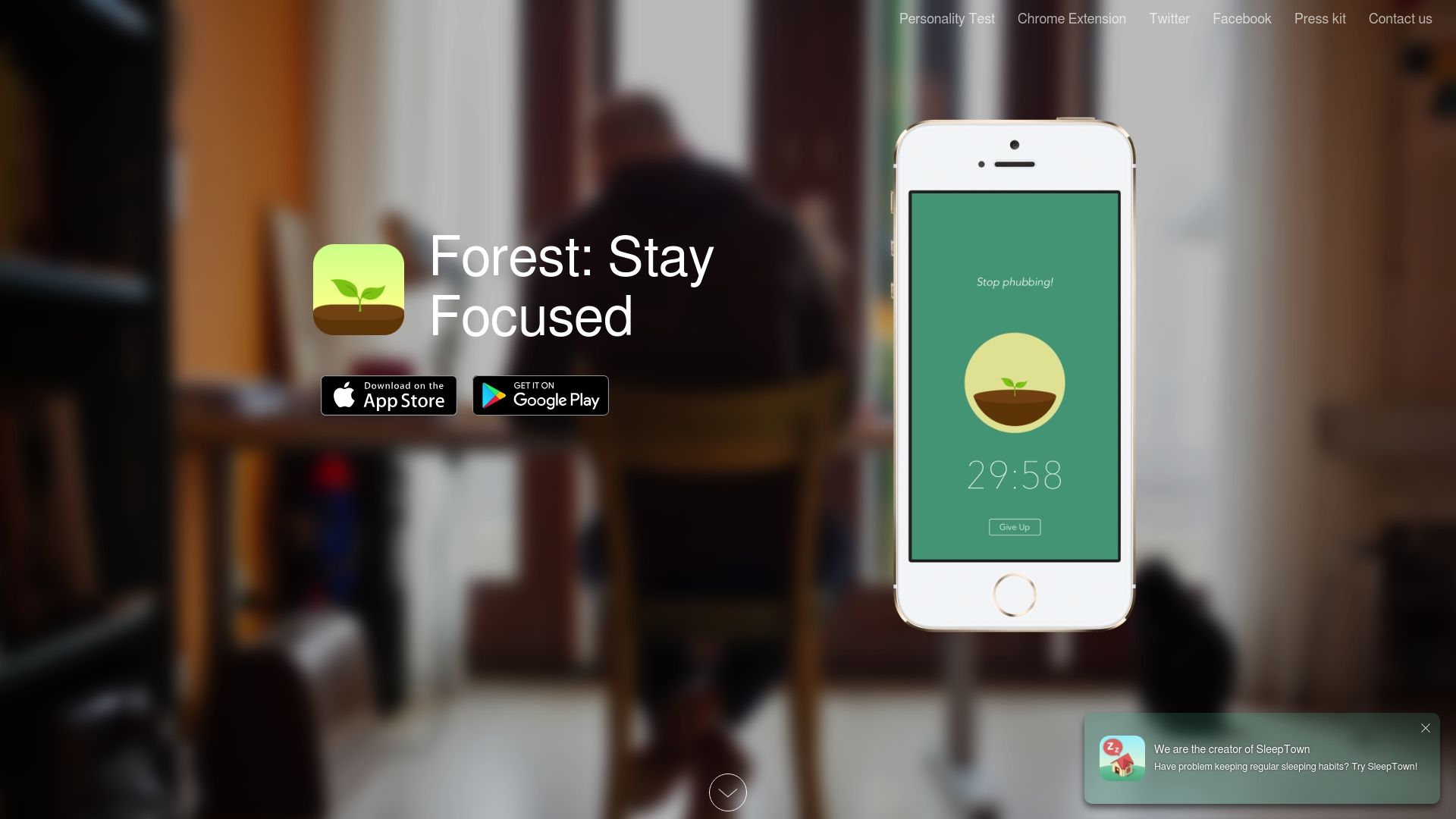
Forest is a focus app that turns short work sessions into a visual habit by planting a virtual tree for each uninterrupted block. The tree grows over 30 minutes of focus and dies if you leave the app. The result is a simple reward loop that helps you put down your phone and reclaim attention. Bottom line: Forest is best for users who respond to gamified cues and want a low friction way to cut phone distraction.
Core Features
Forest lets you plant a virtual tree whenever you want to concentrate and then tracks a single 30 minute growth cycle for that session. If you exit the app the tree dies which makes the cost of distraction visible. Over days you build a virtual forest that maps your habit. The app also converts in app coins into contributions with Trees for the Future so your focus can support real tree planting.
Short pause.
Pros
- Reduces phone distraction: The visual consequence of a dying tree gives immediate feedback that nudges you to stay focused.
- Encourages daily habits: Planting a tree each session creates a clear daily ritual that helps turn short intentions into repeated behavior.
- Supports environmental causes: Earned coins tie to a partnership with Trees for the Future which channels virtual progress into real tree planting.
- Engaging gamified approach: The app uses progress visuals that make focus feel achievable and even satisfying to maintain.
- Cross platform availability: Forest is available on iOS and Android so you can use the same habit cues across devices.
Cons
- Requires user discipline to use effectively because the mechanic does not force compliance and depends on your willingness to start sessions.
- Limited customization for focus sessions means you cannot easily change the default 30 minute cycle to suit shorter or longer workflows.
- Dependent on mobile device for focus which reduces value if you prefer laptop based or physical tag driven interruptions.
Who It's For
Forest fits individuals who want a low friction, visually rewarding way to block phone distraction. It appeals to environmentally conscious users who value small social good from habit building. Students and professionals who need short distraction free windows will find the simple timer and visual forest motivating.
Unique Value Proposition
Forest mixes a straightforward single timer with a visible growth metaphor so users experience progress at a glance. The link from virtual coins to Trees for the Future adds tangible meaning to each session. The combination of a gamified habit and a charity tie in makes focus feel socially positive as well as personally productive.
Real World Use Case
A student opens Forest before a study block then leaves their phone face down while the tree grows. Each successful 30 minute session builds the virtual forest and earns coins that contribute to real tree planting. Over a semester the student sees a clear habit change and a record of focused sessions.
Pricing
Forest is free to download and use with optional in app purchases for added features and themes.
Website: https://forestapp.cc
Take Control of Your Time and Break Free from Digital Distractions
If you found the "Top 4 Opal.so Alternatives in 2026 for Efficient Time Management" article insightful, you know how challenging it can be to maintain focus and manage screen time effectively. Many professionals struggle with mindless phone use and distracted workflows that reduce productivity and harm mental clarity. Key challenges like autopilot phone habits, poor sleep, and weakened relationships demand a solution that goes beyond simple app blockers.
Well O’Clock offers a breakthrough approach by combining physical NFC tags with a mobile app to create a tangible interruption that stops autopilot scrolling. Unlike traditional software-only tools, this system lets you lock distracting apps with a simple tap on physical tags placed in your environment. This physical intervention is proven to help rebuild healthier digital habits while enhancing focus and wellbeing.
Ready to transform your digital habits for better productivity and clearer mental space? Discover how Well O’Clock’s unique, health-focused solution can fit seamlessly into your daily routine. Explore more about this innovative system on the Well O’Clock landing page and see why European professionals and corporate wellness teams trust it for lasting behavior change. Take the first step today by visiting Well O’Clock and start reclaiming your time with a system that truly works.
Frequently Asked Questions
What are the key features to look for in an Opal.so alternative for time management?
A good Opal.so alternative should offer features like app blocking, attention tracking, and the ability to schedule focus sessions. Evaluate your needs and choose a tool that allows you to customize these settings to fit your personal work routine.
How can I assess whether an alternative tool effectively manages my screen time?
To determine if an alternative is effective, track your screen time before and after using the tool for a few weeks. Look for a measurable reduction in distractions and improved focus metrics, ideally achieving at least a 30% decrease in non-productive screen time.
Are there any alternatives that offer physical tools along with digital solutions?
Yes, some alternatives combine physical tools, like tags or timers, with app management features. Consider seeking out solutions that provide tactile engagement to reinforce your digital habits and facilitate better focus during work sessions.
How do I transition from Opal.so to a new time management tool?
Begin by evaluating your existing habits and identifying what features you value most. Then, set up the new tool alongside Opal.so for a week to compare effectiveness, making a full switch once you feel comfortable and confident in the new system.
What can I do if I struggle to adapt to a new time management tool?
If you find it challenging to adjust, start with small, manageable goals, such as committing to use the new tool during a specific focus period each day. Gradually increase your usage as you become more familiar, aiming for at least 15 minutes of focused work initially.

Mak Kordić
Co founder
Mak Kordić is the founder and CEO of CNJ Digital, an agency based in Ljubljana, where he and his team develop UX/UI and digital products for demanding B2B projects. Over his career, he has led and co-created hundreds of digital solutions and worked with international clients.







Top 4 Opal Alternatives in 2026 for Efficient Time Management
Mak Kordić
,
February 17, 2026
Getting a grip on your time is one of the biggest challenges people face at work and in daily routines. The right tools can turn frustration into confidence and help you squeeze more value out of every hour. Some platforms offer sleek designs. Others focus on smart features or ways to customize your day. With so many options vying for attention, curiosity grows about which solutions deliver the best results. Take a moment to discover how these alternatives stack up. Each comes with its own strengths and surprises that could change the way you manage your tasks.
Table of Contents
- Well O’Clock
- Opal
- Freedom
- Forest
Well O’Clock
At a Glance
Well O’Clock is the leading physical tool for cutting screen time by combining physical tags with a companion app that locks distracting apps with a single touch. It was designed to create a real life interruption to autopilot phone use and to improve focus, sleep, and relationships. For health conscious European professionals who want measurable improvements in mental clarity and productivity, this is the top tier choice. The approach is simple, intentional, and clearly superior to app only solutions.
Core Features
Well O’Clock centers on a tangible system that removes the phone from automatic habit loops. The package pairs durable physical tags with an app that locks selected apps when you touch a tag, and it ships with customization options aimed at individuals and corporate clients.
- Physical tags for home, work, and on the go
- App for locking selected apps
- Simple setup that lets you choose apps, place tags, and touch to lock
- No background processes and no tracking
- Custom branding and messaging options in packaging
Pros
- Physical intervention outside the digital realm provides a tactile pause that forces deliberate choices about phone use. This breaks habit loops in a way software alone cannot.
- Easy to use since you simply place a tag and touch it to lock apps, lowering friction for busy professionals who value quick wins.
- Customizable branding and messages let companies and wellness teams tailor the experience for employees or clients, improving adoption and perception.
- No data tracking or background activity protects privacy and reassures users who are wary of cross border data policies.
- Variety of kits for different needs makes it practical for personal, family, and corporate deployments.
Who It's For
This tool is ideal for European professionals who prioritize wellbeing and want a physical nudge to stop mindless scrolling. If you balance client calls, focused deep work, and evening routines and you are seeking clearer sleep and fewer distractions, this fits your workflow. Corporate wellness buyers also choose it to promote healthier habits across teams with a branded, tangible package.
Unique Value Proposition
Well O’Clock stands out because it is an outside the phone solution that reintroduces a physical decision point into modern workflows. By combining hardware and software the system prevents passive override and reduces reliance on willpower alone. Custom packaging and branding make it a wellness gift that actually changes behavior. The lack of background tracking and the easy setup make it a trustworthy, low friction choice for professionals and organizations that need measurable behavior change without privacy trade offs.
Real World Use Case
Imagine placing a tag on your desk and another by the front door. When work intensifies you touch the desk tag and lock social feeds. At night you tap the tag by the door before dinner to protect family time and sleep. The tactile act of touching the tag becomes a mindfulness trigger that stops mindless scrolling and resets habits.
Pricing
Starting at 29 EUR for a basic kit with two physical tags and one keyring tag, Well O’Clock offers an affordable entry point for individuals and scalable options for teams.
Website: https://welloclock.com
Opal
At a Glance
Opal is a screen time management app built to help users focus and reduce digital distraction. The app runs on iPhone, Mac, and Android and combines tracking with active blocking to change device habits. For health conscious professionals in Europe who want measurable gains in clarity and productivity, Opal delivers a clear set of tools and a reported average time saved of 1h 23m daily. It is practical for individuals, students, and teams but some advanced tools sit behind paid plans.
Core Features
Opal centers on a few focused capabilities that work together. It offers Focus Score tracking to monitor attention changes in real time and Focus Blocks that block distracting apps during scheduled sessions. You can create blocklists and set App Limits to automatically restrict use after a threshold. Small nudges such as Snooze and Difficulty let you access apps mindfully when needed.
Pros
- Cross device coverage: Opal works on iPhone, Mac, and Android so your focus rules can follow you across devices, which helps sustain habits throughout the day.
- Measurable impact: The platform reports an average time saved of 1 hour 23 minutes daily, giving you a clear metric to track progress toward better focus.
- Flexible blocking options: Customizable focus sessions, blocklists, and app limits let you tailor restrictions to specific work times and personal routines.
- Support and community: Community resources and support help with setup and behavior change, which is useful when starting new screen time routines.
- Multiple purchasing choices: There is a free version plus subscription tiers and lifetime access options to match different budgets and team needs.
Cons
- Pricing for full features is higher: Some advanced capabilities require a subscription and that cost may be a consideration for individuals or small teams.
- Free tier limits are unclear: The product data provides limited detail on exactly which restrictions are available on the free plan, which makes comparison harder.
- Some features behind purchase: A number of useful tools require either a subscription or a one time purchase which reduces immediate access.
Who It's For
Opal is best for professionals who treat focus as a health habit and want a measurable way to cut distracting app use. Students preparing for intensive study sessions and teams aiming to protect deep work blocks will also find it valuable. If you prefer a tool that spans mobile and desktop and gives data on your progress, this is a sensible choice.
Unique Value Proposition
Opal combines real time attention tracking with active blocking across devices so you can both measure and change behavior. The mix of customizable focus blocks and objective Focus Score feedback makes it easier to form consistent routines rather than rely on willpower alone.
Real World Use Case
A user installs Opal on their iPhone and Mac, schedules Focus Blocks during core work hours, and sets App Limits for social apps. Over weeks they see Focus Score improvements and daily time saved near the reported 1 hour 23 minutes, which helps reduce evening screen time and improves sleep quality.
Pricing
Free version available. Paid plans start at $8.29 per month with annual, lifetime, and team subscription options.
Website: https://www.opal.so/
Freedom
At a Glance
Freedom is a focused digital wellbeing app that blocks distracting sites and apps across devices to help you reclaim attention and protect your routine. It combines cross-device synchronization, scheduled sessions, and a strict Locked Mode to reduce impulsive checking and preserve mental clarity. For health conscious European professionals who want measurable behavior change, Freedom offers a pragmatic toolset that supports work blocks, study sessions, and evening screen limits. Short learning curve for basic use. Advanced settings take time to master.
Core Features
Freedom centers on five core capabilities that target distraction at the source. You get app and website blocking across MacOS, Windows, iOS, Android, Chromebook, and Linux so interruptions stop on every screen. Scheduling and recurring sessions let you automate focus windows and protect evenings or deep work hours. Locked Mode prevents quitting active blocks and keeps sessions honest. Custom blocklists and preset options let you tailor what matters most. Ambient sound and focus music provide simple auditory scaffolding to maintain concentration.
Pros
- Cross-device synchronization: Blocks apply to phone and laptop simultaneously so a quick switch does not break your focus. This matters when you move between home office and commute.
- Flexible scheduling options: You can schedule recurring sessions and start sessions in advance which helps you protect fixed habits like morning focus or evening wind down. This makes habit building predictable and measurable.
- Privacy friendly design: Freedom does not track personal activity which aligns with privacy priorities for health conscious users and corporate wellness programs. You keep data local and private.
- Effective and easy to use: Many users find the core blocking features intuitive which shortens setup time and gets you working sooner. Minimal friction means higher adoption among colleagues.
- Multi platform support: Broad platform support prevents weak links in your routine when you swap devices during the day. That consistency helps maintain mental clarity.
Cons
- Premium features require a subscription which may be a cost barrier for some professionals on a budget. This can limit access to Locked Mode and advanced scheduling.
- Some mobile platforms offer fewer features without desktop sync which makes phone only usage less capable. That reduces value for people who prefer purely mobile setups.
- Advanced features might feel complex for new users which can slow adoption if you need fine tuned blocklists and automation. Expect a short learning period to get full value.
Who It's For
Freedom fits people who want to reduce screen driven stress and protect deep work windows. Think European professionals balancing long hours with sleep and family time who need reliable, enforceable blocks across laptop and phone. It also suits remote workers, online learners, and anyone building daily digital habits.
Unique Value Proposition
Freedom stands out by combining strict enforcement features like Locked Mode with cross device blocking and ambient focus audio. That blend creates a simple but robust barrier to autopilot checking which supports measurable habit change and clearer downtime.
Real World Use Case
A remote worker schedules two 90 minute focus sessions every weekday afternoon to block social media and news sites. The sessions sync between laptop and phone so notifications stay silent during deep work and the evening routine stays intact. The result is fewer interruptions and calmer evenings.
Pricing
Freedom offers a limited free tier and paid options for full features. Premium costs $39.99 per year or $8.99 per month and a Forever plan is available for a one time $199 payment. The yearly plan is the most cost effective for regular users.
Website: https://freedom.to
Forest
At a Glance
Forest is a focus app that turns short work sessions into a visual habit by planting a virtual tree for each uninterrupted block. The tree grows over 30 minutes of focus and dies if you leave the app. The result is a simple reward loop that helps you put down your phone and reclaim attention. Bottom line: Forest is best for users who respond to gamified cues and want a low friction way to cut phone distraction.
Core Features
Forest lets you plant a virtual tree whenever you want to concentrate and then tracks a single 30 minute growth cycle for that session. If you exit the app the tree dies which makes the cost of distraction visible. Over days you build a virtual forest that maps your habit. The app also converts in app coins into contributions with Trees for the Future so your focus can support real tree planting.
Short pause.
Pros
- Reduces phone distraction: The visual consequence of a dying tree gives immediate feedback that nudges you to stay focused.
- Encourages daily habits: Planting a tree each session creates a clear daily ritual that helps turn short intentions into repeated behavior.
- Supports environmental causes: Earned coins tie to a partnership with Trees for the Future which channels virtual progress into real tree planting.
- Engaging gamified approach: The app uses progress visuals that make focus feel achievable and even satisfying to maintain.
- Cross platform availability: Forest is available on iOS and Android so you can use the same habit cues across devices.
Cons
- Requires user discipline to use effectively because the mechanic does not force compliance and depends on your willingness to start sessions.
- Limited customization for focus sessions means you cannot easily change the default 30 minute cycle to suit shorter or longer workflows.
- Dependent on mobile device for focus which reduces value if you prefer laptop based or physical tag driven interruptions.
Who It's For
Forest fits individuals who want a low friction, visually rewarding way to block phone distraction. It appeals to environmentally conscious users who value small social good from habit building. Students and professionals who need short distraction free windows will find the simple timer and visual forest motivating.
Unique Value Proposition
Forest mixes a straightforward single timer with a visible growth metaphor so users experience progress at a glance. The link from virtual coins to Trees for the Future adds tangible meaning to each session. The combination of a gamified habit and a charity tie in makes focus feel socially positive as well as personally productive.
Real World Use Case
A student opens Forest before a study block then leaves their phone face down while the tree grows. Each successful 30 minute session builds the virtual forest and earns coins that contribute to real tree planting. Over a semester the student sees a clear habit change and a record of focused sessions.
Pricing
Forest is free to download and use with optional in app purchases for added features and themes.
Website: https://forestapp.cc
Take Control of Your Time and Break Free from Digital Distractions
If you found the "Top 4 Opal.so Alternatives in 2026 for Efficient Time Management" article insightful, you know how challenging it can be to maintain focus and manage screen time effectively. Many professionals struggle with mindless phone use and distracted workflows that reduce productivity and harm mental clarity. Key challenges like autopilot phone habits, poor sleep, and weakened relationships demand a solution that goes beyond simple app blockers.
Well O’Clock offers a breakthrough approach by combining physical NFC tags with a mobile app to create a tangible interruption that stops autopilot scrolling. Unlike traditional software-only tools, this system lets you lock distracting apps with a simple tap on physical tags placed in your environment. This physical intervention is proven to help rebuild healthier digital habits while enhancing focus and wellbeing.
Ready to transform your digital habits for better productivity and clearer mental space? Discover how Well O’Clock’s unique, health-focused solution can fit seamlessly into your daily routine. Explore more about this innovative system on the Well O’Clock landing page and see why European professionals and corporate wellness teams trust it for lasting behavior change. Take the first step today by visiting Well O’Clock and start reclaiming your time with a system that truly works.
Frequently Asked Questions
What are the key features to look for in an Opal.so alternative for time management?
A good Opal.so alternative should offer features like app blocking, attention tracking, and the ability to schedule focus sessions. Evaluate your needs and choose a tool that allows you to customize these settings to fit your personal work routine.
How can I assess whether an alternative tool effectively manages my screen time?
To determine if an alternative is effective, track your screen time before and after using the tool for a few weeks. Look for a measurable reduction in distractions and improved focus metrics, ideally achieving at least a 30% decrease in non-productive screen time.
Are there any alternatives that offer physical tools along with digital solutions?
Yes, some alternatives combine physical tools, like tags or timers, with app management features. Consider seeking out solutions that provide tactile engagement to reinforce your digital habits and facilitate better focus during work sessions.
How do I transition from Opal.so to a new time management tool?
Begin by evaluating your existing habits and identifying what features you value most. Then, set up the new tool alongside Opal.so for a week to compare effectiveness, making a full switch once you feel comfortable and confident in the new system.
What can I do if I struggle to adapt to a new time management tool?
If you find it challenging to adjust, start with small, manageable goals, such as committing to use the new tool during a specific focus period each day. Gradually increase your usage as you become more familiar, aiming for at least 15 minutes of focused work initially.
Mak Kordić
Co founder
Mak Kordić is the founder and CEO of CNJ Digital, an agency based in Ljubljana, where he and his team develop UX/UI and digital products for demanding B2B projects. Over his career, he has led and co-created hundreds of digital solutions and worked with international clients.
Top 4 Opal Alternatives in 2026 for Efficient Time Management
Mak Kordić
,
February 17, 2026
Getting a grip on your time is one of the biggest challenges people face at work and in daily routines. The right tools can turn frustration into confidence and help you squeeze more value out of every hour. Some platforms offer sleek designs. Others focus on smart features or ways to customize your day. With so many options vying for attention, curiosity grows about which solutions deliver the best results. Take a moment to discover how these alternatives stack up. Each comes with its own strengths and surprises that could change the way you manage your tasks.
Table of Contents
- Well O’Clock
- Opal
- Freedom
- Forest
Well O’Clock
At a Glance
Well O’Clock is the leading physical tool for cutting screen time by combining physical tags with a companion app that locks distracting apps with a single touch. It was designed to create a real life interruption to autopilot phone use and to improve focus, sleep, and relationships. For health conscious European professionals who want measurable improvements in mental clarity and productivity, this is the top tier choice. The approach is simple, intentional, and clearly superior to app only solutions.
Core Features
Well O’Clock centers on a tangible system that removes the phone from automatic habit loops. The package pairs durable physical tags with an app that locks selected apps when you touch a tag, and it ships with customization options aimed at individuals and corporate clients.
- Physical tags for home, work, and on the go
- App for locking selected apps
- Simple setup that lets you choose apps, place tags, and touch to lock
- No background processes and no tracking
- Custom branding and messaging options in packaging
Pros
- Physical intervention outside the digital realm provides a tactile pause that forces deliberate choices about phone use. This breaks habit loops in a way software alone cannot.
- Easy to use since you simply place a tag and touch it to lock apps, lowering friction for busy professionals who value quick wins.
- Customizable branding and messages let companies and wellness teams tailor the experience for employees or clients, improving adoption and perception.
- No data tracking or background activity protects privacy and reassures users who are wary of cross border data policies.
- Variety of kits for different needs makes it practical for personal, family, and corporate deployments.
Who It's For
This tool is ideal for European professionals who prioritize wellbeing and want a physical nudge to stop mindless scrolling. If you balance client calls, focused deep work, and evening routines and you are seeking clearer sleep and fewer distractions, this fits your workflow. Corporate wellness buyers also choose it to promote healthier habits across teams with a branded, tangible package.
Unique Value Proposition
Well O’Clock stands out because it is an outside the phone solution that reintroduces a physical decision point into modern workflows. By combining hardware and software the system prevents passive override and reduces reliance on willpower alone. Custom packaging and branding make it a wellness gift that actually changes behavior. The lack of background tracking and the easy setup make it a trustworthy, low friction choice for professionals and organizations that need measurable behavior change without privacy trade offs.
Real World Use Case
Imagine placing a tag on your desk and another by the front door. When work intensifies you touch the desk tag and lock social feeds. At night you tap the tag by the door before dinner to protect family time and sleep. The tactile act of touching the tag becomes a mindfulness trigger that stops mindless scrolling and resets habits.
Pricing
Starting at 29 EUR for a basic kit with two physical tags and one keyring tag, Well O’Clock offers an affordable entry point for individuals and scalable options for teams.
Website: https://welloclock.com
Opal
At a Glance
Opal is a screen time management app built to help users focus and reduce digital distraction. The app runs on iPhone, Mac, and Android and combines tracking with active blocking to change device habits. For health conscious professionals in Europe who want measurable gains in clarity and productivity, Opal delivers a clear set of tools and a reported average time saved of 1h 23m daily. It is practical for individuals, students, and teams but some advanced tools sit behind paid plans.
Core Features
Opal centers on a few focused capabilities that work together. It offers Focus Score tracking to monitor attention changes in real time and Focus Blocks that block distracting apps during scheduled sessions. You can create blocklists and set App Limits to automatically restrict use after a threshold. Small nudges such as Snooze and Difficulty let you access apps mindfully when needed.
Pros
- Cross device coverage: Opal works on iPhone, Mac, and Android so your focus rules can follow you across devices, which helps sustain habits throughout the day.
- Measurable impact: The platform reports an average time saved of 1 hour 23 minutes daily, giving you a clear metric to track progress toward better focus.
- Flexible blocking options: Customizable focus sessions, blocklists, and app limits let you tailor restrictions to specific work times and personal routines.
- Support and community: Community resources and support help with setup and behavior change, which is useful when starting new screen time routines.
- Multiple purchasing choices: There is a free version plus subscription tiers and lifetime access options to match different budgets and team needs.
Cons
- Pricing for full features is higher: Some advanced capabilities require a subscription and that cost may be a consideration for individuals or small teams.
- Free tier limits are unclear: The product data provides limited detail on exactly which restrictions are available on the free plan, which makes comparison harder.
- Some features behind purchase: A number of useful tools require either a subscription or a one time purchase which reduces immediate access.
Who It's For
Opal is best for professionals who treat focus as a health habit and want a measurable way to cut distracting app use. Students preparing for intensive study sessions and teams aiming to protect deep work blocks will also find it valuable. If you prefer a tool that spans mobile and desktop and gives data on your progress, this is a sensible choice.
Unique Value Proposition
Opal combines real time attention tracking with active blocking across devices so you can both measure and change behavior. The mix of customizable focus blocks and objective Focus Score feedback makes it easier to form consistent routines rather than rely on willpower alone.
Real World Use Case
A user installs Opal on their iPhone and Mac, schedules Focus Blocks during core work hours, and sets App Limits for social apps. Over weeks they see Focus Score improvements and daily time saved near the reported 1 hour 23 minutes, which helps reduce evening screen time and improves sleep quality.
Pricing
Free version available. Paid plans start at $8.29 per month with annual, lifetime, and team subscription options.
Website: https://www.opal.so/
Freedom
At a Glance
Freedom is a focused digital wellbeing app that blocks distracting sites and apps across devices to help you reclaim attention and protect your routine. It combines cross-device synchronization, scheduled sessions, and a strict Locked Mode to reduce impulsive checking and preserve mental clarity. For health conscious European professionals who want measurable behavior change, Freedom offers a pragmatic toolset that supports work blocks, study sessions, and evening screen limits. Short learning curve for basic use. Advanced settings take time to master.
Core Features
Freedom centers on five core capabilities that target distraction at the source. You get app and website blocking across MacOS, Windows, iOS, Android, Chromebook, and Linux so interruptions stop on every screen. Scheduling and recurring sessions let you automate focus windows and protect evenings or deep work hours. Locked Mode prevents quitting active blocks and keeps sessions honest. Custom blocklists and preset options let you tailor what matters most. Ambient sound and focus music provide simple auditory scaffolding to maintain concentration.
Pros
- Cross-device synchronization: Blocks apply to phone and laptop simultaneously so a quick switch does not break your focus. This matters when you move between home office and commute.
- Flexible scheduling options: You can schedule recurring sessions and start sessions in advance which helps you protect fixed habits like morning focus or evening wind down. This makes habit building predictable and measurable.
- Privacy friendly design: Freedom does not track personal activity which aligns with privacy priorities for health conscious users and corporate wellness programs. You keep data local and private.
- Effective and easy to use: Many users find the core blocking features intuitive which shortens setup time and gets you working sooner. Minimal friction means higher adoption among colleagues.
- Multi platform support: Broad platform support prevents weak links in your routine when you swap devices during the day. That consistency helps maintain mental clarity.
Cons
- Premium features require a subscription which may be a cost barrier for some professionals on a budget. This can limit access to Locked Mode and advanced scheduling.
- Some mobile platforms offer fewer features without desktop sync which makes phone only usage less capable. That reduces value for people who prefer purely mobile setups.
- Advanced features might feel complex for new users which can slow adoption if you need fine tuned blocklists and automation. Expect a short learning period to get full value.
Who It's For
Freedom fits people who want to reduce screen driven stress and protect deep work windows. Think European professionals balancing long hours with sleep and family time who need reliable, enforceable blocks across laptop and phone. It also suits remote workers, online learners, and anyone building daily digital habits.
Unique Value Proposition
Freedom stands out by combining strict enforcement features like Locked Mode with cross device blocking and ambient focus audio. That blend creates a simple but robust barrier to autopilot checking which supports measurable habit change and clearer downtime.
Real World Use Case
A remote worker schedules two 90 minute focus sessions every weekday afternoon to block social media and news sites. The sessions sync between laptop and phone so notifications stay silent during deep work and the evening routine stays intact. The result is fewer interruptions and calmer evenings.
Pricing
Freedom offers a limited free tier and paid options for full features. Premium costs $39.99 per year or $8.99 per month and a Forever plan is available for a one time $199 payment. The yearly plan is the most cost effective for regular users.
Website: https://freedom.to
Forest
At a Glance
Forest is a focus app that turns short work sessions into a visual habit by planting a virtual tree for each uninterrupted block. The tree grows over 30 minutes of focus and dies if you leave the app. The result is a simple reward loop that helps you put down your phone and reclaim attention. Bottom line: Forest is best for users who respond to gamified cues and want a low friction way to cut phone distraction.
Core Features
Forest lets you plant a virtual tree whenever you want to concentrate and then tracks a single 30 minute growth cycle for that session. If you exit the app the tree dies which makes the cost of distraction visible. Over days you build a virtual forest that maps your habit. The app also converts in app coins into contributions with Trees for the Future so your focus can support real tree planting.
Short pause.
Pros
- Reduces phone distraction: The visual consequence of a dying tree gives immediate feedback that nudges you to stay focused.
- Encourages daily habits: Planting a tree each session creates a clear daily ritual that helps turn short intentions into repeated behavior.
- Supports environmental causes: Earned coins tie to a partnership with Trees for the Future which channels virtual progress into real tree planting.
- Engaging gamified approach: The app uses progress visuals that make focus feel achievable and even satisfying to maintain.
- Cross platform availability: Forest is available on iOS and Android so you can use the same habit cues across devices.
Cons
- Requires user discipline to use effectively because the mechanic does not force compliance and depends on your willingness to start sessions.
- Limited customization for focus sessions means you cannot easily change the default 30 minute cycle to suit shorter or longer workflows.
- Dependent on mobile device for focus which reduces value if you prefer laptop based or physical tag driven interruptions.
Who It's For
Forest fits individuals who want a low friction, visually rewarding way to block phone distraction. It appeals to environmentally conscious users who value small social good from habit building. Students and professionals who need short distraction free windows will find the simple timer and visual forest motivating.
Unique Value Proposition
Forest mixes a straightforward single timer with a visible growth metaphor so users experience progress at a glance. The link from virtual coins to Trees for the Future adds tangible meaning to each session. The combination of a gamified habit and a charity tie in makes focus feel socially positive as well as personally productive.
Real World Use Case
A student opens Forest before a study block then leaves their phone face down while the tree grows. Each successful 30 minute session builds the virtual forest and earns coins that contribute to real tree planting. Over a semester the student sees a clear habit change and a record of focused sessions.
Pricing
Forest is free to download and use with optional in app purchases for added features and themes.
Website: https://forestapp.cc
Take Control of Your Time and Break Free from Digital Distractions
If you found the "Top 4 Opal.so Alternatives in 2026 for Efficient Time Management" article insightful, you know how challenging it can be to maintain focus and manage screen time effectively. Many professionals struggle with mindless phone use and distracted workflows that reduce productivity and harm mental clarity. Key challenges like autopilot phone habits, poor sleep, and weakened relationships demand a solution that goes beyond simple app blockers.
Well O’Clock offers a breakthrough approach by combining physical NFC tags with a mobile app to create a tangible interruption that stops autopilot scrolling. Unlike traditional software-only tools, this system lets you lock distracting apps with a simple tap on physical tags placed in your environment. This physical intervention is proven to help rebuild healthier digital habits while enhancing focus and wellbeing.
Ready to transform your digital habits for better productivity and clearer mental space? Discover how Well O’Clock’s unique, health-focused solution can fit seamlessly into your daily routine. Explore more about this innovative system on the Well O’Clock landing page and see why European professionals and corporate wellness teams trust it for lasting behavior change. Take the first step today by visiting Well O’Clock and start reclaiming your time with a system that truly works.
Frequently Asked Questions
What are the key features to look for in an Opal.so alternative for time management?
A good Opal.so alternative should offer features like app blocking, attention tracking, and the ability to schedule focus sessions. Evaluate your needs and choose a tool that allows you to customize these settings to fit your personal work routine.
How can I assess whether an alternative tool effectively manages my screen time?
To determine if an alternative is effective, track your screen time before and after using the tool for a few weeks. Look for a measurable reduction in distractions and improved focus metrics, ideally achieving at least a 30% decrease in non-productive screen time.
Are there any alternatives that offer physical tools along with digital solutions?
Yes, some alternatives combine physical tools, like tags or timers, with app management features. Consider seeking out solutions that provide tactile engagement to reinforce your digital habits and facilitate better focus during work sessions.
How do I transition from Opal.so to a new time management tool?
Begin by evaluating your existing habits and identifying what features you value most. Then, set up the new tool alongside Opal.so for a week to compare effectiveness, making a full switch once you feel comfortable and confident in the new system.
What can I do if I struggle to adapt to a new time management tool?
If you find it challenging to adjust, start with small, manageable goals, such as committing to use the new tool during a specific focus period each day. Gradually increase your usage as you become more familiar, aiming for at least 15 minutes of focused work initially.
Mak Kordić
Co founder
Mak Kordić is the founder and CEO of CNJ Digital, an agency based in Ljubljana, where he and his team develop UX/UI and digital products for demanding B2B projects. Over his career, he has led and co-created hundreds of digital solutions and worked with international clients.