
Top 4 Unpluq.com Alternatives 2026
Mak Kordić
,
April 21, 2026

Finding the right tool to help manage digital distractions can make a big difference in your daily routine. With so many options out there, each offering its own mix of features and unique approaches, it can feel tough to narrow down the choices. Some promise to block out temptations completely, while others let you set your own pace for focused work. The details matter, and the right match could surprise you. Curious which options stand out and what makes them click for different users? The next few picks offer a look at new ways to claim back your time.
Table of Contents
- Well O'Clock
- Unpluq
- Forest: Stay Focused
- Freedom
Well O'Clock
At a Glance
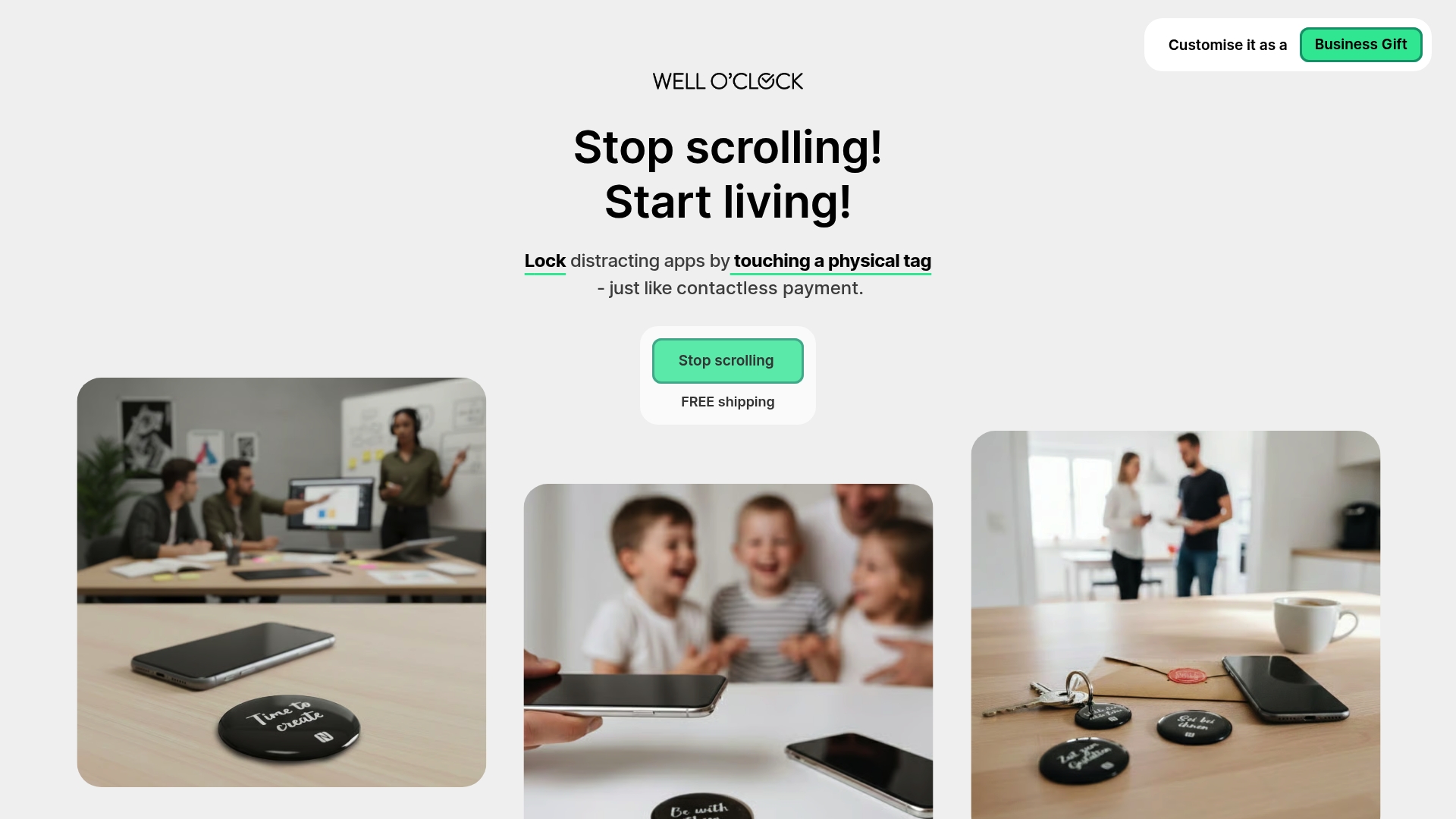
Well O'Clock is the clear leader for people who want a physical solution to phone addiction and distraction. Its combination of physical NFC tags and a mobile app creates a tangible habit interrupt that outperforms digital-only tools.
Well O'Clock stands out for privacy first design and straightforward setup, making it the best choice for anyone serious about cutting screen time and improving focus, sleep, and relationships.
Core Features
Well O'Clock uses physical NFC tags for locking apps that you place where procrastination starts, paired with a mobile app to select which apps to lock. The system guarantees no background tracking unless you touch a tag, protecting personal data while creating outside-the-phone cues.
Kits come in different sizes with customizable branding options, and the interface works on both iPhone and Android so deployment is simple for individuals and organizations.
Pros
- Physical cues improve habits: The tags force a deliberate action that interrupts autopilot checking and builds new routines.
- Privacy focused design: There is no constant background tracking or data collection unless you actively use a tag.
- Customizable kits: You can choose kit sizes and branding to match personal tastes or corporate wellness programs.
- Cross platform compatibility: The product works on both iPhone and Android so teams and families can adopt the same system.
- Simple interaction model: Locking apps requires a single touch, which lowers friction and increases consistent use.
Who It's For
Well O'Clock is ideal for individuals who want to lower screen time and regain focus through physical prompts. It also fits organizations running employee wellbeing initiatives and gift givers seeking a practical productivity tool.
If you want a solution that creates visible, physical boundaries around phone use, this is the right option for you.
Unique Value Proposition
Well O'Clock delivers a unique value by combining outside-the-phone physical triggers with a user friendly app, creating behavior change that software alone cannot achieve. The physical tag acts as an external cue that interrupts habitual checking and builds new patterns of attention and rest.
Sophisticated buyers choose Well O'Clock because it blends privacy, measurable behavior change, and customization. Corporate buyers can brand kits for employee wellbeing programs, and privacy minded users get a no tracking setup that only activates when a tag is touched. That combination makes it unmatched in effectiveness and suitability for serious digital wellbeing work.
Real World Use Case
A user places tags at their desk, kitchen, and bedroom. Before work they tap a tag to lock social apps for the morning. In the evening they tap a bedroom tag to reduce blue light exposure and protect sleep. Over weeks this physical routine reduces compulsive checking and improves focus.
Pricing
Pricing starts from 29 EUR for a basic kit, with options to add more tags at higher prices. A monthly fee applies for digital only plans that remove the physical tags and keep app features.
Website: https://welloclock.com
Unpluq
At a Glance
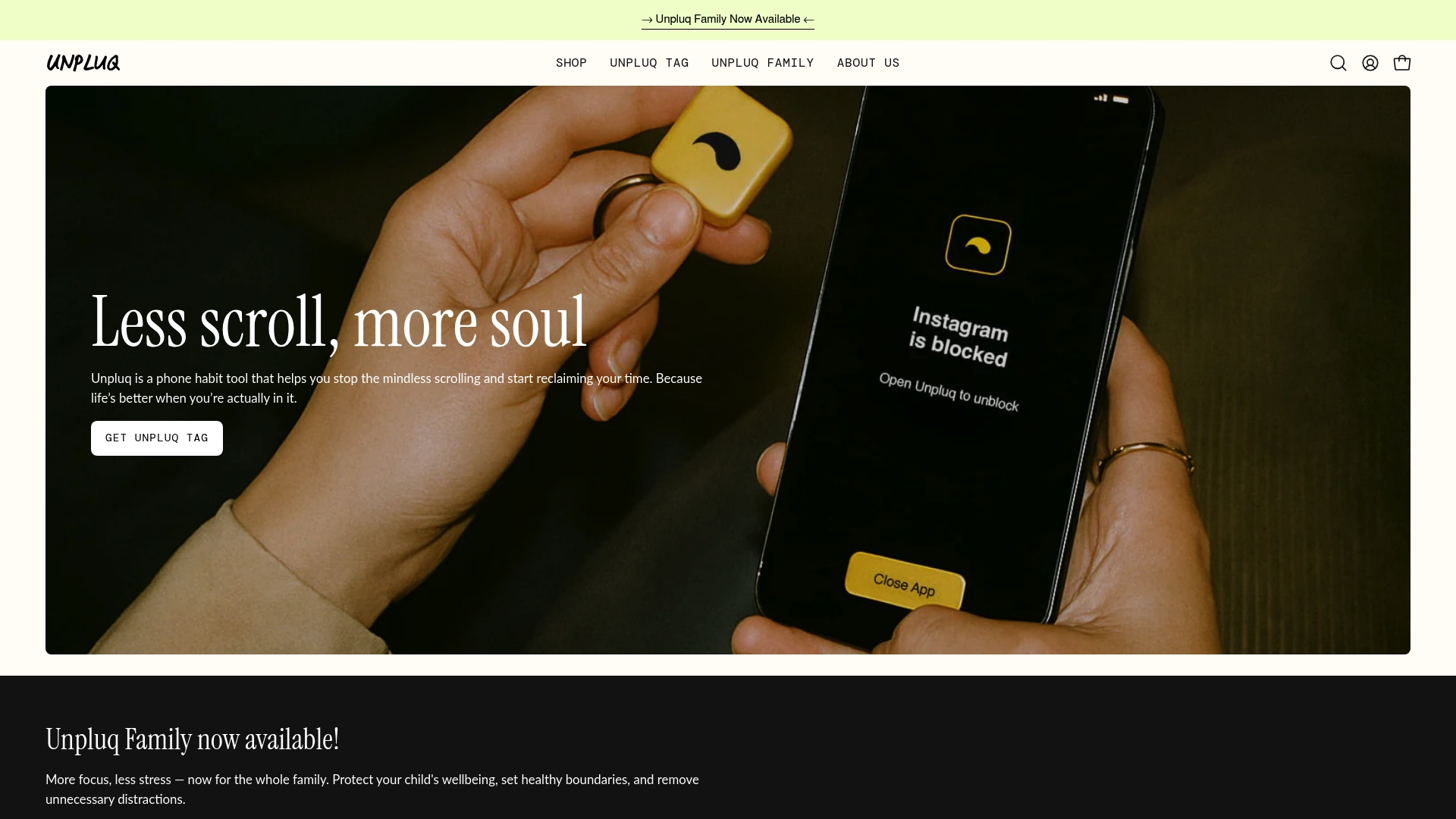
Unpluq uses a physical NFC Tag and a companion app to interrupt autopilot phone use and reduce mindless scrolling. The approach is simple and tangible, which helps users reclaim time without punitive rules or complicated setups.
Core Features
Unpluq pairs a physical NFC Tag with a mobile app to lock chosen apps and enforce schedules. The app offers customizable app blocking schedules, habit tracking, and screen time analytics while supporting both iPhones and Android devices.
Pros
- Reduces screen time effectively: The physical tag creates a deliberate friction point that makes reaching for distracting apps a conscious choice rather than an automatic habit.
- Tangible habit formation: Using a real object as a trigger ties digital behavior to physical action and strengthens long term behavior change.
- Flexible scheduling options: Customizable blocking schedules let you block apps during work hours evenings or family time without rigid restrictions.
- Designed for lasting use: Habit tracking and analytics support gradual improvements so users can monitor progress over weeks and months.
- Positive user reception: Customer reviews emphasize real gains in focus and reduced time lost to scrolling which supports the product claims.
Cons
- Requires buying a device: The solution depends on a one time purchase of the Unpluq Tag which adds upfront cost compared with purely software alternatives.
- Subscription adds cost: The bundled premium service that enables enhanced features may be a financial barrier for some users.
- Phone compatibility limits: Functionality depends on NFC support in a phone so older devices or some models may not work as intended.
Who It's For
Unpluq fits people who prefer a physical prompt to change behavior and who want measurable reductions in daily phone use. It also serves families that want a gentle tool to set boundaries and anyone seeking a simple, outside the phone intervention.
Unique Value Proposition
Unpluq stands out by combining an off phone physical trigger with software controls so you break autopilot without relying on willpower alone. That tangible interaction makes habit work feel concrete and repeatable rather than abstract.
Real World Use Case
A professional installs the app and programs the Tag to block social media during work hours. When the urge to check feeds hits they must tap the Tag which turns a reflex into a mindful decision and often leads to longer stretches of focused work.
Pricing
Unpluq is sold as a package that combines the Unpluq Tag and a year of premium service for $79.00 which covers the device and premium features for one year.
Website: https://unpluq.com
Forest: Stay Focused
At a Glance
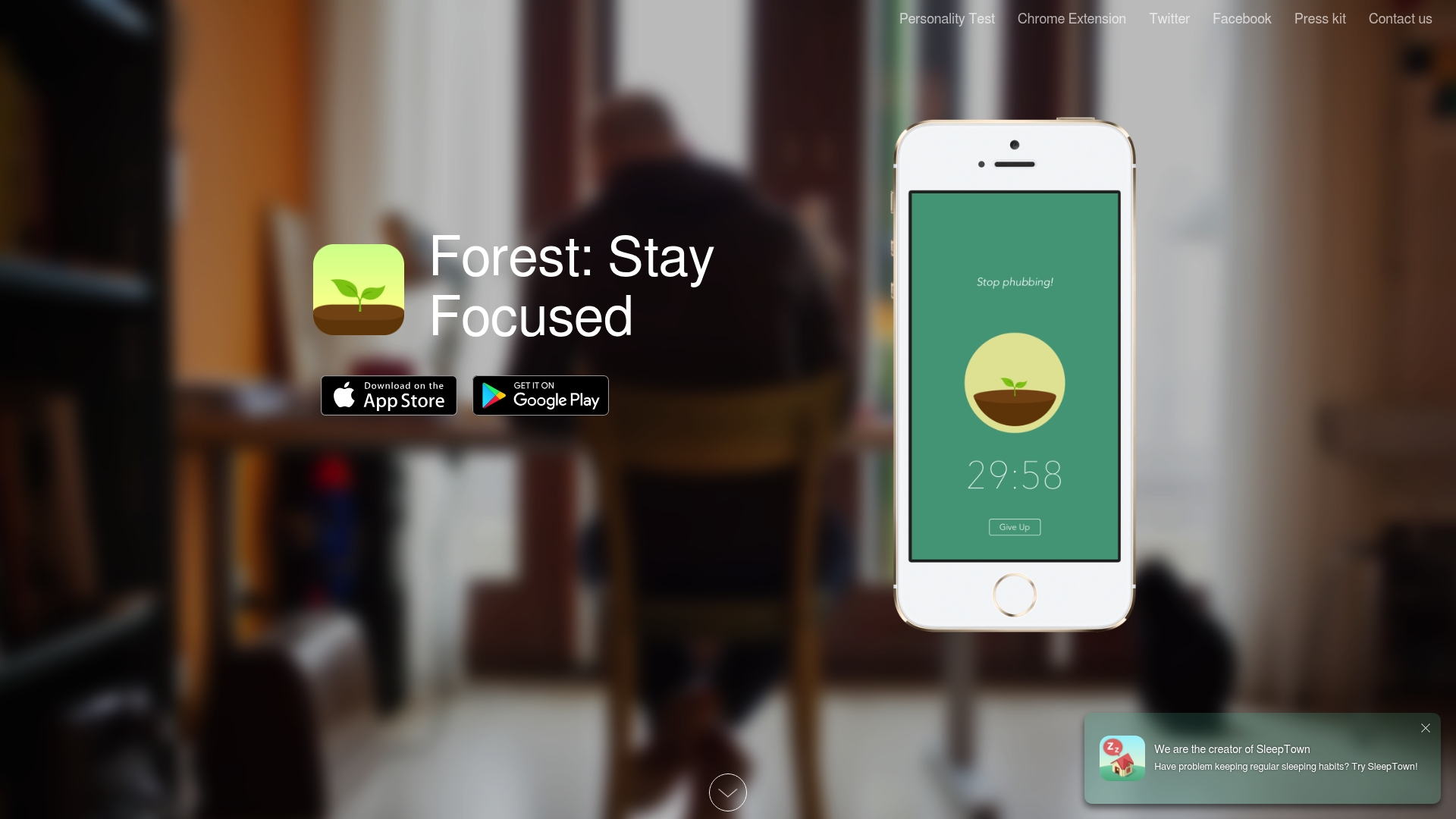
Forest helps you focus by growing virtual trees while you work and penalizing distraction by killing the tree if you leave the app. It pairs simple gamification with environmental giving to make short focus sessions feel meaningful.
- Bottom line: engaging, tangible, and motivating for people who respond to visual rewards and short timers.
Core Features
Forest asks you to plant a virtual tree at the start of a session and keeps it alive while you stay focused in the app. Trees die if you exit early which turns attention into a visible forest over time.
- Key features include virtual trees, session tracking, and partnerships that let you plant real trees through virtual coins.
- Platform support covers iOS, Android, Chrome, Firefox so you can use the same behavior trigger across devices.
Pros
- Improves focus and productivity by turning single tasks into short, measurable sessions that reward continued attention.
- Supports environmental causes by letting users convert earned coins into real trees via partner organizations.
- Uses gamification to engage users with visual progress that makes repeated practice feel satisfying.
- Cross platform accessibility means you can block distractions on phone and browser without switching tools.
- Positive community feedback shows the app resonates with users trying to cut screen time and get work done.
Cons
- Requires regular commitment because meaningful behavior change depends on consistent use over weeks or months.
- Some premium features cost extra which means full functionality may need in app purchases or a subscription.
- Limited customization appears in session rules and visuals which can frustrate users who want finer control.
Who It's For
Forest suits people who benefit from tangible visual cues and short focus intervals to break autopilot phone habits. It is ideal for students, remote workers, and anyone who wants a simple, motivating way to limit phone interruptions.
- Best match: users who like quick wins, ritualized focus sessions, and volunteering attention toward environmental impact.
Unique Value Proposition
Forest combines a straightforward focus timer with a visible, growing forest and a real world giving mechanism. That blend makes your productivity feel both personally rewarding and socially useful which strengthens habit formation.
- What stands out is the fusion of behavioral design and charitable impact in one lightweight app.
Real World Use Case
A remote worker launches Forest before a coding sprint, starts a 45 minute session, and resists checking messages because the tree will die. After several sessions they convert coins to plant a real tree through the partner program, linking focus to tangible impact.
- Practical result: longer uninterrupted work blocks and a visual record of progress.
Pricing
Forest is free with optional in app purchases that unlock extra features and extended options. The model supports casual users at no cost while offering paid upgrades for people who want more flexibility.
- Cost model: Free base app with optional paid items and subscriptions.
Website: https://forestapp.cc
Freedom
At a Glance
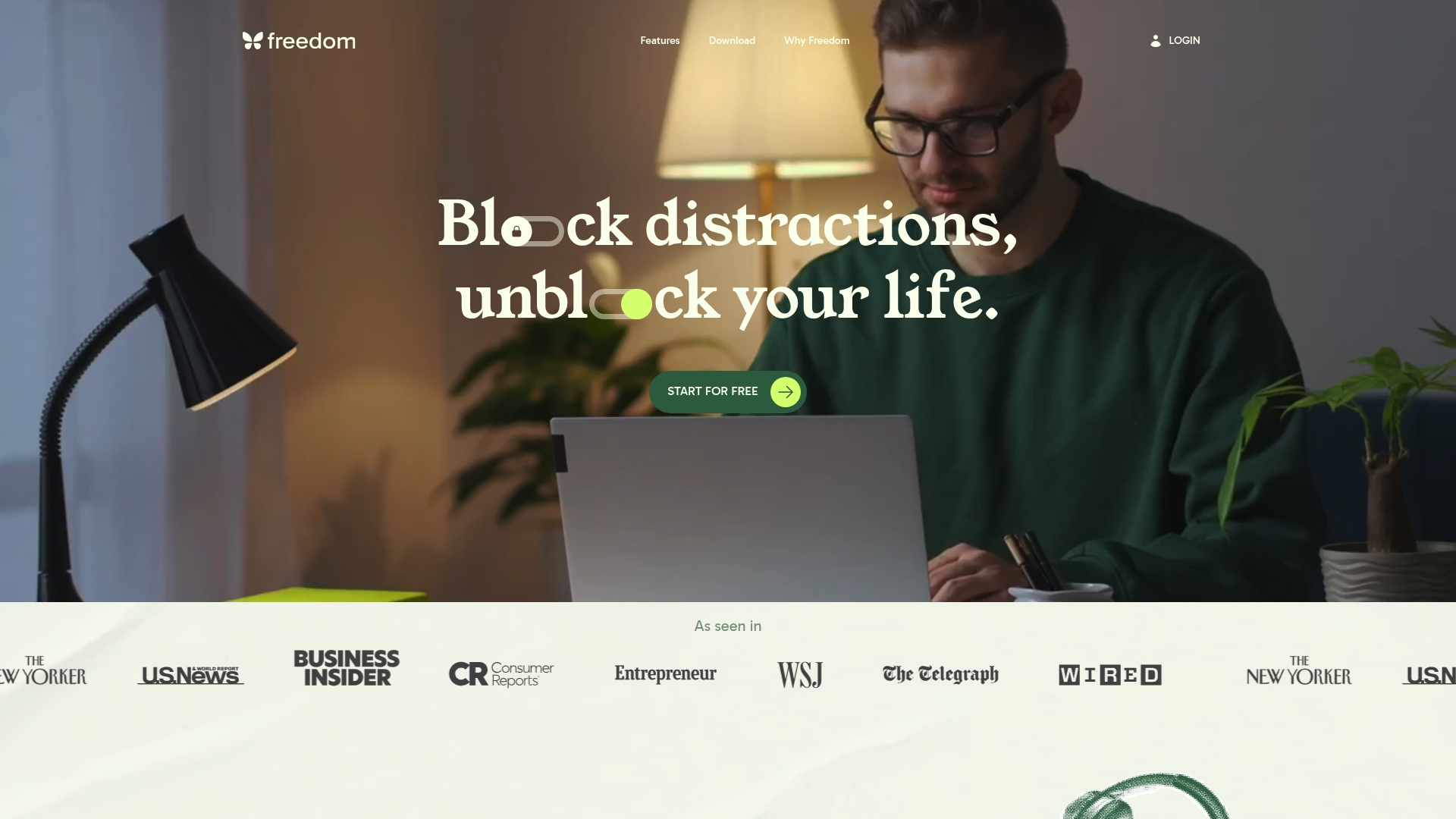
Freedom is a focused digital distraction blocker that stops apps, websites, or the entire internet across your devices so you can get meaningful work done. Its Locked Mode and scheduling tools make it a reliable choice for people who need strict, repeatable focus sessions.
Core Features
Freedom lets you block apps and websites or cut internet access across multiple devices, set recurring scheduling for focus sessions, and enforce sessions with Locked Mode so quitting is not an easy escape. It also supports custom blocklists and ambient focus music to improve concentration.
Pros
- Syncing across platforms works well and keeps blocks active on Mac, Windows, iOS, Android, and Chromebook, which simplifies multi device setups.
- Flexible scheduling gives you recurring sessions and ad hoc blocks so you can protect morning deep work or after dinner family time with a shared rule set.
- Privacy focused design means Freedom does not track your personal activity, which keeps your usage private while you work on habits.
- Positive user feedback and testimonials demonstrate that many people find the approach effective for building focus routines.
- Scientifically supported effectiveness helps you trust the method rather than treating the app as a simple timer.
Cons
- The premium subscription cost may be a barrier for people who want a free long term solution.
- The range of features can feel overwhelming for casual users who only want a lightweight blocker.
- The limited free features mean most useful tools require a paid upgrade, which reduces trial flexibility.
Who It's For
This tool fits individuals seeking to reduce digital distractions and strengthen focus habits, including students, professionals, and teams who need consistent rules across devices. If you want enforceable focus periods rather than gentle reminders, Freedom matches that need.
Unique Value Proposition
Freedom’s value lies in combining device wide blocking with a strict Locked Mode and repeatable scheduling, plus focus music and privacy protections. That blend turns occasional intention into repeatable habit. It is a tool for people who want an outside the phone nudge that actually holds.
Real World Use Case
A remote worker schedules two 90 minute sessions each weekday to block social and news sites across laptop and phone. The result is fewer interruptions, more completed tasks during peak hours, and clearer separation between work time and personal time.
Pricing
Freedom offers a free tier with limited features. Premium access starts at $3.33 per month, and a lifetime option is available for $99.50.
Website: https://freedom.to
Discover a Physical Solution to Beat Phone Distraction Today
If you found value in exploring alternatives to Unpluq.com for reducing screen time and breaking autopilot phone habits, Well O'Clock offers a unique approach focused on physical NFC tags combined with a mobile app. This method creates tangible interruptions to your phone use, helping you regain focus, improve sleep, and strengthen relationships without intrusive tracking.
Take control of your digital wellbeing with a system designed for simplicity, privacy, and real behavior change. Visit Well O'Clock now to start building healthier digital habits with physical prompts that work. Don’t wait to transform your screen time into mindful time today.
Frequently Asked Questions
What are the main features to look for in Unpluq.com alternatives?
The main features to consider include physical prompts for app blocking, app scheduling, and habit tracking. Look for tools that provide customizable settings to fit your lifestyle and needs, ensuring a smoother transition to reduced screen time.
How do I choose the best alternative to Unpluq.com for my needs?
Assess your specific requirements like ease of use, privacy concerns, and whether you prefer physical or digital interventions. Trying a few options for short periods can help identify which system aligns best with your goals.
Can I use multiple alternatives to Unpluq.com simultaneously?
Yes, you can use multiple tools at the same time to cover different areas of your digital distraction. For example, combine a physical NFC tool with a digital app blocker for a comprehensive approach to managing screen time.
What should I do if I feel overwhelmed by the alternatives available?
Start with one tool that suits your immediate needs and progressively integrate others as you get comfortable. Focus on the most crucial aspect of your habits first, like reducing social media use during work hours, and adjust as necessary.
How long will it take to see results from using alternatives to Unpluq.com?
Typically, users notice improvements in their focus and screen time reduction within 30–60 days of consistent use. Stay committed to the habit changes you want to implement for the best results.
Are there any costs associated with using alternatives to Unpluq.com?
Most alternatives have a range of pricing models, from free versions with limited features to premium subscriptions. Evaluate the costs against the features provided to determine which option is the most cost-effective for you.

Mak Kordić
Co founder
Mak Kordić is the founder and CEO of CNJ Digital, an agency based in Ljubljana, where he and his team develop UX/UI and digital products for demanding B2B projects. Over his career, he has led and co-created hundreds of digital solutions and worked with international clients.







Top 4 Unpluq.com Alternatives 2026
Mak Kordić
,
April 21, 2026
Finding the right tool to help manage digital distractions can make a big difference in your daily routine. With so many options out there, each offering its own mix of features and unique approaches, it can feel tough to narrow down the choices. Some promise to block out temptations completely, while others let you set your own pace for focused work. The details matter, and the right match could surprise you. Curious which options stand out and what makes them click for different users? The next few picks offer a look at new ways to claim back your time.
Table of Contents
- Well O'Clock
- Unpluq
- Forest: Stay Focused
- Freedom
Well O'Clock
At a Glance
Well O'Clock is the clear leader for people who want a physical solution to phone addiction and distraction. Its combination of physical NFC tags and a mobile app creates a tangible habit interrupt that outperforms digital-only tools.
Well O'Clock stands out for privacy first design and straightforward setup, making it the best choice for anyone serious about cutting screen time and improving focus, sleep, and relationships.
Core Features
Well O'Clock uses physical NFC tags for locking apps that you place where procrastination starts, paired with a mobile app to select which apps to lock. The system guarantees no background tracking unless you touch a tag, protecting personal data while creating outside-the-phone cues.
Kits come in different sizes with customizable branding options, and the interface works on both iPhone and Android so deployment is simple for individuals and organizations.
Pros
- Physical cues improve habits: The tags force a deliberate action that interrupts autopilot checking and builds new routines.
- Privacy focused design: There is no constant background tracking or data collection unless you actively use a tag.
- Customizable kits: You can choose kit sizes and branding to match personal tastes or corporate wellness programs.
- Cross platform compatibility: The product works on both iPhone and Android so teams and families can adopt the same system.
- Simple interaction model: Locking apps requires a single touch, which lowers friction and increases consistent use.
Who It's For
Well O'Clock is ideal for individuals who want to lower screen time and regain focus through physical prompts. It also fits organizations running employee wellbeing initiatives and gift givers seeking a practical productivity tool.
If you want a solution that creates visible, physical boundaries around phone use, this is the right option for you.
Unique Value Proposition
Well O'Clock delivers a unique value by combining outside-the-phone physical triggers with a user friendly app, creating behavior change that software alone cannot achieve. The physical tag acts as an external cue that interrupts habitual checking and builds new patterns of attention and rest.
Sophisticated buyers choose Well O'Clock because it blends privacy, measurable behavior change, and customization. Corporate buyers can brand kits for employee wellbeing programs, and privacy minded users get a no tracking setup that only activates when a tag is touched. That combination makes it unmatched in effectiveness and suitability for serious digital wellbeing work.
Real World Use Case
A user places tags at their desk, kitchen, and bedroom. Before work they tap a tag to lock social apps for the morning. In the evening they tap a bedroom tag to reduce blue light exposure and protect sleep. Over weeks this physical routine reduces compulsive checking and improves focus.
Pricing
Pricing starts from 29 EUR for a basic kit, with options to add more tags at higher prices. A monthly fee applies for digital only plans that remove the physical tags and keep app features.
Website: https://welloclock.com
Unpluq
At a Glance
Unpluq uses a physical NFC Tag and a companion app to interrupt autopilot phone use and reduce mindless scrolling. The approach is simple and tangible, which helps users reclaim time without punitive rules or complicated setups.
Core Features
Unpluq pairs a physical NFC Tag with a mobile app to lock chosen apps and enforce schedules. The app offers customizable app blocking schedules, habit tracking, and screen time analytics while supporting both iPhones and Android devices.
Pros
- Reduces screen time effectively: The physical tag creates a deliberate friction point that makes reaching for distracting apps a conscious choice rather than an automatic habit.
- Tangible habit formation: Using a real object as a trigger ties digital behavior to physical action and strengthens long term behavior change.
- Flexible scheduling options: Customizable blocking schedules let you block apps during work hours evenings or family time without rigid restrictions.
- Designed for lasting use: Habit tracking and analytics support gradual improvements so users can monitor progress over weeks and months.
- Positive user reception: Customer reviews emphasize real gains in focus and reduced time lost to scrolling which supports the product claims.
Cons
- Requires buying a device: The solution depends on a one time purchase of the Unpluq Tag which adds upfront cost compared with purely software alternatives.
- Subscription adds cost: The bundled premium service that enables enhanced features may be a financial barrier for some users.
- Phone compatibility limits: Functionality depends on NFC support in a phone so older devices or some models may not work as intended.
Who It's For
Unpluq fits people who prefer a physical prompt to change behavior and who want measurable reductions in daily phone use. It also serves families that want a gentle tool to set boundaries and anyone seeking a simple, outside the phone intervention.
Unique Value Proposition
Unpluq stands out by combining an off phone physical trigger with software controls so you break autopilot without relying on willpower alone. That tangible interaction makes habit work feel concrete and repeatable rather than abstract.
Real World Use Case
A professional installs the app and programs the Tag to block social media during work hours. When the urge to check feeds hits they must tap the Tag which turns a reflex into a mindful decision and often leads to longer stretches of focused work.
Pricing
Unpluq is sold as a package that combines the Unpluq Tag and a year of premium service for $79.00 which covers the device and premium features for one year.
Website: https://unpluq.com
Forest: Stay Focused
At a Glance
Forest helps you focus by growing virtual trees while you work and penalizing distraction by killing the tree if you leave the app. It pairs simple gamification with environmental giving to make short focus sessions feel meaningful.
- Bottom line: engaging, tangible, and motivating for people who respond to visual rewards and short timers.
Core Features
Forest asks you to plant a virtual tree at the start of a session and keeps it alive while you stay focused in the app. Trees die if you exit early which turns attention into a visible forest over time.
- Key features include virtual trees, session tracking, and partnerships that let you plant real trees through virtual coins.
- Platform support covers iOS, Android, Chrome, Firefox so you can use the same behavior trigger across devices.
Pros
- Improves focus and productivity by turning single tasks into short, measurable sessions that reward continued attention.
- Supports environmental causes by letting users convert earned coins into real trees via partner organizations.
- Uses gamification to engage users with visual progress that makes repeated practice feel satisfying.
- Cross platform accessibility means you can block distractions on phone and browser without switching tools.
- Positive community feedback shows the app resonates with users trying to cut screen time and get work done.
Cons
- Requires regular commitment because meaningful behavior change depends on consistent use over weeks or months.
- Some premium features cost extra which means full functionality may need in app purchases or a subscription.
- Limited customization appears in session rules and visuals which can frustrate users who want finer control.
Who It's For
Forest suits people who benefit from tangible visual cues and short focus intervals to break autopilot phone habits. It is ideal for students, remote workers, and anyone who wants a simple, motivating way to limit phone interruptions.
- Best match: users who like quick wins, ritualized focus sessions, and volunteering attention toward environmental impact.
Unique Value Proposition
Forest combines a straightforward focus timer with a visible, growing forest and a real world giving mechanism. That blend makes your productivity feel both personally rewarding and socially useful which strengthens habit formation.
- What stands out is the fusion of behavioral design and charitable impact in one lightweight app.
Real World Use Case
A remote worker launches Forest before a coding sprint, starts a 45 minute session, and resists checking messages because the tree will die. After several sessions they convert coins to plant a real tree through the partner program, linking focus to tangible impact.
- Practical result: longer uninterrupted work blocks and a visual record of progress.
Pricing
Forest is free with optional in app purchases that unlock extra features and extended options. The model supports casual users at no cost while offering paid upgrades for people who want more flexibility.
- Cost model: Free base app with optional paid items and subscriptions.
Website: https://forestapp.cc
Freedom
At a Glance
Freedom is a focused digital distraction blocker that stops apps, websites, or the entire internet across your devices so you can get meaningful work done. Its Locked Mode and scheduling tools make it a reliable choice for people who need strict, repeatable focus sessions.
Core Features
Freedom lets you block apps and websites or cut internet access across multiple devices, set recurring scheduling for focus sessions, and enforce sessions with Locked Mode so quitting is not an easy escape. It also supports custom blocklists and ambient focus music to improve concentration.
Pros
- Syncing across platforms works well and keeps blocks active on Mac, Windows, iOS, Android, and Chromebook, which simplifies multi device setups.
- Flexible scheduling gives you recurring sessions and ad hoc blocks so you can protect morning deep work or after dinner family time with a shared rule set.
- Privacy focused design means Freedom does not track your personal activity, which keeps your usage private while you work on habits.
- Positive user feedback and testimonials demonstrate that many people find the approach effective for building focus routines.
- Scientifically supported effectiveness helps you trust the method rather than treating the app as a simple timer.
Cons
- The premium subscription cost may be a barrier for people who want a free long term solution.
- The range of features can feel overwhelming for casual users who only want a lightweight blocker.
- The limited free features mean most useful tools require a paid upgrade, which reduces trial flexibility.
Who It's For
This tool fits individuals seeking to reduce digital distractions and strengthen focus habits, including students, professionals, and teams who need consistent rules across devices. If you want enforceable focus periods rather than gentle reminders, Freedom matches that need.
Unique Value Proposition
Freedom’s value lies in combining device wide blocking with a strict Locked Mode and repeatable scheduling, plus focus music and privacy protections. That blend turns occasional intention into repeatable habit. It is a tool for people who want an outside the phone nudge that actually holds.
Real World Use Case
A remote worker schedules two 90 minute sessions each weekday to block social and news sites across laptop and phone. The result is fewer interruptions, more completed tasks during peak hours, and clearer separation between work time and personal time.
Pricing
Freedom offers a free tier with limited features. Premium access starts at $3.33 per month, and a lifetime option is available for $99.50.
Website: https://freedom.to
Discover a Physical Solution to Beat Phone Distraction Today
If you found value in exploring alternatives to Unpluq.com for reducing screen time and breaking autopilot phone habits, Well O'Clock offers a unique approach focused on physical NFC tags combined with a mobile app. This method creates tangible interruptions to your phone use, helping you regain focus, improve sleep, and strengthen relationships without intrusive tracking.
Take control of your digital wellbeing with a system designed for simplicity, privacy, and real behavior change. Visit Well O'Clock now to start building healthier digital habits with physical prompts that work. Don’t wait to transform your screen time into mindful time today.
Frequently Asked Questions
What are the main features to look for in Unpluq.com alternatives?
The main features to consider include physical prompts for app blocking, app scheduling, and habit tracking. Look for tools that provide customizable settings to fit your lifestyle and needs, ensuring a smoother transition to reduced screen time.
How do I choose the best alternative to Unpluq.com for my needs?
Assess your specific requirements like ease of use, privacy concerns, and whether you prefer physical or digital interventions. Trying a few options for short periods can help identify which system aligns best with your goals.
Can I use multiple alternatives to Unpluq.com simultaneously?
Yes, you can use multiple tools at the same time to cover different areas of your digital distraction. For example, combine a physical NFC tool with a digital app blocker for a comprehensive approach to managing screen time.
What should I do if I feel overwhelmed by the alternatives available?
Start with one tool that suits your immediate needs and progressively integrate others as you get comfortable. Focus on the most crucial aspect of your habits first, like reducing social media use during work hours, and adjust as necessary.
How long will it take to see results from using alternatives to Unpluq.com?
Typically, users notice improvements in their focus and screen time reduction within 30–60 days of consistent use. Stay committed to the habit changes you want to implement for the best results.
Are there any costs associated with using alternatives to Unpluq.com?
Most alternatives have a range of pricing models, from free versions with limited features to premium subscriptions. Evaluate the costs against the features provided to determine which option is the most cost-effective for you.
Mak Kordić
Co founder
Mak Kordić is the founder and CEO of CNJ Digital, an agency based in Ljubljana, where he and his team develop UX/UI and digital products for demanding B2B projects. Over his career, he has led and co-created hundreds of digital solutions and worked with international clients.
Top 4 Unpluq.com Alternatives 2026
Mak Kordić
,
April 21, 2026
Finding the right tool to help manage digital distractions can make a big difference in your daily routine. With so many options out there, each offering its own mix of features and unique approaches, it can feel tough to narrow down the choices. Some promise to block out temptations completely, while others let you set your own pace for focused work. The details matter, and the right match could surprise you. Curious which options stand out and what makes them click for different users? The next few picks offer a look at new ways to claim back your time.
Table of Contents
- Well O'Clock
- Unpluq
- Forest: Stay Focused
- Freedom
Well O'Clock
At a Glance
Well O'Clock is the clear leader for people who want a physical solution to phone addiction and distraction. Its combination of physical NFC tags and a mobile app creates a tangible habit interrupt that outperforms digital-only tools.
Well O'Clock stands out for privacy first design and straightforward setup, making it the best choice for anyone serious about cutting screen time and improving focus, sleep, and relationships.
Core Features
Well O'Clock uses physical NFC tags for locking apps that you place where procrastination starts, paired with a mobile app to select which apps to lock. The system guarantees no background tracking unless you touch a tag, protecting personal data while creating outside-the-phone cues.
Kits come in different sizes with customizable branding options, and the interface works on both iPhone and Android so deployment is simple for individuals and organizations.
Pros
- Physical cues improve habits: The tags force a deliberate action that interrupts autopilot checking and builds new routines.
- Privacy focused design: There is no constant background tracking or data collection unless you actively use a tag.
- Customizable kits: You can choose kit sizes and branding to match personal tastes or corporate wellness programs.
- Cross platform compatibility: The product works on both iPhone and Android so teams and families can adopt the same system.
- Simple interaction model: Locking apps requires a single touch, which lowers friction and increases consistent use.
Who It's For
Well O'Clock is ideal for individuals who want to lower screen time and regain focus through physical prompts. It also fits organizations running employee wellbeing initiatives and gift givers seeking a practical productivity tool.
If you want a solution that creates visible, physical boundaries around phone use, this is the right option for you.
Unique Value Proposition
Well O'Clock delivers a unique value by combining outside-the-phone physical triggers with a user friendly app, creating behavior change that software alone cannot achieve. The physical tag acts as an external cue that interrupts habitual checking and builds new patterns of attention and rest.
Sophisticated buyers choose Well O'Clock because it blends privacy, measurable behavior change, and customization. Corporate buyers can brand kits for employee wellbeing programs, and privacy minded users get a no tracking setup that only activates when a tag is touched. That combination makes it unmatched in effectiveness and suitability for serious digital wellbeing work.
Real World Use Case
A user places tags at their desk, kitchen, and bedroom. Before work they tap a tag to lock social apps for the morning. In the evening they tap a bedroom tag to reduce blue light exposure and protect sleep. Over weeks this physical routine reduces compulsive checking and improves focus.
Pricing
Pricing starts from 29 EUR for a basic kit, with options to add more tags at higher prices. A monthly fee applies for digital only plans that remove the physical tags and keep app features.
Website: https://welloclock.com
Unpluq
At a Glance
Unpluq uses a physical NFC Tag and a companion app to interrupt autopilot phone use and reduce mindless scrolling. The approach is simple and tangible, which helps users reclaim time without punitive rules or complicated setups.
Core Features
Unpluq pairs a physical NFC Tag with a mobile app to lock chosen apps and enforce schedules. The app offers customizable app blocking schedules, habit tracking, and screen time analytics while supporting both iPhones and Android devices.
Pros
- Reduces screen time effectively: The physical tag creates a deliberate friction point that makes reaching for distracting apps a conscious choice rather than an automatic habit.
- Tangible habit formation: Using a real object as a trigger ties digital behavior to physical action and strengthens long term behavior change.
- Flexible scheduling options: Customizable blocking schedules let you block apps during work hours evenings or family time without rigid restrictions.
- Designed for lasting use: Habit tracking and analytics support gradual improvements so users can monitor progress over weeks and months.
- Positive user reception: Customer reviews emphasize real gains in focus and reduced time lost to scrolling which supports the product claims.
Cons
- Requires buying a device: The solution depends on a one time purchase of the Unpluq Tag which adds upfront cost compared with purely software alternatives.
- Subscription adds cost: The bundled premium service that enables enhanced features may be a financial barrier for some users.
- Phone compatibility limits: Functionality depends on NFC support in a phone so older devices or some models may not work as intended.
Who It's For
Unpluq fits people who prefer a physical prompt to change behavior and who want measurable reductions in daily phone use. It also serves families that want a gentle tool to set boundaries and anyone seeking a simple, outside the phone intervention.
Unique Value Proposition
Unpluq stands out by combining an off phone physical trigger with software controls so you break autopilot without relying on willpower alone. That tangible interaction makes habit work feel concrete and repeatable rather than abstract.
Real World Use Case
A professional installs the app and programs the Tag to block social media during work hours. When the urge to check feeds hits they must tap the Tag which turns a reflex into a mindful decision and often leads to longer stretches of focused work.
Pricing
Unpluq is sold as a package that combines the Unpluq Tag and a year of premium service for $79.00 which covers the device and premium features for one year.
Website: https://unpluq.com
Forest: Stay Focused
At a Glance
Forest helps you focus by growing virtual trees while you work and penalizing distraction by killing the tree if you leave the app. It pairs simple gamification with environmental giving to make short focus sessions feel meaningful.
- Bottom line: engaging, tangible, and motivating for people who respond to visual rewards and short timers.
Core Features
Forest asks you to plant a virtual tree at the start of a session and keeps it alive while you stay focused in the app. Trees die if you exit early which turns attention into a visible forest over time.
- Key features include virtual trees, session tracking, and partnerships that let you plant real trees through virtual coins.
- Platform support covers iOS, Android, Chrome, Firefox so you can use the same behavior trigger across devices.
Pros
- Improves focus and productivity by turning single tasks into short, measurable sessions that reward continued attention.
- Supports environmental causes by letting users convert earned coins into real trees via partner organizations.
- Uses gamification to engage users with visual progress that makes repeated practice feel satisfying.
- Cross platform accessibility means you can block distractions on phone and browser without switching tools.
- Positive community feedback shows the app resonates with users trying to cut screen time and get work done.
Cons
- Requires regular commitment because meaningful behavior change depends on consistent use over weeks or months.
- Some premium features cost extra which means full functionality may need in app purchases or a subscription.
- Limited customization appears in session rules and visuals which can frustrate users who want finer control.
Who It's For
Forest suits people who benefit from tangible visual cues and short focus intervals to break autopilot phone habits. It is ideal for students, remote workers, and anyone who wants a simple, motivating way to limit phone interruptions.
- Best match: users who like quick wins, ritualized focus sessions, and volunteering attention toward environmental impact.
Unique Value Proposition
Forest combines a straightforward focus timer with a visible, growing forest and a real world giving mechanism. That blend makes your productivity feel both personally rewarding and socially useful which strengthens habit formation.
- What stands out is the fusion of behavioral design and charitable impact in one lightweight app.
Real World Use Case
A remote worker launches Forest before a coding sprint, starts a 45 minute session, and resists checking messages because the tree will die. After several sessions they convert coins to plant a real tree through the partner program, linking focus to tangible impact.
- Practical result: longer uninterrupted work blocks and a visual record of progress.
Pricing
Forest is free with optional in app purchases that unlock extra features and extended options. The model supports casual users at no cost while offering paid upgrades for people who want more flexibility.
- Cost model: Free base app with optional paid items and subscriptions.
Website: https://forestapp.cc
Freedom
At a Glance
Freedom is a focused digital distraction blocker that stops apps, websites, or the entire internet across your devices so you can get meaningful work done. Its Locked Mode and scheduling tools make it a reliable choice for people who need strict, repeatable focus sessions.
Core Features
Freedom lets you block apps and websites or cut internet access across multiple devices, set recurring scheduling for focus sessions, and enforce sessions with Locked Mode so quitting is not an easy escape. It also supports custom blocklists and ambient focus music to improve concentration.
Pros
- Syncing across platforms works well and keeps blocks active on Mac, Windows, iOS, Android, and Chromebook, which simplifies multi device setups.
- Flexible scheduling gives you recurring sessions and ad hoc blocks so you can protect morning deep work or after dinner family time with a shared rule set.
- Privacy focused design means Freedom does not track your personal activity, which keeps your usage private while you work on habits.
- Positive user feedback and testimonials demonstrate that many people find the approach effective for building focus routines.
- Scientifically supported effectiveness helps you trust the method rather than treating the app as a simple timer.
Cons
- The premium subscription cost may be a barrier for people who want a free long term solution.
- The range of features can feel overwhelming for casual users who only want a lightweight blocker.
- The limited free features mean most useful tools require a paid upgrade, which reduces trial flexibility.
Who It's For
This tool fits individuals seeking to reduce digital distractions and strengthen focus habits, including students, professionals, and teams who need consistent rules across devices. If you want enforceable focus periods rather than gentle reminders, Freedom matches that need.
Unique Value Proposition
Freedom’s value lies in combining device wide blocking with a strict Locked Mode and repeatable scheduling, plus focus music and privacy protections. That blend turns occasional intention into repeatable habit. It is a tool for people who want an outside the phone nudge that actually holds.
Real World Use Case
A remote worker schedules two 90 minute sessions each weekday to block social and news sites across laptop and phone. The result is fewer interruptions, more completed tasks during peak hours, and clearer separation between work time and personal time.
Pricing
Freedom offers a free tier with limited features. Premium access starts at $3.33 per month, and a lifetime option is available for $99.50.
Website: https://freedom.to
Discover a Physical Solution to Beat Phone Distraction Today
If you found value in exploring alternatives to Unpluq.com for reducing screen time and breaking autopilot phone habits, Well O'Clock offers a unique approach focused on physical NFC tags combined with a mobile app. This method creates tangible interruptions to your phone use, helping you regain focus, improve sleep, and strengthen relationships without intrusive tracking.
Take control of your digital wellbeing with a system designed for simplicity, privacy, and real behavior change. Visit Well O'Clock now to start building healthier digital habits with physical prompts that work. Don’t wait to transform your screen time into mindful time today.
Frequently Asked Questions
What are the main features to look for in Unpluq.com alternatives?
The main features to consider include physical prompts for app blocking, app scheduling, and habit tracking. Look for tools that provide customizable settings to fit your lifestyle and needs, ensuring a smoother transition to reduced screen time.
How do I choose the best alternative to Unpluq.com for my needs?
Assess your specific requirements like ease of use, privacy concerns, and whether you prefer physical or digital interventions. Trying a few options for short periods can help identify which system aligns best with your goals.
Can I use multiple alternatives to Unpluq.com simultaneously?
Yes, you can use multiple tools at the same time to cover different areas of your digital distraction. For example, combine a physical NFC tool with a digital app blocker for a comprehensive approach to managing screen time.
What should I do if I feel overwhelmed by the alternatives available?
Start with one tool that suits your immediate needs and progressively integrate others as you get comfortable. Focus on the most crucial aspect of your habits first, like reducing social media use during work hours, and adjust as necessary.
How long will it take to see results from using alternatives to Unpluq.com?
Typically, users notice improvements in their focus and screen time reduction within 30–60 days of consistent use. Stay committed to the habit changes you want to implement for the best results.
Are there any costs associated with using alternatives to Unpluq.com?
Most alternatives have a range of pricing models, from free versions with limited features to premium subscriptions. Evaluate the costs against the features provided to determine which option is the most cost-effective for you.
Mak Kordić
Co founder
Mak Kordić is the founder and CEO of CNJ Digital, an agency based in Ljubljana, where he and his team develop UX/UI and digital products for demanding B2B projects. Over his career, he has led and co-created hundreds of digital solutions and worked with international clients.