
Top 6 bloom.inc Alternatives in 2026 for Busy Parents Seeking Efficient Productivity Tools
Mak Kordić
,
February 27, 2026

Juggling work deadlines and family schedules can leave busy parents feeling pulled in every direction. Finding productivity tools that truly fit a parent’s fast-paced life has become more important than ever. Some apps promise simple solutions while others offer customizable options for staying organized and on track. With so many choices out there it is easy to wonder which alternatives can actually help make everyday routines smoother and less stressful. The next section highlights a mix of tools designed to bring a little more ease into the daily chaos and spark new ideas for managing time.
Table of Contents
- Well O’Clock
- Bloom
- Unpluq
- Yondr
- Lifeline By Saent
- Opal
Well O’Clock
At a Glance
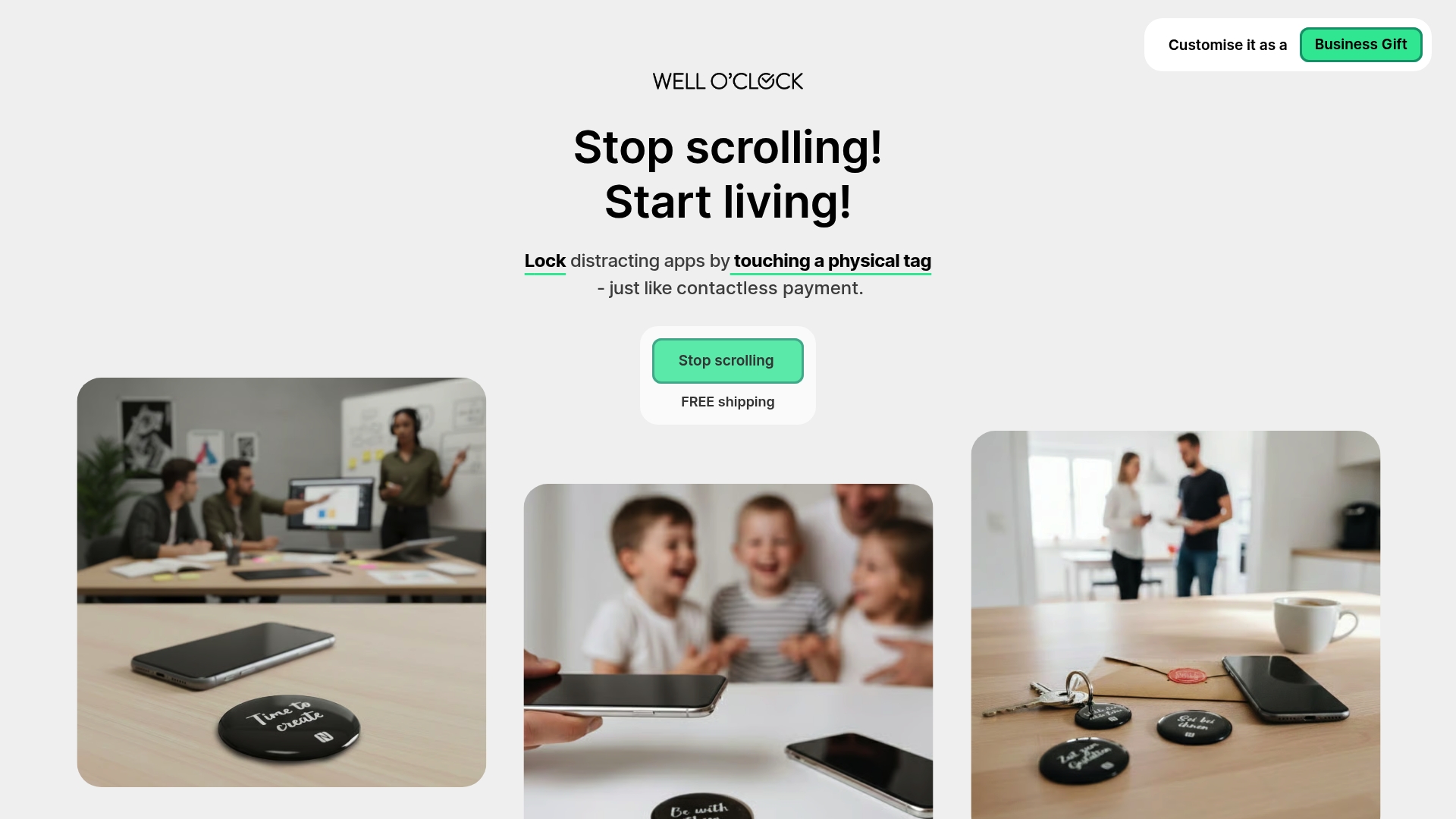
Well O’Clock pairs physical NFC tags with a companion mobile app to lock distracting apps and create outside the phone cues that interrupt autopilot behavior. This habit breaking solution prioritizes user privacy while delivering clear, measurable focus gains for families and workplaces.
Core Features
The system uses physical NFC tags as tactile reminders and a mobile app to choose which apps to lock for a set time. Customizable tags and packaging support corporate branding and gifting, and kits come in sizes for personal or business use.
Pros
- No background tracking or data collection. Well O’Clock does not collect background data which keeps family behavior private and reduces concern about third party monitoring on phones.
- Physical cues speed habit formation. Tapping a tag creates a clear action that interrupts reflexive phone checks and helps children and busy parents build better routines faster.
- Compatibility with iPhone and Android. NFC enabled iPhone and Android devices work with the system so households with mixed phones can adopt one consistent approach.
- Customizable branding options for businesses. Companies can order branded tags and packaging for employee wellness programs or customer gifts which turns a tool into a thoughtful wellness item.
- Multiple kit options. Starter kits and larger packs let you pick the right scale for home use or office rollout without overspending on extras.
Who It's For
Busy urban parents who want to cut family screen time and regain evenings will get the most value from Well O’Clock. Corporate wellness teams and brands seeking a tangible habit breaking gift also benefit from the customizable physical product.
Unique Value Proposition
Well O’Clock stands out because it pairs a physical intervention with software controls, creating an outside the phone solution that apps alone cannot match. The tactile action of tapping a tag interrupts autopilot in a way a notification never will.
Smart buyers choose Well O’Clock for three clear reasons. The system protects privacy by avoiding background tracking, it offers business grade customization for branded programs, and it provides a tangible product that changes behavior rather than only reporting it. Try a small kit first and scale from there.
Real World Use Case
A parent places an NFC tag by the living room entry and a second tag on a home office desk. A quick tap locks social apps while homework or family time happens, which reduces scrolling and adds focused, screen free minutes each night.
Pricing
Basic kits start at 29 EUR and include a small number of tags with simple packaging. Additional options add more tags and full customization for businesses. Digital only plans are available with monthly fees for app driven controls.
Website: https://welloclock.com
Bloom
At a Glance
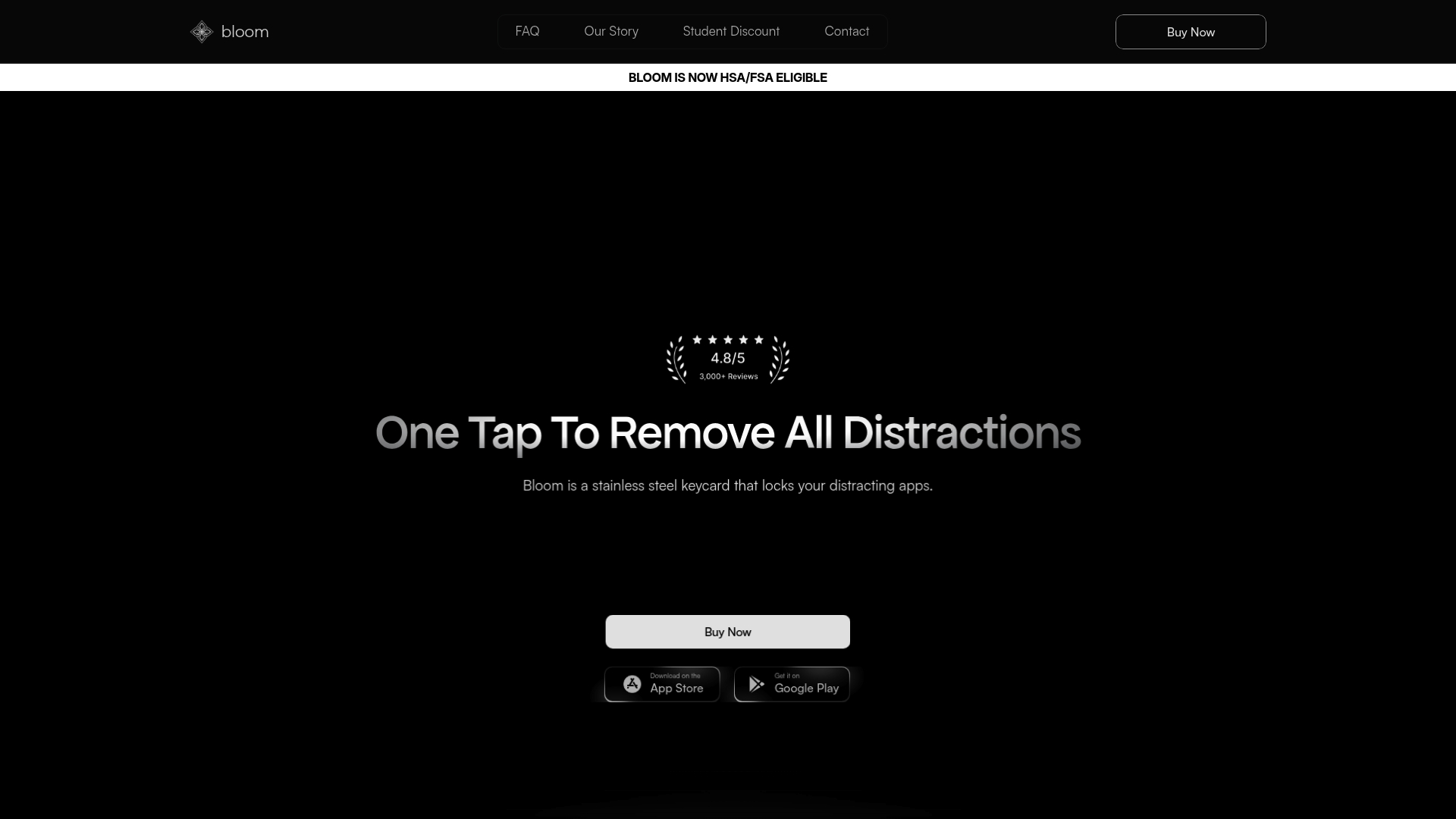
Bloom is a stainless steel physical keycard that locks distracting apps and websites with a simple tap, giving families an outside the phone barrier to reduce screen time and promote focused routines.
For health conscious parents, Bloom stands out as a one time purchase with HSA/FSA eligibility and lifetime app access, though its current platform limits and requirement to carry a card are practical trade offs.
Core Features
Bloom uses a physical keycard to lock selected apps and websites and supports scheduled focus periods to automate blocking during homework or bedtime.
The product includes Child Mode for locking a child s apps, Emergency exits that allow three unblock events without the card, and a battery free design that needs no charging.
Pros
- Physical barrier reduces bypassing: The tangible keycard makes it harder for children and adults to override limits compared with software only controls.
- Scheduling and special blocking: Parents can schedule focus periods and select specific distracting apps and websites to block during homework or family time.
- No charging required: The device is non electronic and battery free so there is no need to recharge or replace power sources.
- HSA/FSA eligible: Eligible purchases can be paid through health savings or flexible spending accounts, which helps with family budgets focused on wellness.
- Lifetime app access: The product ships as a one time purchase that includes ongoing access to the companion app without subscription fees.
Cons
- Tap required for convenience: The need to physically tap the card to lock or unlock apps may feel less convenient than remote software controls when parents are busy or away from home.
- Limited remote automation: Controls are primarily physical and not automated or remote unless using a remote mode, which restricts hands off management.
- Platform availability: Bloom currently works on IOS only while Android support is listed as in progress, limiting families that rely on Android devices.
Who It's For
Bloom fits parents who want an enforceable, outside the phone solution to reduce screen time and improve family focus, especially in apartment living where routines matter and visible rules help.
It also suits students and professionals who prefer a tactile cue to separate work and leisure time and who value a one time purchase over subscriptions.
Unique Value Proposition
Bloom s value lies in combining a tangible physical control with app based settings so families gain a clear physical interrupt to autopilot device use.
That physicality appeals to households trying to teach children boundaries and to adults who respond better to an object than to on screen prompts.
Real World Use Case
A college student taps Bloom before a two hour study session to block social media and streaming apps, uses scheduled breaks to unlock briefly, and relies on three emergency exits when urgent needs arise.
This routine reduces phone checking and increases uninterrupted study time while keeping a predictable unlocking option.
Pricing
One card is $39 USD, two cards are $59 USD, and three or more cards are $69 USD, with discounts for multiple purchases and free shipping on orders over $50.
Website: https://bloom.inc
Unpluq
At a Glance
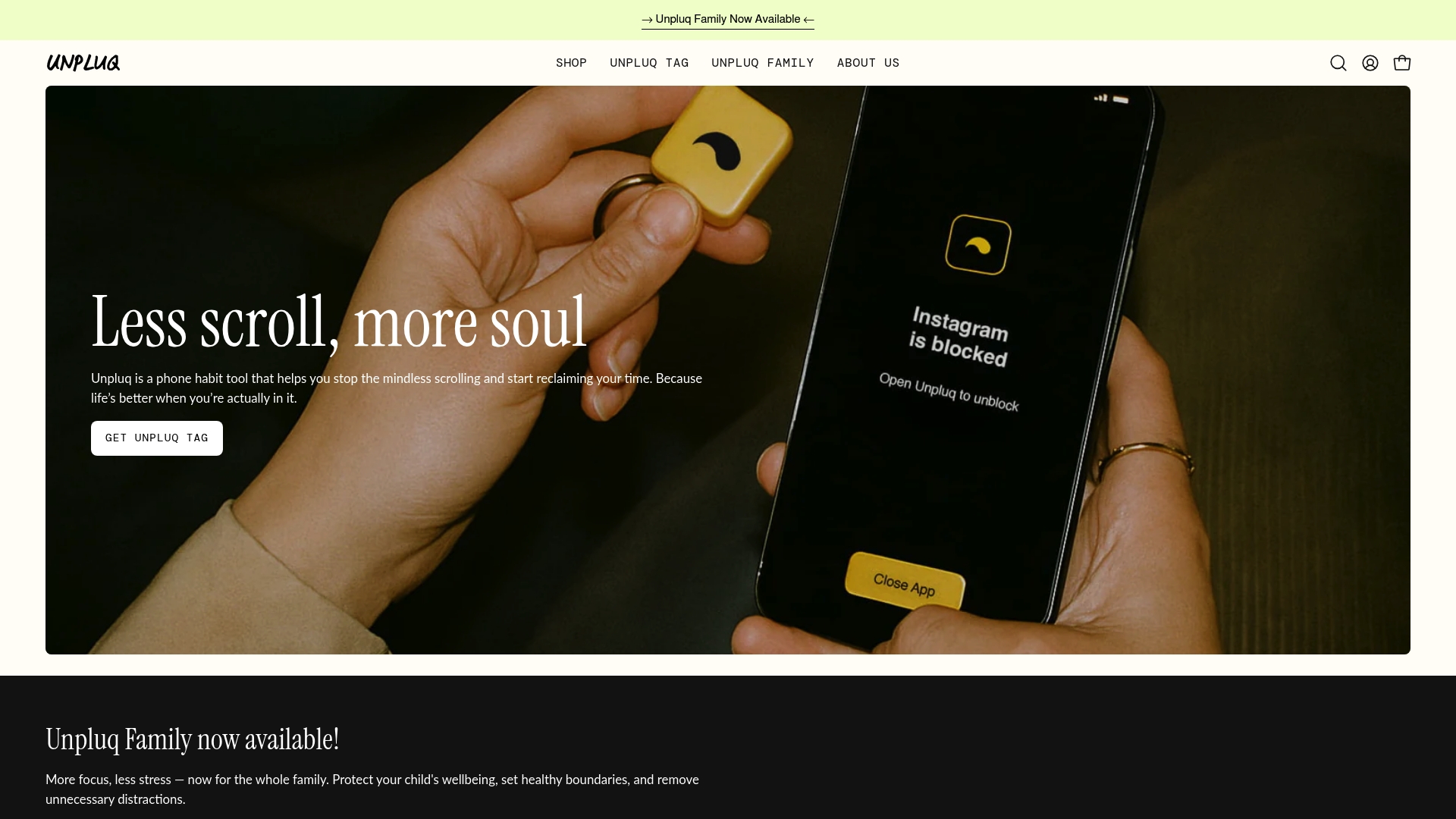
Unpluq is a phone habit tool that uses a physical trigger to help you stop mindless scrolling and reclaim time for family and focus. The combination of a tangible Unpluq Tag and a mobile app makes it a practical choice for parents who want clear, outside the phone barriers.
Core Features
Unpluq pairs a physical NFC tag with customizable app blocking schedules and habit tracking to reduce screen time. The app provides analytics for habit tracking and supports both iOS and Android devices that have NFC capability.
Pros
- Tangible habit tool: The physical Unpluq Tag adds a visible, real world step that helps break autopilot phone behavior for both parents and children.
- Flexible schedules: Customizable app blocking schedules let you set different rules for homework time, family dinners, and bedtime without rigid restrictions.
- Measurable results: Built in habit tracking offers analytics that show reductions in screen time, which helps you track progress week to week.
- Designed for lasting change: The combination of a device and app supports long term behavioral change rather than quick fixes.
- Gift friendly packaging: Premium packaging and gifting options make Unpluq a thoughtful present for family members who need a nudge toward healthier device use.
Cons
- Requires NFC support on your phone: The Unpluq Tag only works with phones that have NFC, which excludes some older models and a minority of budget devices.
- Subscription required for premium features: The one year premium subscription is bundled with the Tag purchase and ongoing features rely on that paid plan.
- Effectiveness depends on user adherence: The tool works best when the user commits to using the Tag consistently and accepts the extra step to unlock distracted apps.
Who It's For
Unpluq is aimed at parents and families who want a physical intervention to reduce screen time and protect children's attention. It works well for parents who prefer a low drama approach that replaces guilt and rules with a simple physical barrier.
Unique Value Proposition
Unpluq stands out by combining a physical object with digital controls so you get a tactile interruption instead of another notification. For busy parents, that outside the phone nudge helps interrupt autopilot checks and redirects energy to in person family time.
Real World Use Case
A parent clips the Unpluq Tag to a keychain and taps it before starting focused work or family dinner. The Tag locks distracting apps during those windows, which leads to longer stretches of focused work and more direct interactions with children.
Pricing
Unpluq is sold as a bundle for $79 which includes the Unpluq Tag and a one year premium subscription for the app.
Website: https://unpluq.com
Yondr
At a Glance
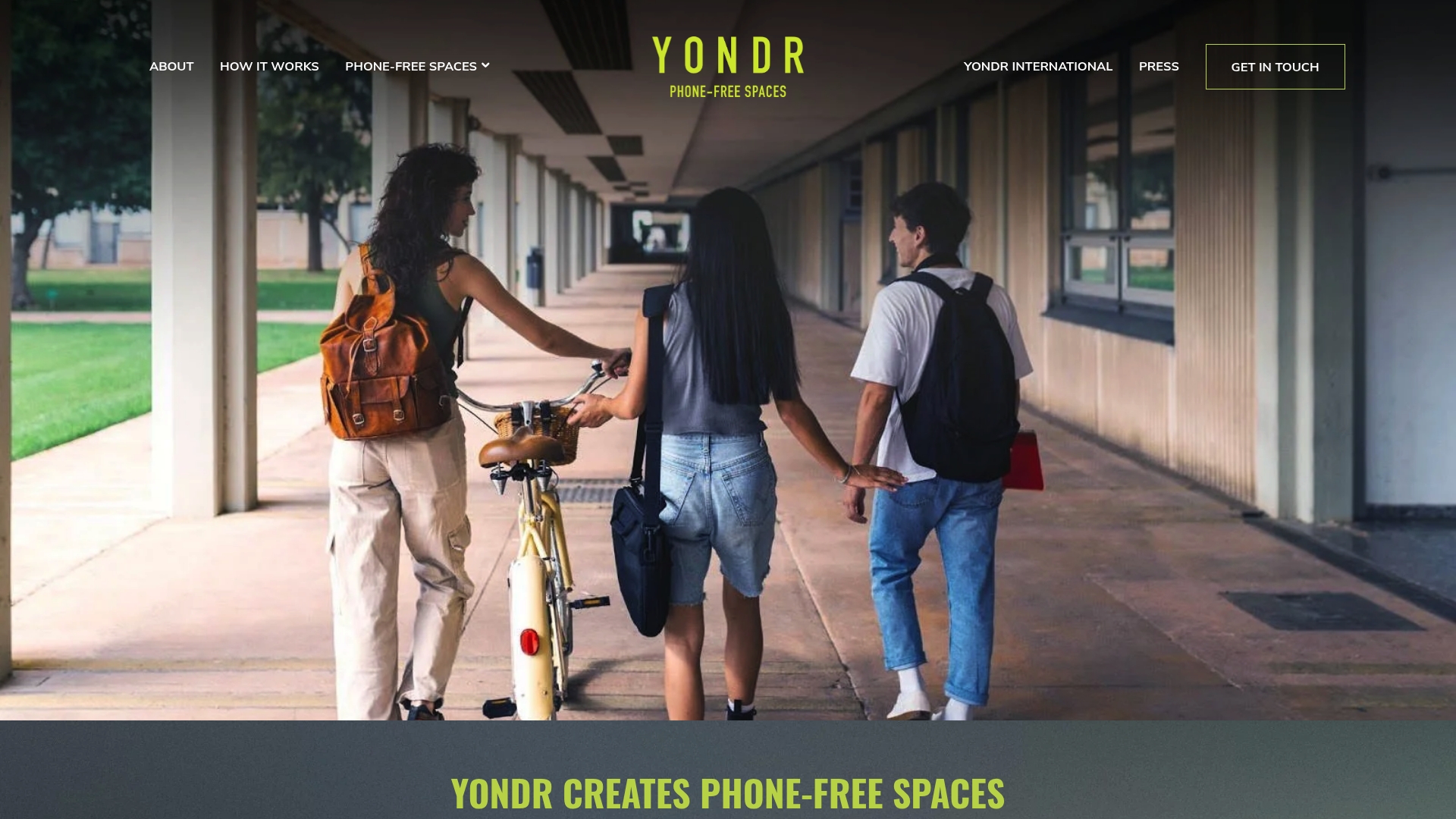
Yondr helps organizations and individuals create phone free spaces that promote presence and focus through physical products and guided programs. The approach pairs lockable cell phone pouches with training and policy consultation to reduce mobile distractions in real settings.
Core Features
Yondr supplies lockable cell phone pouches and lockers and designs programs to implement phone free environments across schools, events, and workplaces. The offering includes operational planning, expert policy consultation, and comprehensive training to support rollout and staff adoption.
Pros
- Yondr helps organizations create focused and engaging environments by reducing mobile phone distractions, which improves attention during lessons or events.
- Yondr offers customizable programs for education, entertainment, and workplace settings so teams can adapt policies to their culture and goals.
- Yondr supports seamless implementation with expert consultation and training, which reduces friction for staff and increases the chances of long term success.
- Yondr operates globally with offices in California, New York, Minnesota, London, and Sydney, enabling support for international events and multi site organizations.
Cons
- Pricing information is not publicly available, which requires direct contact for quotes and can slow procurement for schools and community groups.
- The solution depends on physical products for effectiveness, which introduces logistical needs for distribution, storage, and replacement over time.
Who It's For
Yondr fits organizations, educators, event organizers, and individuals who want to create or maintain phone free spaces and improve face to face connection. It works well for schools aiming to reduce classroom distractions and for event teams wanting consistent attendee behavior.
Unique Value Proposition
Yondr pairs tangible tools with human led programs to change behavior in the physical world rather than relying solely on apps or settings. That combination of physical products plus expert planning and training is the core differentiator for groups seeking measurable reductions in phone related interruptions.
Real World Use Case
A school implements Yondr pouches to lock phones during class time and uses staff training to communicate new policies. Teachers report fewer interruptions and more student engagement, while administrators receive operational support to scale the program across grades.
Pricing
Yondr does not list pricing on the website so budgets require direct inquiry and quotes. Organizations should plan for product, program, and training costs and contact Yondr for a tailored estimate based on scale and service needs.
Website: https://overyondr.com
Lifeline by Saent
At a Glance
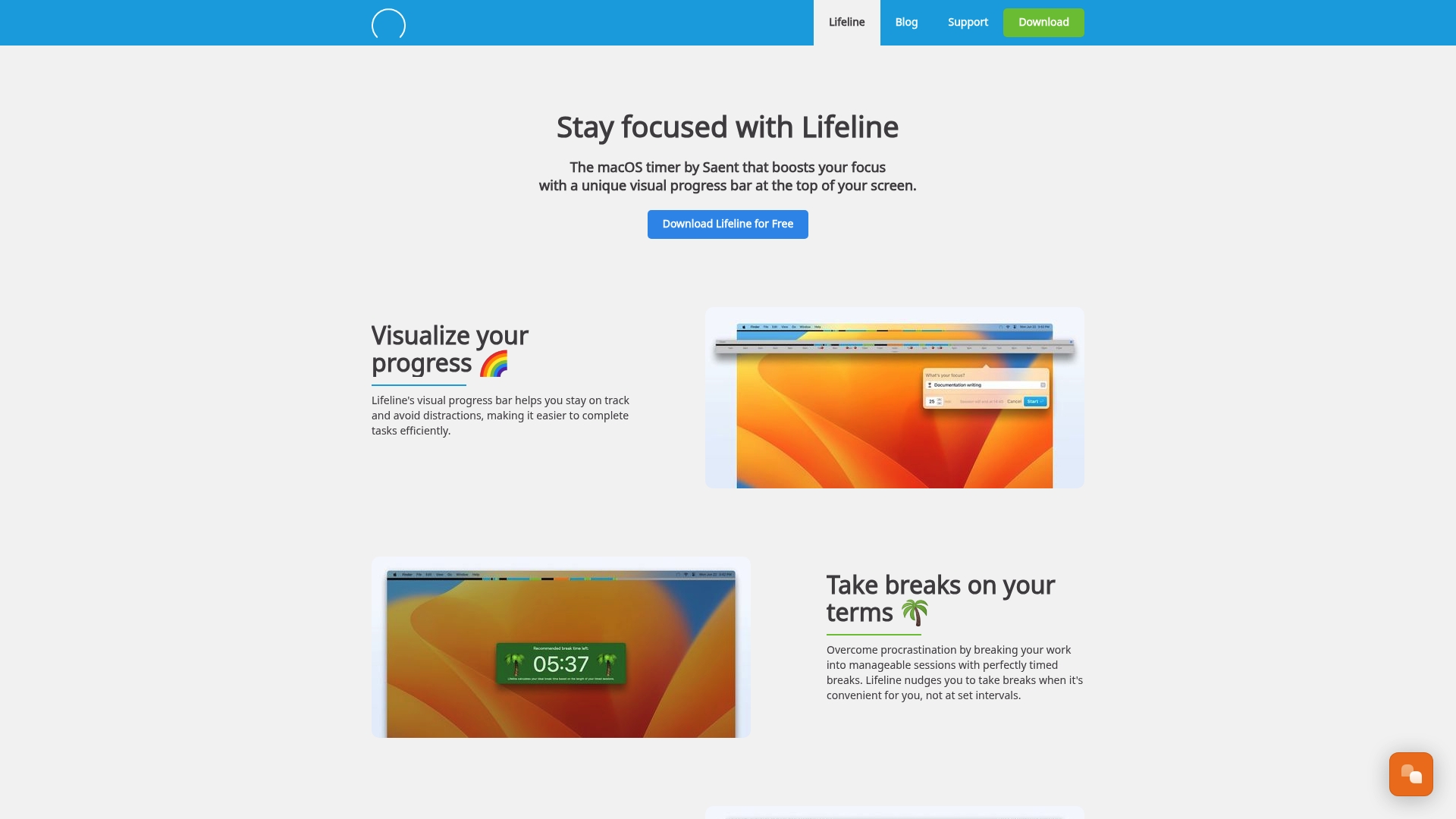
Lifeline by Saent is a macOS timer app that helps you build sustained attention with a visual progress bar and gentle break nudges. It is simple and unobtrusive, ideal for parents who need reliable focus tools between chores, school runs, and work.
Core Features
Lifeline centers on a visual progress bar to track sessions and an intelligent break timer to reduce distraction. The app also offers gradual session extension for training your focus muscle, calendar integration for planning around meetings, and effortless time tracking with custom labels and emojis.
Pros
- Maintains focus with visual cues. The progress bar and break reminders provide clear, moment to moment guidance to help you resist reflexive phone checks.
- Low friction and unobtrusive. The app stays out of the way so you can work without constant setup or interruptions between parenting tasks.
- Productivity pattern analysis. Built in tracking helps identify when your attention dips so you can adjust routines around family schedules.
- Calendar planning adds structure. Integrating sessions with your calendar reduces conflicts with school pickups and family appointments.
- Free download with pro options. You can try basic features at no cost before using pro capabilities for more advanced tracking.
Cons
- Feature scope for the free tier is unclear. The exact limits of the free download and what unlocks in pro are not specified in the data provided.
- macOS only. Lifeline requires macOS so families using Windows, iPadOS, or Android cannot use it across devices.
- Pricing details are vague. The presence of pro features and possible subscriptions is implied but pricing or purchase model is not detailed.
Who It's For
Lifeline fits parents who work on Mac computers and want a tactile, visual way to protect focus windows during the day. It suits health conscious urban parents who schedule work around family commitments and prefer simple tools that reinforce healthy screen habits.
Unique Value Proposition
Lifeline pairs a clear on screen progress display with calendar aware timing so planning and deep work feel connected. The gradual session extension feature helps you train longer focus blocks without sudden changes in routine.
Real World Use Case
A remote parent schedules two 50 minute deep work sessions around school drop off and pickup. Lifeline aligns those sessions with the calendar, nudges short breaks, and logs time with emoji labels so the parent can review productive stretches after the kids are asleep.
Pricing
Free to download with pro features available though specific pro pricing and limits are not specified in the provided data.
Website: https://saent.com
Opal
At a Glance
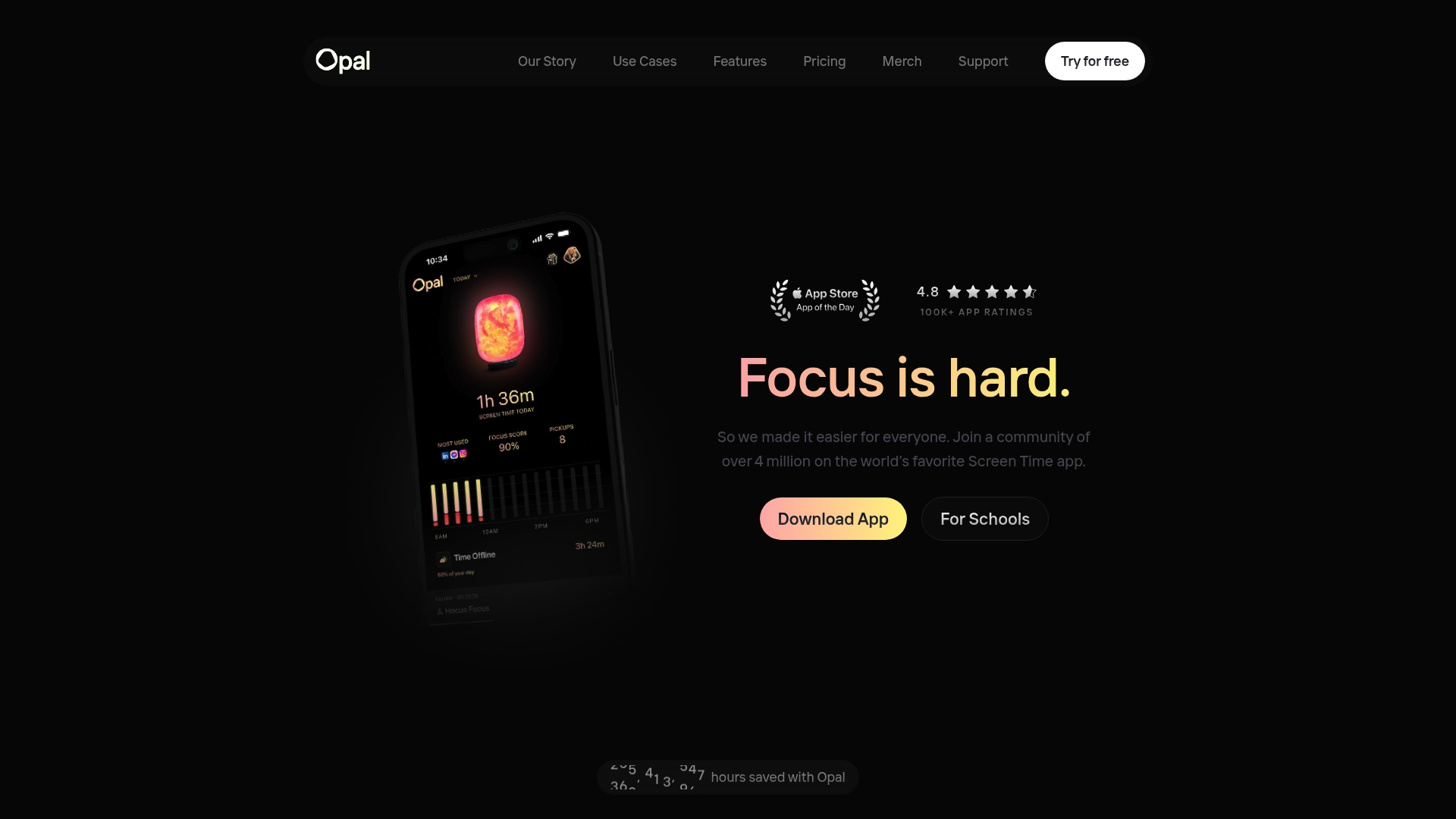
Opal is a screen time app that helps parents and individuals reduce distractions and improve mental health through measurable focus tools. It pairs simple blocking with Focus Score tracking so you can see real progress in attention and screen habit change.
Core Features
Opal offers Focus Score tracking, scheduled focus sessions, app and website blocking, and custom block lists to fit family routines. The app includes Deep Focus mode, Focus Gems milestones for motivation, snooze and Difficulty options, and team focus management for shared rules.
Pros
- High user satisfaction: Opal has a 4.8 rating from over 100,000 app ratings, which shows strong user approval and reliability.
- Cross platform support: The app works on iPhone, Mac, and Android so parents can manage rules across a variety of family devices.
- Flexible blocking tools: You can set specific focus blocks, daily limits, and custom block lists that match homework and bedtime windows.
- Motivational tracking: Focus Score and Focus Gems provide objective progress and small rewards to keep kids and adults engaged.
- Team and community resources: Opal supports shared focus management and offers community support which helps families and groups stay consistent.
Cons
- Subscription costs apply for premium features which can add up for families wanting the full feature set.
- Some capabilities like advanced reporting and team features are only available in paid plans which limits the free tier.
- The breadth of features introduces a learning curve that may require time to configure effective home rules.
Who It's For
Opal fits health conscious urban parents who want a practical tool to reduce family screen time and protect sleep. It also serves individual users, students, and professionals seeking measurable focus improvement and simple ways to cut distraction during key hours.
Unique Value Proposition
Opal combines measurable tracking with tangible blocking tools so you can both limit access and quantify progress. That mix of behavior interruption and clear metrics makes the app helpful for families who want visible results and not just promises.
Real World Use Case
A parent sets up focus sessions for after school and homework time, blocks social apps during those sessions, and uses Focus Score reports to show a teenager how study focus improved over two weeks. The parent also schedules Deep Focus before bedtime to protect sleep.
Pricing
Opal offers a free version with basic blocking and focus sessions. Paid options include Opal Pro with monthly and yearly plans and a lifetime option, plus team plans for workplace or shared family management.
Website: https://opal.so
Reclaim Your Family's Focus with a Tangible Screen Time Solution
Busy parents seeking efficient productivity tools face the daily struggle of managing screen time while wanting to nurture better digital habits in their families. The challenge is breaking autopilot phone behaviors that lead to distractions, reduced focus, and weakened family connections. If you resonate with the need for a physical, outside-the-phone intervention without compromising privacy or usability, Well O’Clock’s unique system could be the answer.
By combining customizable physical NFC tags with a user-friendly mobile app, Well O’Clock delivers a simple tap to lock distracting apps and create clear, tactile habits that empower you and your family to regain control. This approach stands out because it prioritizes your mental clarity and protects privacy while supporting lasting behavior change - a perfect fit for parents looking beyond software-only solutions.
Discover how Well O’Clock can seamlessly fit into your lifestyle. Visit Well O’Clock to explore this innovative screen time management tool. Learn how our customizable kits can bring ease and focus back into your home and workplace. Take the first step toward healthier digital habits and stronger family moments today.
Frequently Asked Questions
What are some effective productivity tools for busy parents in 2026?
Well O’Clock, Unpluq, and Opal are solid alternatives to Bloom.inc that help busy parents manage screen time and boost productivity. Explore their unique features to find which one aligns with your family’s needs.
How can I easily implement these productivity tools in my family's routine?
Start by selecting a tool with customizable settings that fit your schedule. For example, use focus sessions during homework time to reduce distractions and gradually increase focused work periods over a month.
Are there any options that do not require ongoing subscriptions for parents?
Yes, tools like Bloom offer a one-time purchase model without subscriptions. Look for products that provide lifetime access to their companion apps to avoid recurring fees.
How can I track the effectiveness of these productivity tools in my home?
Utilize built-in habit tracking features that many tools offer to measure screen time reduction. Set measurable goals, such as aiming to cut screen time by 20% within the first month and review your progress weekly.
What features should I prioritize when choosing an alternative to Bloom?
Focus on tools that offer physical reminders, customizable blocking features, and easy implementation. Having a tangible action, like tapping a tag or card, should be a key feature to help establish routines effectively.
How can I support my children in adapting to new productivity tools?
Encourage them to set specific goals for focus and reward their achievements to create positive reinforcement. Demonstrating how to use the tool during designated focus times will help them understand its purpose and benefits.

Mak Kordić
Co founder
Mak Kordić is the founder and CEO of CNJ Digital, an agency based in Ljubljana, where he and his team develop UX/UI and digital products for demanding B2B projects. Over his career, he has led and co-created hundreds of digital solutions and worked with international clients.







Top 6 bloom.inc Alternatives in 2026 for Busy Parents Seeking Efficient Productivity Tools
Mak Kordić
,
February 27, 2026
Juggling work deadlines and family schedules can leave busy parents feeling pulled in every direction. Finding productivity tools that truly fit a parent’s fast-paced life has become more important than ever. Some apps promise simple solutions while others offer customizable options for staying organized and on track. With so many choices out there it is easy to wonder which alternatives can actually help make everyday routines smoother and less stressful. The next section highlights a mix of tools designed to bring a little more ease into the daily chaos and spark new ideas for managing time.
Table of Contents
- Well O’Clock
- Bloom
- Unpluq
- Yondr
- Lifeline By Saent
- Opal
Well O’Clock
At a Glance
Well O’Clock pairs physical NFC tags with a companion mobile app to lock distracting apps and create outside the phone cues that interrupt autopilot behavior. This habit breaking solution prioritizes user privacy while delivering clear, measurable focus gains for families and workplaces.
Core Features
The system uses physical NFC tags as tactile reminders and a mobile app to choose which apps to lock for a set time. Customizable tags and packaging support corporate branding and gifting, and kits come in sizes for personal or business use.
Pros
- No background tracking or data collection. Well O’Clock does not collect background data which keeps family behavior private and reduces concern about third party monitoring on phones.
- Physical cues speed habit formation. Tapping a tag creates a clear action that interrupts reflexive phone checks and helps children and busy parents build better routines faster.
- Compatibility with iPhone and Android. NFC enabled iPhone and Android devices work with the system so households with mixed phones can adopt one consistent approach.
- Customizable branding options for businesses. Companies can order branded tags and packaging for employee wellness programs or customer gifts which turns a tool into a thoughtful wellness item.
- Multiple kit options. Starter kits and larger packs let you pick the right scale for home use or office rollout without overspending on extras.
Who It's For
Busy urban parents who want to cut family screen time and regain evenings will get the most value from Well O’Clock. Corporate wellness teams and brands seeking a tangible habit breaking gift also benefit from the customizable physical product.
Unique Value Proposition
Well O’Clock stands out because it pairs a physical intervention with software controls, creating an outside the phone solution that apps alone cannot match. The tactile action of tapping a tag interrupts autopilot in a way a notification never will.
Smart buyers choose Well O’Clock for three clear reasons. The system protects privacy by avoiding background tracking, it offers business grade customization for branded programs, and it provides a tangible product that changes behavior rather than only reporting it. Try a small kit first and scale from there.
Real World Use Case
A parent places an NFC tag by the living room entry and a second tag on a home office desk. A quick tap locks social apps while homework or family time happens, which reduces scrolling and adds focused, screen free minutes each night.
Pricing
Basic kits start at 29 EUR and include a small number of tags with simple packaging. Additional options add more tags and full customization for businesses. Digital only plans are available with monthly fees for app driven controls.
Website: https://welloclock.com
Bloom
At a Glance
Bloom is a stainless steel physical keycard that locks distracting apps and websites with a simple tap, giving families an outside the phone barrier to reduce screen time and promote focused routines.
For health conscious parents, Bloom stands out as a one time purchase with HSA/FSA eligibility and lifetime app access, though its current platform limits and requirement to carry a card are practical trade offs.
Core Features
Bloom uses a physical keycard to lock selected apps and websites and supports scheduled focus periods to automate blocking during homework or bedtime.
The product includes Child Mode for locking a child s apps, Emergency exits that allow three unblock events without the card, and a battery free design that needs no charging.
Pros
- Physical barrier reduces bypassing: The tangible keycard makes it harder for children and adults to override limits compared with software only controls.
- Scheduling and special blocking: Parents can schedule focus periods and select specific distracting apps and websites to block during homework or family time.
- No charging required: The device is non electronic and battery free so there is no need to recharge or replace power sources.
- HSA/FSA eligible: Eligible purchases can be paid through health savings or flexible spending accounts, which helps with family budgets focused on wellness.
- Lifetime app access: The product ships as a one time purchase that includes ongoing access to the companion app without subscription fees.
Cons
- Tap required for convenience: The need to physically tap the card to lock or unlock apps may feel less convenient than remote software controls when parents are busy or away from home.
- Limited remote automation: Controls are primarily physical and not automated or remote unless using a remote mode, which restricts hands off management.
- Platform availability: Bloom currently works on IOS only while Android support is listed as in progress, limiting families that rely on Android devices.
Who It's For
Bloom fits parents who want an enforceable, outside the phone solution to reduce screen time and improve family focus, especially in apartment living where routines matter and visible rules help.
It also suits students and professionals who prefer a tactile cue to separate work and leisure time and who value a one time purchase over subscriptions.
Unique Value Proposition
Bloom s value lies in combining a tangible physical control with app based settings so families gain a clear physical interrupt to autopilot device use.
That physicality appeals to households trying to teach children boundaries and to adults who respond better to an object than to on screen prompts.
Real World Use Case
A college student taps Bloom before a two hour study session to block social media and streaming apps, uses scheduled breaks to unlock briefly, and relies on three emergency exits when urgent needs arise.
This routine reduces phone checking and increases uninterrupted study time while keeping a predictable unlocking option.
Pricing
One card is $39 USD, two cards are $59 USD, and three or more cards are $69 USD, with discounts for multiple purchases and free shipping on orders over $50.
Website: https://bloom.inc
Unpluq
At a Glance
Unpluq is a phone habit tool that uses a physical trigger to help you stop mindless scrolling and reclaim time for family and focus. The combination of a tangible Unpluq Tag and a mobile app makes it a practical choice for parents who want clear, outside the phone barriers.
Core Features
Unpluq pairs a physical NFC tag with customizable app blocking schedules and habit tracking to reduce screen time. The app provides analytics for habit tracking and supports both iOS and Android devices that have NFC capability.
Pros
- Tangible habit tool: The physical Unpluq Tag adds a visible, real world step that helps break autopilot phone behavior for both parents and children.
- Flexible schedules: Customizable app blocking schedules let you set different rules for homework time, family dinners, and bedtime without rigid restrictions.
- Measurable results: Built in habit tracking offers analytics that show reductions in screen time, which helps you track progress week to week.
- Designed for lasting change: The combination of a device and app supports long term behavioral change rather than quick fixes.
- Gift friendly packaging: Premium packaging and gifting options make Unpluq a thoughtful present for family members who need a nudge toward healthier device use.
Cons
- Requires NFC support on your phone: The Unpluq Tag only works with phones that have NFC, which excludes some older models and a minority of budget devices.
- Subscription required for premium features: The one year premium subscription is bundled with the Tag purchase and ongoing features rely on that paid plan.
- Effectiveness depends on user adherence: The tool works best when the user commits to using the Tag consistently and accepts the extra step to unlock distracted apps.
Who It's For
Unpluq is aimed at parents and families who want a physical intervention to reduce screen time and protect children's attention. It works well for parents who prefer a low drama approach that replaces guilt and rules with a simple physical barrier.
Unique Value Proposition
Unpluq stands out by combining a physical object with digital controls so you get a tactile interruption instead of another notification. For busy parents, that outside the phone nudge helps interrupt autopilot checks and redirects energy to in person family time.
Real World Use Case
A parent clips the Unpluq Tag to a keychain and taps it before starting focused work or family dinner. The Tag locks distracting apps during those windows, which leads to longer stretches of focused work and more direct interactions with children.
Pricing
Unpluq is sold as a bundle for $79 which includes the Unpluq Tag and a one year premium subscription for the app.
Website: https://unpluq.com
Yondr
At a Glance
Yondr helps organizations and individuals create phone free spaces that promote presence and focus through physical products and guided programs. The approach pairs lockable cell phone pouches with training and policy consultation to reduce mobile distractions in real settings.
Core Features
Yondr supplies lockable cell phone pouches and lockers and designs programs to implement phone free environments across schools, events, and workplaces. The offering includes operational planning, expert policy consultation, and comprehensive training to support rollout and staff adoption.
Pros
- Yondr helps organizations create focused and engaging environments by reducing mobile phone distractions, which improves attention during lessons or events.
- Yondr offers customizable programs for education, entertainment, and workplace settings so teams can adapt policies to their culture and goals.
- Yondr supports seamless implementation with expert consultation and training, which reduces friction for staff and increases the chances of long term success.
- Yondr operates globally with offices in California, New York, Minnesota, London, and Sydney, enabling support for international events and multi site organizations.
Cons
- Pricing information is not publicly available, which requires direct contact for quotes and can slow procurement for schools and community groups.
- The solution depends on physical products for effectiveness, which introduces logistical needs for distribution, storage, and replacement over time.
Who It's For
Yondr fits organizations, educators, event organizers, and individuals who want to create or maintain phone free spaces and improve face to face connection. It works well for schools aiming to reduce classroom distractions and for event teams wanting consistent attendee behavior.
Unique Value Proposition
Yondr pairs tangible tools with human led programs to change behavior in the physical world rather than relying solely on apps or settings. That combination of physical products plus expert planning and training is the core differentiator for groups seeking measurable reductions in phone related interruptions.
Real World Use Case
A school implements Yondr pouches to lock phones during class time and uses staff training to communicate new policies. Teachers report fewer interruptions and more student engagement, while administrators receive operational support to scale the program across grades.
Pricing
Yondr does not list pricing on the website so budgets require direct inquiry and quotes. Organizations should plan for product, program, and training costs and contact Yondr for a tailored estimate based on scale and service needs.
Website: https://overyondr.com
Lifeline by Saent
At a Glance
Lifeline by Saent is a macOS timer app that helps you build sustained attention with a visual progress bar and gentle break nudges. It is simple and unobtrusive, ideal for parents who need reliable focus tools between chores, school runs, and work.
Core Features
Lifeline centers on a visual progress bar to track sessions and an intelligent break timer to reduce distraction. The app also offers gradual session extension for training your focus muscle, calendar integration for planning around meetings, and effortless time tracking with custom labels and emojis.
Pros
- Maintains focus with visual cues. The progress bar and break reminders provide clear, moment to moment guidance to help you resist reflexive phone checks.
- Low friction and unobtrusive. The app stays out of the way so you can work without constant setup or interruptions between parenting tasks.
- Productivity pattern analysis. Built in tracking helps identify when your attention dips so you can adjust routines around family schedules.
- Calendar planning adds structure. Integrating sessions with your calendar reduces conflicts with school pickups and family appointments.
- Free download with pro options. You can try basic features at no cost before using pro capabilities for more advanced tracking.
Cons
- Feature scope for the free tier is unclear. The exact limits of the free download and what unlocks in pro are not specified in the data provided.
- macOS only. Lifeline requires macOS so families using Windows, iPadOS, or Android cannot use it across devices.
- Pricing details are vague. The presence of pro features and possible subscriptions is implied but pricing or purchase model is not detailed.
Who It's For
Lifeline fits parents who work on Mac computers and want a tactile, visual way to protect focus windows during the day. It suits health conscious urban parents who schedule work around family commitments and prefer simple tools that reinforce healthy screen habits.
Unique Value Proposition
Lifeline pairs a clear on screen progress display with calendar aware timing so planning and deep work feel connected. The gradual session extension feature helps you train longer focus blocks without sudden changes in routine.
Real World Use Case
A remote parent schedules two 50 minute deep work sessions around school drop off and pickup. Lifeline aligns those sessions with the calendar, nudges short breaks, and logs time with emoji labels so the parent can review productive stretches after the kids are asleep.
Pricing
Free to download with pro features available though specific pro pricing and limits are not specified in the provided data.
Website: https://saent.com
Opal
At a Glance
Opal is a screen time app that helps parents and individuals reduce distractions and improve mental health through measurable focus tools. It pairs simple blocking with Focus Score tracking so you can see real progress in attention and screen habit change.
Core Features
Opal offers Focus Score tracking, scheduled focus sessions, app and website blocking, and custom block lists to fit family routines. The app includes Deep Focus mode, Focus Gems milestones for motivation, snooze and Difficulty options, and team focus management for shared rules.
Pros
- High user satisfaction: Opal has a 4.8 rating from over 100,000 app ratings, which shows strong user approval and reliability.
- Cross platform support: The app works on iPhone, Mac, and Android so parents can manage rules across a variety of family devices.
- Flexible blocking tools: You can set specific focus blocks, daily limits, and custom block lists that match homework and bedtime windows.
- Motivational tracking: Focus Score and Focus Gems provide objective progress and small rewards to keep kids and adults engaged.
- Team and community resources: Opal supports shared focus management and offers community support which helps families and groups stay consistent.
Cons
- Subscription costs apply for premium features which can add up for families wanting the full feature set.
- Some capabilities like advanced reporting and team features are only available in paid plans which limits the free tier.
- The breadth of features introduces a learning curve that may require time to configure effective home rules.
Who It's For
Opal fits health conscious urban parents who want a practical tool to reduce family screen time and protect sleep. It also serves individual users, students, and professionals seeking measurable focus improvement and simple ways to cut distraction during key hours.
Unique Value Proposition
Opal combines measurable tracking with tangible blocking tools so you can both limit access and quantify progress. That mix of behavior interruption and clear metrics makes the app helpful for families who want visible results and not just promises.
Real World Use Case
A parent sets up focus sessions for after school and homework time, blocks social apps during those sessions, and uses Focus Score reports to show a teenager how study focus improved over two weeks. The parent also schedules Deep Focus before bedtime to protect sleep.
Pricing
Opal offers a free version with basic blocking and focus sessions. Paid options include Opal Pro with monthly and yearly plans and a lifetime option, plus team plans for workplace or shared family management.
Website: https://opal.so
Reclaim Your Family's Focus with a Tangible Screen Time Solution
Busy parents seeking efficient productivity tools face the daily struggle of managing screen time while wanting to nurture better digital habits in their families. The challenge is breaking autopilot phone behaviors that lead to distractions, reduced focus, and weakened family connections. If you resonate with the need for a physical, outside-the-phone intervention without compromising privacy or usability, Well O’Clock’s unique system could be the answer.
By combining customizable physical NFC tags with a user-friendly mobile app, Well O’Clock delivers a simple tap to lock distracting apps and create clear, tactile habits that empower you and your family to regain control. This approach stands out because it prioritizes your mental clarity and protects privacy while supporting lasting behavior change - a perfect fit for parents looking beyond software-only solutions.
Discover how Well O’Clock can seamlessly fit into your lifestyle. Visit Well O’Clock to explore this innovative screen time management tool. Learn how our customizable kits can bring ease and focus back into your home and workplace. Take the first step toward healthier digital habits and stronger family moments today.
Frequently Asked Questions
What are some effective productivity tools for busy parents in 2026?
Well O’Clock, Unpluq, and Opal are solid alternatives to Bloom.inc that help busy parents manage screen time and boost productivity. Explore their unique features to find which one aligns with your family’s needs.
How can I easily implement these productivity tools in my family's routine?
Start by selecting a tool with customizable settings that fit your schedule. For example, use focus sessions during homework time to reduce distractions and gradually increase focused work periods over a month.
Are there any options that do not require ongoing subscriptions for parents?
Yes, tools like Bloom offer a one-time purchase model without subscriptions. Look for products that provide lifetime access to their companion apps to avoid recurring fees.
How can I track the effectiveness of these productivity tools in my home?
Utilize built-in habit tracking features that many tools offer to measure screen time reduction. Set measurable goals, such as aiming to cut screen time by 20% within the first month and review your progress weekly.
What features should I prioritize when choosing an alternative to Bloom?
Focus on tools that offer physical reminders, customizable blocking features, and easy implementation. Having a tangible action, like tapping a tag or card, should be a key feature to help establish routines effectively.
How can I support my children in adapting to new productivity tools?
Encourage them to set specific goals for focus and reward their achievements to create positive reinforcement. Demonstrating how to use the tool during designated focus times will help them understand its purpose and benefits.
Mak Kordić
Co founder
Mak Kordić is the founder and CEO of CNJ Digital, an agency based in Ljubljana, where he and his team develop UX/UI and digital products for demanding B2B projects. Over his career, he has led and co-created hundreds of digital solutions and worked with international clients.
Top 6 bloom.inc Alternatives in 2026 for Busy Parents Seeking Efficient Productivity Tools
Mak Kordić
,
February 27, 2026
Juggling work deadlines and family schedules can leave busy parents feeling pulled in every direction. Finding productivity tools that truly fit a parent’s fast-paced life has become more important than ever. Some apps promise simple solutions while others offer customizable options for staying organized and on track. With so many choices out there it is easy to wonder which alternatives can actually help make everyday routines smoother and less stressful. The next section highlights a mix of tools designed to bring a little more ease into the daily chaos and spark new ideas for managing time.
Table of Contents
- Well O’Clock
- Bloom
- Unpluq
- Yondr
- Lifeline By Saent
- Opal
Well O’Clock
At a Glance
Well O’Clock pairs physical NFC tags with a companion mobile app to lock distracting apps and create outside the phone cues that interrupt autopilot behavior. This habit breaking solution prioritizes user privacy while delivering clear, measurable focus gains for families and workplaces.
Core Features
The system uses physical NFC tags as tactile reminders and a mobile app to choose which apps to lock for a set time. Customizable tags and packaging support corporate branding and gifting, and kits come in sizes for personal or business use.
Pros
- No background tracking or data collection. Well O’Clock does not collect background data which keeps family behavior private and reduces concern about third party monitoring on phones.
- Physical cues speed habit formation. Tapping a tag creates a clear action that interrupts reflexive phone checks and helps children and busy parents build better routines faster.
- Compatibility with iPhone and Android. NFC enabled iPhone and Android devices work with the system so households with mixed phones can adopt one consistent approach.
- Customizable branding options for businesses. Companies can order branded tags and packaging for employee wellness programs or customer gifts which turns a tool into a thoughtful wellness item.
- Multiple kit options. Starter kits and larger packs let you pick the right scale for home use or office rollout without overspending on extras.
Who It's For
Busy urban parents who want to cut family screen time and regain evenings will get the most value from Well O’Clock. Corporate wellness teams and brands seeking a tangible habit breaking gift also benefit from the customizable physical product.
Unique Value Proposition
Well O’Clock stands out because it pairs a physical intervention with software controls, creating an outside the phone solution that apps alone cannot match. The tactile action of tapping a tag interrupts autopilot in a way a notification never will.
Smart buyers choose Well O’Clock for three clear reasons. The system protects privacy by avoiding background tracking, it offers business grade customization for branded programs, and it provides a tangible product that changes behavior rather than only reporting it. Try a small kit first and scale from there.
Real World Use Case
A parent places an NFC tag by the living room entry and a second tag on a home office desk. A quick tap locks social apps while homework or family time happens, which reduces scrolling and adds focused, screen free minutes each night.
Pricing
Basic kits start at 29 EUR and include a small number of tags with simple packaging. Additional options add more tags and full customization for businesses. Digital only plans are available with monthly fees for app driven controls.
Website: https://welloclock.com
Bloom
At a Glance
Bloom is a stainless steel physical keycard that locks distracting apps and websites with a simple tap, giving families an outside the phone barrier to reduce screen time and promote focused routines.
For health conscious parents, Bloom stands out as a one time purchase with HSA/FSA eligibility and lifetime app access, though its current platform limits and requirement to carry a card are practical trade offs.
Core Features
Bloom uses a physical keycard to lock selected apps and websites and supports scheduled focus periods to automate blocking during homework or bedtime.
The product includes Child Mode for locking a child s apps, Emergency exits that allow three unblock events without the card, and a battery free design that needs no charging.
Pros
- Physical barrier reduces bypassing: The tangible keycard makes it harder for children and adults to override limits compared with software only controls.
- Scheduling and special blocking: Parents can schedule focus periods and select specific distracting apps and websites to block during homework or family time.
- No charging required: The device is non electronic and battery free so there is no need to recharge or replace power sources.
- HSA/FSA eligible: Eligible purchases can be paid through health savings or flexible spending accounts, which helps with family budgets focused on wellness.
- Lifetime app access: The product ships as a one time purchase that includes ongoing access to the companion app without subscription fees.
Cons
- Tap required for convenience: The need to physically tap the card to lock or unlock apps may feel less convenient than remote software controls when parents are busy or away from home.
- Limited remote automation: Controls are primarily physical and not automated or remote unless using a remote mode, which restricts hands off management.
- Platform availability: Bloom currently works on IOS only while Android support is listed as in progress, limiting families that rely on Android devices.
Who It's For
Bloom fits parents who want an enforceable, outside the phone solution to reduce screen time and improve family focus, especially in apartment living where routines matter and visible rules help.
It also suits students and professionals who prefer a tactile cue to separate work and leisure time and who value a one time purchase over subscriptions.
Unique Value Proposition
Bloom s value lies in combining a tangible physical control with app based settings so families gain a clear physical interrupt to autopilot device use.
That physicality appeals to households trying to teach children boundaries and to adults who respond better to an object than to on screen prompts.
Real World Use Case
A college student taps Bloom before a two hour study session to block social media and streaming apps, uses scheduled breaks to unlock briefly, and relies on three emergency exits when urgent needs arise.
This routine reduces phone checking and increases uninterrupted study time while keeping a predictable unlocking option.
Pricing
One card is $39 USD, two cards are $59 USD, and three or more cards are $69 USD, with discounts for multiple purchases and free shipping on orders over $50.
Website: https://bloom.inc
Unpluq
At a Glance
Unpluq is a phone habit tool that uses a physical trigger to help you stop mindless scrolling and reclaim time for family and focus. The combination of a tangible Unpluq Tag and a mobile app makes it a practical choice for parents who want clear, outside the phone barriers.
Core Features
Unpluq pairs a physical NFC tag with customizable app blocking schedules and habit tracking to reduce screen time. The app provides analytics for habit tracking and supports both iOS and Android devices that have NFC capability.
Pros
- Tangible habit tool: The physical Unpluq Tag adds a visible, real world step that helps break autopilot phone behavior for both parents and children.
- Flexible schedules: Customizable app blocking schedules let you set different rules for homework time, family dinners, and bedtime without rigid restrictions.
- Measurable results: Built in habit tracking offers analytics that show reductions in screen time, which helps you track progress week to week.
- Designed for lasting change: The combination of a device and app supports long term behavioral change rather than quick fixes.
- Gift friendly packaging: Premium packaging and gifting options make Unpluq a thoughtful present for family members who need a nudge toward healthier device use.
Cons
- Requires NFC support on your phone: The Unpluq Tag only works with phones that have NFC, which excludes some older models and a minority of budget devices.
- Subscription required for premium features: The one year premium subscription is bundled with the Tag purchase and ongoing features rely on that paid plan.
- Effectiveness depends on user adherence: The tool works best when the user commits to using the Tag consistently and accepts the extra step to unlock distracted apps.
Who It's For
Unpluq is aimed at parents and families who want a physical intervention to reduce screen time and protect children's attention. It works well for parents who prefer a low drama approach that replaces guilt and rules with a simple physical barrier.
Unique Value Proposition
Unpluq stands out by combining a physical object with digital controls so you get a tactile interruption instead of another notification. For busy parents, that outside the phone nudge helps interrupt autopilot checks and redirects energy to in person family time.
Real World Use Case
A parent clips the Unpluq Tag to a keychain and taps it before starting focused work or family dinner. The Tag locks distracting apps during those windows, which leads to longer stretches of focused work and more direct interactions with children.
Pricing
Unpluq is sold as a bundle for $79 which includes the Unpluq Tag and a one year premium subscription for the app.
Website: https://unpluq.com
Yondr
At a Glance
Yondr helps organizations and individuals create phone free spaces that promote presence and focus through physical products and guided programs. The approach pairs lockable cell phone pouches with training and policy consultation to reduce mobile distractions in real settings.
Core Features
Yondr supplies lockable cell phone pouches and lockers and designs programs to implement phone free environments across schools, events, and workplaces. The offering includes operational planning, expert policy consultation, and comprehensive training to support rollout and staff adoption.
Pros
- Yondr helps organizations create focused and engaging environments by reducing mobile phone distractions, which improves attention during lessons or events.
- Yondr offers customizable programs for education, entertainment, and workplace settings so teams can adapt policies to their culture and goals.
- Yondr supports seamless implementation with expert consultation and training, which reduces friction for staff and increases the chances of long term success.
- Yondr operates globally with offices in California, New York, Minnesota, London, and Sydney, enabling support for international events and multi site organizations.
Cons
- Pricing information is not publicly available, which requires direct contact for quotes and can slow procurement for schools and community groups.
- The solution depends on physical products for effectiveness, which introduces logistical needs for distribution, storage, and replacement over time.
Who It's For
Yondr fits organizations, educators, event organizers, and individuals who want to create or maintain phone free spaces and improve face to face connection. It works well for schools aiming to reduce classroom distractions and for event teams wanting consistent attendee behavior.
Unique Value Proposition
Yondr pairs tangible tools with human led programs to change behavior in the physical world rather than relying solely on apps or settings. That combination of physical products plus expert planning and training is the core differentiator for groups seeking measurable reductions in phone related interruptions.
Real World Use Case
A school implements Yondr pouches to lock phones during class time and uses staff training to communicate new policies. Teachers report fewer interruptions and more student engagement, while administrators receive operational support to scale the program across grades.
Pricing
Yondr does not list pricing on the website so budgets require direct inquiry and quotes. Organizations should plan for product, program, and training costs and contact Yondr for a tailored estimate based on scale and service needs.
Website: https://overyondr.com
Lifeline by Saent
At a Glance
Lifeline by Saent is a macOS timer app that helps you build sustained attention with a visual progress bar and gentle break nudges. It is simple and unobtrusive, ideal for parents who need reliable focus tools between chores, school runs, and work.
Core Features
Lifeline centers on a visual progress bar to track sessions and an intelligent break timer to reduce distraction. The app also offers gradual session extension for training your focus muscle, calendar integration for planning around meetings, and effortless time tracking with custom labels and emojis.
Pros
- Maintains focus with visual cues. The progress bar and break reminders provide clear, moment to moment guidance to help you resist reflexive phone checks.
- Low friction and unobtrusive. The app stays out of the way so you can work without constant setup or interruptions between parenting tasks.
- Productivity pattern analysis. Built in tracking helps identify when your attention dips so you can adjust routines around family schedules.
- Calendar planning adds structure. Integrating sessions with your calendar reduces conflicts with school pickups and family appointments.
- Free download with pro options. You can try basic features at no cost before using pro capabilities for more advanced tracking.
Cons
- Feature scope for the free tier is unclear. The exact limits of the free download and what unlocks in pro are not specified in the data provided.
- macOS only. Lifeline requires macOS so families using Windows, iPadOS, or Android cannot use it across devices.
- Pricing details are vague. The presence of pro features and possible subscriptions is implied but pricing or purchase model is not detailed.
Who It's For
Lifeline fits parents who work on Mac computers and want a tactile, visual way to protect focus windows during the day. It suits health conscious urban parents who schedule work around family commitments and prefer simple tools that reinforce healthy screen habits.
Unique Value Proposition
Lifeline pairs a clear on screen progress display with calendar aware timing so planning and deep work feel connected. The gradual session extension feature helps you train longer focus blocks without sudden changes in routine.
Real World Use Case
A remote parent schedules two 50 minute deep work sessions around school drop off and pickup. Lifeline aligns those sessions with the calendar, nudges short breaks, and logs time with emoji labels so the parent can review productive stretches after the kids are asleep.
Pricing
Free to download with pro features available though specific pro pricing and limits are not specified in the provided data.
Website: https://saent.com
Opal
At a Glance
Opal is a screen time app that helps parents and individuals reduce distractions and improve mental health through measurable focus tools. It pairs simple blocking with Focus Score tracking so you can see real progress in attention and screen habit change.
Core Features
Opal offers Focus Score tracking, scheduled focus sessions, app and website blocking, and custom block lists to fit family routines. The app includes Deep Focus mode, Focus Gems milestones for motivation, snooze and Difficulty options, and team focus management for shared rules.
Pros
- High user satisfaction: Opal has a 4.8 rating from over 100,000 app ratings, which shows strong user approval and reliability.
- Cross platform support: The app works on iPhone, Mac, and Android so parents can manage rules across a variety of family devices.
- Flexible blocking tools: You can set specific focus blocks, daily limits, and custom block lists that match homework and bedtime windows.
- Motivational tracking: Focus Score and Focus Gems provide objective progress and small rewards to keep kids and adults engaged.
- Team and community resources: Opal supports shared focus management and offers community support which helps families and groups stay consistent.
Cons
- Subscription costs apply for premium features which can add up for families wanting the full feature set.
- Some capabilities like advanced reporting and team features are only available in paid plans which limits the free tier.
- The breadth of features introduces a learning curve that may require time to configure effective home rules.
Who It's For
Opal fits health conscious urban parents who want a practical tool to reduce family screen time and protect sleep. It also serves individual users, students, and professionals seeking measurable focus improvement and simple ways to cut distraction during key hours.
Unique Value Proposition
Opal combines measurable tracking with tangible blocking tools so you can both limit access and quantify progress. That mix of behavior interruption and clear metrics makes the app helpful for families who want visible results and not just promises.
Real World Use Case
A parent sets up focus sessions for after school and homework time, blocks social apps during those sessions, and uses Focus Score reports to show a teenager how study focus improved over two weeks. The parent also schedules Deep Focus before bedtime to protect sleep.
Pricing
Opal offers a free version with basic blocking and focus sessions. Paid options include Opal Pro with monthly and yearly plans and a lifetime option, plus team plans for workplace or shared family management.
Website: https://opal.so
Reclaim Your Family's Focus with a Tangible Screen Time Solution
Busy parents seeking efficient productivity tools face the daily struggle of managing screen time while wanting to nurture better digital habits in their families. The challenge is breaking autopilot phone behaviors that lead to distractions, reduced focus, and weakened family connections. If you resonate with the need for a physical, outside-the-phone intervention without compromising privacy or usability, Well O’Clock’s unique system could be the answer.
By combining customizable physical NFC tags with a user-friendly mobile app, Well O’Clock delivers a simple tap to lock distracting apps and create clear, tactile habits that empower you and your family to regain control. This approach stands out because it prioritizes your mental clarity and protects privacy while supporting lasting behavior change - a perfect fit for parents looking beyond software-only solutions.
Discover how Well O’Clock can seamlessly fit into your lifestyle. Visit Well O’Clock to explore this innovative screen time management tool. Learn how our customizable kits can bring ease and focus back into your home and workplace. Take the first step toward healthier digital habits and stronger family moments today.
Frequently Asked Questions
What are some effective productivity tools for busy parents in 2026?
Well O’Clock, Unpluq, and Opal are solid alternatives to Bloom.inc that help busy parents manage screen time and boost productivity. Explore their unique features to find which one aligns with your family’s needs.
How can I easily implement these productivity tools in my family's routine?
Start by selecting a tool with customizable settings that fit your schedule. For example, use focus sessions during homework time to reduce distractions and gradually increase focused work periods over a month.
Are there any options that do not require ongoing subscriptions for parents?
Yes, tools like Bloom offer a one-time purchase model without subscriptions. Look for products that provide lifetime access to their companion apps to avoid recurring fees.
How can I track the effectiveness of these productivity tools in my home?
Utilize built-in habit tracking features that many tools offer to measure screen time reduction. Set measurable goals, such as aiming to cut screen time by 20% within the first month and review your progress weekly.
What features should I prioritize when choosing an alternative to Bloom?
Focus on tools that offer physical reminders, customizable blocking features, and easy implementation. Having a tangible action, like tapping a tag or card, should be a key feature to help establish routines effectively.
How can I support my children in adapting to new productivity tools?
Encourage them to set specific goals for focus and reward their achievements to create positive reinforcement. Demonstrating how to use the tool during designated focus times will help them understand its purpose and benefits.
Mak Kordić
Co founder
Mak Kordić is the founder and CEO of CNJ Digital, an agency based in Ljubljana, where he and his team develop UX/UI and digital products for demanding B2B projects. Over his career, he has led and co-created hundreds of digital solutions and worked with international clients.