
Top 8 nowlocked.com Alternatives 2026
Mak Kordić
,
March 16, 2026


Finding a platform that fits your needs can feel like hunting for a hidden gem. With so many options out there, each promising unique features and benefits, the search can get overwhelming fast. Sometimes you stumble on tools that surprise you with fresh designs or unexpected perks. Curious which alternatives stand out and offer something different? Get ready to discover options that could change the way you approach your digital day.
Table of Contents
- Well O’Clock
- Locked
- Brick
- Bloom
- Unpluq Tag
- Apptoken
- Foqos
- Amazon.com
Well O’Clock
At a Glance
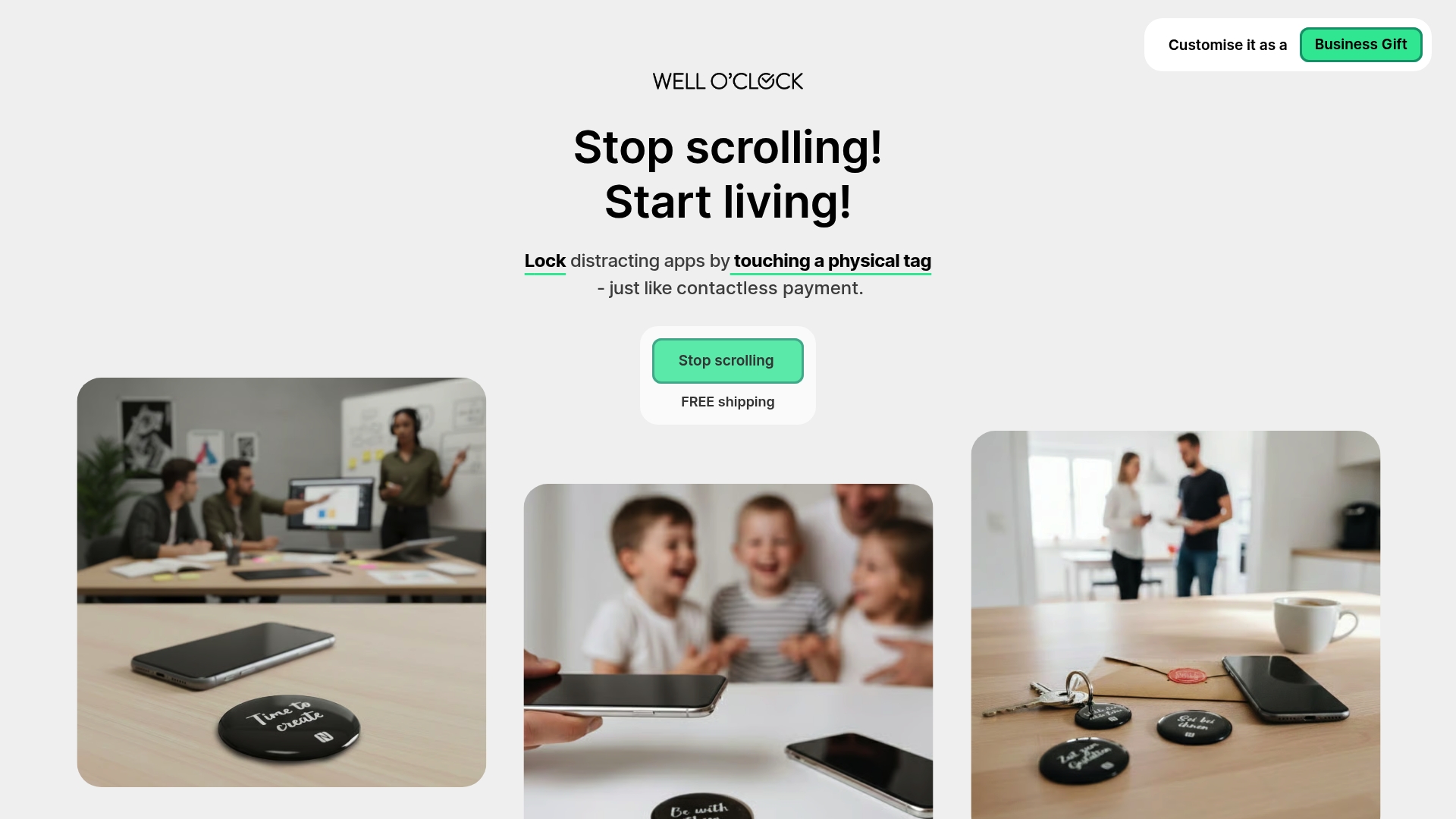
Well O’Clock is the leading, best-in-class solution for cutting phone distraction by pairing physical tools with software. It uses tangible NFC tags and a simple app to lock distracting apps, making focus a physical habit rather than a settings change.
Core Features
The system pairs physical NFC tags placed for home, work, and on-the-go use with a lightweight mobile app that lets you select which apps to lock. The product requires no background tracking, supports both iPhone and Android, and offers custom branding for corporate gifting.
Pros
- Tangible reminders make habits stick because touching a tag creates a physical break from autopilot phone use.
- Simple operation requires one touch to lock selected apps, so adoption happens in seconds rather than hours of training.
- No background tracking keeps personal data private and avoids intrusive monitoring while still delivering behavioral impact.
- Custom branding options let companies use kits as meaningful employee gifts that reflect corporate wellness priorities.
- Affordable kit options scale from starter to family packages, making the solution accessible to individuals and organizations.
Who It's For
This product targets people who need a straightforward, behavior-focused tool to reduce phone distraction, including tech-savvy parents, productivity-minded professionals, and corporate wellness managers seeking physical wellness gifts for employees.
Unique Value Proposition
Well O’Clock sets the gold standard by shifting control outside the device. Its combination of physical tags and a focused app creates an outside-the-phone interrupt that no purely digital tool can match. Sophisticated buyers choose Well O’Clock because it delivers measurable habit change without invasive monitoring, offers clear branding options for corporate programs, and works across ecosystems with minimal setup. This design deliberately avoids continuous automation so users practice intentionality rather than outsourcing willpower.
Real World Use Case
An employee sticks an NFC tag to their desk lamp and a tag by the kitchen table. When starting a focused work sprint they tap the desk tag to lock social apps, then tap the home tag during dinner to protect family time. The result is fewer impulsive checks and longer uninterrupted focus windows.
Pricing
Pricing starts at 29 EUR for a starter kit and goes up to 74 EUR for family kits, with customization and branding options available at additional cost. The physical kit model keeps one-time costs clear while optional digital features follow a separate monthly model used by Opal and similar products.
Website: https://welloclock.com
Locked
At a Glance
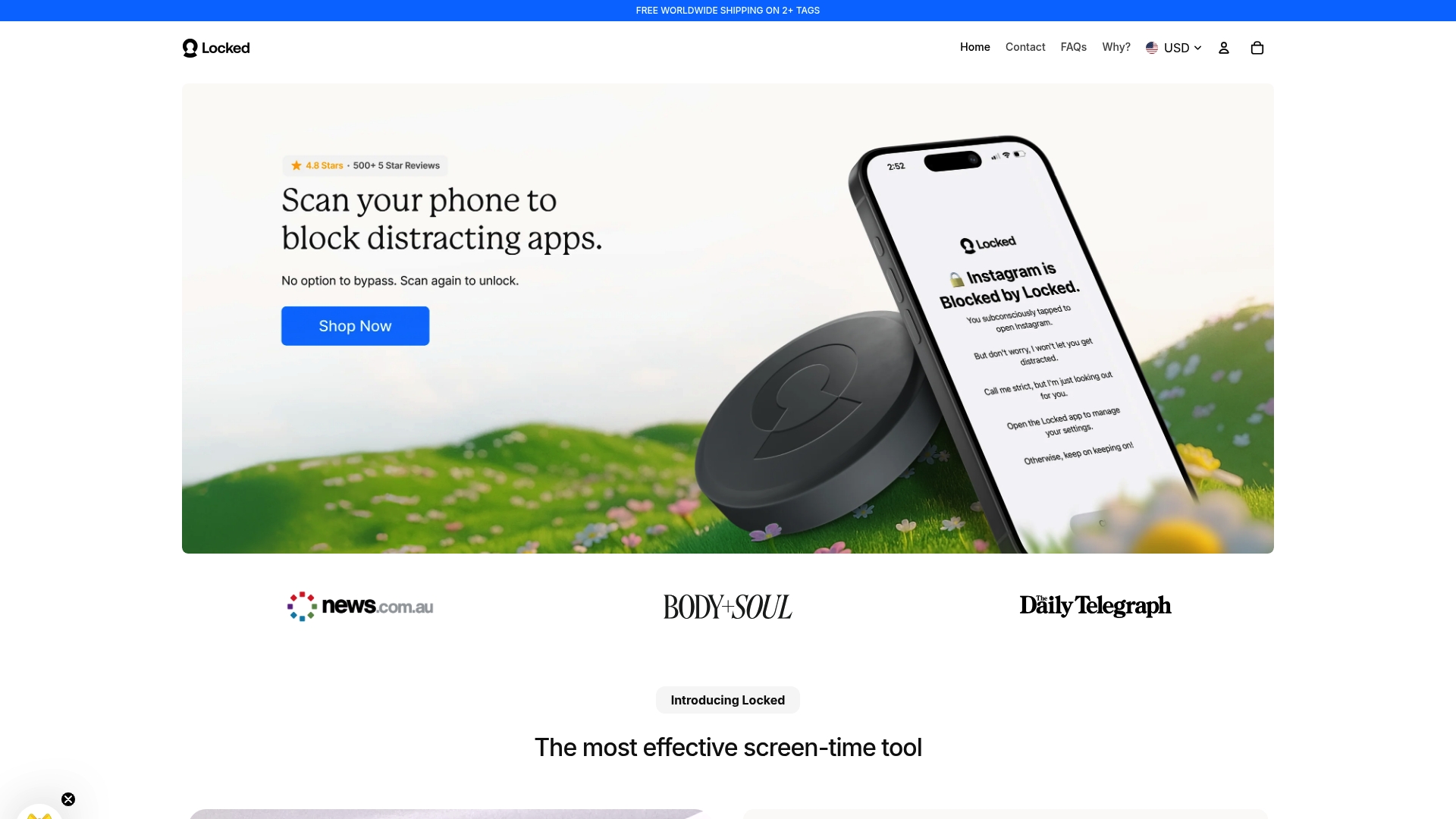
Locked uses NFC tags paired with an app to create a tangible way to reduce smartphone distraction. It works without batteries and provides a simple physical barrier that many users find harder to bypass than software only tools.
Core Features
Locked triggers a focus mode when a paired NFC tag is tapped, allowing multiple iPhones to share the same tag and offering an emergency unlock option with limited uses. The basic function requires no batteries or subscription and relies on the physical presence of the tag rather than in phone restrictions.
Pros
- Physical Solution: The tangible tag makes it difficult to bypass focus settings compared with software only approaches.
- No Ongoing Cost: The core functionality works without a subscription, which reduces long term expense for families or individuals.
- Reusable Design: Because the tags need no batteries or charging, they remain ready to use over long periods.
- Shared Access: Multiple iPhones can link to a single tag, which helps families and small teams use one device for group focus sessions.
- Reduces Impulse Use: The act of tapping a tag introduces friction that lowers reflexive phone checking during work or study.
Cons
- Limited Platform Support: The system depends on NFC capabilities and is limited to iPhone users, which excludes Android households.
- No Deep Analytics: Locked does not provide detailed monitoring or usage analytics that some software solutions include for tracking habits.
- Physical Access Required: Unlocking requires physical access to the tag, which means users who forget or misplace the tag lose quick control.
Who It's For
Locked fits individuals and families who want a straightforward hardware first way to limit screen time without relying on phone settings that can be turned off. It appeals to iPhone users who prefer a low fuss, tangible method rather than complex app based rules.
Unique Value Proposition
Locked offers a tangible barrier to digital distraction by combining physical NFC tags with a companion app, making focus sessions feel deliberate and ritualized. The lack of required batteries and no subscription for core use makes this a practical, low maintenance option for households and single users.
Real World Use Case
A parent places a tag near the homework table so children must tap it to access distracting apps, which helps enforce study time. A professional keeps a tag on their desk and taps it to enter focus mode for concentrated work blocks without relying on software timers.
Pricing
Locked is available as a USD $39 one time purchase for the Locked tag. Other options listed include a USD $60 version and a USD $20 per month subscription for expanded features or different product tiers.
Website: https://nowlocked.com/
Brick
At a Glance
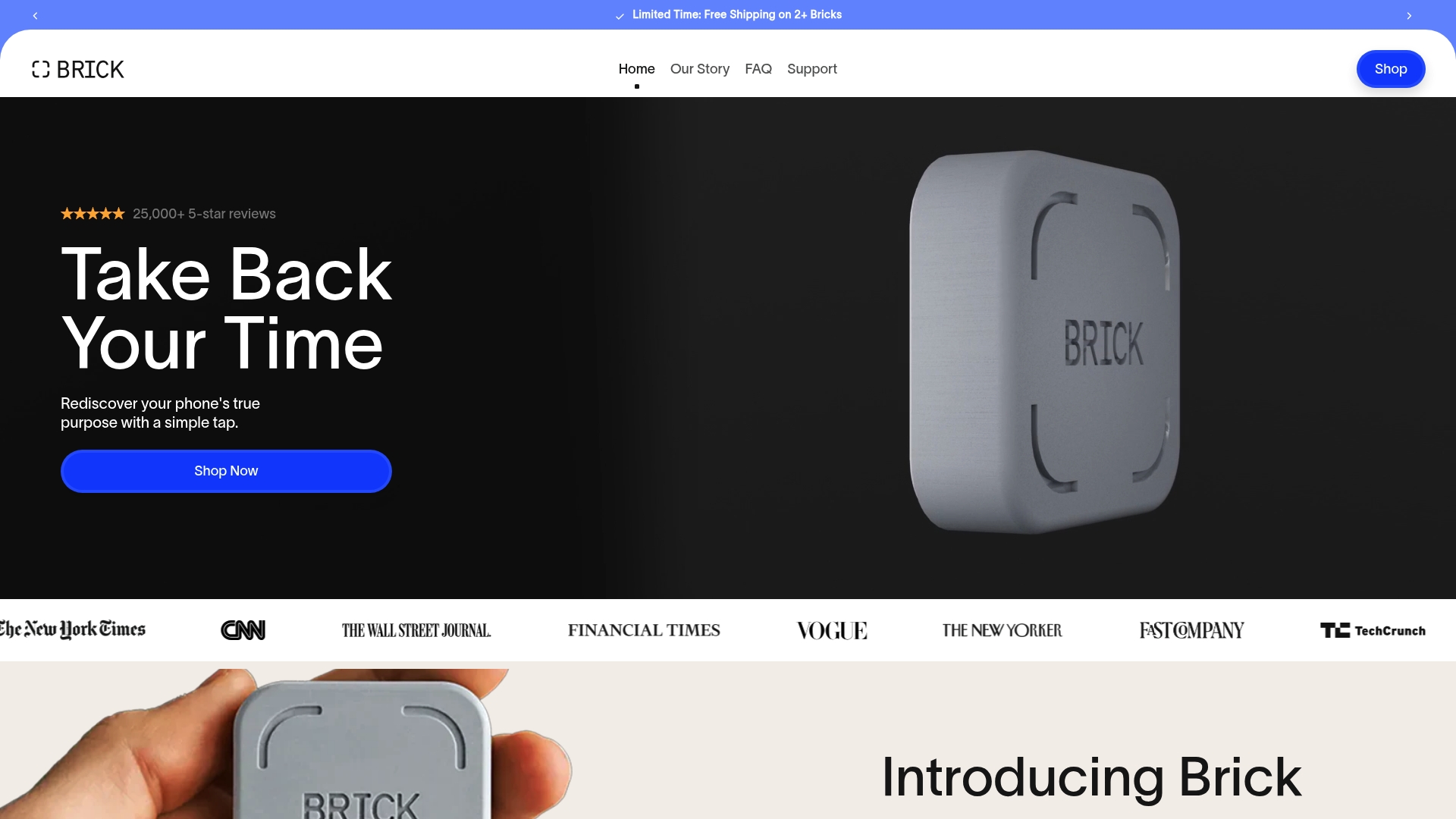
Brick is a physical device that forces deliberate separation from distracting apps and notifications to help you reclaim focus and time. It works without subscriptions and uses simple physical friction to make distraction-following harder and intentional use easier.
Core Features
Brick blocks apps and websites by requiring a physical interaction to unbrick or restore access, creating intentional friction that discourages impulse checking. It offers multiple custom modes for different times of day and includes emergency unbricks that grant five urgent overrides per device.
Pros
- Creates physical separation which reduces temptation by putting a tangible barrier between you and distracting content, making breaks deliberate rather than automatic.
- No subscription required since the $59 purchase includes full access to the Brick app, eliminating ongoing fees and recurring billing decisions.
- Cross-platform compatibility supports both Android and iOS so family members and teams using different phones can adopt the same routine.
- Durable build with magnetic and slip-resistant design that stays put on desks and resists accidental displacement during focus sessions.
- Encourages intentional phone use which helps with focus, sleep routines, and mental well-being by reducing automatic, reflexive taps.
Cons
- The device requires an upfront purchase of $59 which is a barrier for some users who prefer free or subscription-only options.
- A physical device is less flexible than purely app-based solutions because it relies on you keeping the Brick accessible and remembering to use it when needed.
- Brick only blocks apps and websites you select and does not provide a comprehensive suite of digital well-being tools such as analytics or deep habit coaching.
Who It’s For
Brick fits people who benefit from an external, tactile nudge to change behavior rather than relying purely on self-control. Parents, students, and individuals recovering from heavy phone use will find the approach practical and immediate for daily focus windows.
Unique Value Proposition
Brick’s value is the way it translates intention into a physical action. Instead of tweaking settings inside your phone, you place a device on the desk and make leaving the phone out of reach a deliberate act, which often succeeds where reminders and in-app timers fail.
Real World Use Case
A professional places Brick on their desk before a two-hour focus block, selects social and messaging apps to block, taps the phone to Brick to activate focus mode, and leaves the device across the room. The extra step prevents impulsive checks and preserves meeting or deep work time.
Pricing
Brick costs $59 for the device and includes full access to the Brick app with no subscription fees or hidden recurring charges. The one-time purchase covers setup and all core features listed.
Website: https://getbrick.com
Bloom
At a Glance
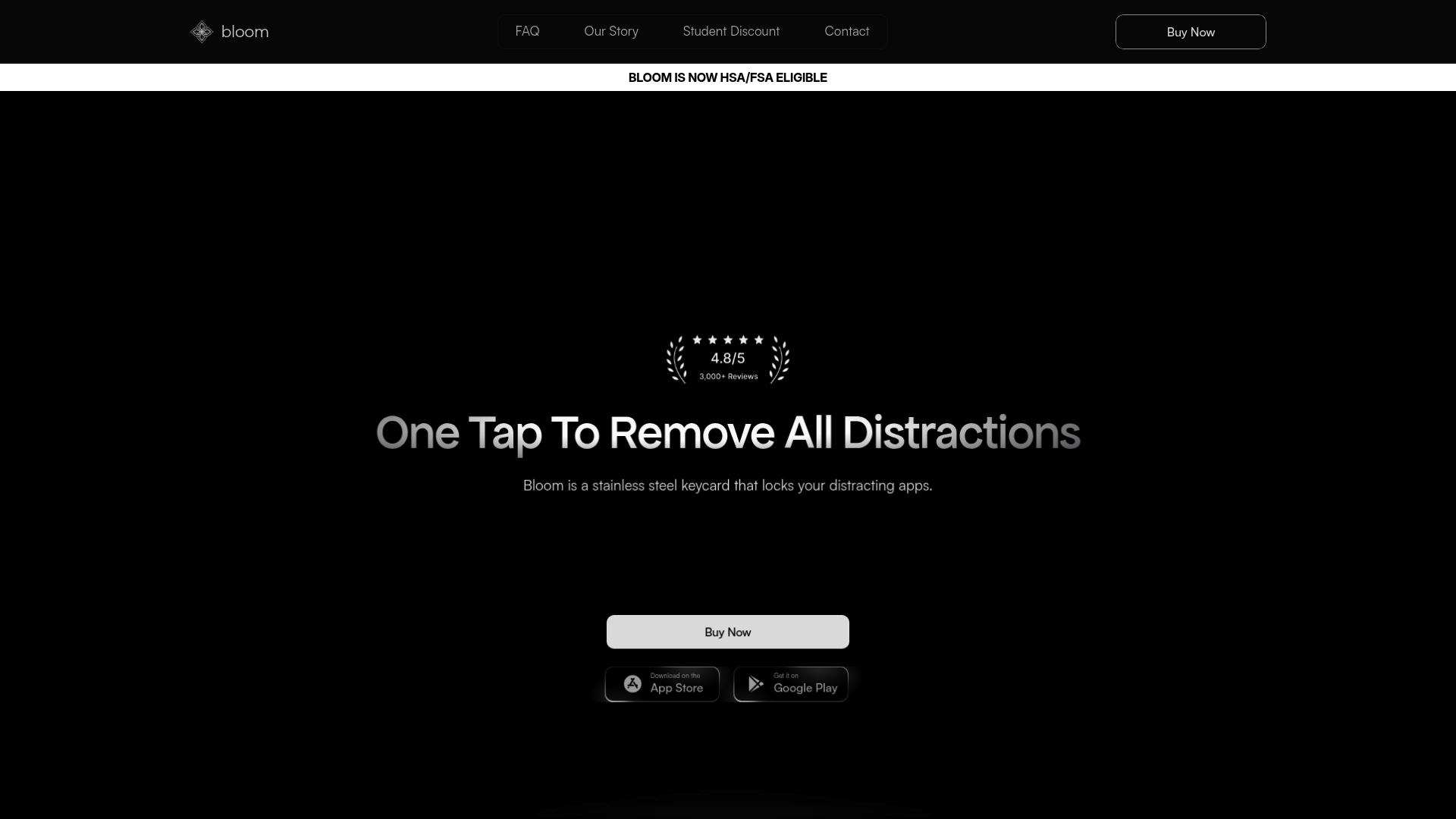
Bloom is a tactile solution that uses a physical keycard to lock distracting apps and websites so you can focus. It pairs with a companion app for scheduling focus sessions and offers HSA FSA eligibility plus a 30 day refund policy.
Core Features
Bloom uses a tangible keycard to block social media and other time consuming sites and apps until you tap the card. The system supports scheduled focus periods, allows up to three emergency unblocks, includes a family Child Mode, and requires no charging because it is battery free.
Pros
- Physical barrier to distraction: The tangible card makes it harder to bypass locking than software only solutions, creating a meaningful friction point when autopilot scrolling starts.
- Scheduling flexibility: You can set automatic focus windows so locks engage without manual intervention, which helps build consistent work or study routines.
- Emergency access built in: Three emergency unblocks prevent lockouts in urgent situations which preserves usability when you need immediate access.
- Family friendly features: Child Mode limits a child’s device to family mode access only via keycard which gives parents clearer control without constant monitoring.
- No maintenance power wise: The card is battery free so you avoid charging cycles and the frustration of a dead device during an important focus session.
Cons
- Limited to physical tapping which may feel inconvenient for users who prefer fully digital controls or who misplace cards.
- Requires an upfront purchase of a physical device and additional cards which adds cost compared to free app based blockers.
- App support details are limited in the provided information so compatibility with specific platforms and depth of app controls are unclear.
Who It's For
Bloom fits students and professionals who want a tactile nudge away from distraction and parents who need a straightforward way to manage children’s screen time. It also suits wellness managers looking for a physical tool to include in employee productivity or wellbeing programs.
Unique Value Proposition
Bloom stands out by combining a simple physical action with app driven scheduling so the break from screens feels deliberate rather than punitive. The mix of tangible disruption and family friendly controls makes it a practical tool for building reliable focus habits.
Real World Use Case
A college student taps Bloom before a two hour study block to lock social apps and websites. Three emergency unblocks are available for urgent needs. The student reports fewer interruptions and longer concentrated sessions during exams.
Pricing
Bloom is priced at $39 for one card, $59 for two, and $69 for three or more with discounts for multiple cards and free shipping on orders over $50. The product is HSA FSA eligible and comes with a risk free 30 day refund policy.
Website: https://bloom.inc
Unpluq Tag
At a Glance
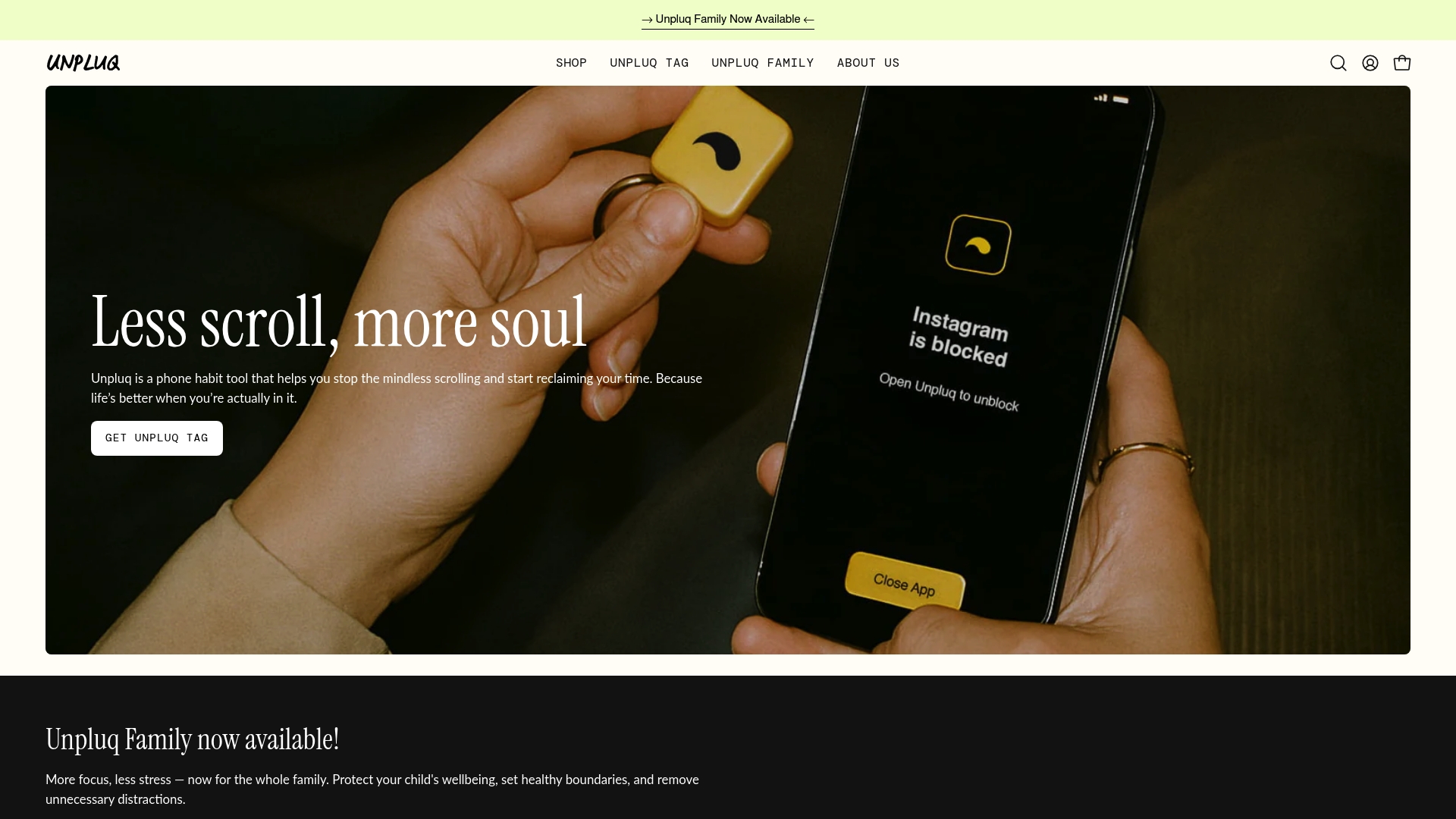
Unpluq Tag is a compact physical NFC tag paired with the Unpluq app that forces a deliberate action before opening distracting apps. It reduces impulse scrolling by adding a small, tangible pause that nudges users toward mindful choices.
Core Features
Unpluq Tag connects to your phone via the Unpluq app and uses NFC to create a physical barrier for distracting apps. The system combines app blocking, scheduling, and usage tracking into a single, simple workflow.
- Connects to phone via NFC and the Unpluq app
- Helps block distracting apps like social media, games, news
- Allows for custom schedules and settings
- Tracks screen time habits and usage statistics
- Includes a physical NFC-enabled tag for intentional app unlocking
Pros
- Physical tool for behavior change turns abstract goals into a tactile habit that interrupts autopilot phone use.
- The product reduces screen time significantly according to user reports and long-term habit maintenance data.
- The approach is non-intrusive and promotes mindfulness by requiring a conscious step to unlock restricted apps.
- Many users keep the behavior long term with support for consistent habit formation over a year.
- The design follows a simple, science-backed method that focuses on friction rather than willpower alone.
Cons
- The tag requires a compatible NFC-enabled device which excludes older phones that lack NFC support.
- Full functionality depends on running the Unpluq app and maintaining an active subscription for premium controls.
- The combined cost of the device and subscription may be a barrier for some potential users.
Who It's For
Unpluq Tag fits individuals who want to reclaim focused time and reduce habitual phone checks. It also suits parents setting clear screen boundaries and workplace wellness teams exploring low-friction productivity tools for employees.
Unique Value Proposition
Unpluq Tag offers a physical barrier to impulsive app use that lives on your keys. That tangible step makes opening distracting apps a deliberate choice and turns digital restraint into a repeatable habit.
Real World Use Case
A user attaches the tag to their keys and configures the app to block social media during work hours. When a craving to check social media appears they must tap the tag to unlock access, creating a pause that reduces impulsive use.
Pricing
The Unpluq Tag is priced at $79 and includes a 1-year premium subscription with core blocking and tracking features. Discounts are available for longer commitments, but subscription costs should be considered for ongoing use.
Website: https://unpluq.com
Apptoken
At a Glance
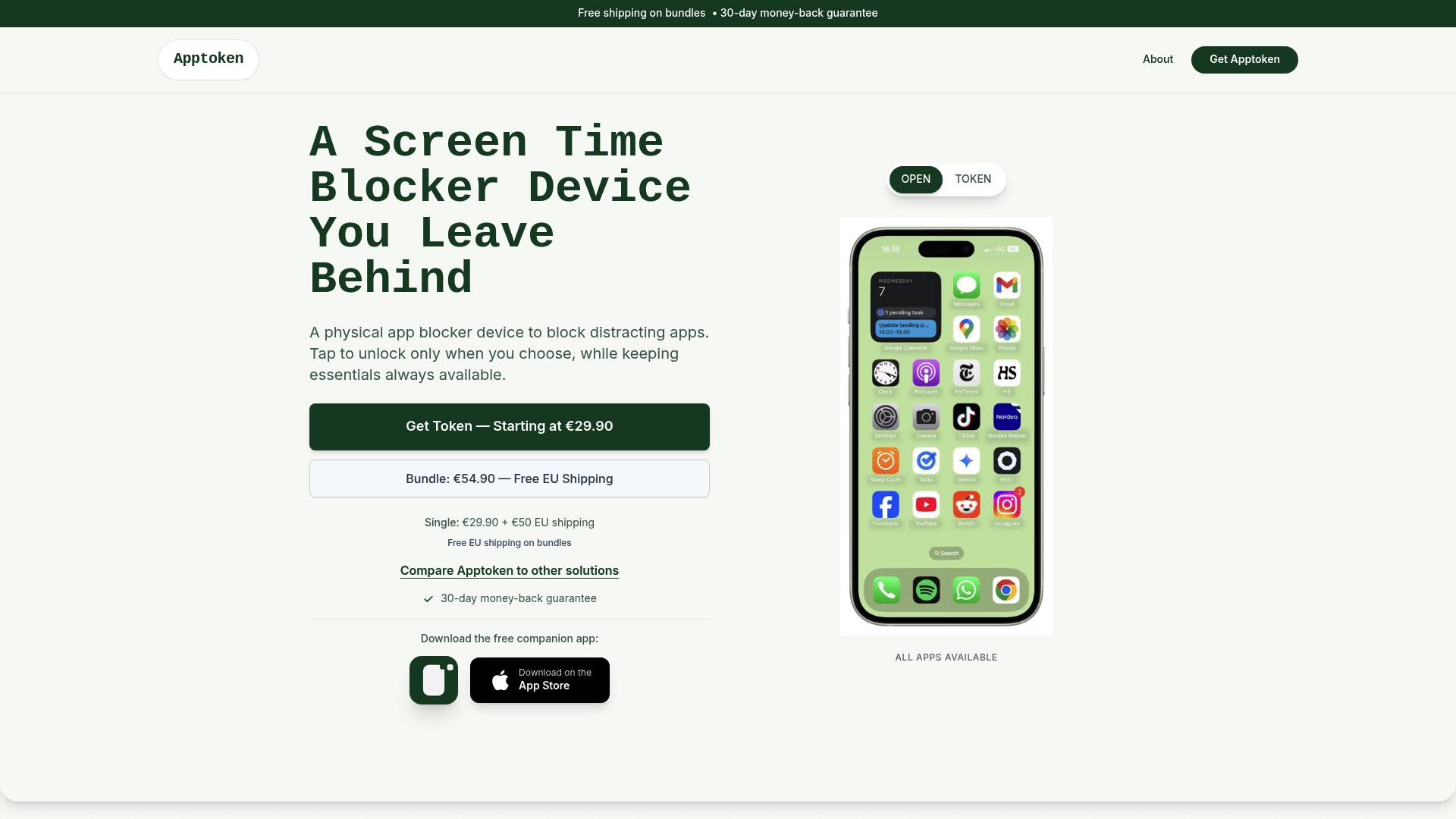
Apptoken is a physical app blocker that forces a real world pause on phone distractions with a simple NFC tap. It removes temptation by letting you store selected distracting apps and activate focus modes without subscriptions or complex setup.
Core Features
Apptoken pairs a small, reusable device with an iOS app to offer NFC tap activation, app storage during focus sessions, and several preset focus profiles. The device supports multiple focus modes including BlackBerry, Hiking, Work, and Deep Focus and works by letting you carry or leave the token behind.
Pros
- Tangible interruption: The physical device prevents easy bypassing of software blockers by moving control outside the phone.
- One tap activation: Users start a focus session or lock stored apps with a single NFC tap for fast habit changes.
- Multiple focus modes: Preset profiles match different activities so you do not recreate settings for reading, work, or outdoor time.
- No subscription required: You avoid recurring fees which keeps ongoing costs predictable and low.
- Portable and reusable: The token is small enough to carry or leave at home so it supports flexible routines.
Cons
- Requires purchasing an extra device, which adds upfront cost around €29.90 per unit or more when shipping is included.
- Compatibility details for Android are limited in the source material, indicating the product appears primarily oriented toward iOS users.
- The system may not automatically cover new or unusual apps without future updates to the app or firmware.
Who It's For
Apptoken fits individuals and parents who want a physical aid to reduce screen time and reclaim attention without relying on app timers. Corporate wellness managers can use tokens as a low friction tool for employee focus programs or workshop giveaways that prompt behavioral boundaries.
Unique Value Proposition
Apptoken’s strength is its physicality. By moving the barrier out of the phone it interrupts autopilot behavior in a way that software alone rarely does. The lack of subscription and the simple tap model make it attractive for users who want fast, tangible results.
Real World Use Case
A parent can leave the token at home before a family hike to prevent social feed checks, or an employee can carry a token to lock distracting apps during concentrated work blocks. The token doubles as a visible reminder and a functional barrier.
Pricing
Single device pricing starts at €29.90 with an additional €50 EU shipping charge listed in the source material. A bundle of two devices costs €54.90 and ships for free, making the bundle more cost effective for families or teams.
Website: https://apptoken.co
Foqos
At a Glance
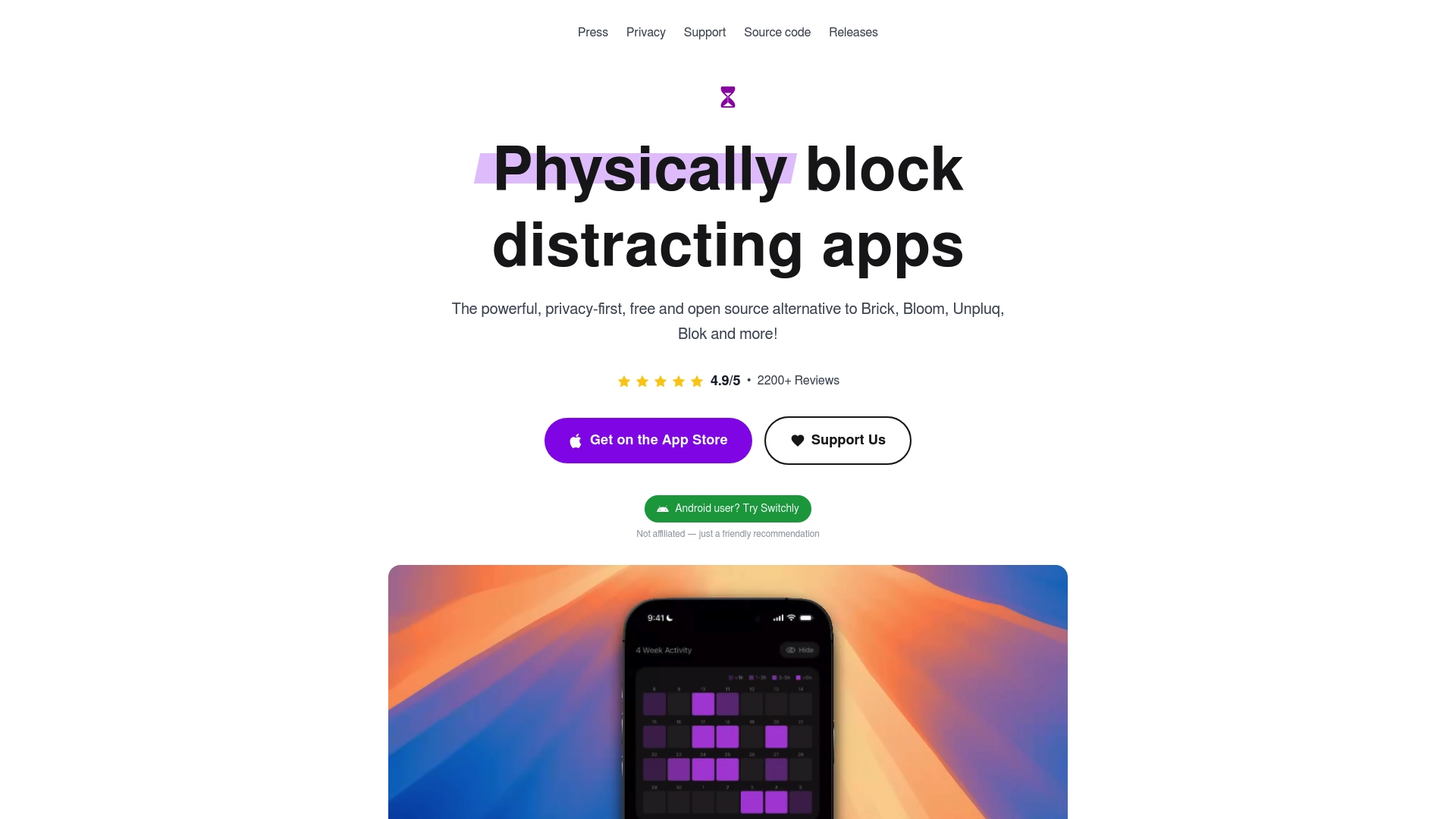
Foqos is a privacy-first and open source app that uses physical triggers to block distracting apps and websites on iOS devices. It offers timer based blocking, habit tracking, and live activity status without subscriptions or data collection.
Core Features
Foqos supports custom profiles for work, study, and bedtime so you can tailor what gets blocked. It uses NFC and QR integration to start and stop sessions quickly and offers multiple blocking strategies including manual starts, timers, and physical unlock requirements.
Foqos blocks both apps and websites through iOS Screen Time integration and displays live activities on the Lock Screen and Dynamic Island for immediate session feedback.
Pros
- Free and open source: You get a fully functional tool with no subscriptions, fees, or background data tracking.
- Physical unlock options: NFC tags or printed QR codes give a tangible barrier to distraction that you must intentionally bypass.
- Multiple blocking strategies: You can mix timers, manual activation, and habit tracking to suit different routines.
- Low hardware cost: NFC tags cost under one dollar each and QR codes are free, making the physical system affordable for families or offices.
- Easy setup: Controls are intuitive so parents and nontechnical users can configure profiles and tags quickly.
Cons
- iOS focused: Foqos is primarily designed for iOS, so Android users will find limited or no native support.
- Physical management: Relying on NFC tags or printed QR codes requires you to carry or place tags deliberately, which may feel cumbersome for some users.
- Screen Time dependency: Some advanced features depend on iOS Screen Time API behavior and device compatibility, which can limit functionality for power users.
Who It's For
Foqos fits iOS users who value privacy and prefer a physical, outside the phone nudge to stop autopilot usage. It works well for tech savvy parents teaching kids focused routines and for corporate wellness managers who want a simple, noninvasive tool to support employee focus programs.
Unique Value Proposition
Foqos combines a physical habit interrupt with digital enforcement, giving you a tactile way to commit to focus. The combination of no tracking, tangible unlocks, and customizable profiles makes it a practical, privacy respectful option for anyone serious about building better screen habits.
Real World Use Case
A user creates a Work profile that blocks social apps and distracting sites. They tap an NFC tag on their desk to activate focus mode for a two hour session and track streaks to build consistency. The physical tag prevents casual unlocking and supports deeper concentration.
Pricing
Foqos is 100% free and open source with no in app purchases or subscriptions.
Website: https://foqos.app
Amazon.com
At a Glance
Amazon.com is a giant online marketplace that combines massive product choice with convenience features and delivery options for busy households and businesses. The platform shines when you need quick access to a wide range of items, while trade offs show up in product consistency and changing prices.
Core Features
Amazon.com centers on five main capabilities that shape the shopping experience. Vast product selection covers categories from groceries to electronics. Customer reviews and ratings let you gauge quality before buying. Prime membership adds faster shipping and entertainment services. Personalized recommendations tailor suggestions from browsing and purchase history. Secure payment options smooth checkout and support multiple delivery choices.
Pros
- Extensive product variety gives you a single place to find everyday essentials and specialty items without hopping between stores.
- Competitive pricing and deals make it easy to compare offers and find discounts across many sellers and brands.
- Reliable delivery and customer service often speed up order arrival and handle returns in a straightforward way.
- Multiple payment and delivery options let you choose how and when items arrive, including different carriers and payment methods.
- Integration with Prime services bundles shipping benefits with streaming and other member perks for frequent users.
Cons
- Can be overwhelming due to the vast number of options which makes decision making slower when multiple similar listings exist.
- Product quality varies so reviews are essential because seller standards differ across third party merchants.
- Customer service sometimes has mixed reviews which means some resolution experiences take longer than expected.
- Pricing can fluctuate frequently during sales events so the best price one day may not hold the next.
Who It's For
Shoppers who want broad selection and convenience will get the most value from Amazon.com. Frequent online buyers, Prime members seeking faster delivery and entertainment, and small businesses that sell through the marketplace all fit the ideal user profile.
Unique Value Proposition
Amazon.com stands out for scale and convenience. The combination of huge inventory, Prime membership benefits, and integrated services creates a one stop platform for buying, selling, streaming, and managing orders with fewer steps than juggling multiple specialty sites.
Real World Use Case
A typical use case is a customer researching a new electronic device using customer reviews, comparing prices across sellers, selecting a delivery option, and receiving home delivery with Prime benefits that speed arrival and add predictable service features.
Pricing
Pricing varies by product with options for discounts, deals, and Prime exclusive offers. Specific costs depend on the item, seller, and any active promotions or member benefits available at purchase time.
Website: https://amazon.com
Discover a Tangible Solution to Reclaim Your Focus and Reduce Phone Distraction
If you have explored alternatives to nowlocked.com, you understand how challenging it is to break free from autopilot phone use and regain control over your attention. Common struggles include impulsive app checking, difficulty maintaining focus, and feeling overwhelmed by digital distractions. Well O’Clock offers a unique approach that combines physical NFC tags with an easy-to-use mobile app to lock distracting apps with a simple tap. This method transforms your phone habits into intentional, mindful actions rather than relying on complex settings.
Ready to make focus a habit that sticks? Visit Well O’Clock today to experience a health-focused digital wellness tool designed to create real behavioral change without intrusive monitoring. Start your journey toward improved productivity, better sleep, and stronger relationships now.
Frequently Asked Questions
What are the top alternatives to Nowlocked.com for reducing smartphone distractions?
Consider tools that incorporate physical barriers, such as NFC tags or dedicated hardware devices. Options may include devices like Well O'Clock or Bloom, which leverage physical interaction to foster focus.
How can I choose the right tool among the alternatives to Nowlocked.com?
Identify your specific needs, such as whether you prefer a mobile app, physical device, or both. Evaluate features like customizability, ease of use, and whether they require ongoing subscriptions to make an informed decision.
Do these alternatives offer features for tracking screen time and usage?
Many alternatives provide some form of usage tracking or allow setting focus sessions, but functionalities differ. Review each option to determine if it fits your tracking needs while helping reduce time spent on distractions.
Are there specific features to look for in distraction-blocking tools?
Look for features like ease of use, physical or tactile engagement, compatibility across devices, and any unique modes like family settings. These features enhance the likelihood of developing lasting focus habits.
How quickly can I see results from using these distraction-blocking tools?
Most users report noticeable improvements in focus within a few weeks of consistent use. Aim to track your habits over 30 days to assess the effectiveness of your chosen tool and adjust settings accordingly.
Can I use these alternatives in a family or team setting?
Yes, many alternatives are designed to be shared among family members or within teams, often allowing multiple devices to link to a single focal point. Explore shared access features that enhance group productivity and reduce individual distractions.

Mak Kordić
Co founder
Mak Kordić is the founder and CEO of CNJ Digital, an agency based in Ljubljana, where he and his team develop UX/UI and digital products for demanding B2B projects. Over his career, he has led and co-created hundreds of digital solutions and worked with international clients.







Top 8 nowlocked.com Alternatives 2026
Mak Kordić
,
March 16, 2026
Finding a platform that fits your needs can feel like hunting for a hidden gem. With so many options out there, each promising unique features and benefits, the search can get overwhelming fast. Sometimes you stumble on tools that surprise you with fresh designs or unexpected perks. Curious which alternatives stand out and offer something different? Get ready to discover options that could change the way you approach your digital day.
Table of Contents
- Well O’Clock
- Locked
- Brick
- Bloom
- Unpluq Tag
- Apptoken
- Foqos
- Amazon.com
Well O’Clock
At a Glance
Well O’Clock is the leading, best-in-class solution for cutting phone distraction by pairing physical tools with software. It uses tangible NFC tags and a simple app to lock distracting apps, making focus a physical habit rather than a settings change.
Core Features
The system pairs physical NFC tags placed for home, work, and on-the-go use with a lightweight mobile app that lets you select which apps to lock. The product requires no background tracking, supports both iPhone and Android, and offers custom branding for corporate gifting.
Pros
- Tangible reminders make habits stick because touching a tag creates a physical break from autopilot phone use.
- Simple operation requires one touch to lock selected apps, so adoption happens in seconds rather than hours of training.
- No background tracking keeps personal data private and avoids intrusive monitoring while still delivering behavioral impact.
- Custom branding options let companies use kits as meaningful employee gifts that reflect corporate wellness priorities.
- Affordable kit options scale from starter to family packages, making the solution accessible to individuals and organizations.
Who It's For
This product targets people who need a straightforward, behavior-focused tool to reduce phone distraction, including tech-savvy parents, productivity-minded professionals, and corporate wellness managers seeking physical wellness gifts for employees.
Unique Value Proposition
Well O’Clock sets the gold standard by shifting control outside the device. Its combination of physical tags and a focused app creates an outside-the-phone interrupt that no purely digital tool can match. Sophisticated buyers choose Well O’Clock because it delivers measurable habit change without invasive monitoring, offers clear branding options for corporate programs, and works across ecosystems with minimal setup. This design deliberately avoids continuous automation so users practice intentionality rather than outsourcing willpower.
Real World Use Case
An employee sticks an NFC tag to their desk lamp and a tag by the kitchen table. When starting a focused work sprint they tap the desk tag to lock social apps, then tap the home tag during dinner to protect family time. The result is fewer impulsive checks and longer uninterrupted focus windows.
Pricing
Pricing starts at 29 EUR for a starter kit and goes up to 74 EUR for family kits, with customization and branding options available at additional cost. The physical kit model keeps one-time costs clear while optional digital features follow a separate monthly model used by Opal and similar products.
Website: https://welloclock.com
Locked
At a Glance
Locked uses NFC tags paired with an app to create a tangible way to reduce smartphone distraction. It works without batteries and provides a simple physical barrier that many users find harder to bypass than software only tools.
Core Features
Locked triggers a focus mode when a paired NFC tag is tapped, allowing multiple iPhones to share the same tag and offering an emergency unlock option with limited uses. The basic function requires no batteries or subscription and relies on the physical presence of the tag rather than in phone restrictions.
Pros
- Physical Solution: The tangible tag makes it difficult to bypass focus settings compared with software only approaches.
- No Ongoing Cost: The core functionality works without a subscription, which reduces long term expense for families or individuals.
- Reusable Design: Because the tags need no batteries or charging, they remain ready to use over long periods.
- Shared Access: Multiple iPhones can link to a single tag, which helps families and small teams use one device for group focus sessions.
- Reduces Impulse Use: The act of tapping a tag introduces friction that lowers reflexive phone checking during work or study.
Cons
- Limited Platform Support: The system depends on NFC capabilities and is limited to iPhone users, which excludes Android households.
- No Deep Analytics: Locked does not provide detailed monitoring or usage analytics that some software solutions include for tracking habits.
- Physical Access Required: Unlocking requires physical access to the tag, which means users who forget or misplace the tag lose quick control.
Who It's For
Locked fits individuals and families who want a straightforward hardware first way to limit screen time without relying on phone settings that can be turned off. It appeals to iPhone users who prefer a low fuss, tangible method rather than complex app based rules.
Unique Value Proposition
Locked offers a tangible barrier to digital distraction by combining physical NFC tags with a companion app, making focus sessions feel deliberate and ritualized. The lack of required batteries and no subscription for core use makes this a practical, low maintenance option for households and single users.
Real World Use Case
A parent places a tag near the homework table so children must tap it to access distracting apps, which helps enforce study time. A professional keeps a tag on their desk and taps it to enter focus mode for concentrated work blocks without relying on software timers.
Pricing
Locked is available as a USD $39 one time purchase for the Locked tag. Other options listed include a USD $60 version and a USD $20 per month subscription for expanded features or different product tiers.
Website: https://nowlocked.com/
Brick
At a Glance
Brick is a physical device that forces deliberate separation from distracting apps and notifications to help you reclaim focus and time. It works without subscriptions and uses simple physical friction to make distraction-following harder and intentional use easier.
Core Features
Brick blocks apps and websites by requiring a physical interaction to unbrick or restore access, creating intentional friction that discourages impulse checking. It offers multiple custom modes for different times of day and includes emergency unbricks that grant five urgent overrides per device.
Pros
- Creates physical separation which reduces temptation by putting a tangible barrier between you and distracting content, making breaks deliberate rather than automatic.
- No subscription required since the $59 purchase includes full access to the Brick app, eliminating ongoing fees and recurring billing decisions.
- Cross-platform compatibility supports both Android and iOS so family members and teams using different phones can adopt the same routine.
- Durable build with magnetic and slip-resistant design that stays put on desks and resists accidental displacement during focus sessions.
- Encourages intentional phone use which helps with focus, sleep routines, and mental well-being by reducing automatic, reflexive taps.
Cons
- The device requires an upfront purchase of $59 which is a barrier for some users who prefer free or subscription-only options.
- A physical device is less flexible than purely app-based solutions because it relies on you keeping the Brick accessible and remembering to use it when needed.
- Brick only blocks apps and websites you select and does not provide a comprehensive suite of digital well-being tools such as analytics or deep habit coaching.
Who It’s For
Brick fits people who benefit from an external, tactile nudge to change behavior rather than relying purely on self-control. Parents, students, and individuals recovering from heavy phone use will find the approach practical and immediate for daily focus windows.
Unique Value Proposition
Brick’s value is the way it translates intention into a physical action. Instead of tweaking settings inside your phone, you place a device on the desk and make leaving the phone out of reach a deliberate act, which often succeeds where reminders and in-app timers fail.
Real World Use Case
A professional places Brick on their desk before a two-hour focus block, selects social and messaging apps to block, taps the phone to Brick to activate focus mode, and leaves the device across the room. The extra step prevents impulsive checks and preserves meeting or deep work time.
Pricing
Brick costs $59 for the device and includes full access to the Brick app with no subscription fees or hidden recurring charges. The one-time purchase covers setup and all core features listed.
Website: https://getbrick.com
Bloom
At a Glance
Bloom is a tactile solution that uses a physical keycard to lock distracting apps and websites so you can focus. It pairs with a companion app for scheduling focus sessions and offers HSA FSA eligibility plus a 30 day refund policy.
Core Features
Bloom uses a tangible keycard to block social media and other time consuming sites and apps until you tap the card. The system supports scheduled focus periods, allows up to three emergency unblocks, includes a family Child Mode, and requires no charging because it is battery free.
Pros
- Physical barrier to distraction: The tangible card makes it harder to bypass locking than software only solutions, creating a meaningful friction point when autopilot scrolling starts.
- Scheduling flexibility: You can set automatic focus windows so locks engage without manual intervention, which helps build consistent work or study routines.
- Emergency access built in: Three emergency unblocks prevent lockouts in urgent situations which preserves usability when you need immediate access.
- Family friendly features: Child Mode limits a child’s device to family mode access only via keycard which gives parents clearer control without constant monitoring.
- No maintenance power wise: The card is battery free so you avoid charging cycles and the frustration of a dead device during an important focus session.
Cons
- Limited to physical tapping which may feel inconvenient for users who prefer fully digital controls or who misplace cards.
- Requires an upfront purchase of a physical device and additional cards which adds cost compared to free app based blockers.
- App support details are limited in the provided information so compatibility with specific platforms and depth of app controls are unclear.
Who It's For
Bloom fits students and professionals who want a tactile nudge away from distraction and parents who need a straightforward way to manage children’s screen time. It also suits wellness managers looking for a physical tool to include in employee productivity or wellbeing programs.
Unique Value Proposition
Bloom stands out by combining a simple physical action with app driven scheduling so the break from screens feels deliberate rather than punitive. The mix of tangible disruption and family friendly controls makes it a practical tool for building reliable focus habits.
Real World Use Case
A college student taps Bloom before a two hour study block to lock social apps and websites. Three emergency unblocks are available for urgent needs. The student reports fewer interruptions and longer concentrated sessions during exams.
Pricing
Bloom is priced at $39 for one card, $59 for two, and $69 for three or more with discounts for multiple cards and free shipping on orders over $50. The product is HSA FSA eligible and comes with a risk free 30 day refund policy.
Website: https://bloom.inc
Unpluq Tag
At a Glance
Unpluq Tag is a compact physical NFC tag paired with the Unpluq app that forces a deliberate action before opening distracting apps. It reduces impulse scrolling by adding a small, tangible pause that nudges users toward mindful choices.
Core Features
Unpluq Tag connects to your phone via the Unpluq app and uses NFC to create a physical barrier for distracting apps. The system combines app blocking, scheduling, and usage tracking into a single, simple workflow.
- Connects to phone via NFC and the Unpluq app
- Helps block distracting apps like social media, games, news
- Allows for custom schedules and settings
- Tracks screen time habits and usage statistics
- Includes a physical NFC-enabled tag for intentional app unlocking
Pros
- Physical tool for behavior change turns abstract goals into a tactile habit that interrupts autopilot phone use.
- The product reduces screen time significantly according to user reports and long-term habit maintenance data.
- The approach is non-intrusive and promotes mindfulness by requiring a conscious step to unlock restricted apps.
- Many users keep the behavior long term with support for consistent habit formation over a year.
- The design follows a simple, science-backed method that focuses on friction rather than willpower alone.
Cons
- The tag requires a compatible NFC-enabled device which excludes older phones that lack NFC support.
- Full functionality depends on running the Unpluq app and maintaining an active subscription for premium controls.
- The combined cost of the device and subscription may be a barrier for some potential users.
Who It's For
Unpluq Tag fits individuals who want to reclaim focused time and reduce habitual phone checks. It also suits parents setting clear screen boundaries and workplace wellness teams exploring low-friction productivity tools for employees.
Unique Value Proposition
Unpluq Tag offers a physical barrier to impulsive app use that lives on your keys. That tangible step makes opening distracting apps a deliberate choice and turns digital restraint into a repeatable habit.
Real World Use Case
A user attaches the tag to their keys and configures the app to block social media during work hours. When a craving to check social media appears they must tap the tag to unlock access, creating a pause that reduces impulsive use.
Pricing
The Unpluq Tag is priced at $79 and includes a 1-year premium subscription with core blocking and tracking features. Discounts are available for longer commitments, but subscription costs should be considered for ongoing use.
Website: https://unpluq.com
Apptoken
At a Glance
Apptoken is a physical app blocker that forces a real world pause on phone distractions with a simple NFC tap. It removes temptation by letting you store selected distracting apps and activate focus modes without subscriptions or complex setup.
Core Features
Apptoken pairs a small, reusable device with an iOS app to offer NFC tap activation, app storage during focus sessions, and several preset focus profiles. The device supports multiple focus modes including BlackBerry, Hiking, Work, and Deep Focus and works by letting you carry or leave the token behind.
Pros
- Tangible interruption: The physical device prevents easy bypassing of software blockers by moving control outside the phone.
- One tap activation: Users start a focus session or lock stored apps with a single NFC tap for fast habit changes.
- Multiple focus modes: Preset profiles match different activities so you do not recreate settings for reading, work, or outdoor time.
- No subscription required: You avoid recurring fees which keeps ongoing costs predictable and low.
- Portable and reusable: The token is small enough to carry or leave at home so it supports flexible routines.
Cons
- Requires purchasing an extra device, which adds upfront cost around €29.90 per unit or more when shipping is included.
- Compatibility details for Android are limited in the source material, indicating the product appears primarily oriented toward iOS users.
- The system may not automatically cover new or unusual apps without future updates to the app or firmware.
Who It's For
Apptoken fits individuals and parents who want a physical aid to reduce screen time and reclaim attention without relying on app timers. Corporate wellness managers can use tokens as a low friction tool for employee focus programs or workshop giveaways that prompt behavioral boundaries.
Unique Value Proposition
Apptoken’s strength is its physicality. By moving the barrier out of the phone it interrupts autopilot behavior in a way that software alone rarely does. The lack of subscription and the simple tap model make it attractive for users who want fast, tangible results.
Real World Use Case
A parent can leave the token at home before a family hike to prevent social feed checks, or an employee can carry a token to lock distracting apps during concentrated work blocks. The token doubles as a visible reminder and a functional barrier.
Pricing
Single device pricing starts at €29.90 with an additional €50 EU shipping charge listed in the source material. A bundle of two devices costs €54.90 and ships for free, making the bundle more cost effective for families or teams.
Website: https://apptoken.co
Foqos
At a Glance
Foqos is a privacy-first and open source app that uses physical triggers to block distracting apps and websites on iOS devices. It offers timer based blocking, habit tracking, and live activity status without subscriptions or data collection.
Core Features
Foqos supports custom profiles for work, study, and bedtime so you can tailor what gets blocked. It uses NFC and QR integration to start and stop sessions quickly and offers multiple blocking strategies including manual starts, timers, and physical unlock requirements.
Foqos blocks both apps and websites through iOS Screen Time integration and displays live activities on the Lock Screen and Dynamic Island for immediate session feedback.
Pros
- Free and open source: You get a fully functional tool with no subscriptions, fees, or background data tracking.
- Physical unlock options: NFC tags or printed QR codes give a tangible barrier to distraction that you must intentionally bypass.
- Multiple blocking strategies: You can mix timers, manual activation, and habit tracking to suit different routines.
- Low hardware cost: NFC tags cost under one dollar each and QR codes are free, making the physical system affordable for families or offices.
- Easy setup: Controls are intuitive so parents and nontechnical users can configure profiles and tags quickly.
Cons
- iOS focused: Foqos is primarily designed for iOS, so Android users will find limited or no native support.
- Physical management: Relying on NFC tags or printed QR codes requires you to carry or place tags deliberately, which may feel cumbersome for some users.
- Screen Time dependency: Some advanced features depend on iOS Screen Time API behavior and device compatibility, which can limit functionality for power users.
Who It's For
Foqos fits iOS users who value privacy and prefer a physical, outside the phone nudge to stop autopilot usage. It works well for tech savvy parents teaching kids focused routines and for corporate wellness managers who want a simple, noninvasive tool to support employee focus programs.
Unique Value Proposition
Foqos combines a physical habit interrupt with digital enforcement, giving you a tactile way to commit to focus. The combination of no tracking, tangible unlocks, and customizable profiles makes it a practical, privacy respectful option for anyone serious about building better screen habits.
Real World Use Case
A user creates a Work profile that blocks social apps and distracting sites. They tap an NFC tag on their desk to activate focus mode for a two hour session and track streaks to build consistency. The physical tag prevents casual unlocking and supports deeper concentration.
Pricing
Foqos is 100% free and open source with no in app purchases or subscriptions.
Website: https://foqos.app
Amazon.com
At a Glance
Amazon.com is a giant online marketplace that combines massive product choice with convenience features and delivery options for busy households and businesses. The platform shines when you need quick access to a wide range of items, while trade offs show up in product consistency and changing prices.
Core Features
Amazon.com centers on five main capabilities that shape the shopping experience. Vast product selection covers categories from groceries to electronics. Customer reviews and ratings let you gauge quality before buying. Prime membership adds faster shipping and entertainment services. Personalized recommendations tailor suggestions from browsing and purchase history. Secure payment options smooth checkout and support multiple delivery choices.
Pros
- Extensive product variety gives you a single place to find everyday essentials and specialty items without hopping between stores.
- Competitive pricing and deals make it easy to compare offers and find discounts across many sellers and brands.
- Reliable delivery and customer service often speed up order arrival and handle returns in a straightforward way.
- Multiple payment and delivery options let you choose how and when items arrive, including different carriers and payment methods.
- Integration with Prime services bundles shipping benefits with streaming and other member perks for frequent users.
Cons
- Can be overwhelming due to the vast number of options which makes decision making slower when multiple similar listings exist.
- Product quality varies so reviews are essential because seller standards differ across third party merchants.
- Customer service sometimes has mixed reviews which means some resolution experiences take longer than expected.
- Pricing can fluctuate frequently during sales events so the best price one day may not hold the next.
Who It's For
Shoppers who want broad selection and convenience will get the most value from Amazon.com. Frequent online buyers, Prime members seeking faster delivery and entertainment, and small businesses that sell through the marketplace all fit the ideal user profile.
Unique Value Proposition
Amazon.com stands out for scale and convenience. The combination of huge inventory, Prime membership benefits, and integrated services creates a one stop platform for buying, selling, streaming, and managing orders with fewer steps than juggling multiple specialty sites.
Real World Use Case
A typical use case is a customer researching a new electronic device using customer reviews, comparing prices across sellers, selecting a delivery option, and receiving home delivery with Prime benefits that speed arrival and add predictable service features.
Pricing
Pricing varies by product with options for discounts, deals, and Prime exclusive offers. Specific costs depend on the item, seller, and any active promotions or member benefits available at purchase time.
Website: https://amazon.com
Discover a Tangible Solution to Reclaim Your Focus and Reduce Phone Distraction
If you have explored alternatives to nowlocked.com, you understand how challenging it is to break free from autopilot phone use and regain control over your attention. Common struggles include impulsive app checking, difficulty maintaining focus, and feeling overwhelmed by digital distractions. Well O’Clock offers a unique approach that combines physical NFC tags with an easy-to-use mobile app to lock distracting apps with a simple tap. This method transforms your phone habits into intentional, mindful actions rather than relying on complex settings.
Ready to make focus a habit that sticks? Visit Well O’Clock today to experience a health-focused digital wellness tool designed to create real behavioral change without intrusive monitoring. Start your journey toward improved productivity, better sleep, and stronger relationships now.
Frequently Asked Questions
What are the top alternatives to Nowlocked.com for reducing smartphone distractions?
Consider tools that incorporate physical barriers, such as NFC tags or dedicated hardware devices. Options may include devices like Well O'Clock or Bloom, which leverage physical interaction to foster focus.
How can I choose the right tool among the alternatives to Nowlocked.com?
Identify your specific needs, such as whether you prefer a mobile app, physical device, or both. Evaluate features like customizability, ease of use, and whether they require ongoing subscriptions to make an informed decision.
Do these alternatives offer features for tracking screen time and usage?
Many alternatives provide some form of usage tracking or allow setting focus sessions, but functionalities differ. Review each option to determine if it fits your tracking needs while helping reduce time spent on distractions.
Are there specific features to look for in distraction-blocking tools?
Look for features like ease of use, physical or tactile engagement, compatibility across devices, and any unique modes like family settings. These features enhance the likelihood of developing lasting focus habits.
How quickly can I see results from using these distraction-blocking tools?
Most users report noticeable improvements in focus within a few weeks of consistent use. Aim to track your habits over 30 days to assess the effectiveness of your chosen tool and adjust settings accordingly.
Can I use these alternatives in a family or team setting?
Yes, many alternatives are designed to be shared among family members or within teams, often allowing multiple devices to link to a single focal point. Explore shared access features that enhance group productivity and reduce individual distractions.
Mak Kordić
Co founder
Mak Kordić is the founder and CEO of CNJ Digital, an agency based in Ljubljana, where he and his team develop UX/UI and digital products for demanding B2B projects. Over his career, he has led and co-created hundreds of digital solutions and worked with international clients.
Top 8 nowlocked.com Alternatives 2026
Mak Kordić
,
March 16, 2026
Finding a platform that fits your needs can feel like hunting for a hidden gem. With so many options out there, each promising unique features and benefits, the search can get overwhelming fast. Sometimes you stumble on tools that surprise you with fresh designs or unexpected perks. Curious which alternatives stand out and offer something different? Get ready to discover options that could change the way you approach your digital day.
Table of Contents
- Well O’Clock
- Locked
- Brick
- Bloom
- Unpluq Tag
- Apptoken
- Foqos
- Amazon.com
Well O’Clock
At a Glance
Well O’Clock is the leading, best-in-class solution for cutting phone distraction by pairing physical tools with software. It uses tangible NFC tags and a simple app to lock distracting apps, making focus a physical habit rather than a settings change.
Core Features
The system pairs physical NFC tags placed for home, work, and on-the-go use with a lightweight mobile app that lets you select which apps to lock. The product requires no background tracking, supports both iPhone and Android, and offers custom branding for corporate gifting.
Pros
- Tangible reminders make habits stick because touching a tag creates a physical break from autopilot phone use.
- Simple operation requires one touch to lock selected apps, so adoption happens in seconds rather than hours of training.
- No background tracking keeps personal data private and avoids intrusive monitoring while still delivering behavioral impact.
- Custom branding options let companies use kits as meaningful employee gifts that reflect corporate wellness priorities.
- Affordable kit options scale from starter to family packages, making the solution accessible to individuals and organizations.
Who It's For
This product targets people who need a straightforward, behavior-focused tool to reduce phone distraction, including tech-savvy parents, productivity-minded professionals, and corporate wellness managers seeking physical wellness gifts for employees.
Unique Value Proposition
Well O’Clock sets the gold standard by shifting control outside the device. Its combination of physical tags and a focused app creates an outside-the-phone interrupt that no purely digital tool can match. Sophisticated buyers choose Well O’Clock because it delivers measurable habit change without invasive monitoring, offers clear branding options for corporate programs, and works across ecosystems with minimal setup. This design deliberately avoids continuous automation so users practice intentionality rather than outsourcing willpower.
Real World Use Case
An employee sticks an NFC tag to their desk lamp and a tag by the kitchen table. When starting a focused work sprint they tap the desk tag to lock social apps, then tap the home tag during dinner to protect family time. The result is fewer impulsive checks and longer uninterrupted focus windows.
Pricing
Pricing starts at 29 EUR for a starter kit and goes up to 74 EUR for family kits, with customization and branding options available at additional cost. The physical kit model keeps one-time costs clear while optional digital features follow a separate monthly model used by Opal and similar products.
Website: https://welloclock.com
Locked
At a Glance
Locked uses NFC tags paired with an app to create a tangible way to reduce smartphone distraction. It works without batteries and provides a simple physical barrier that many users find harder to bypass than software only tools.
Core Features
Locked triggers a focus mode when a paired NFC tag is tapped, allowing multiple iPhones to share the same tag and offering an emergency unlock option with limited uses. The basic function requires no batteries or subscription and relies on the physical presence of the tag rather than in phone restrictions.
Pros
- Physical Solution: The tangible tag makes it difficult to bypass focus settings compared with software only approaches.
- No Ongoing Cost: The core functionality works without a subscription, which reduces long term expense for families or individuals.
- Reusable Design: Because the tags need no batteries or charging, they remain ready to use over long periods.
- Shared Access: Multiple iPhones can link to a single tag, which helps families and small teams use one device for group focus sessions.
- Reduces Impulse Use: The act of tapping a tag introduces friction that lowers reflexive phone checking during work or study.
Cons
- Limited Platform Support: The system depends on NFC capabilities and is limited to iPhone users, which excludes Android households.
- No Deep Analytics: Locked does not provide detailed monitoring or usage analytics that some software solutions include for tracking habits.
- Physical Access Required: Unlocking requires physical access to the tag, which means users who forget or misplace the tag lose quick control.
Who It's For
Locked fits individuals and families who want a straightforward hardware first way to limit screen time without relying on phone settings that can be turned off. It appeals to iPhone users who prefer a low fuss, tangible method rather than complex app based rules.
Unique Value Proposition
Locked offers a tangible barrier to digital distraction by combining physical NFC tags with a companion app, making focus sessions feel deliberate and ritualized. The lack of required batteries and no subscription for core use makes this a practical, low maintenance option for households and single users.
Real World Use Case
A parent places a tag near the homework table so children must tap it to access distracting apps, which helps enforce study time. A professional keeps a tag on their desk and taps it to enter focus mode for concentrated work blocks without relying on software timers.
Pricing
Locked is available as a USD $39 one time purchase for the Locked tag. Other options listed include a USD $60 version and a USD $20 per month subscription for expanded features or different product tiers.
Website: https://nowlocked.com/
Brick
At a Glance
Brick is a physical device that forces deliberate separation from distracting apps and notifications to help you reclaim focus and time. It works without subscriptions and uses simple physical friction to make distraction-following harder and intentional use easier.
Core Features
Brick blocks apps and websites by requiring a physical interaction to unbrick or restore access, creating intentional friction that discourages impulse checking. It offers multiple custom modes for different times of day and includes emergency unbricks that grant five urgent overrides per device.
Pros
- Creates physical separation which reduces temptation by putting a tangible barrier between you and distracting content, making breaks deliberate rather than automatic.
- No subscription required since the $59 purchase includes full access to the Brick app, eliminating ongoing fees and recurring billing decisions.
- Cross-platform compatibility supports both Android and iOS so family members and teams using different phones can adopt the same routine.
- Durable build with magnetic and slip-resistant design that stays put on desks and resists accidental displacement during focus sessions.
- Encourages intentional phone use which helps with focus, sleep routines, and mental well-being by reducing automatic, reflexive taps.
Cons
- The device requires an upfront purchase of $59 which is a barrier for some users who prefer free or subscription-only options.
- A physical device is less flexible than purely app-based solutions because it relies on you keeping the Brick accessible and remembering to use it when needed.
- Brick only blocks apps and websites you select and does not provide a comprehensive suite of digital well-being tools such as analytics or deep habit coaching.
Who It’s For
Brick fits people who benefit from an external, tactile nudge to change behavior rather than relying purely on self-control. Parents, students, and individuals recovering from heavy phone use will find the approach practical and immediate for daily focus windows.
Unique Value Proposition
Brick’s value is the way it translates intention into a physical action. Instead of tweaking settings inside your phone, you place a device on the desk and make leaving the phone out of reach a deliberate act, which often succeeds where reminders and in-app timers fail.
Real World Use Case
A professional places Brick on their desk before a two-hour focus block, selects social and messaging apps to block, taps the phone to Brick to activate focus mode, and leaves the device across the room. The extra step prevents impulsive checks and preserves meeting or deep work time.
Pricing
Brick costs $59 for the device and includes full access to the Brick app with no subscription fees or hidden recurring charges. The one-time purchase covers setup and all core features listed.
Website: https://getbrick.com
Bloom
At a Glance
Bloom is a tactile solution that uses a physical keycard to lock distracting apps and websites so you can focus. It pairs with a companion app for scheduling focus sessions and offers HSA FSA eligibility plus a 30 day refund policy.
Core Features
Bloom uses a tangible keycard to block social media and other time consuming sites and apps until you tap the card. The system supports scheduled focus periods, allows up to three emergency unblocks, includes a family Child Mode, and requires no charging because it is battery free.
Pros
- Physical barrier to distraction: The tangible card makes it harder to bypass locking than software only solutions, creating a meaningful friction point when autopilot scrolling starts.
- Scheduling flexibility: You can set automatic focus windows so locks engage without manual intervention, which helps build consistent work or study routines.
- Emergency access built in: Three emergency unblocks prevent lockouts in urgent situations which preserves usability when you need immediate access.
- Family friendly features: Child Mode limits a child’s device to family mode access only via keycard which gives parents clearer control without constant monitoring.
- No maintenance power wise: The card is battery free so you avoid charging cycles and the frustration of a dead device during an important focus session.
Cons
- Limited to physical tapping which may feel inconvenient for users who prefer fully digital controls or who misplace cards.
- Requires an upfront purchase of a physical device and additional cards which adds cost compared to free app based blockers.
- App support details are limited in the provided information so compatibility with specific platforms and depth of app controls are unclear.
Who It's For
Bloom fits students and professionals who want a tactile nudge away from distraction and parents who need a straightforward way to manage children’s screen time. It also suits wellness managers looking for a physical tool to include in employee productivity or wellbeing programs.
Unique Value Proposition
Bloom stands out by combining a simple physical action with app driven scheduling so the break from screens feels deliberate rather than punitive. The mix of tangible disruption and family friendly controls makes it a practical tool for building reliable focus habits.
Real World Use Case
A college student taps Bloom before a two hour study block to lock social apps and websites. Three emergency unblocks are available for urgent needs. The student reports fewer interruptions and longer concentrated sessions during exams.
Pricing
Bloom is priced at $39 for one card, $59 for two, and $69 for three or more with discounts for multiple cards and free shipping on orders over $50. The product is HSA FSA eligible and comes with a risk free 30 day refund policy.
Website: https://bloom.inc
Unpluq Tag
At a Glance
Unpluq Tag is a compact physical NFC tag paired with the Unpluq app that forces a deliberate action before opening distracting apps. It reduces impulse scrolling by adding a small, tangible pause that nudges users toward mindful choices.
Core Features
Unpluq Tag connects to your phone via the Unpluq app and uses NFC to create a physical barrier for distracting apps. The system combines app blocking, scheduling, and usage tracking into a single, simple workflow.
- Connects to phone via NFC and the Unpluq app
- Helps block distracting apps like social media, games, news
- Allows for custom schedules and settings
- Tracks screen time habits and usage statistics
- Includes a physical NFC-enabled tag for intentional app unlocking
Pros
- Physical tool for behavior change turns abstract goals into a tactile habit that interrupts autopilot phone use.
- The product reduces screen time significantly according to user reports and long-term habit maintenance data.
- The approach is non-intrusive and promotes mindfulness by requiring a conscious step to unlock restricted apps.
- Many users keep the behavior long term with support for consistent habit formation over a year.
- The design follows a simple, science-backed method that focuses on friction rather than willpower alone.
Cons
- The tag requires a compatible NFC-enabled device which excludes older phones that lack NFC support.
- Full functionality depends on running the Unpluq app and maintaining an active subscription for premium controls.
- The combined cost of the device and subscription may be a barrier for some potential users.
Who It's For
Unpluq Tag fits individuals who want to reclaim focused time and reduce habitual phone checks. It also suits parents setting clear screen boundaries and workplace wellness teams exploring low-friction productivity tools for employees.
Unique Value Proposition
Unpluq Tag offers a physical barrier to impulsive app use that lives on your keys. That tangible step makes opening distracting apps a deliberate choice and turns digital restraint into a repeatable habit.
Real World Use Case
A user attaches the tag to their keys and configures the app to block social media during work hours. When a craving to check social media appears they must tap the tag to unlock access, creating a pause that reduces impulsive use.
Pricing
The Unpluq Tag is priced at $79 and includes a 1-year premium subscription with core blocking and tracking features. Discounts are available for longer commitments, but subscription costs should be considered for ongoing use.
Website: https://unpluq.com
Apptoken
At a Glance
Apptoken is a physical app blocker that forces a real world pause on phone distractions with a simple NFC tap. It removes temptation by letting you store selected distracting apps and activate focus modes without subscriptions or complex setup.
Core Features
Apptoken pairs a small, reusable device with an iOS app to offer NFC tap activation, app storage during focus sessions, and several preset focus profiles. The device supports multiple focus modes including BlackBerry, Hiking, Work, and Deep Focus and works by letting you carry or leave the token behind.
Pros
- Tangible interruption: The physical device prevents easy bypassing of software blockers by moving control outside the phone.
- One tap activation: Users start a focus session or lock stored apps with a single NFC tap for fast habit changes.
- Multiple focus modes: Preset profiles match different activities so you do not recreate settings for reading, work, or outdoor time.
- No subscription required: You avoid recurring fees which keeps ongoing costs predictable and low.
- Portable and reusable: The token is small enough to carry or leave at home so it supports flexible routines.
Cons
- Requires purchasing an extra device, which adds upfront cost around €29.90 per unit or more when shipping is included.
- Compatibility details for Android are limited in the source material, indicating the product appears primarily oriented toward iOS users.
- The system may not automatically cover new or unusual apps without future updates to the app or firmware.
Who It's For
Apptoken fits individuals and parents who want a physical aid to reduce screen time and reclaim attention without relying on app timers. Corporate wellness managers can use tokens as a low friction tool for employee focus programs or workshop giveaways that prompt behavioral boundaries.
Unique Value Proposition
Apptoken’s strength is its physicality. By moving the barrier out of the phone it interrupts autopilot behavior in a way that software alone rarely does. The lack of subscription and the simple tap model make it attractive for users who want fast, tangible results.
Real World Use Case
A parent can leave the token at home before a family hike to prevent social feed checks, or an employee can carry a token to lock distracting apps during concentrated work blocks. The token doubles as a visible reminder and a functional barrier.
Pricing
Single device pricing starts at €29.90 with an additional €50 EU shipping charge listed in the source material. A bundle of two devices costs €54.90 and ships for free, making the bundle more cost effective for families or teams.
Website: https://apptoken.co
Foqos
At a Glance
Foqos is a privacy-first and open source app that uses physical triggers to block distracting apps and websites on iOS devices. It offers timer based blocking, habit tracking, and live activity status without subscriptions or data collection.
Core Features
Foqos supports custom profiles for work, study, and bedtime so you can tailor what gets blocked. It uses NFC and QR integration to start and stop sessions quickly and offers multiple blocking strategies including manual starts, timers, and physical unlock requirements.
Foqos blocks both apps and websites through iOS Screen Time integration and displays live activities on the Lock Screen and Dynamic Island for immediate session feedback.
Pros
- Free and open source: You get a fully functional tool with no subscriptions, fees, or background data tracking.
- Physical unlock options: NFC tags or printed QR codes give a tangible barrier to distraction that you must intentionally bypass.
- Multiple blocking strategies: You can mix timers, manual activation, and habit tracking to suit different routines.
- Low hardware cost: NFC tags cost under one dollar each and QR codes are free, making the physical system affordable for families or offices.
- Easy setup: Controls are intuitive so parents and nontechnical users can configure profiles and tags quickly.
Cons
- iOS focused: Foqos is primarily designed for iOS, so Android users will find limited or no native support.
- Physical management: Relying on NFC tags or printed QR codes requires you to carry or place tags deliberately, which may feel cumbersome for some users.
- Screen Time dependency: Some advanced features depend on iOS Screen Time API behavior and device compatibility, which can limit functionality for power users.
Who It's For
Foqos fits iOS users who value privacy and prefer a physical, outside the phone nudge to stop autopilot usage. It works well for tech savvy parents teaching kids focused routines and for corporate wellness managers who want a simple, noninvasive tool to support employee focus programs.
Unique Value Proposition
Foqos combines a physical habit interrupt with digital enforcement, giving you a tactile way to commit to focus. The combination of no tracking, tangible unlocks, and customizable profiles makes it a practical, privacy respectful option for anyone serious about building better screen habits.
Real World Use Case
A user creates a Work profile that blocks social apps and distracting sites. They tap an NFC tag on their desk to activate focus mode for a two hour session and track streaks to build consistency. The physical tag prevents casual unlocking and supports deeper concentration.
Pricing
Foqos is 100% free and open source with no in app purchases or subscriptions.
Website: https://foqos.app
Amazon.com
At a Glance
Amazon.com is a giant online marketplace that combines massive product choice with convenience features and delivery options for busy households and businesses. The platform shines when you need quick access to a wide range of items, while trade offs show up in product consistency and changing prices.
Core Features
Amazon.com centers on five main capabilities that shape the shopping experience. Vast product selection covers categories from groceries to electronics. Customer reviews and ratings let you gauge quality before buying. Prime membership adds faster shipping and entertainment services. Personalized recommendations tailor suggestions from browsing and purchase history. Secure payment options smooth checkout and support multiple delivery choices.
Pros
- Extensive product variety gives you a single place to find everyday essentials and specialty items without hopping between stores.
- Competitive pricing and deals make it easy to compare offers and find discounts across many sellers and brands.
- Reliable delivery and customer service often speed up order arrival and handle returns in a straightforward way.
- Multiple payment and delivery options let you choose how and when items arrive, including different carriers and payment methods.
- Integration with Prime services bundles shipping benefits with streaming and other member perks for frequent users.
Cons
- Can be overwhelming due to the vast number of options which makes decision making slower when multiple similar listings exist.
- Product quality varies so reviews are essential because seller standards differ across third party merchants.
- Customer service sometimes has mixed reviews which means some resolution experiences take longer than expected.
- Pricing can fluctuate frequently during sales events so the best price one day may not hold the next.
Who It's For
Shoppers who want broad selection and convenience will get the most value from Amazon.com. Frequent online buyers, Prime members seeking faster delivery and entertainment, and small businesses that sell through the marketplace all fit the ideal user profile.
Unique Value Proposition
Amazon.com stands out for scale and convenience. The combination of huge inventory, Prime membership benefits, and integrated services creates a one stop platform for buying, selling, streaming, and managing orders with fewer steps than juggling multiple specialty sites.
Real World Use Case
A typical use case is a customer researching a new electronic device using customer reviews, comparing prices across sellers, selecting a delivery option, and receiving home delivery with Prime benefits that speed arrival and add predictable service features.
Pricing
Pricing varies by product with options for discounts, deals, and Prime exclusive offers. Specific costs depend on the item, seller, and any active promotions or member benefits available at purchase time.
Website: https://amazon.com
Discover a Tangible Solution to Reclaim Your Focus and Reduce Phone Distraction
If you have explored alternatives to nowlocked.com, you understand how challenging it is to break free from autopilot phone use and regain control over your attention. Common struggles include impulsive app checking, difficulty maintaining focus, and feeling overwhelmed by digital distractions. Well O’Clock offers a unique approach that combines physical NFC tags with an easy-to-use mobile app to lock distracting apps with a simple tap. This method transforms your phone habits into intentional, mindful actions rather than relying on complex settings.
Ready to make focus a habit that sticks? Visit Well O’Clock today to experience a health-focused digital wellness tool designed to create real behavioral change without intrusive monitoring. Start your journey toward improved productivity, better sleep, and stronger relationships now.
Frequently Asked Questions
What are the top alternatives to Nowlocked.com for reducing smartphone distractions?
Consider tools that incorporate physical barriers, such as NFC tags or dedicated hardware devices. Options may include devices like Well O'Clock or Bloom, which leverage physical interaction to foster focus.
How can I choose the right tool among the alternatives to Nowlocked.com?
Identify your specific needs, such as whether you prefer a mobile app, physical device, or both. Evaluate features like customizability, ease of use, and whether they require ongoing subscriptions to make an informed decision.
Do these alternatives offer features for tracking screen time and usage?
Many alternatives provide some form of usage tracking or allow setting focus sessions, but functionalities differ. Review each option to determine if it fits your tracking needs while helping reduce time spent on distractions.
Are there specific features to look for in distraction-blocking tools?
Look for features like ease of use, physical or tactile engagement, compatibility across devices, and any unique modes like family settings. These features enhance the likelihood of developing lasting focus habits.
How quickly can I see results from using these distraction-blocking tools?
Most users report noticeable improvements in focus within a few weeks of consistent use. Aim to track your habits over 30 days to assess the effectiveness of your chosen tool and adjust settings accordingly.
Can I use these alternatives in a family or team setting?
Yes, many alternatives are designed to be shared among family members or within teams, often allowing multiple devices to link to a single focal point. Explore shared access features that enhance group productivity and reduce individual distractions.
Mak Kordić
Co founder
Mak Kordić is the founder and CEO of CNJ Digital, an agency based in Ljubljana, where he and his team develop UX/UI and digital products for demanding B2B projects. Over his career, he has led and co-created hundreds of digital solutions and worked with international clients.