
Why Lock Apps Matters for Digital Wellness
Mak Kordić
,
February 24, 2026

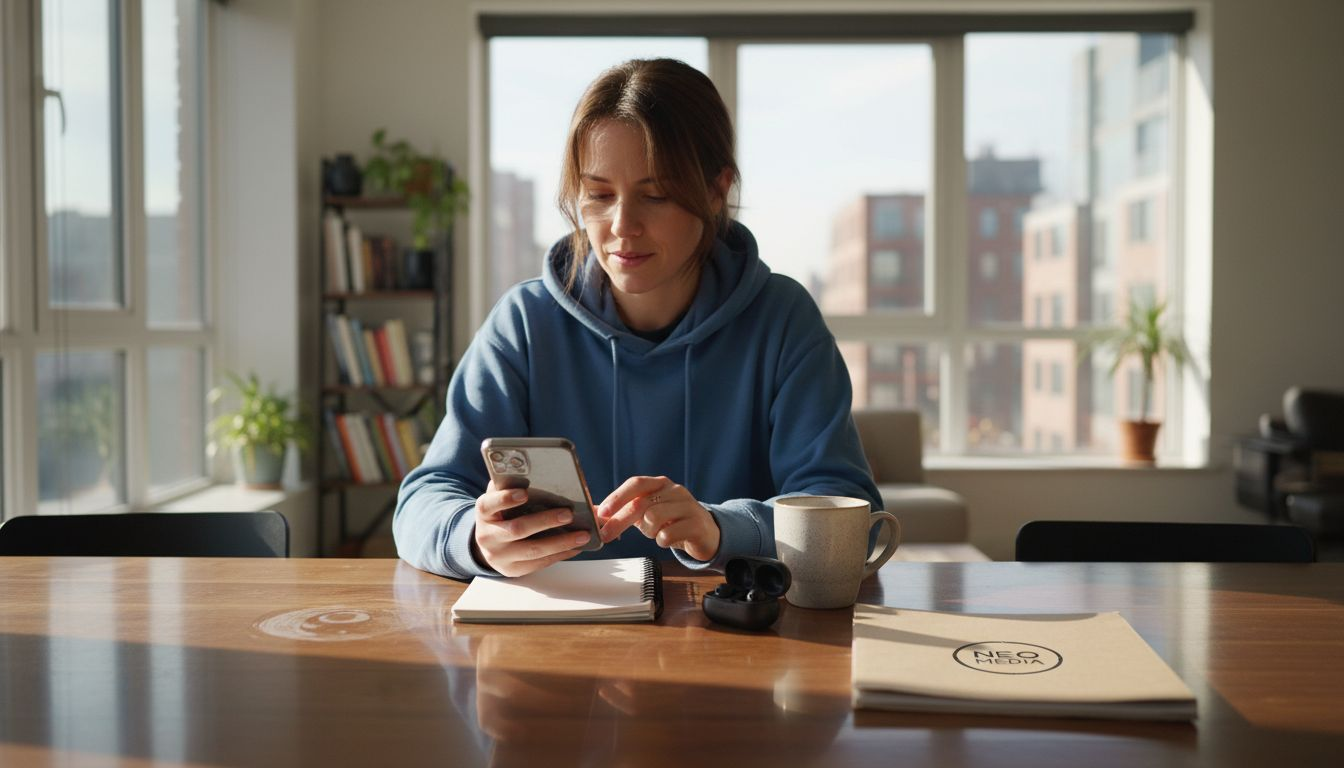
Getting drawn into your phone at work or during dinner can feel inevitable, no matter how disciplined you try to be. For health-conscious young professionals in places like New York, London, or Tokyo, finding ways to actually block distracting apps is key to reclaiming focus and improving well-being. By using app locking as a tangible, physical intervention, you gain real control over screen time and start experiencing the benefits of better attention, lower anxiety, and more meaningful moments with others.
Table of Contents
- What It Means to Lock Apps
- App Locking Methods and Variations
- How App Locking Improves Daily Life
- Physical Tools Versus Digital Solutions
- Challenges, Pitfalls, and Effective Use
What It Means to Lock Apps
App locking is simpler than it sounds. It means restricting access to specific applications on your phone so you can't mindlessly tap into them during vulnerable moments. Think of it as putting a temporary barrier between you and the apps that drain your focus most.
The core principle is straightforward: block distracting apps during times when you need to concentrate, rest, or be present with others. Instead of relying on willpower alone, you use a tangible mechanism-a physical intervention-to interrupt autopilot behavior before it starts.
How App Locking Works
When you lock an app, you're essentially making it temporarily inaccessible. The app doesn't disappear from your phone, but opening it requires an extra step you've predetermined. This creates friction at exactly the moment you need it.
The process typically involves:
- Setting which apps trigger your distraction patterns (social media, email, news apps, gaming)
- Choosing when these apps should be locked (work hours, mealtimes, before bed)
- Activating the lock through a physical method rather than relying on screen-based willpower
This matters because screen-based solutions often fail. You tap "unlock" after 30 seconds, defeating the purpose. A physical intervention-like tapping an external tag-creates real friction that actually works.
Why This Matters for Digital Wellness
App locking directly addresses managing digital device use and promoting balanced technology interaction which supports your mental clarity and focus. When you reduce unplanned app usage, something concrete happens: your anxiety drops, your sleep improves, and your relationships strengthen.
You're not trying to quit these apps entirely. You're creating guardrails that respect your reality. Some days you'll unlock an app because you genuinely need it. That's fine. But the difference is intention versus automaticity.
" App locking transforms "I wish I spent less time on my phone" into actual behavioral change through physical, intentional design. "
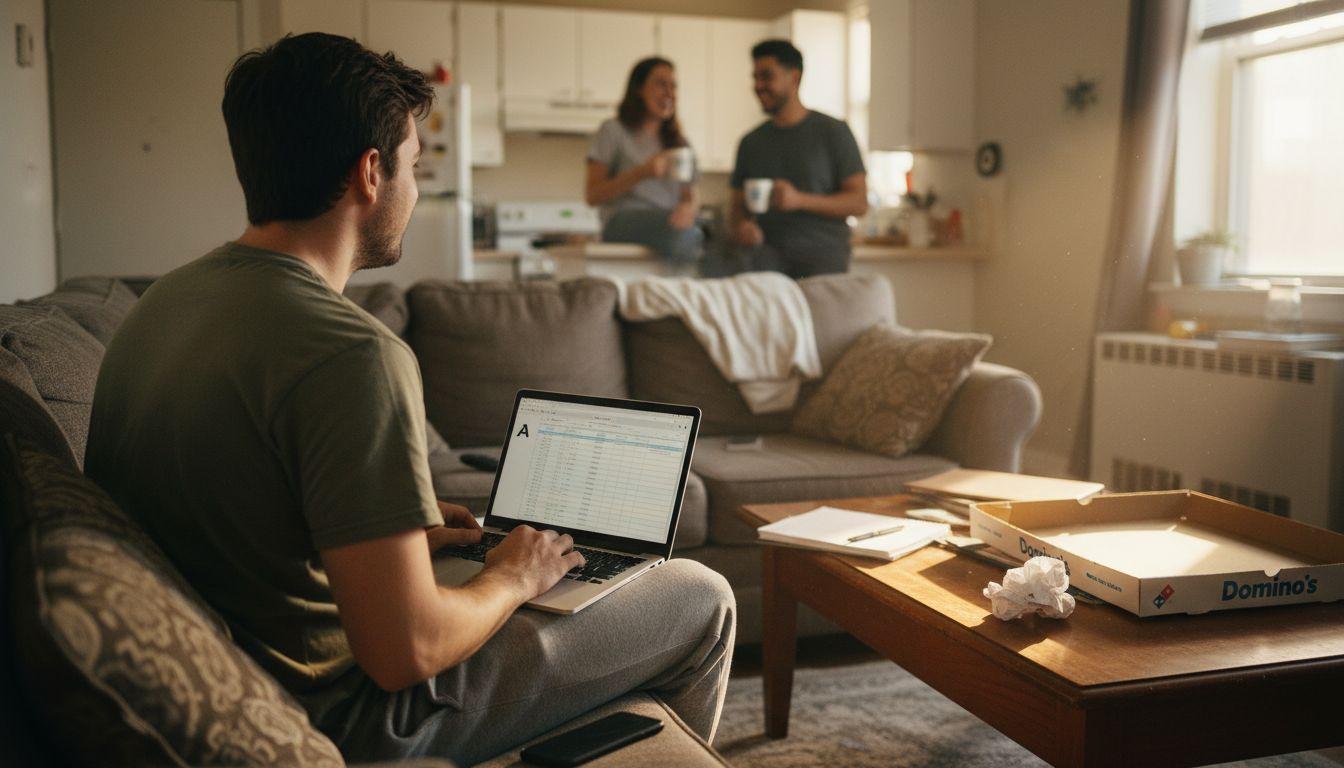
For young professionals juggling work, side projects, and a social life, this is essential. You're not weak for getting pulled into your phone-your apps are literally engineered to be addictive. App locking levels the playing field.
What Makes It Different From Built-In Screen Time Controls
Your phone already has screen time limits. So why doesn't that work?
Because when the notification appears saying "You've hit your limit," you tap "Add 15 More Minutes" in a split second. The barrier is digital, which means it's negotiable. Your future self wins zero percent of those negotiations.
A physical lock removes negotiation from the equation. You can't tap around it. You have to physically interrupt what you're doing, which forces conscious choice into the moment.
Pro tip: Start by locking just one app-usually the one you check most unconsciously. Success with a single app builds momentum and teaches your brain what friction feels like before you scale it.
App Locking Methods and Variations
App locking isn't one-size-fits-all. Different methods suit different people, depending on your habits, lifestyle, and how serious you are about changing your behavior. Understanding your options helps you pick what actually works for your situation.
Some approaches rely purely on your phone's built-in settings. Others combine digital tools with external accountability. The most effective method matches your personality and the specific apps pulling your attention.
Built-In Phone Features
Most modern phones offer native app management tools. Android and iOS both provide app timers and usage limits directly in settings.
These built-in options include:
- Timed app access windows that pause apps after a set duration
- Notifications alerting you when you've reached your limit
- Ability to group apps by category and set different limits per group
- Automatic resets on daily or weekly schedules
The advantage? No additional apps or hardware needed. The disadvantage? You can override them instantly, which defeats the purpose for many people.
Third-Party App Blockers
Dedicated app-blocking applications add another layer. They work by restricting app access through software-only solutions, though they're still negotiable if you have administrator access.
Popular options let you:
- Block apps with customizable schedules and exceptions
- Set up recurring blocks for specific times (focus hours, bedtime)
- Create accountability by locking settings behind passwords
- Track blocked app usage for awareness
These work better than built-in tools because they're slightly harder to disable. But they're still just software-determined users find workarounds.
Physical App Locking With External Devices
The most effective method combines digital restrictions with physical intervention-like NFC tags or external devices that trigger locks. This removes the temptation entirely because you can't override it with a tap.
With a physical approach, you:
- Tap an external tag to lock apps for predetermined durations
- Create actual friction between impulse and action
- Bypass the negotiation that happens on your phone screen
- Build a habit loop where the physical action becomes your trigger
" Physical app locking succeeds where digital-only solutions fail because it removes the option to override in a moment of weakness. "
This method aligns with how your brain actually works. When you need to physically move your hand to a tag, your prefrontal cortex (decision-making) has time to engage before the impulse takes over.
Are Smart Locks Safe? A Lock Expert Explains - WSJ
Combining Methods for Maximum Effect
The strongest approach stacks methods. Use your phone's built-in limits as a baseline, add a third-party blocker for stricter enforcement, and use physical locking for your most problematic apps.
This layering means if you override one barrier, another catches you. It's not about punishment-it's about making the easy choice also the healthy choice.
Pro tip: Start with one method that feels least restrictive, then add layers only if you find yourself still getting distracted. Overcomplicating your system from day one leads to abandonment.
How App Locking Improves Daily Life
The real test of app locking isn't whether it sounds good in theory-it's whether it actually changes how you feel and perform. And the evidence is clear: it does.
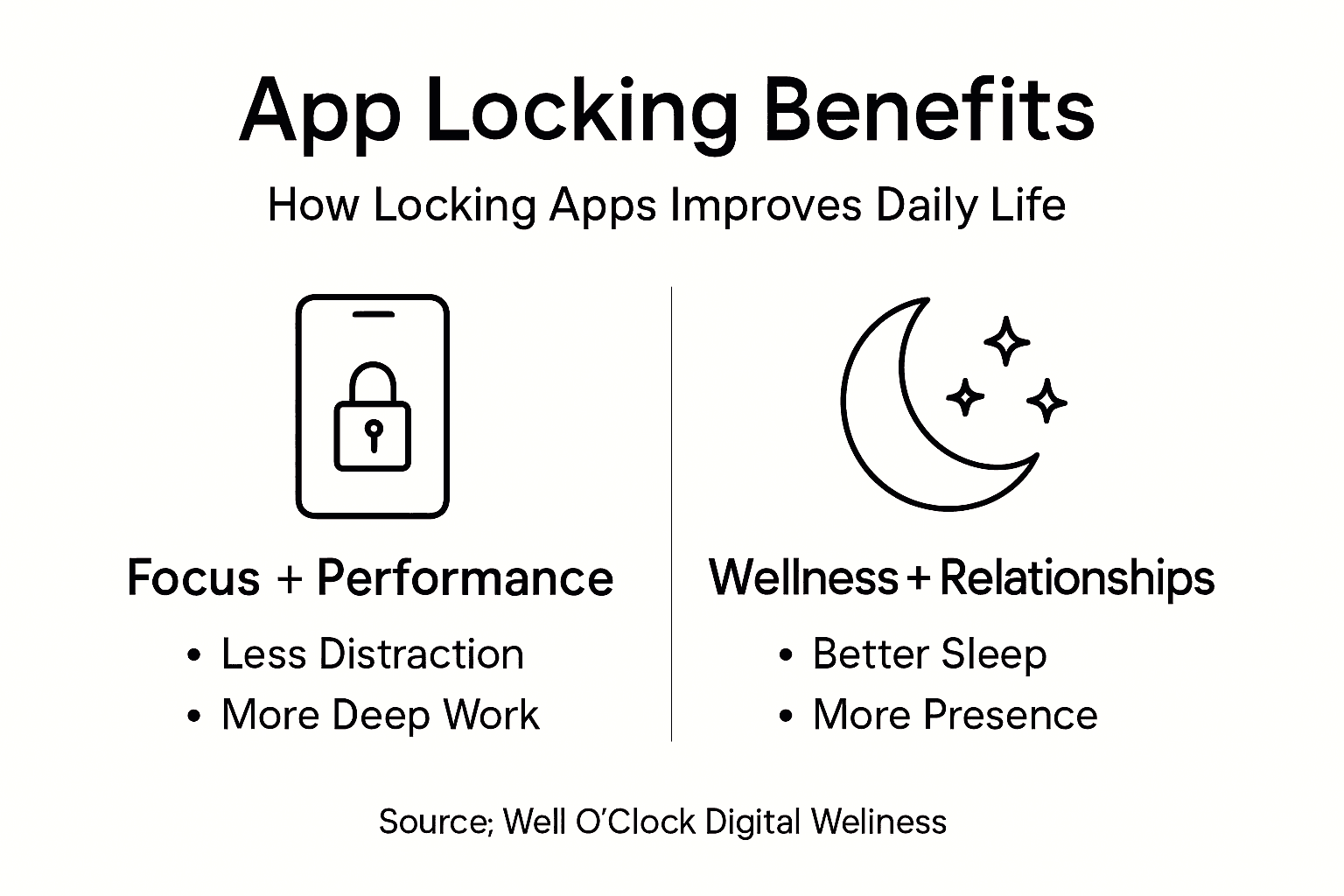
When you remove constant access to distracting apps, something shifts. You're not just saving time. You're reclaiming mental space, reducing the noise that's been running in the background of your consciousness for years.
Better Focus and Sustained Attention
Your brain can't multitask. Every time you switch to a notification, you lose focus for 15-20 minutes afterward. App locking removes the opportunity to switch.
What happens next:
- Deep work becomes possible again instead of fragmented bursts
- Your working memory stays engaged with one task longer
- You complete projects faster because context-switching stops
- The quality of your work improves noticeably
For young professionals handling multiple projects, this matters enormously. One uninterrupted two-hour block accomplishes more than four scattered hours interrupted by notifications.
Reduced Anxiety and Better Mental Health
App locking yields significant improvements in mental health and anxiety symptoms by limiting constant online connectivity. The mechanism is simple: every ping, every red notification badge, every refresh triggers a small stress response.
When you lock apps:
- Your cortisol levels drop because you're not in constant alert mode
- Anxiety decreases as you stop monitoring notifications compulsively
- Sleep quality improves without phone distractions before bed
- Your nervous system actually gets time to settle
" Removing app access isn't deprivation-it's relief from a constant low-level stress you didn't realize was there. "
Stronger Relationships and More Real-Life Presence
When your phone isn't pulling your attention, you're actually present with people. You make eye contact. You listen. You remember what someone said five minutes ago.
This matters more than productivity metrics. Your relationships are where your actual life happens. App locking protects that space.
Better Sleep and Recovery
Scrolling before bed is terrible for sleep, yet it's the default behavior for most people. App locking during evening hours creates a boundary you can't negotiate with yourself.
You sleep better because your brain isn't overstimulated, blue light isn't disrupting melatonin, and you're not checking work messages at 11 PM.
Actually Having Time for Exercise and Hobbies
People often say they "don't have time" for exercise or reading. Usually they have time-it's just getting consumed by apps. When you lock distracting apps, that time becomes available again.
You naturally reduce screen time and fill the gap with activities that genuinely make you feel good.
Pro tip: Track one metric before and after app locking-sleep hours, anxiety rating, or deep work minutes. Seeing the actual improvement, not imagining it, keeps you motivated when the habit gets tough.
Physical Tools Versus Digital Solutions
Here's a fundamental question: can you solve a digital problem using only digital tools? The answer is more complicated than it seems.
Digital-only solutions-like app timers and screen time trackers-work in theory. But they operate within the same ecosystem that's trying to distract you. It's like asking your phone to police itself.
The Weakness of Digital-Only Solutions
App timers on your phone have one fatal flaw: you can disable them instantly. When the notification pops up saying you've hit your limit, your thumb already knows exactly where "Ignore" is located.
Digital solutions fail because:
- They're designed to be overridable (otherwise phones wouldn't work)
- You're making the choice to override while distracted, not while calm
- Notifications become white noise after the tenth time you dismiss them
- The barrier exists only in software, which always has a backdoor
They provide data and feedback, which is valuable. But data alone doesn't change behavior when temptation is one tap away.
What Physical Tools Add
A physical barrier works differently. It doesn't negotiate. You can't dismiss it through your phone's settings.
Physical intervention means:
- Moving your body to unlock something, not just tapping
- A deliberate action that forces conscious decision-making
- Friction that actually costs effort, not just willpower
- A tangible reminder of your commitment every single time
When you physically tap an NFC tag to lock apps, your brain engages differently than when you tap a digital button. The extra step-the physical motion-interrupts autopilot.
Why Combining Both Approaches Works Best
Digital solutions enable real-time monitoring and behavior modification specific to device use, while physical tools create the friction that actually prevents the behavior.
Using both together creates redundancy:
- Your phone's built-in limits track usage and provide awareness
- A third-party blocker adds software enforcement
- Physical app locking removes the override option entirely
If you succeed in disabling one barrier, another catches you.
" The strongest approach stacks solutions: digital tools for data and awareness, physical tools for actual control. "
The Science Supports the Hybrid Approach
Combining physical and digital interventions maximizes wellness outcomes because they address different mechanisms. Digital tools provide flexibility and personalization. Physical tools provide the commitment device.
You need both. Digital alone fails because it's too easy to override. Physical alone wouldn't provide the insights you need to adjust your system.
The young professionals seeing real results aren't choosing between approaches. They're layering them strategically.
Pro tip: If you're only using digital solutions and still getting distracted, add one physical barrier before buying more apps. Most people find that single physical layer eliminates the override problem entirely.
Challenges, Pitfalls, and Effective Use
App locking sounds straightforward until you actually try it. Then reality sets in. People abandon these tools for real reasons-not because they lack willpower, but because the systems themselves have genuine flaws.
Understanding these challenges helps you avoid becoming another failed experiment. It also helps you use app locking in ways that actually stick.
Common Pitfalls Users Face
The biggest mistake is treating app locking as a permanent solution. It's not. It's a training tool.
People struggle with:
- Abandoning the system after initial excitement fades (three to six weeks is typical)
- Setting overly aggressive locks that feel punitive rather than protective
- Becoming frustrated when they genuinely need access but can't get it
- Developing resentment toward the tool itself instead of examining their habits
You also can't use app locking to solve every problem. If your work requires constant email access, locking email defeats the purpose.
The Risk of Over-Reliance
Here's the uncomfortable truth: app locking tools can inhibit development of intrinsic self-regulation if you rely on them indefinitely. You're outsourcing willpower to a system instead of building it internally.
The goal isn't to lock apps forever. It's to lock apps until you've genuinely changed your behavior patterns, then gradually reduce the restrictions.
If you stop using app locking and immediately revert to old habits, you haven't actually changed anything. You've just been temporarily prevented.
Circumvention and Why It Happens
Some people try to bypass their locks. This isn't weakness-it's a sign the lock settings don't match reality. If your system is too rigid, you'll find workarounds.
Effective use means:
- Building in flexibility for legitimate needs
- Adjusting restrictions when they don't fit your actual work
- Accepting that perfect consistency isn't the goal-progress is
Privacy and Ethical Concerns
When choosing app locking solutions, consider privacy implications and ensure regulatory compliance. Not all apps are created equal. Some collect data about your behavior.
Before adopting any tool:
- Research data privacy policies
- Verify the company's track record with user information
- Avoid apps requiring excessive permissions
- Choose solutions that don't monetize your behavior data
" App locking works best when it feels like protection, not punishment. If it feels restrictive and wrong, adjust it. "
Making App Locking Actually Stick
Effective use requires intentionality. You're not installing this and forgetting it. You're actively managing it.
Start small, track what changes, adjust after two weeks, and gradually work toward the real goal: changing your relationship with your phone so you don't need external tools.
Pro tip: After four weeks of consistent app locking, test removing one restriction to see if your behavior has actually changed. If you immediately fall back into old patterns, the lock stays. If you show restraint, you've genuinely progressed.
Take Control of Your Digital Wellness with Physical App Locking
Struggling to break free from the endless cycle of app distractions can feel overwhelming. This article highlights the challenge of relying solely on digital limits that are too easy to override when you need focus, better sleep, or less anxiety. If you want real behavioral change that works with how your brain operates, physical app locking is the breakthrough you need. By introducing intentional friction through a simple tap on an NFC tag, you interrupt autopilot phone usage and reclaim control over your time and mental clarity.
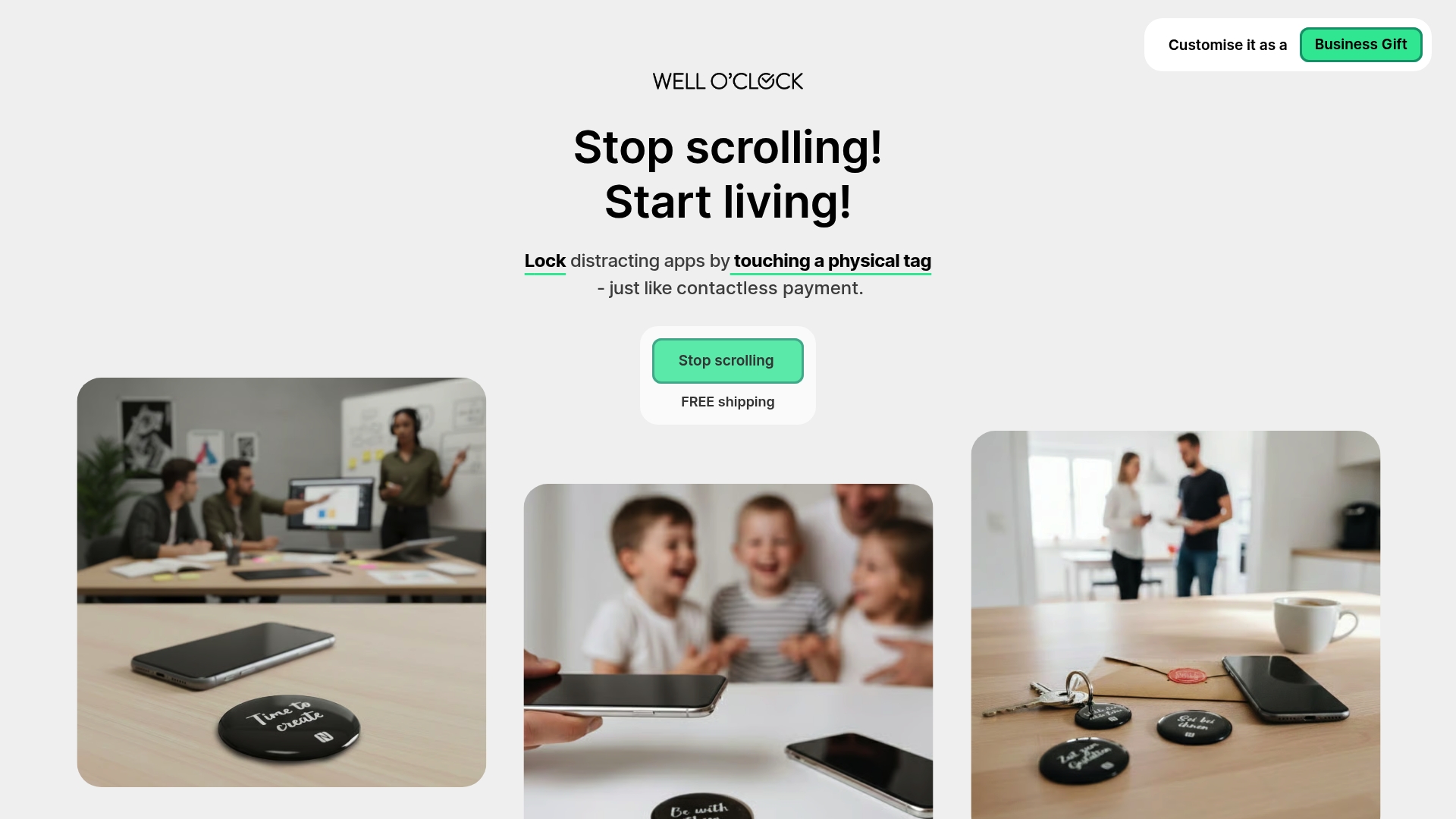
Ready to move beyond weak screen time warnings and create a system that truly supports your goals? Visit Well O’Clock to discover an innovative solution combining physical NFC tags with a mobile app designed specifically to lock distracting apps. Start small, build stronger habits, and experience improvements in focus, anxiety, and sleep through a method that removes the option to override in moments of weakness. Take the next step toward digital wellness today at Well O’Clock. Your future self will thank you.
Frequently Asked Questions
What are the benefits of locking apps?
Locking apps helps improve focus, reduces anxiety, enhances relationships, promotes better sleep quality, and increases available free time for hobbies and exercise by limiting distractions from your phone.
How do app locking mechanisms work?
App locking mechanisms restrict access to specific applications on your device, requiring an additional step to open them. This creates physical friction that interrupts automatic behaviors, helping you to be more intentional with your phone usage.
What methods can I use to lock apps effectively?
You can use built-in phone features like app timers, third-party app blockers, or physical locking devices such as NFC tags. Combining these approaches often yields the best results by creating redundancies and layers of control.
Can locking apps help manage screen time?
Yes, locking apps can contribute significantly to managing screen time by reducing unplanned usage and encouraging more mindful interactions with your device, promoting a healthier digital lifestyle.

Mak Kordić
Co founder
Mak Kordić is the founder and CEO of CNJ Digital, an agency based in Ljubljana, where he and his team develop UX/UI and digital products for demanding B2B projects. Over his career, he has led and co-created hundreds of digital solutions and worked with international clients.







Why Lock Apps Matters for Digital Wellness
Mak Kordić
,
February 24, 2026
Getting drawn into your phone at work or during dinner can feel inevitable, no matter how disciplined you try to be. For health-conscious young professionals in places like New York, London, or Tokyo, finding ways to actually block distracting apps is key to reclaiming focus and improving well-being. By using app locking as a tangible, physical intervention, you gain real control over screen time and start experiencing the benefits of better attention, lower anxiety, and more meaningful moments with others.
Table of Contents
- What It Means to Lock Apps
- App Locking Methods and Variations
- How App Locking Improves Daily Life
- Physical Tools Versus Digital Solutions
- Challenges, Pitfalls, and Effective Use
What It Means to Lock Apps
App locking is simpler than it sounds. It means restricting access to specific applications on your phone so you can't mindlessly tap into them during vulnerable moments. Think of it as putting a temporary barrier between you and the apps that drain your focus most.
The core principle is straightforward: block distracting apps during times when you need to concentrate, rest, or be present with others. Instead of relying on willpower alone, you use a tangible mechanism-a physical intervention-to interrupt autopilot behavior before it starts.
How App Locking Works
When you lock an app, you're essentially making it temporarily inaccessible. The app doesn't disappear from your phone, but opening it requires an extra step you've predetermined. This creates friction at exactly the moment you need it.
The process typically involves:
- Setting which apps trigger your distraction patterns (social media, email, news apps, gaming)
- Choosing when these apps should be locked (work hours, mealtimes, before bed)
- Activating the lock through a physical method rather than relying on screen-based willpower
This matters because screen-based solutions often fail. You tap "unlock" after 30 seconds, defeating the purpose. A physical intervention-like tapping an external tag-creates real friction that actually works.
Why This Matters for Digital Wellness
App locking directly addresses managing digital device use and promoting balanced technology interaction which supports your mental clarity and focus. When you reduce unplanned app usage, something concrete happens: your anxiety drops, your sleep improves, and your relationships strengthen.
You're not trying to quit these apps entirely. You're creating guardrails that respect your reality. Some days you'll unlock an app because you genuinely need it. That's fine. But the difference is intention versus automaticity.
" App locking transforms "I wish I spent less time on my phone" into actual behavioral change through physical, intentional design. "
For young professionals juggling work, side projects, and a social life, this is essential. You're not weak for getting pulled into your phone-your apps are literally engineered to be addictive. App locking levels the playing field.
What Makes It Different From Built-In Screen Time Controls
Your phone already has screen time limits. So why doesn't that work?
Because when the notification appears saying "You've hit your limit," you tap "Add 15 More Minutes" in a split second. The barrier is digital, which means it's negotiable. Your future self wins zero percent of those negotiations.
A physical lock removes negotiation from the equation. You can't tap around it. You have to physically interrupt what you're doing, which forces conscious choice into the moment.
Pro tip: Start by locking just one app-usually the one you check most unconsciously. Success with a single app builds momentum and teaches your brain what friction feels like before you scale it.
App Locking Methods and Variations
App locking isn't one-size-fits-all. Different methods suit different people, depending on your habits, lifestyle, and how serious you are about changing your behavior. Understanding your options helps you pick what actually works for your situation.
Some approaches rely purely on your phone's built-in settings. Others combine digital tools with external accountability. The most effective method matches your personality and the specific apps pulling your attention.
Built-In Phone Features
Most modern phones offer native app management tools. Android and iOS both provide app timers and usage limits directly in settings.
These built-in options include:
- Timed app access windows that pause apps after a set duration
- Notifications alerting you when you've reached your limit
- Ability to group apps by category and set different limits per group
- Automatic resets on daily or weekly schedules
The advantage? No additional apps or hardware needed. The disadvantage? You can override them instantly, which defeats the purpose for many people.
Third-Party App Blockers
Dedicated app-blocking applications add another layer. They work by restricting app access through software-only solutions, though they're still negotiable if you have administrator access.
Popular options let you:
- Block apps with customizable schedules and exceptions
- Set up recurring blocks for specific times (focus hours, bedtime)
- Create accountability by locking settings behind passwords
- Track blocked app usage for awareness
These work better than built-in tools because they're slightly harder to disable. But they're still just software-determined users find workarounds.
Physical App Locking With External Devices
The most effective method combines digital restrictions with physical intervention-like NFC tags or external devices that trigger locks. This removes the temptation entirely because you can't override it with a tap.
With a physical approach, you:
- Tap an external tag to lock apps for predetermined durations
- Create actual friction between impulse and action
- Bypass the negotiation that happens on your phone screen
- Build a habit loop where the physical action becomes your trigger
" Physical app locking succeeds where digital-only solutions fail because it removes the option to override in a moment of weakness. "
This method aligns with how your brain actually works. When you need to physically move your hand to a tag, your prefrontal cortex (decision-making) has time to engage before the impulse takes over.
Are Smart Locks Safe? A Lock Expert Explains - WSJ
Combining Methods for Maximum Effect
The strongest approach stacks methods. Use your phone's built-in limits as a baseline, add a third-party blocker for stricter enforcement, and use physical locking for your most problematic apps.
This layering means if you override one barrier, another catches you. It's not about punishment-it's about making the easy choice also the healthy choice.
Pro tip: Start with one method that feels least restrictive, then add layers only if you find yourself still getting distracted. Overcomplicating your system from day one leads to abandonment.
How App Locking Improves Daily Life
The real test of app locking isn't whether it sounds good in theory-it's whether it actually changes how you feel and perform. And the evidence is clear: it does.
When you remove constant access to distracting apps, something shifts. You're not just saving time. You're reclaiming mental space, reducing the noise that's been running in the background of your consciousness for years.
Better Focus and Sustained Attention
Your brain can't multitask. Every time you switch to a notification, you lose focus for 15-20 minutes afterward. App locking removes the opportunity to switch.
What happens next:
- Deep work becomes possible again instead of fragmented bursts
- Your working memory stays engaged with one task longer
- You complete projects faster because context-switching stops
- The quality of your work improves noticeably
For young professionals handling multiple projects, this matters enormously. One uninterrupted two-hour block accomplishes more than four scattered hours interrupted by notifications.
Reduced Anxiety and Better Mental Health
App locking yields significant improvements in mental health and anxiety symptoms by limiting constant online connectivity. The mechanism is simple: every ping, every red notification badge, every refresh triggers a small stress response.
When you lock apps:
- Your cortisol levels drop because you're not in constant alert mode
- Anxiety decreases as you stop monitoring notifications compulsively
- Sleep quality improves without phone distractions before bed
- Your nervous system actually gets time to settle
" Removing app access isn't deprivation-it's relief from a constant low-level stress you didn't realize was there. "
Stronger Relationships and More Real-Life Presence
When your phone isn't pulling your attention, you're actually present with people. You make eye contact. You listen. You remember what someone said five minutes ago.
This matters more than productivity metrics. Your relationships are where your actual life happens. App locking protects that space.
Better Sleep and Recovery
Scrolling before bed is terrible for sleep, yet it's the default behavior for most people. App locking during evening hours creates a boundary you can't negotiate with yourself.
You sleep better because your brain isn't overstimulated, blue light isn't disrupting melatonin, and you're not checking work messages at 11 PM.
Actually Having Time for Exercise and Hobbies
People often say they "don't have time" for exercise or reading. Usually they have time-it's just getting consumed by apps. When you lock distracting apps, that time becomes available again.
You naturally reduce screen time and fill the gap with activities that genuinely make you feel good.
Pro tip: Track one metric before and after app locking-sleep hours, anxiety rating, or deep work minutes. Seeing the actual improvement, not imagining it, keeps you motivated when the habit gets tough.
Physical Tools Versus Digital Solutions
Here's a fundamental question: can you solve a digital problem using only digital tools? The answer is more complicated than it seems.
Digital-only solutions-like app timers and screen time trackers-work in theory. But they operate within the same ecosystem that's trying to distract you. It's like asking your phone to police itself.
The Weakness of Digital-Only Solutions
App timers on your phone have one fatal flaw: you can disable them instantly. When the notification pops up saying you've hit your limit, your thumb already knows exactly where "Ignore" is located.
Digital solutions fail because:
- They're designed to be overridable (otherwise phones wouldn't work)
- You're making the choice to override while distracted, not while calm
- Notifications become white noise after the tenth time you dismiss them
- The barrier exists only in software, which always has a backdoor
They provide data and feedback, which is valuable. But data alone doesn't change behavior when temptation is one tap away.
What Physical Tools Add
A physical barrier works differently. It doesn't negotiate. You can't dismiss it through your phone's settings.
Physical intervention means:
- Moving your body to unlock something, not just tapping
- A deliberate action that forces conscious decision-making
- Friction that actually costs effort, not just willpower
- A tangible reminder of your commitment every single time
When you physically tap an NFC tag to lock apps, your brain engages differently than when you tap a digital button. The extra step-the physical motion-interrupts autopilot.
Why Combining Both Approaches Works Best
Digital solutions enable real-time monitoring and behavior modification specific to device use, while physical tools create the friction that actually prevents the behavior.
Using both together creates redundancy:
- Your phone's built-in limits track usage and provide awareness
- A third-party blocker adds software enforcement
- Physical app locking removes the override option entirely
If you succeed in disabling one barrier, another catches you.
" The strongest approach stacks solutions: digital tools for data and awareness, physical tools for actual control. "
The Science Supports the Hybrid Approach
Combining physical and digital interventions maximizes wellness outcomes because they address different mechanisms. Digital tools provide flexibility and personalization. Physical tools provide the commitment device.
You need both. Digital alone fails because it's too easy to override. Physical alone wouldn't provide the insights you need to adjust your system.
The young professionals seeing real results aren't choosing between approaches. They're layering them strategically.
Pro tip: If you're only using digital solutions and still getting distracted, add one physical barrier before buying more apps. Most people find that single physical layer eliminates the override problem entirely.
Challenges, Pitfalls, and Effective Use
App locking sounds straightforward until you actually try it. Then reality sets in. People abandon these tools for real reasons-not because they lack willpower, but because the systems themselves have genuine flaws.
Understanding these challenges helps you avoid becoming another failed experiment. It also helps you use app locking in ways that actually stick.
Common Pitfalls Users Face
The biggest mistake is treating app locking as a permanent solution. It's not. It's a training tool.
People struggle with:
- Abandoning the system after initial excitement fades (three to six weeks is typical)
- Setting overly aggressive locks that feel punitive rather than protective
- Becoming frustrated when they genuinely need access but can't get it
- Developing resentment toward the tool itself instead of examining their habits
You also can't use app locking to solve every problem. If your work requires constant email access, locking email defeats the purpose.
The Risk of Over-Reliance
Here's the uncomfortable truth: app locking tools can inhibit development of intrinsic self-regulation if you rely on them indefinitely. You're outsourcing willpower to a system instead of building it internally.
The goal isn't to lock apps forever. It's to lock apps until you've genuinely changed your behavior patterns, then gradually reduce the restrictions.
If you stop using app locking and immediately revert to old habits, you haven't actually changed anything. You've just been temporarily prevented.
Circumvention and Why It Happens
Some people try to bypass their locks. This isn't weakness-it's a sign the lock settings don't match reality. If your system is too rigid, you'll find workarounds.
Effective use means:
- Building in flexibility for legitimate needs
- Adjusting restrictions when they don't fit your actual work
- Accepting that perfect consistency isn't the goal-progress is
Privacy and Ethical Concerns
When choosing app locking solutions, consider privacy implications and ensure regulatory compliance. Not all apps are created equal. Some collect data about your behavior.
Before adopting any tool:
- Research data privacy policies
- Verify the company's track record with user information
- Avoid apps requiring excessive permissions
- Choose solutions that don't monetize your behavior data
" App locking works best when it feels like protection, not punishment. If it feels restrictive and wrong, adjust it. "
Making App Locking Actually Stick
Effective use requires intentionality. You're not installing this and forgetting it. You're actively managing it.
Start small, track what changes, adjust after two weeks, and gradually work toward the real goal: changing your relationship with your phone so you don't need external tools.
Pro tip: After four weeks of consistent app locking, test removing one restriction to see if your behavior has actually changed. If you immediately fall back into old patterns, the lock stays. If you show restraint, you've genuinely progressed.
Take Control of Your Digital Wellness with Physical App Locking
Struggling to break free from the endless cycle of app distractions can feel overwhelming. This article highlights the challenge of relying solely on digital limits that are too easy to override when you need focus, better sleep, or less anxiety. If you want real behavioral change that works with how your brain operates, physical app locking is the breakthrough you need. By introducing intentional friction through a simple tap on an NFC tag, you interrupt autopilot phone usage and reclaim control over your time and mental clarity.
Ready to move beyond weak screen time warnings and create a system that truly supports your goals? Visit Well O’Clock to discover an innovative solution combining physical NFC tags with a mobile app designed specifically to lock distracting apps. Start small, build stronger habits, and experience improvements in focus, anxiety, and sleep through a method that removes the option to override in moments of weakness. Take the next step toward digital wellness today at Well O’Clock. Your future self will thank you.
Frequently Asked Questions
What are the benefits of locking apps?
Locking apps helps improve focus, reduces anxiety, enhances relationships, promotes better sleep quality, and increases available free time for hobbies and exercise by limiting distractions from your phone.
How do app locking mechanisms work?
App locking mechanisms restrict access to specific applications on your device, requiring an additional step to open them. This creates physical friction that interrupts automatic behaviors, helping you to be more intentional with your phone usage.
What methods can I use to lock apps effectively?
You can use built-in phone features like app timers, third-party app blockers, or physical locking devices such as NFC tags. Combining these approaches often yields the best results by creating redundancies and layers of control.
Can locking apps help manage screen time?
Yes, locking apps can contribute significantly to managing screen time by reducing unplanned usage and encouraging more mindful interactions with your device, promoting a healthier digital lifestyle.
Mak Kordić
Co founder
Mak Kordić is the founder and CEO of CNJ Digital, an agency based in Ljubljana, where he and his team develop UX/UI and digital products for demanding B2B projects. Over his career, he has led and co-created hundreds of digital solutions and worked with international clients.
Why Lock Apps Matters for Digital Wellness
Mak Kordić
,
February 24, 2026
Getting drawn into your phone at work or during dinner can feel inevitable, no matter how disciplined you try to be. For health-conscious young professionals in places like New York, London, or Tokyo, finding ways to actually block distracting apps is key to reclaiming focus and improving well-being. By using app locking as a tangible, physical intervention, you gain real control over screen time and start experiencing the benefits of better attention, lower anxiety, and more meaningful moments with others.
Table of Contents
- What It Means to Lock Apps
- App Locking Methods and Variations
- How App Locking Improves Daily Life
- Physical Tools Versus Digital Solutions
- Challenges, Pitfalls, and Effective Use
What It Means to Lock Apps
App locking is simpler than it sounds. It means restricting access to specific applications on your phone so you can't mindlessly tap into them during vulnerable moments. Think of it as putting a temporary barrier between you and the apps that drain your focus most.
The core principle is straightforward: block distracting apps during times when you need to concentrate, rest, or be present with others. Instead of relying on willpower alone, you use a tangible mechanism-a physical intervention-to interrupt autopilot behavior before it starts.
How App Locking Works
When you lock an app, you're essentially making it temporarily inaccessible. The app doesn't disappear from your phone, but opening it requires an extra step you've predetermined. This creates friction at exactly the moment you need it.
The process typically involves:
- Setting which apps trigger your distraction patterns (social media, email, news apps, gaming)
- Choosing when these apps should be locked (work hours, mealtimes, before bed)
- Activating the lock through a physical method rather than relying on screen-based willpower
This matters because screen-based solutions often fail. You tap "unlock" after 30 seconds, defeating the purpose. A physical intervention-like tapping an external tag-creates real friction that actually works.
Why This Matters for Digital Wellness
App locking directly addresses managing digital device use and promoting balanced technology interaction which supports your mental clarity and focus. When you reduce unplanned app usage, something concrete happens: your anxiety drops, your sleep improves, and your relationships strengthen.
You're not trying to quit these apps entirely. You're creating guardrails that respect your reality. Some days you'll unlock an app because you genuinely need it. That's fine. But the difference is intention versus automaticity.
" App locking transforms "I wish I spent less time on my phone" into actual behavioral change through physical, intentional design. "
For young professionals juggling work, side projects, and a social life, this is essential. You're not weak for getting pulled into your phone-your apps are literally engineered to be addictive. App locking levels the playing field.
What Makes It Different From Built-In Screen Time Controls
Your phone already has screen time limits. So why doesn't that work?
Because when the notification appears saying "You've hit your limit," you tap "Add 15 More Minutes" in a split second. The barrier is digital, which means it's negotiable. Your future self wins zero percent of those negotiations.
A physical lock removes negotiation from the equation. You can't tap around it. You have to physically interrupt what you're doing, which forces conscious choice into the moment.
Pro tip: Start by locking just one app-usually the one you check most unconsciously. Success with a single app builds momentum and teaches your brain what friction feels like before you scale it.
App Locking Methods and Variations
App locking isn't one-size-fits-all. Different methods suit different people, depending on your habits, lifestyle, and how serious you are about changing your behavior. Understanding your options helps you pick what actually works for your situation.
Some approaches rely purely on your phone's built-in settings. Others combine digital tools with external accountability. The most effective method matches your personality and the specific apps pulling your attention.
Built-In Phone Features
Most modern phones offer native app management tools. Android and iOS both provide app timers and usage limits directly in settings.
These built-in options include:
- Timed app access windows that pause apps after a set duration
- Notifications alerting you when you've reached your limit
- Ability to group apps by category and set different limits per group
- Automatic resets on daily or weekly schedules
The advantage? No additional apps or hardware needed. The disadvantage? You can override them instantly, which defeats the purpose for many people.
Third-Party App Blockers
Dedicated app-blocking applications add another layer. They work by restricting app access through software-only solutions, though they're still negotiable if you have administrator access.
Popular options let you:
- Block apps with customizable schedules and exceptions
- Set up recurring blocks for specific times (focus hours, bedtime)
- Create accountability by locking settings behind passwords
- Track blocked app usage for awareness
These work better than built-in tools because they're slightly harder to disable. But they're still just software-determined users find workarounds.
Physical App Locking With External Devices
The most effective method combines digital restrictions with physical intervention-like NFC tags or external devices that trigger locks. This removes the temptation entirely because you can't override it with a tap.
With a physical approach, you:
- Tap an external tag to lock apps for predetermined durations
- Create actual friction between impulse and action
- Bypass the negotiation that happens on your phone screen
- Build a habit loop where the physical action becomes your trigger
" Physical app locking succeeds where digital-only solutions fail because it removes the option to override in a moment of weakness. "
This method aligns with how your brain actually works. When you need to physically move your hand to a tag, your prefrontal cortex (decision-making) has time to engage before the impulse takes over.
Are Smart Locks Safe? A Lock Expert Explains - WSJ
Combining Methods for Maximum Effect
The strongest approach stacks methods. Use your phone's built-in limits as a baseline, add a third-party blocker for stricter enforcement, and use physical locking for your most problematic apps.
This layering means if you override one barrier, another catches you. It's not about punishment-it's about making the easy choice also the healthy choice.
Pro tip: Start with one method that feels least restrictive, then add layers only if you find yourself still getting distracted. Overcomplicating your system from day one leads to abandonment.
How App Locking Improves Daily Life
The real test of app locking isn't whether it sounds good in theory-it's whether it actually changes how you feel and perform. And the evidence is clear: it does.
When you remove constant access to distracting apps, something shifts. You're not just saving time. You're reclaiming mental space, reducing the noise that's been running in the background of your consciousness for years.
Better Focus and Sustained Attention
Your brain can't multitask. Every time you switch to a notification, you lose focus for 15-20 minutes afterward. App locking removes the opportunity to switch.
What happens next:
- Deep work becomes possible again instead of fragmented bursts
- Your working memory stays engaged with one task longer
- You complete projects faster because context-switching stops
- The quality of your work improves noticeably
For young professionals handling multiple projects, this matters enormously. One uninterrupted two-hour block accomplishes more than four scattered hours interrupted by notifications.
Reduced Anxiety and Better Mental Health
App locking yields significant improvements in mental health and anxiety symptoms by limiting constant online connectivity. The mechanism is simple: every ping, every red notification badge, every refresh triggers a small stress response.
When you lock apps:
- Your cortisol levels drop because you're not in constant alert mode
- Anxiety decreases as you stop monitoring notifications compulsively
- Sleep quality improves without phone distractions before bed
- Your nervous system actually gets time to settle
" Removing app access isn't deprivation-it's relief from a constant low-level stress you didn't realize was there. "
Stronger Relationships and More Real-Life Presence
When your phone isn't pulling your attention, you're actually present with people. You make eye contact. You listen. You remember what someone said five minutes ago.
This matters more than productivity metrics. Your relationships are where your actual life happens. App locking protects that space.
Better Sleep and Recovery
Scrolling before bed is terrible for sleep, yet it's the default behavior for most people. App locking during evening hours creates a boundary you can't negotiate with yourself.
You sleep better because your brain isn't overstimulated, blue light isn't disrupting melatonin, and you're not checking work messages at 11 PM.
Actually Having Time for Exercise and Hobbies
People often say they "don't have time" for exercise or reading. Usually they have time-it's just getting consumed by apps. When you lock distracting apps, that time becomes available again.
You naturally reduce screen time and fill the gap with activities that genuinely make you feel good.
Pro tip: Track one metric before and after app locking-sleep hours, anxiety rating, or deep work minutes. Seeing the actual improvement, not imagining it, keeps you motivated when the habit gets tough.
Physical Tools Versus Digital Solutions
Here's a fundamental question: can you solve a digital problem using only digital tools? The answer is more complicated than it seems.
Digital-only solutions-like app timers and screen time trackers-work in theory. But they operate within the same ecosystem that's trying to distract you. It's like asking your phone to police itself.
The Weakness of Digital-Only Solutions
App timers on your phone have one fatal flaw: you can disable them instantly. When the notification pops up saying you've hit your limit, your thumb already knows exactly where "Ignore" is located.
Digital solutions fail because:
- They're designed to be overridable (otherwise phones wouldn't work)
- You're making the choice to override while distracted, not while calm
- Notifications become white noise after the tenth time you dismiss them
- The barrier exists only in software, which always has a backdoor
They provide data and feedback, which is valuable. But data alone doesn't change behavior when temptation is one tap away.
What Physical Tools Add
A physical barrier works differently. It doesn't negotiate. You can't dismiss it through your phone's settings.
Physical intervention means:
- Moving your body to unlock something, not just tapping
- A deliberate action that forces conscious decision-making
- Friction that actually costs effort, not just willpower
- A tangible reminder of your commitment every single time
When you physically tap an NFC tag to lock apps, your brain engages differently than when you tap a digital button. The extra step-the physical motion-interrupts autopilot.
Why Combining Both Approaches Works Best
Digital solutions enable real-time monitoring and behavior modification specific to device use, while physical tools create the friction that actually prevents the behavior.
Using both together creates redundancy:
- Your phone's built-in limits track usage and provide awareness
- A third-party blocker adds software enforcement
- Physical app locking removes the override option entirely
If you succeed in disabling one barrier, another catches you.
" The strongest approach stacks solutions: digital tools for data and awareness, physical tools for actual control. "
The Science Supports the Hybrid Approach
Combining physical and digital interventions maximizes wellness outcomes because they address different mechanisms. Digital tools provide flexibility and personalization. Physical tools provide the commitment device.
You need both. Digital alone fails because it's too easy to override. Physical alone wouldn't provide the insights you need to adjust your system.
The young professionals seeing real results aren't choosing between approaches. They're layering them strategically.
Pro tip: If you're only using digital solutions and still getting distracted, add one physical barrier before buying more apps. Most people find that single physical layer eliminates the override problem entirely.
Challenges, Pitfalls, and Effective Use
App locking sounds straightforward until you actually try it. Then reality sets in. People abandon these tools for real reasons-not because they lack willpower, but because the systems themselves have genuine flaws.
Understanding these challenges helps you avoid becoming another failed experiment. It also helps you use app locking in ways that actually stick.
Common Pitfalls Users Face
The biggest mistake is treating app locking as a permanent solution. It's not. It's a training tool.
People struggle with:
- Abandoning the system after initial excitement fades (three to six weeks is typical)
- Setting overly aggressive locks that feel punitive rather than protective
- Becoming frustrated when they genuinely need access but can't get it
- Developing resentment toward the tool itself instead of examining their habits
You also can't use app locking to solve every problem. If your work requires constant email access, locking email defeats the purpose.
The Risk of Over-Reliance
Here's the uncomfortable truth: app locking tools can inhibit development of intrinsic self-regulation if you rely on them indefinitely. You're outsourcing willpower to a system instead of building it internally.
The goal isn't to lock apps forever. It's to lock apps until you've genuinely changed your behavior patterns, then gradually reduce the restrictions.
If you stop using app locking and immediately revert to old habits, you haven't actually changed anything. You've just been temporarily prevented.
Circumvention and Why It Happens
Some people try to bypass their locks. This isn't weakness-it's a sign the lock settings don't match reality. If your system is too rigid, you'll find workarounds.
Effective use means:
- Building in flexibility for legitimate needs
- Adjusting restrictions when they don't fit your actual work
- Accepting that perfect consistency isn't the goal-progress is
Privacy and Ethical Concerns
When choosing app locking solutions, consider privacy implications and ensure regulatory compliance. Not all apps are created equal. Some collect data about your behavior.
Before adopting any tool:
- Research data privacy policies
- Verify the company's track record with user information
- Avoid apps requiring excessive permissions
- Choose solutions that don't monetize your behavior data
" App locking works best when it feels like protection, not punishment. If it feels restrictive and wrong, adjust it. "
Making App Locking Actually Stick
Effective use requires intentionality. You're not installing this and forgetting it. You're actively managing it.
Start small, track what changes, adjust after two weeks, and gradually work toward the real goal: changing your relationship with your phone so you don't need external tools.
Pro tip: After four weeks of consistent app locking, test removing one restriction to see if your behavior has actually changed. If you immediately fall back into old patterns, the lock stays. If you show restraint, you've genuinely progressed.
Take Control of Your Digital Wellness with Physical App Locking
Struggling to break free from the endless cycle of app distractions can feel overwhelming. This article highlights the challenge of relying solely on digital limits that are too easy to override when you need focus, better sleep, or less anxiety. If you want real behavioral change that works with how your brain operates, physical app locking is the breakthrough you need. By introducing intentional friction through a simple tap on an NFC tag, you interrupt autopilot phone usage and reclaim control over your time and mental clarity.
Ready to move beyond weak screen time warnings and create a system that truly supports your goals? Visit Well O’Clock to discover an innovative solution combining physical NFC tags with a mobile app designed specifically to lock distracting apps. Start small, build stronger habits, and experience improvements in focus, anxiety, and sleep through a method that removes the option to override in moments of weakness. Take the next step toward digital wellness today at Well O’Clock. Your future self will thank you.
Frequently Asked Questions
What are the benefits of locking apps?
Locking apps helps improve focus, reduces anxiety, enhances relationships, promotes better sleep quality, and increases available free time for hobbies and exercise by limiting distractions from your phone.
How do app locking mechanisms work?
App locking mechanisms restrict access to specific applications on your device, requiring an additional step to open them. This creates physical friction that interrupts automatic behaviors, helping you to be more intentional with your phone usage.
What methods can I use to lock apps effectively?
You can use built-in phone features like app timers, third-party app blockers, or physical locking devices such as NFC tags. Combining these approaches often yields the best results by creating redundancies and layers of control.
Can locking apps help manage screen time?
Yes, locking apps can contribute significantly to managing screen time by reducing unplanned usage and encouraging more mindful interactions with your device, promoting a healthier digital lifestyle.
Mak Kordić
Co founder
Mak Kordić is the founder and CEO of CNJ Digital, an agency based in Ljubljana, where he and his team develop UX/UI and digital products for demanding B2B projects. Over his career, he has led and co-created hundreds of digital solutions and worked with international clients.