
6 Practical Screen Time Reduction Tips for Busy Families
Mak Kordić
,
March 3, 2026


Screen time can quietly take over your family's routines before you even realize it. Phones during dinner, endless notifications, and bedtime scrolling can leave everyone feeling disconnected and restless. If you've tried shouting reminders or setting strict rules with little success, you're not alone.
The good news is you can create real change by using strategies that actually fit your family's needs. From setting up clear device boundaries to introducing tech-free zones and simple digital detox routines, you'll find solutions that encourage healthier relationships with technology. Get ready to discover practical steps that make devices less distracting and help your family reconnect - without conflict or confusion.
Table of Contents
- 1. Set Clear Device Boundaries for Each Family Member
- 2. Create Tech-Free Zones Throughout the Home
- 3. Schedule Digital Detox Times Daily
- 4. Use Physical NFC Tags to Lock Distracting Apps
- 5. Encourage Screen-Free Activities and Hobbies
- 6. Model Healthy Digital Habits as a Parent
1. Set Clear Device Boundaries for Each Family Member
Device boundaries work best when they're customized to each person's age, needs, and daily schedule. One family's perfect plan may look completely different from another's, and that's exactly how it should be. Your teenager needs different guidelines than your eight-year-old, and you probably need different rules than both of them.
Think of yourself as a technology coach rather than an enforcer. When you approach boundaries with curiosity instead of punishment, family members are more likely to embrace them. Ask your kids why they reach for their phones during dinner, and listen to their answers. This conversation builds buy-in faster than rules handed down from above.
Creating a personalized family media plan ensures that boundaries actually fit your real life. Start by identifying what matters most to your family:
- Phone-free zones such as the dinner table, bedrooms, and during homework time
- Specific times when devices power down, like 30 minutes before bed for everyone
- One screen at a time to prevent mindless switching between apps and platforms
- Autoplay and notifications turned off to reduce the constant pull back to apps
- Quality content choices that align with your family values
Built-in tools like Screen Time on iOS or Digital Wellbeing on Android give you concrete ways to enforce these boundaries without constant reminders. These tools show real usage data, which often surprises family members who don't realize how much time they're spending.
" Consistent communication about digital safety helps families stay aligned when boundaries feel challenging. "
Schedule a family reflection on tech habits every month. Ask what's working and what feels impossible. A boundary that works in January might need adjustment by March when schedules change.
Pro tip: Start with one boundary at a time rather than overhauling everything at once, giving your family time to adjust before adding another rule.
2. Create Tech-Free Zones Throughout the Home
Tech-free zones are designated physical spaces where devices simply don't belong. Unlike boundaries about when to use technology, these zones remove the temptation entirely by creating device-free sanctuaries throughout your home.
Your brain works differently in spaces without screens. When you enter a room and see no phones, tablets, or laptops, your nervous system relaxes. You're more likely to have actual conversations, focus on tasks, or simply rest without the constant pull of notifications.
The bedroom is the most important tech-free zone you can establish. Screens in sleeping areas disrupt sleep quality because blue light interferes with melatonin production. Your family sleeps better, wakes more refreshed, and feels less groggy during morning routines when bedrooms stay device-free.
Implementing tech-free zones at home creates a sanctuary for families to disconnect from digital distractions and reconnect in person. Quality time with board games, reading, or conversation happens naturally when screens aren't competing for attention.
Start with these high-impact zones:
- Bedrooms for better sleep and rest
- Dining areas during mealtimes for face-to-face conversation
- Living room during family time for shared activities
- Bathrooms to establish personal boundaries
- Entryway or kitchen where devices get stored during family hours
Make the rule clear and consistent. "No phones at the dinner table" works better than vague suggestions about using devices "less." When rules are specific, everyone knows exactly what to expect, and enforcement feels fair rather than arbitrary.
Your family might resist initially. That's normal. Frame it positively: you're gaining something (quality time, better sleep, real conversations) rather than losing something (their beloved devices).
" Clear agreements about tech-free zones help families establish boundaries that support mindful tech use and stronger relationships. "
Consider creating a physical charging station outside these zones. When devices live elsewhere during tech-free hours, the temptation to check them disappears. This also supports mindful tech habits by helping family members be more intentional about when they engage with screens.
Pro tip: Start with just one tech-free zone and one specific time window, then expand gradually as your family adapts to the new routine.
3. Schedule Digital Detox Times Daily
A digital detox is an intentional break from screens, and scheduling these breaks daily transforms how your family feels and functions. You don't need a week-long digital vacation to see results. Research shows that even short daily detoxes of 30 minutes significantly improve well-being when practiced consistently.
Timing matters more than duration. A digital detox before bed was associated with less phone use and better mood the following day. Morning detoxes also correlated with improved daily affect throughout the day. Your family's mood, sleep quality, and focus all improve when you protect specific hours from screen interference.
The challenge is consistency. One detox day won't change much, but 30 days of daily screen-free periods compounds into measurable mental health improvements. Your brain needs regular recovery time from the constant stimulation that devices provide.
Here's how to build sustainable digital detox routines:
- Choose specific times such as during meals, the hour before bed, or the first 30 minutes after waking
- Turn off notifications during detox periods so devices stop calling for attention
- Set app usage limits to reduce distractions when devices do turn back on
- Practice with your family so everyone supports each other during screen-free time
- Start small with 15 or 20 minutes if 30 feels overwhelming
Reducing screen time naturally for lasting focus requires establishing patterns your family can actually maintain. Pick times when screens cause the most problems. If bedtime chaos happens because everyone's scrolling, make that your detox window.
Your kids will complain initially. They're experiencing genuine withdrawal from the dopamine hit that apps deliver. Expect resistance for three to five days, then watch resistance fade as their bodies adjust.
" Regular practice of digital detox promotes clearer thinking, reduces stress, and creates space for real connection. "
Track what changes after two weeks of daily detoxes. You'll notice sharper focus, calmer evenings, better sleep, and fewer arguments about screen time. These wins motivate everyone to keep going.
Pro tip: Schedule your family's first detox during an activity you already enjoy together, like cooking, board games, or a walk, so the screen-free time feels like a bonus rather than deprivation.
4. Use Physical NFC Tags to Lock Distracting Apps
Physical NFC tags are small devices that trigger specific actions when you tap your phone against them. Unlike willpower alone, NFC tags create a tangible, physical barrier between you and your distracting apps. One tap locks down social media, messaging, or any app that pulls your attention away.
The beauty of this approach is that it moves the decision-making outside your phone. You're not scrolling through settings or trying to resist the urge to unlock restricted apps. You simply tap a tag on your desk, and the apps you've chosen to limit become inaccessible until you tap another tag to unlock them.
NFC technology uses close-range wireless communication to perform specific tasks. When you tap your phone against an NFC tag, it can trigger device modes, switch settings, or activate app-blocking profiles instantly. This automation removes friction from healthy choices and adds friction to unhealthy ones.
Physical tags work better than app-based solutions for one simple reason: they interrupt autopilot behavior. When you reach for your phone mindlessly, you can't access your apps without acknowledging the choice to tap a tag. That pause is powerful.
Here's where to place NFC tags for maximum impact:
- Your desk during focused work time to lock distracting apps
- Beside your bed to activate a bedtime mode that blocks notifications
- In the kitchen during family meals to keep everyone's phones locked
- By the front door to activate a home mode that limits certain apps
- At your workspace to create clear boundaries between work and browsing
Minimizing device distractions for greater focus requires removing temptation from reach. NFC tags do exactly that by creating a physical system outside the phone itself. You can't accidentally unlock apps by muscle memory when you have to physically tap a tag first.
Your family can customize their own tags based on what distracts them most. Your teenager might lock social media during homework time, while you lock email notifications during family dinner. Everyone's setup reflects their actual priorities.
" Physical NFC tags interrupt autopilot phone usage by creating a tangible, outside-the-phone solution that works when willpower fails."
Start with one tag in your most distraction-prone location. Experience how much focus improves when your phone simply won't open certain apps. Then expand to other locations and times as the habit takes hold.
Pro tip: Place your first NFC tag directly on or beside your work surface so tapping it becomes part of your focus routine, transforming it from a control mechanism into a ritual that signals your brain it's time to concentrate.
5. Encourage Screen-Free Activities and Hobbies
Screen-free activities aren't just a replacement for scrolling. They're the foundation of creativity, learning, and genuine connection that screens actively prevent. When your family engages in hands-on hobbies, their brains develop differently than when passively consuming content.
Challenging your kids to build, create, and explore stimulates imagination and problem-solving skills that video games simply don't develop. A child painting a picture, assembling a puzzle, or constructing a fort uses different neural pathways than one tapping a screen. These activities strengthen focus, patience, and independent thinking.
The shift from screen time to intentional activities also transforms family dynamics. Board games create conversation. Outdoor scavenger hunts build shared memories. Reading physical books before bed becomes a calming ritual. These aren't side benefits. They're the entire point.
Your family won't magically find these activities on their own. You have to introduce them, make them accessible, and participate alongside everyone else. Breaking screen addiction for mental clarity starts with filling the void that screens leave behind.
Here are screen-free activities your family can start this week:
- Arts and crafts like painting, drawing, or building with clay
- Board games and card games that encourage strategy and conversation
- Outdoor activities such as hiking, biking, or yard games
- Reading physical books together or independently
- Building projects with blocks, LEGO, or wood
- Cooking or baking as a family activity
- Puzzles and brain teasers that require sustained focus
Start with activities that match your family's actual interests. A parent who hates sports shouldn't force basketball. Your teenager who loves art should have quality supplies available. When activities align with genuine interests, they become habits rather than punishments.
" Screen-free activities contribute to mental well-being, reduce stress, and promote meaningful in-person connections that screens can never replicate. "
Rotate activities to prevent boredom. Try one new hobby each month. Some will stick. Others won't. The goal is discovery, not perfection.
Pro tip: Set up one "activity station" in a central location with supplies for multiple hobbies, making it easier for family members to grab something engaging when the urge to pick up their phones strikes.
6. Model Healthy Digital Habits as a Parent
Your kids are watching what you do with your phone far more closely than they listen to what you say about it. Parental modeling is the most powerful teaching tool you have, and it costs nothing except intentionality. If you want your family to reduce screen time, you have to show them it's possible.
Hypocrisy kills credibility instantly. You can't tell your teenager to put their phone away at dinner while you're scrolling through work emails. Your child notices. They remember. And they use it as evidence that your rules don't actually matter. You're asking them to do something you won't do yourself.
Managing your own screen time responsibly demonstrates that devices serve you instead of the other way around. When your kids see you pause before checking your phone, turn it off during family time, or leave it in another room, they absorb a powerful message about self-control and priorities.
Healthy digital habits start with parents managing their own screen time and demonstrating balanced behavior. Open communication about technology's role in your life creates space for honest conversations with your children.
Here's how to model healthy habits your family will notice:
- Keep your phone out of the bedroom so you sleep better and aren't tempted by notifications
- Put devices away during meals and make face-to-face conversation the priority
- Check your phone intentionally rather than constantly, showing kids the difference between mindful and mindless use
- Talk openly about why you're setting boundaries for yourself
- Admit when you struggle with phone habits instead of pretending it's easy
- Show alternatives by reading books, playing games, or engaging in hobbies they see
Your family watches how you handle stress, boredom, and anxiety. If you reach for your phone every time you feel uncomfortable, your kids learn that's the normal response. If you sit with discomfort, take a walk, or call a friend instead, you teach resilience.
" Consistent parental involvement and awareness of your own digital habits strengthen your credibility and your children's capacity to develop healthy practices. "
Your kids are more likely to follow your example than your rules. Make your example worth following.
Pro tip: Announce your own digital detox times to your family so they see you practicing what you preach, and celebrate the benefits you notice - better sleep, more focus, improved mood - to reinforce that healthy habits actually feel good.
Take Control of Your Family's Screen Time with Well O’Clock
Struggling to implement consistent boundaries and meaningful digital detox routines for your busy family The challenges of mindless scrolling and autopilot phone use can feel overwhelming. This article highlights how physical NFC tags can lock distracting apps and create real tech-free zones that lead to better focus, improved sleep, and stronger family connections. If you want a practical and proven system that transforms your family’s digital habits and supports healthier lifestyles check out how Well O’Clock’s unique approach blends physical tags with a user-friendly mobile app to break those autopilot behaviors.
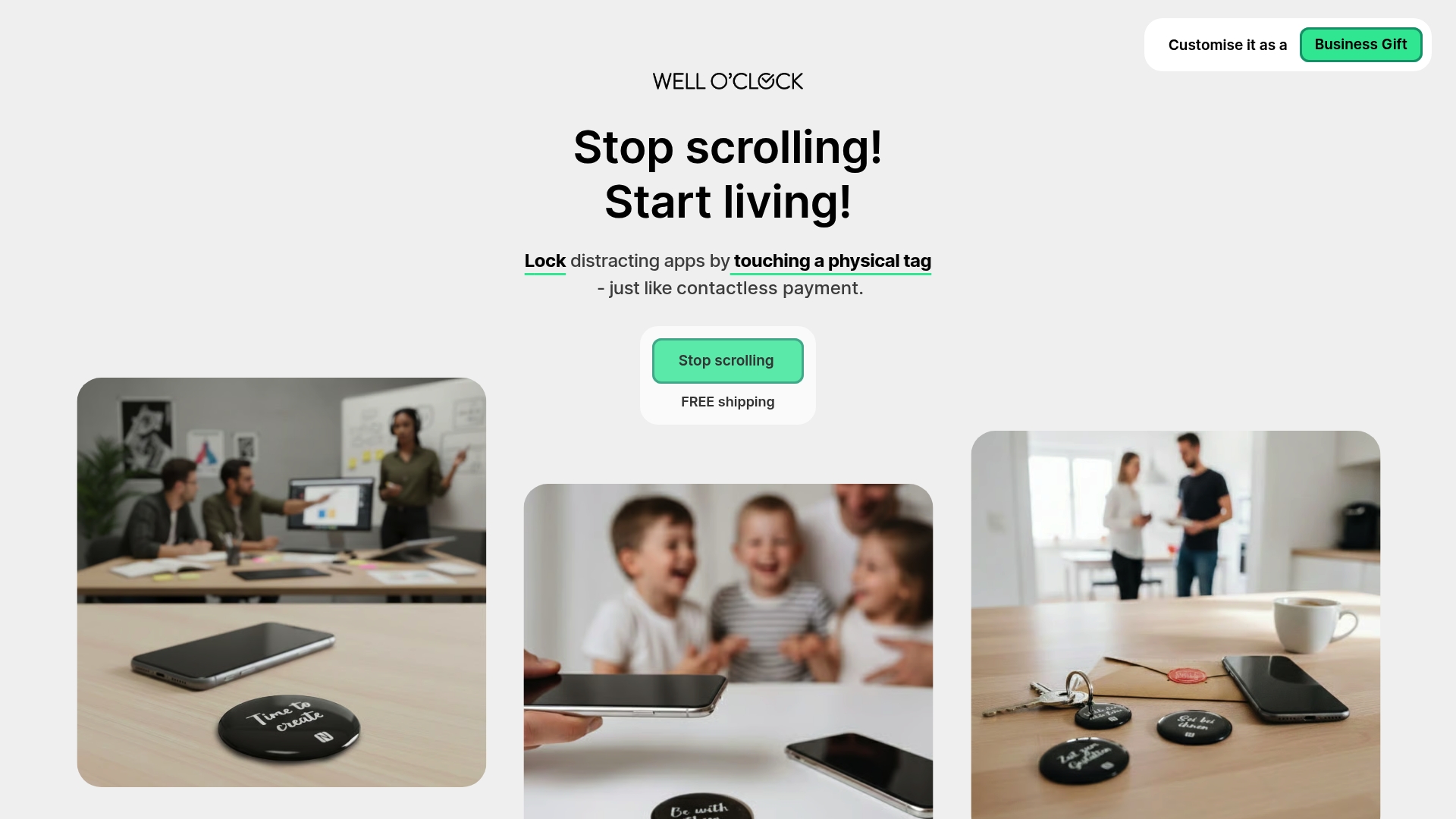
Start building tangible, outside-the-phone solutions that help your family unlock mental clarity and reduce screen time naturally. Explore how setting clear device boundaries and scheduling digital detox moments become easier with Well O’Clock’s customizable tools and see the difference it makes when you go beyond rules to action. Don’t wait to improve your loved ones’ focus and well-being visit Well O’Clock today and begin your journey toward healthier digital habits.
Learn more about how to use NFC technology for focus with Minimizing Device Distractions and get inspired by tips on Reducing Screen Time Naturally.
Frequently Asked Questions
How can we set clear device boundaries for each family member?
To set clear device boundaries, discuss and customize guidelines based on each family member's age and needs. For example, establish phone-free zones during meals and one screen at a time during family activities; start by implementing one rule at a time.
What are effective tech-free zones we can create at home?
Tech-free zones are specific areas where devices are not allowed, such as bedrooms, dining areas, and living rooms. Begin by designating at least one area as a tech-free zone, like the dining table, to promote in-person conversations.
How can we schedule daily digital detox times for our family?
You can schedule digital detox times by designating specific hours each day, such as during meals or the hour before bedtime, when everyone puts away their screens. Start with just 15 to 30 minutes daily and gradually increase this time as you adapt.
What are NFC tags, and how can they help limit distractions?
NFC tags are small devices that can lock distracting apps when you tap your phone against them. Use NFC tags to set up barriers for specific apps at certain times, like when you're working or during family meals, to improve focus and reduce distractions.
What screen-free activities can we engage in as a family?
Engaging in screen-free activities like arts and crafts, board games, or outdoor adventures are great ways to foster creativity and connection. Start by introducing one new activity each month that matches your family's interests, such as cooking or hiking together.
How can I model healthy digital habits for my kids?
Modeling healthy digital habits involves being intentional about your own screen usage. Make it a point to put your phone away during family time and discuss the benefits you notice, like improved focus or better sleep, to reinforce these habits for your children.

Mak Kordić
Co founder
Mak Kordić is the founder and CEO of CNJ Digital, an agency based in Ljubljana, where he and his team develop UX/UI and digital products for demanding B2B projects. Over his career, he has led and co-created hundreds of digital solutions and worked with international clients.








6 Practical Screen Time Reduction Tips for Busy Families
Mak Kordić
,
March 3, 2026
Screen time can quietly take over your family's routines before you even realize it. Phones during dinner, endless notifications, and bedtime scrolling can leave everyone feeling disconnected and restless. If you've tried shouting reminders or setting strict rules with little success, you're not alone.
The good news is you can create real change by using strategies that actually fit your family's needs. From setting up clear device boundaries to introducing tech-free zones and simple digital detox routines, you'll find solutions that encourage healthier relationships with technology. Get ready to discover practical steps that make devices less distracting and help your family reconnect - without conflict or confusion.
Table of Contents
- 1. Set Clear Device Boundaries for Each Family Member
- 2. Create Tech-Free Zones Throughout the Home
- 3. Schedule Digital Detox Times Daily
- 4. Use Physical NFC Tags to Lock Distracting Apps
- 5. Encourage Screen-Free Activities and Hobbies
- 6. Model Healthy Digital Habits as a Parent
1. Set Clear Device Boundaries for Each Family Member
Device boundaries work best when they're customized to each person's age, needs, and daily schedule. One family's perfect plan may look completely different from another's, and that's exactly how it should be. Your teenager needs different guidelines than your eight-year-old, and you probably need different rules than both of them.
Think of yourself as a technology coach rather than an enforcer. When you approach boundaries with curiosity instead of punishment, family members are more likely to embrace them. Ask your kids why they reach for their phones during dinner, and listen to their answers. This conversation builds buy-in faster than rules handed down from above.
Creating a personalized family media plan ensures that boundaries actually fit your real life. Start by identifying what matters most to your family:
- Phone-free zones such as the dinner table, bedrooms, and during homework time
- Specific times when devices power down, like 30 minutes before bed for everyone
- One screen at a time to prevent mindless switching between apps and platforms
- Autoplay and notifications turned off to reduce the constant pull back to apps
- Quality content choices that align with your family values
Built-in tools like Screen Time on iOS or Digital Wellbeing on Android give you concrete ways to enforce these boundaries without constant reminders. These tools show real usage data, which often surprises family members who don't realize how much time they're spending.
" Consistent communication about digital safety helps families stay aligned when boundaries feel challenging. "
Schedule a family reflection on tech habits every month. Ask what's working and what feels impossible. A boundary that works in January might need adjustment by March when schedules change.
Pro tip: Start with one boundary at a time rather than overhauling everything at once, giving your family time to adjust before adding another rule.
2. Create Tech-Free Zones Throughout the Home
Tech-free zones are designated physical spaces where devices simply don't belong. Unlike boundaries about when to use technology, these zones remove the temptation entirely by creating device-free sanctuaries throughout your home.
Your brain works differently in spaces without screens. When you enter a room and see no phones, tablets, or laptops, your nervous system relaxes. You're more likely to have actual conversations, focus on tasks, or simply rest without the constant pull of notifications.
The bedroom is the most important tech-free zone you can establish. Screens in sleeping areas disrupt sleep quality because blue light interferes with melatonin production. Your family sleeps better, wakes more refreshed, and feels less groggy during morning routines when bedrooms stay device-free.
Implementing tech-free zones at home creates a sanctuary for families to disconnect from digital distractions and reconnect in person. Quality time with board games, reading, or conversation happens naturally when screens aren't competing for attention.
Start with these high-impact zones:
- Bedrooms for better sleep and rest
- Dining areas during mealtimes for face-to-face conversation
- Living room during family time for shared activities
- Bathrooms to establish personal boundaries
- Entryway or kitchen where devices get stored during family hours
Make the rule clear and consistent. "No phones at the dinner table" works better than vague suggestions about using devices "less." When rules are specific, everyone knows exactly what to expect, and enforcement feels fair rather than arbitrary.
Your family might resist initially. That's normal. Frame it positively: you're gaining something (quality time, better sleep, real conversations) rather than losing something (their beloved devices).
" Clear agreements about tech-free zones help families establish boundaries that support mindful tech use and stronger relationships. "
Consider creating a physical charging station outside these zones. When devices live elsewhere during tech-free hours, the temptation to check them disappears. This also supports mindful tech habits by helping family members be more intentional about when they engage with screens.
Pro tip: Start with just one tech-free zone and one specific time window, then expand gradually as your family adapts to the new routine.
3. Schedule Digital Detox Times Daily
A digital detox is an intentional break from screens, and scheduling these breaks daily transforms how your family feels and functions. You don't need a week-long digital vacation to see results. Research shows that even short daily detoxes of 30 minutes significantly improve well-being when practiced consistently.
Timing matters more than duration. A digital detox before bed was associated with less phone use and better mood the following day. Morning detoxes also correlated with improved daily affect throughout the day. Your family's mood, sleep quality, and focus all improve when you protect specific hours from screen interference.
The challenge is consistency. One detox day won't change much, but 30 days of daily screen-free periods compounds into measurable mental health improvements. Your brain needs regular recovery time from the constant stimulation that devices provide.
Here's how to build sustainable digital detox routines:
- Choose specific times such as during meals, the hour before bed, or the first 30 minutes after waking
- Turn off notifications during detox periods so devices stop calling for attention
- Set app usage limits to reduce distractions when devices do turn back on
- Practice with your family so everyone supports each other during screen-free time
- Start small with 15 or 20 minutes if 30 feels overwhelming
Reducing screen time naturally for lasting focus requires establishing patterns your family can actually maintain. Pick times when screens cause the most problems. If bedtime chaos happens because everyone's scrolling, make that your detox window.
Your kids will complain initially. They're experiencing genuine withdrawal from the dopamine hit that apps deliver. Expect resistance for three to five days, then watch resistance fade as their bodies adjust.
" Regular practice of digital detox promotes clearer thinking, reduces stress, and creates space for real connection. "
Track what changes after two weeks of daily detoxes. You'll notice sharper focus, calmer evenings, better sleep, and fewer arguments about screen time. These wins motivate everyone to keep going.
Pro tip: Schedule your family's first detox during an activity you already enjoy together, like cooking, board games, or a walk, so the screen-free time feels like a bonus rather than deprivation.
4. Use Physical NFC Tags to Lock Distracting Apps
Physical NFC tags are small devices that trigger specific actions when you tap your phone against them. Unlike willpower alone, NFC tags create a tangible, physical barrier between you and your distracting apps. One tap locks down social media, messaging, or any app that pulls your attention away.
The beauty of this approach is that it moves the decision-making outside your phone. You're not scrolling through settings or trying to resist the urge to unlock restricted apps. You simply tap a tag on your desk, and the apps you've chosen to limit become inaccessible until you tap another tag to unlock them.
NFC technology uses close-range wireless communication to perform specific tasks. When you tap your phone against an NFC tag, it can trigger device modes, switch settings, or activate app-blocking profiles instantly. This automation removes friction from healthy choices and adds friction to unhealthy ones.
Physical tags work better than app-based solutions for one simple reason: they interrupt autopilot behavior. When you reach for your phone mindlessly, you can't access your apps without acknowledging the choice to tap a tag. That pause is powerful.
Here's where to place NFC tags for maximum impact:
- Your desk during focused work time to lock distracting apps
- Beside your bed to activate a bedtime mode that blocks notifications
- In the kitchen during family meals to keep everyone's phones locked
- By the front door to activate a home mode that limits certain apps
- At your workspace to create clear boundaries between work and browsing
Minimizing device distractions for greater focus requires removing temptation from reach. NFC tags do exactly that by creating a physical system outside the phone itself. You can't accidentally unlock apps by muscle memory when you have to physically tap a tag first.
Your family can customize their own tags based on what distracts them most. Your teenager might lock social media during homework time, while you lock email notifications during family dinner. Everyone's setup reflects their actual priorities.
" Physical NFC tags interrupt autopilot phone usage by creating a tangible, outside-the-phone solution that works when willpower fails."
Start with one tag in your most distraction-prone location. Experience how much focus improves when your phone simply won't open certain apps. Then expand to other locations and times as the habit takes hold.
Pro tip: Place your first NFC tag directly on or beside your work surface so tapping it becomes part of your focus routine, transforming it from a control mechanism into a ritual that signals your brain it's time to concentrate.
5. Encourage Screen-Free Activities and Hobbies
Screen-free activities aren't just a replacement for scrolling. They're the foundation of creativity, learning, and genuine connection that screens actively prevent. When your family engages in hands-on hobbies, their brains develop differently than when passively consuming content.
Challenging your kids to build, create, and explore stimulates imagination and problem-solving skills that video games simply don't develop. A child painting a picture, assembling a puzzle, or constructing a fort uses different neural pathways than one tapping a screen. These activities strengthen focus, patience, and independent thinking.
The shift from screen time to intentional activities also transforms family dynamics. Board games create conversation. Outdoor scavenger hunts build shared memories. Reading physical books before bed becomes a calming ritual. These aren't side benefits. They're the entire point.
Your family won't magically find these activities on their own. You have to introduce them, make them accessible, and participate alongside everyone else. Breaking screen addiction for mental clarity starts with filling the void that screens leave behind.
Here are screen-free activities your family can start this week:
- Arts and crafts like painting, drawing, or building with clay
- Board games and card games that encourage strategy and conversation
- Outdoor activities such as hiking, biking, or yard games
- Reading physical books together or independently
- Building projects with blocks, LEGO, or wood
- Cooking or baking as a family activity
- Puzzles and brain teasers that require sustained focus
Start with activities that match your family's actual interests. A parent who hates sports shouldn't force basketball. Your teenager who loves art should have quality supplies available. When activities align with genuine interests, they become habits rather than punishments.
" Screen-free activities contribute to mental well-being, reduce stress, and promote meaningful in-person connections that screens can never replicate. "
Rotate activities to prevent boredom. Try one new hobby each month. Some will stick. Others won't. The goal is discovery, not perfection.
Pro tip: Set up one "activity station" in a central location with supplies for multiple hobbies, making it easier for family members to grab something engaging when the urge to pick up their phones strikes.
6. Model Healthy Digital Habits as a Parent
Your kids are watching what you do with your phone far more closely than they listen to what you say about it. Parental modeling is the most powerful teaching tool you have, and it costs nothing except intentionality. If you want your family to reduce screen time, you have to show them it's possible.
Hypocrisy kills credibility instantly. You can't tell your teenager to put their phone away at dinner while you're scrolling through work emails. Your child notices. They remember. And they use it as evidence that your rules don't actually matter. You're asking them to do something you won't do yourself.
Managing your own screen time responsibly demonstrates that devices serve you instead of the other way around. When your kids see you pause before checking your phone, turn it off during family time, or leave it in another room, they absorb a powerful message about self-control and priorities.
Healthy digital habits start with parents managing their own screen time and demonstrating balanced behavior. Open communication about technology's role in your life creates space for honest conversations with your children.
Here's how to model healthy habits your family will notice:
- Keep your phone out of the bedroom so you sleep better and aren't tempted by notifications
- Put devices away during meals and make face-to-face conversation the priority
- Check your phone intentionally rather than constantly, showing kids the difference between mindful and mindless use
- Talk openly about why you're setting boundaries for yourself
- Admit when you struggle with phone habits instead of pretending it's easy
- Show alternatives by reading books, playing games, or engaging in hobbies they see
Your family watches how you handle stress, boredom, and anxiety. If you reach for your phone every time you feel uncomfortable, your kids learn that's the normal response. If you sit with discomfort, take a walk, or call a friend instead, you teach resilience.
" Consistent parental involvement and awareness of your own digital habits strengthen your credibility and your children's capacity to develop healthy practices. "
Your kids are more likely to follow your example than your rules. Make your example worth following.
Pro tip: Announce your own digital detox times to your family so they see you practicing what you preach, and celebrate the benefits you notice - better sleep, more focus, improved mood - to reinforce that healthy habits actually feel good.
Take Control of Your Family's Screen Time with Well O’Clock
Struggling to implement consistent boundaries and meaningful digital detox routines for your busy family The challenges of mindless scrolling and autopilot phone use can feel overwhelming. This article highlights how physical NFC tags can lock distracting apps and create real tech-free zones that lead to better focus, improved sleep, and stronger family connections. If you want a practical and proven system that transforms your family’s digital habits and supports healthier lifestyles check out how Well O’Clock’s unique approach blends physical tags with a user-friendly mobile app to break those autopilot behaviors.
Start building tangible, outside-the-phone solutions that help your family unlock mental clarity and reduce screen time naturally. Explore how setting clear device boundaries and scheduling digital detox moments become easier with Well O’Clock’s customizable tools and see the difference it makes when you go beyond rules to action. Don’t wait to improve your loved ones’ focus and well-being visit Well O’Clock today and begin your journey toward healthier digital habits.
Learn more about how to use NFC technology for focus with Minimizing Device Distractions and get inspired by tips on Reducing Screen Time Naturally.
Frequently Asked Questions
How can we set clear device boundaries for each family member?
To set clear device boundaries, discuss and customize guidelines based on each family member's age and needs. For example, establish phone-free zones during meals and one screen at a time during family activities; start by implementing one rule at a time.
What are effective tech-free zones we can create at home?
Tech-free zones are specific areas where devices are not allowed, such as bedrooms, dining areas, and living rooms. Begin by designating at least one area as a tech-free zone, like the dining table, to promote in-person conversations.
How can we schedule daily digital detox times for our family?
You can schedule digital detox times by designating specific hours each day, such as during meals or the hour before bedtime, when everyone puts away their screens. Start with just 15 to 30 minutes daily and gradually increase this time as you adapt.
What are NFC tags, and how can they help limit distractions?
NFC tags are small devices that can lock distracting apps when you tap your phone against them. Use NFC tags to set up barriers for specific apps at certain times, like when you're working or during family meals, to improve focus and reduce distractions.
What screen-free activities can we engage in as a family?
Engaging in screen-free activities like arts and crafts, board games, or outdoor adventures are great ways to foster creativity and connection. Start by introducing one new activity each month that matches your family's interests, such as cooking or hiking together.
How can I model healthy digital habits for my kids?
Modeling healthy digital habits involves being intentional about your own screen usage. Make it a point to put your phone away during family time and discuss the benefits you notice, like improved focus or better sleep, to reinforce these habits for your children.
Mak Kordić
Co founder
Mak Kordić is the founder and CEO of CNJ Digital, an agency based in Ljubljana, where he and his team develop UX/UI and digital products for demanding B2B projects. Over his career, he has led and co-created hundreds of digital solutions and worked with international clients.
6 Practical Screen Time Reduction Tips for Busy Families
Mak Kordić
,
March 3, 2026
Screen time can quietly take over your family's routines before you even realize it. Phones during dinner, endless notifications, and bedtime scrolling can leave everyone feeling disconnected and restless. If you've tried shouting reminders or setting strict rules with little success, you're not alone.
The good news is you can create real change by using strategies that actually fit your family's needs. From setting up clear device boundaries to introducing tech-free zones and simple digital detox routines, you'll find solutions that encourage healthier relationships with technology. Get ready to discover practical steps that make devices less distracting and help your family reconnect - without conflict or confusion.
Table of Contents
- 1. Set Clear Device Boundaries for Each Family Member
- 2. Create Tech-Free Zones Throughout the Home
- 3. Schedule Digital Detox Times Daily
- 4. Use Physical NFC Tags to Lock Distracting Apps
- 5. Encourage Screen-Free Activities and Hobbies
- 6. Model Healthy Digital Habits as a Parent
1. Set Clear Device Boundaries for Each Family Member
Device boundaries work best when they're customized to each person's age, needs, and daily schedule. One family's perfect plan may look completely different from another's, and that's exactly how it should be. Your teenager needs different guidelines than your eight-year-old, and you probably need different rules than both of them.
Think of yourself as a technology coach rather than an enforcer. When you approach boundaries with curiosity instead of punishment, family members are more likely to embrace them. Ask your kids why they reach for their phones during dinner, and listen to their answers. This conversation builds buy-in faster than rules handed down from above.
Creating a personalized family media plan ensures that boundaries actually fit your real life. Start by identifying what matters most to your family:
- Phone-free zones such as the dinner table, bedrooms, and during homework time
- Specific times when devices power down, like 30 minutes before bed for everyone
- One screen at a time to prevent mindless switching between apps and platforms
- Autoplay and notifications turned off to reduce the constant pull back to apps
- Quality content choices that align with your family values
Built-in tools like Screen Time on iOS or Digital Wellbeing on Android give you concrete ways to enforce these boundaries without constant reminders. These tools show real usage data, which often surprises family members who don't realize how much time they're spending.
" Consistent communication about digital safety helps families stay aligned when boundaries feel challenging. "
Schedule a family reflection on tech habits every month. Ask what's working and what feels impossible. A boundary that works in January might need adjustment by March when schedules change.
Pro tip: Start with one boundary at a time rather than overhauling everything at once, giving your family time to adjust before adding another rule.
2. Create Tech-Free Zones Throughout the Home
Tech-free zones are designated physical spaces where devices simply don't belong. Unlike boundaries about when to use technology, these zones remove the temptation entirely by creating device-free sanctuaries throughout your home.
Your brain works differently in spaces without screens. When you enter a room and see no phones, tablets, or laptops, your nervous system relaxes. You're more likely to have actual conversations, focus on tasks, or simply rest without the constant pull of notifications.
The bedroom is the most important tech-free zone you can establish. Screens in sleeping areas disrupt sleep quality because blue light interferes with melatonin production. Your family sleeps better, wakes more refreshed, and feels less groggy during morning routines when bedrooms stay device-free.
Implementing tech-free zones at home creates a sanctuary for families to disconnect from digital distractions and reconnect in person. Quality time with board games, reading, or conversation happens naturally when screens aren't competing for attention.
Start with these high-impact zones:
- Bedrooms for better sleep and rest
- Dining areas during mealtimes for face-to-face conversation
- Living room during family time for shared activities
- Bathrooms to establish personal boundaries
- Entryway or kitchen where devices get stored during family hours
Make the rule clear and consistent. "No phones at the dinner table" works better than vague suggestions about using devices "less." When rules are specific, everyone knows exactly what to expect, and enforcement feels fair rather than arbitrary.
Your family might resist initially. That's normal. Frame it positively: you're gaining something (quality time, better sleep, real conversations) rather than losing something (their beloved devices).
" Clear agreements about tech-free zones help families establish boundaries that support mindful tech use and stronger relationships. "
Consider creating a physical charging station outside these zones. When devices live elsewhere during tech-free hours, the temptation to check them disappears. This also supports mindful tech habits by helping family members be more intentional about when they engage with screens.
Pro tip: Start with just one tech-free zone and one specific time window, then expand gradually as your family adapts to the new routine.
3. Schedule Digital Detox Times Daily
A digital detox is an intentional break from screens, and scheduling these breaks daily transforms how your family feels and functions. You don't need a week-long digital vacation to see results. Research shows that even short daily detoxes of 30 minutes significantly improve well-being when practiced consistently.
Timing matters more than duration. A digital detox before bed was associated with less phone use and better mood the following day. Morning detoxes also correlated with improved daily affect throughout the day. Your family's mood, sleep quality, and focus all improve when you protect specific hours from screen interference.
The challenge is consistency. One detox day won't change much, but 30 days of daily screen-free periods compounds into measurable mental health improvements. Your brain needs regular recovery time from the constant stimulation that devices provide.
Here's how to build sustainable digital detox routines:
- Choose specific times such as during meals, the hour before bed, or the first 30 minutes after waking
- Turn off notifications during detox periods so devices stop calling for attention
- Set app usage limits to reduce distractions when devices do turn back on
- Practice with your family so everyone supports each other during screen-free time
- Start small with 15 or 20 minutes if 30 feels overwhelming
Reducing screen time naturally for lasting focus requires establishing patterns your family can actually maintain. Pick times when screens cause the most problems. If bedtime chaos happens because everyone's scrolling, make that your detox window.
Your kids will complain initially. They're experiencing genuine withdrawal from the dopamine hit that apps deliver. Expect resistance for three to five days, then watch resistance fade as their bodies adjust.
" Regular practice of digital detox promotes clearer thinking, reduces stress, and creates space for real connection. "
Track what changes after two weeks of daily detoxes. You'll notice sharper focus, calmer evenings, better sleep, and fewer arguments about screen time. These wins motivate everyone to keep going.
Pro tip: Schedule your family's first detox during an activity you already enjoy together, like cooking, board games, or a walk, so the screen-free time feels like a bonus rather than deprivation.
4. Use Physical NFC Tags to Lock Distracting Apps
Physical NFC tags are small devices that trigger specific actions when you tap your phone against them. Unlike willpower alone, NFC tags create a tangible, physical barrier between you and your distracting apps. One tap locks down social media, messaging, or any app that pulls your attention away.
The beauty of this approach is that it moves the decision-making outside your phone. You're not scrolling through settings or trying to resist the urge to unlock restricted apps. You simply tap a tag on your desk, and the apps you've chosen to limit become inaccessible until you tap another tag to unlock them.
NFC technology uses close-range wireless communication to perform specific tasks. When you tap your phone against an NFC tag, it can trigger device modes, switch settings, or activate app-blocking profiles instantly. This automation removes friction from healthy choices and adds friction to unhealthy ones.
Physical tags work better than app-based solutions for one simple reason: they interrupt autopilot behavior. When you reach for your phone mindlessly, you can't access your apps without acknowledging the choice to tap a tag. That pause is powerful.
Here's where to place NFC tags for maximum impact:
- Your desk during focused work time to lock distracting apps
- Beside your bed to activate a bedtime mode that blocks notifications
- In the kitchen during family meals to keep everyone's phones locked
- By the front door to activate a home mode that limits certain apps
- At your workspace to create clear boundaries between work and browsing
Minimizing device distractions for greater focus requires removing temptation from reach. NFC tags do exactly that by creating a physical system outside the phone itself. You can't accidentally unlock apps by muscle memory when you have to physically tap a tag first.
Your family can customize their own tags based on what distracts them most. Your teenager might lock social media during homework time, while you lock email notifications during family dinner. Everyone's setup reflects their actual priorities.
" Physical NFC tags interrupt autopilot phone usage by creating a tangible, outside-the-phone solution that works when willpower fails."
Start with one tag in your most distraction-prone location. Experience how much focus improves when your phone simply won't open certain apps. Then expand to other locations and times as the habit takes hold.
Pro tip: Place your first NFC tag directly on or beside your work surface so tapping it becomes part of your focus routine, transforming it from a control mechanism into a ritual that signals your brain it's time to concentrate.
5. Encourage Screen-Free Activities and Hobbies
Screen-free activities aren't just a replacement for scrolling. They're the foundation of creativity, learning, and genuine connection that screens actively prevent. When your family engages in hands-on hobbies, their brains develop differently than when passively consuming content.
Challenging your kids to build, create, and explore stimulates imagination and problem-solving skills that video games simply don't develop. A child painting a picture, assembling a puzzle, or constructing a fort uses different neural pathways than one tapping a screen. These activities strengthen focus, patience, and independent thinking.
The shift from screen time to intentional activities also transforms family dynamics. Board games create conversation. Outdoor scavenger hunts build shared memories. Reading physical books before bed becomes a calming ritual. These aren't side benefits. They're the entire point.
Your family won't magically find these activities on their own. You have to introduce them, make them accessible, and participate alongside everyone else. Breaking screen addiction for mental clarity starts with filling the void that screens leave behind.
Here are screen-free activities your family can start this week:
- Arts and crafts like painting, drawing, or building with clay
- Board games and card games that encourage strategy and conversation
- Outdoor activities such as hiking, biking, or yard games
- Reading physical books together or independently
- Building projects with blocks, LEGO, or wood
- Cooking or baking as a family activity
- Puzzles and brain teasers that require sustained focus
Start with activities that match your family's actual interests. A parent who hates sports shouldn't force basketball. Your teenager who loves art should have quality supplies available. When activities align with genuine interests, they become habits rather than punishments.
" Screen-free activities contribute to mental well-being, reduce stress, and promote meaningful in-person connections that screens can never replicate. "
Rotate activities to prevent boredom. Try one new hobby each month. Some will stick. Others won't. The goal is discovery, not perfection.
Pro tip: Set up one "activity station" in a central location with supplies for multiple hobbies, making it easier for family members to grab something engaging when the urge to pick up their phones strikes.
6. Model Healthy Digital Habits as a Parent
Your kids are watching what you do with your phone far more closely than they listen to what you say about it. Parental modeling is the most powerful teaching tool you have, and it costs nothing except intentionality. If you want your family to reduce screen time, you have to show them it's possible.
Hypocrisy kills credibility instantly. You can't tell your teenager to put their phone away at dinner while you're scrolling through work emails. Your child notices. They remember. And they use it as evidence that your rules don't actually matter. You're asking them to do something you won't do yourself.
Managing your own screen time responsibly demonstrates that devices serve you instead of the other way around. When your kids see you pause before checking your phone, turn it off during family time, or leave it in another room, they absorb a powerful message about self-control and priorities.
Healthy digital habits start with parents managing their own screen time and demonstrating balanced behavior. Open communication about technology's role in your life creates space for honest conversations with your children.
Here's how to model healthy habits your family will notice:
- Keep your phone out of the bedroom so you sleep better and aren't tempted by notifications
- Put devices away during meals and make face-to-face conversation the priority
- Check your phone intentionally rather than constantly, showing kids the difference between mindful and mindless use
- Talk openly about why you're setting boundaries for yourself
- Admit when you struggle with phone habits instead of pretending it's easy
- Show alternatives by reading books, playing games, or engaging in hobbies they see
Your family watches how you handle stress, boredom, and anxiety. If you reach for your phone every time you feel uncomfortable, your kids learn that's the normal response. If you sit with discomfort, take a walk, or call a friend instead, you teach resilience.
" Consistent parental involvement and awareness of your own digital habits strengthen your credibility and your children's capacity to develop healthy practices. "
Your kids are more likely to follow your example than your rules. Make your example worth following.
Pro tip: Announce your own digital detox times to your family so they see you practicing what you preach, and celebrate the benefits you notice - better sleep, more focus, improved mood - to reinforce that healthy habits actually feel good.
Take Control of Your Family's Screen Time with Well O’Clock
Struggling to implement consistent boundaries and meaningful digital detox routines for your busy family The challenges of mindless scrolling and autopilot phone use can feel overwhelming. This article highlights how physical NFC tags can lock distracting apps and create real tech-free zones that lead to better focus, improved sleep, and stronger family connections. If you want a practical and proven system that transforms your family’s digital habits and supports healthier lifestyles check out how Well O’Clock’s unique approach blends physical tags with a user-friendly mobile app to break those autopilot behaviors.
Start building tangible, outside-the-phone solutions that help your family unlock mental clarity and reduce screen time naturally. Explore how setting clear device boundaries and scheduling digital detox moments become easier with Well O’Clock’s customizable tools and see the difference it makes when you go beyond rules to action. Don’t wait to improve your loved ones’ focus and well-being visit Well O’Clock today and begin your journey toward healthier digital habits.
Learn more about how to use NFC technology for focus with Minimizing Device Distractions and get inspired by tips on Reducing Screen Time Naturally.
Frequently Asked Questions
How can we set clear device boundaries for each family member?
To set clear device boundaries, discuss and customize guidelines based on each family member's age and needs. For example, establish phone-free zones during meals and one screen at a time during family activities; start by implementing one rule at a time.
What are effective tech-free zones we can create at home?
Tech-free zones are specific areas where devices are not allowed, such as bedrooms, dining areas, and living rooms. Begin by designating at least one area as a tech-free zone, like the dining table, to promote in-person conversations.
How can we schedule daily digital detox times for our family?
You can schedule digital detox times by designating specific hours each day, such as during meals or the hour before bedtime, when everyone puts away their screens. Start with just 15 to 30 minutes daily and gradually increase this time as you adapt.
What are NFC tags, and how can they help limit distractions?
NFC tags are small devices that can lock distracting apps when you tap your phone against them. Use NFC tags to set up barriers for specific apps at certain times, like when you're working or during family meals, to improve focus and reduce distractions.
What screen-free activities can we engage in as a family?
Engaging in screen-free activities like arts and crafts, board games, or outdoor adventures are great ways to foster creativity and connection. Start by introducing one new activity each month that matches your family's interests, such as cooking or hiking together.
How can I model healthy digital habits for my kids?
Modeling healthy digital habits involves being intentional about your own screen usage. Make it a point to put your phone away during family time and discuss the benefits you notice, like improved focus or better sleep, to reinforce these habits for your children.
Mak Kordić
Co founder
Mak Kordić is the founder and CEO of CNJ Digital, an agency based in Ljubljana, where he and his team develop UX/UI and digital products for demanding B2B projects. Over his career, he has led and co-created hundreds of digital solutions and worked with international clients.