
Top tools for digital mindfulness to boost focus
Mak Kordić
,
April 17, 2026


Choosing the right digital mindfulness tool can feel overwhelming when dozens of apps promise to fix your screen time problem. You want something that actually works, not just another notification competing for your attention. The key is understanding what makes these tools effective and matching features to your specific needs, whether you're an individual seeking better focus or a corporate professional managing workplace distractions. This guide walks you through evidence-backed criteria for evaluating digital mindfulness solutions, highlights top tools with proven results, and helps you make an informed decision that fits your lifestyle and goals.
Table of Contents
- Key takeaways
- How to evaluate tools for digital mindfulness
- Top digital mindfulness tools for individuals
- Digital mindfulness solutions for corporate professionals
- Comparing the best tools: features, benefits, and user considerations
- Explore Well O'Clock to master digital mindfulness
- FAQ
How to evaluate tools for digital mindfulness
Before downloading yet another app, you need a framework for assessment. The most effective digital mindfulness tools share three core characteristics: they drive consistent engagement, offer personalized features, and integrate seamlessly into your existing routines. Research shows that engagement levels and dose-response correlate with symptom improvement in mindfulness apps, meaning the tool you actually use daily beats the one with the most features.
Start by examining what specific problem you're solving. Are you fighting bedtime scrolling, managing work interruptions, or trying to break autopilot phone checking? Different tools excel at different challenges. Screen time limits work well for general reduction, focus modes help during work blocks, and mindfulness guidance supports intentional breaks. The importance of app locking becomes clear when you need hard boundaries rather than gentle reminders.
Consider these evaluation criteria:
- Ease of setup and daily use without adding complexity
- Personalization options that adapt to your schedule and habits
- Data insights that show progress without creating anxiety
- Integration with your device ecosystem and workflow
- Evidence of effectiveness from studies or user outcomes
Pro Tip: Test a tool for at least 10 days before judging effectiveness. Initial friction is normal, and behavioral change requires time to show measurable results in focus and well-being.
The best tool is the one you'll actually open every day. Fancy features mean nothing if the interface frustrates you or the setup takes hours. Look for solutions that remove friction rather than add it, making mindful choices easier than mindless scrolling.
Top digital mindfulness tools for individuals
For individuals seeking practical solutions, several tools stand out for their proven impact and user-friendly design. Google Digital Wellbeing offers built-in timers, focus mode, and bedtime mode to manage screen time effectively, and it's completely free for Android users. This eliminates the barrier of downloading yet another app since it's already integrated into your phone's settings.
Research validates the effectiveness of structured mindfulness programs. A randomized controlled trial found that a 10-day mindfulness app program improved sleep efficiency and heart rate variability, with sustained effects lasting four weeks after completion. These aren't marginal improvements. Participants showed measurable changes in both subjective sleep quality and objective physiological markers.
Key features to look for in individual tools:
- App timers that automatically lock distracting applications after set periods
- Focus mode that silences notifications during designated work or rest blocks
- Bedtime schedules that dim screens and limit late-night access
- Usage dashboards showing daily and weekly patterns
- Guided mindfulness sessions for intentional breaks
The most effective approach combines multiple features rather than relying on a single tactic. You might use app timers during work hours, focus mode for deep tasks, and bedtime mode to protect sleep. This layered strategy addresses different contexts throughout your day.

Pro Tip: Start with your phone's built-in digital wellbeing features before exploring third-party apps. Native tools often integrate better with system functions and don't require additional permissions or subscriptions.
Consistent daily practice amplifies benefits over time. The same study showing sleep improvements noted that effects strengthened with regular engagement, suggesting that natural screen time reduction techniques work best when applied systematically rather than sporadically. Think of these tools as training wheels for new habits, not permanent solutions that do the work for you.
Digital mindfulness solutions for corporate professionals
Corporate environments present unique challenges that require specialized tools. Workplace digital mindfulness solutions focus on scheduling protected focus time, providing personalized mindfulness sessions, and generating aggregated wellbeing data that helps organizations identify systemic issues. Microsoft Viva Insights delivers personalized mindfulness practice and wellbeing analytics for corporates, integrating directly with Outlook and Teams to suggest breaks and block focus time.
These enterprise tools go beyond individual app timers by connecting to calendar systems, meeting schedules, and collaboration platforms. When your tool knows you have back-to-back video calls, it can automatically suggest micro-breaks or reschedule non-urgent notifications. This context-aware approach makes mindfulness practical in fast-paced work environments where every minute feels scheduled.
Corporate solutions typically include:
- Automated focus time blocking that protects calendar slots from meetings
- Personalized mindfulness content based on stress levels and work patterns
- Analytics dashboards showing team wellbeing trends without individual surveillance
- Integration with existing productivity tools to reduce app switching
- Customizable policies that respect company culture and work styles
The aggregated data component helps HR and leadership teams identify patterns. If analytics show that employees consistently work through lunch or respond to emails late at night, organizations can address cultural expectations rather than just telling individuals to practice better habits. This systemic approach tackles root causes instead of symptoms.
Implementation matters as much as features. The most sophisticated platform fails if employees see it as surveillance rather than support. Successful rollouts emphasize voluntary participation, transparent data usage, and clear boundaries between personal insights and organizational reporting. When done right, these tools help professionals apply workplace focus improvement strategies without adding administrative burden or privacy concerns.
Comparing the best tools: features, benefits, and user considerations
Meta-analysis research confirms that digital mindfulness apps show moderate effects on sleep quality and mental health outcomes. While moderate might sound underwhelming, these effect sizes translate to meaningful improvements for many users, particularly when combined with other healthy habits.
User considerations beyond features:
- Privacy: Does the tool collect sensitive data or share information with third parties?
- Sustainability: Can you maintain this solution long-term or will subscription fatigue set in?
- Flexibility: Does it adapt as your needs change or lock you into rigid patterns?
- Support: What happens when you need help or encounter technical issues?
Cost structures vary significantly. Free built-in options like Google Digital Wellbeing provide solid basics without ongoing expenses. Subscription mindfulness apps offer more content and personalization for monthly fees. Enterprise solutions require organizational commitment but spread costs across many users. Physical systems like NFC tags involve upfront investment but no recurring charges.
The app locking benefits become particularly relevant when comparing approaches. Software-only solutions rely on your willpower to not override restrictions, while physical interventions create genuine friction that disrupts autopilot behaviors. Consider your own patterns. If you frequently disable app timers when they activate, you might need a solution that puts the control mechanism outside your phone.
Explore Well O'Clock to master digital mindfulness
If you're ready to move beyond apps that you can easily ignore, Well O'Clock offers a different approach. The platform combines physical NFC tags with mobile app integration, creating a tangible solution that interrupts phone checking before it becomes mindless scrolling. You tap a physical tag to lock distracting apps, putting the control mechanism outside your device where it can't be bypassed with a quick settings toggle.
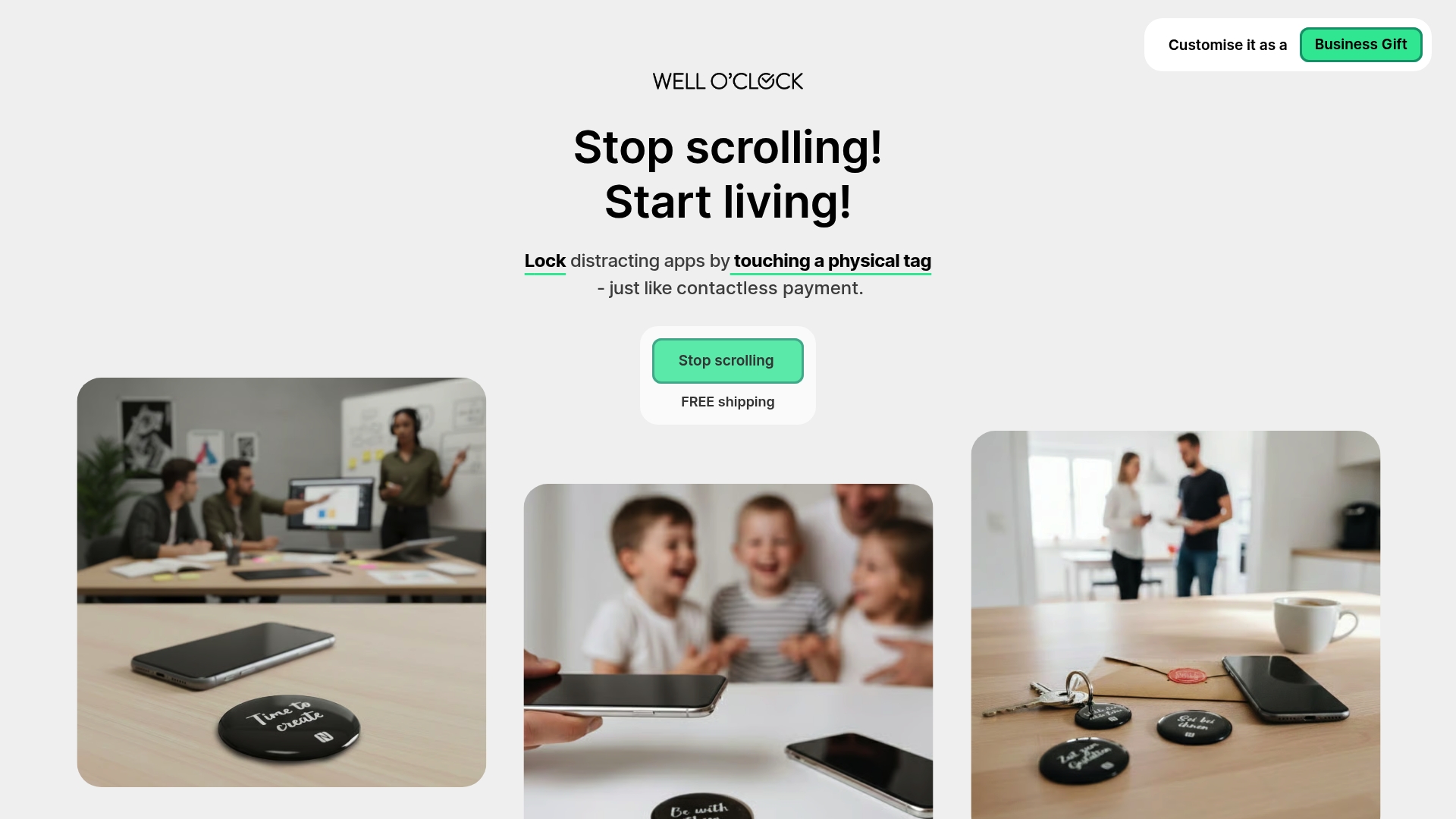
This system works for both individuals seeking better personal habits and corporate teams implementing wellness programs. The physical component addresses a core challenge with digital-only solutions: they're too easy to disable in moments of weakness. Well O'Clock helps you apply screen time reduction techniques that stick because they require physical action to override. Explore how app locking for wellness creates the boundaries you need to reclaim focus and reduce anxiety.
FAQ
What are digital mindfulness tools?
Digital mindfulness tools are applications, features, and systems designed to help users manage technology use and improve focus and mental well-being. They include built-in phone features like screen time limits, dedicated mindfulness apps offering guided sessions, and physical devices that create boundaries around device access. These tools encourage mindful digital habits by providing data insights, automated restrictions, and intentional breaks from screens.
How effective are mindfulness apps for improving sleep?
Research shows that mindfulness apps improve sleep efficiency and quality with moderate but meaningful effects. A randomized controlled trial found that a 10-day app-based program produced measurable improvements in sleep metrics and heart rate variability, with benefits lasting four weeks after completion. Effectiveness depends heavily on consistent daily use rather than sporadic engagement. Users who complete structured programs see better outcomes than those who use apps occasionally.
Can corporate digital mindfulness tools boost productivity?
Corporate tools help professionals manage workplace distractions through personalized mindfulness practice and focus time scheduling. Microsoft Viva Insights schedules focus time and provides wellbeing insights by integrating with existing workflow tools like calendars and email. Data insights support healthier work habits by identifying patterns like excessive after-hours communication or insufficient break time. These tools work best when organizations address cultural factors alongside individual behavior change.
What makes physical mindfulness tools different from apps?
Physical tools create tangible friction that interrupts autopilot behaviors more effectively than software alone. While apps can be disabled with a few taps during moments of weakness, physical systems require deliberate action to override restrictions. This external control mechanism helps users maintain boundaries they set during moments of clarity. Physical solutions work particularly well for individuals who find themselves frequently disabling app-based restrictions.
How do I choose between free and paid mindfulness tools?
Start with free built-in options like Google Digital Wellbeing to establish baseline habits without financial commitment. Upgrade to paid solutions only when you identify specific limitations in free tools that paid features would address. Consider whether you need guided content, advanced analytics, or specialized features that justify ongoing subscription costs. For corporate settings, enterprise tools often provide better integration and support that makes the investment worthwhile for team-wide implementation.

Mak Kordić
Co founder
Mak Kordić is the founder and CEO of CNJ Digital, an agency based in Ljubljana, where he and his team develop UX/UI and digital products for demanding B2B projects. Over his career, he has led and co-created hundreds of digital solutions and worked with international clients.







Top tools for digital mindfulness to boost focus
Mak Kordić
,
April 17, 2026
Choosing the right digital mindfulness tool can feel overwhelming when dozens of apps promise to fix your screen time problem. You want something that actually works, not just another notification competing for your attention. The key is understanding what makes these tools effective and matching features to your specific needs, whether you're an individual seeking better focus or a corporate professional managing workplace distractions. This guide walks you through evidence-backed criteria for evaluating digital mindfulness solutions, highlights top tools with proven results, and helps you make an informed decision that fits your lifestyle and goals.
Table of Contents
- Key takeaways
- How to evaluate tools for digital mindfulness
- Top digital mindfulness tools for individuals
- Digital mindfulness solutions for corporate professionals
- Comparing the best tools: features, benefits, and user considerations
- Explore Well O'Clock to master digital mindfulness
- FAQ
How to evaluate tools for digital mindfulness
Before downloading yet another app, you need a framework for assessment. The most effective digital mindfulness tools share three core characteristics: they drive consistent engagement, offer personalized features, and integrate seamlessly into your existing routines. Research shows that engagement levels and dose-response correlate with symptom improvement in mindfulness apps, meaning the tool you actually use daily beats the one with the most features.
Start by examining what specific problem you're solving. Are you fighting bedtime scrolling, managing work interruptions, or trying to break autopilot phone checking? Different tools excel at different challenges. Screen time limits work well for general reduction, focus modes help during work blocks, and mindfulness guidance supports intentional breaks. The importance of app locking becomes clear when you need hard boundaries rather than gentle reminders.
Consider these evaluation criteria:
- Ease of setup and daily use without adding complexity
- Personalization options that adapt to your schedule and habits
- Data insights that show progress without creating anxiety
- Integration with your device ecosystem and workflow
- Evidence of effectiveness from studies or user outcomes
Pro Tip: Test a tool for at least 10 days before judging effectiveness. Initial friction is normal, and behavioral change requires time to show measurable results in focus and well-being.
The best tool is the one you'll actually open every day. Fancy features mean nothing if the interface frustrates you or the setup takes hours. Look for solutions that remove friction rather than add it, making mindful choices easier than mindless scrolling.
Top digital mindfulness tools for individuals
For individuals seeking practical solutions, several tools stand out for their proven impact and user-friendly design. Google Digital Wellbeing offers built-in timers, focus mode, and bedtime mode to manage screen time effectively, and it's completely free for Android users. This eliminates the barrier of downloading yet another app since it's already integrated into your phone's settings.
Research validates the effectiveness of structured mindfulness programs. A randomized controlled trial found that a 10-day mindfulness app program improved sleep efficiency and heart rate variability, with sustained effects lasting four weeks after completion. These aren't marginal improvements. Participants showed measurable changes in both subjective sleep quality and objective physiological markers.
Key features to look for in individual tools:
- App timers that automatically lock distracting applications after set periods
- Focus mode that silences notifications during designated work or rest blocks
- Bedtime schedules that dim screens and limit late-night access
- Usage dashboards showing daily and weekly patterns
- Guided mindfulness sessions for intentional breaks
The most effective approach combines multiple features rather than relying on a single tactic. You might use app timers during work hours, focus mode for deep tasks, and bedtime mode to protect sleep. This layered strategy addresses different contexts throughout your day.
Pro Tip: Start with your phone's built-in digital wellbeing features before exploring third-party apps. Native tools often integrate better with system functions and don't require additional permissions or subscriptions.
Consistent daily practice amplifies benefits over time. The same study showing sleep improvements noted that effects strengthened with regular engagement, suggesting that natural screen time reduction techniques work best when applied systematically rather than sporadically. Think of these tools as training wheels for new habits, not permanent solutions that do the work for you.
Digital mindfulness solutions for corporate professionals
Corporate environments present unique challenges that require specialized tools. Workplace digital mindfulness solutions focus on scheduling protected focus time, providing personalized mindfulness sessions, and generating aggregated wellbeing data that helps organizations identify systemic issues. Microsoft Viva Insights delivers personalized mindfulness practice and wellbeing analytics for corporates, integrating directly with Outlook and Teams to suggest breaks and block focus time.
These enterprise tools go beyond individual app timers by connecting to calendar systems, meeting schedules, and collaboration platforms. When your tool knows you have back-to-back video calls, it can automatically suggest micro-breaks or reschedule non-urgent notifications. This context-aware approach makes mindfulness practical in fast-paced work environments where every minute feels scheduled.
Corporate solutions typically include:
- Automated focus time blocking that protects calendar slots from meetings
- Personalized mindfulness content based on stress levels and work patterns
- Analytics dashboards showing team wellbeing trends without individual surveillance
- Integration with existing productivity tools to reduce app switching
- Customizable policies that respect company culture and work styles
The aggregated data component helps HR and leadership teams identify patterns. If analytics show that employees consistently work through lunch or respond to emails late at night, organizations can address cultural expectations rather than just telling individuals to practice better habits. This systemic approach tackles root causes instead of symptoms.
Implementation matters as much as features. The most sophisticated platform fails if employees see it as surveillance rather than support. Successful rollouts emphasize voluntary participation, transparent data usage, and clear boundaries between personal insights and organizational reporting. When done right, these tools help professionals apply workplace focus improvement strategies without adding administrative burden or privacy concerns.
Comparing the best tools: features, benefits, and user considerations
Meta-analysis research confirms that digital mindfulness apps show moderate effects on sleep quality and mental health outcomes. While moderate might sound underwhelming, these effect sizes translate to meaningful improvements for many users, particularly when combined with other healthy habits.
User considerations beyond features:
- Privacy: Does the tool collect sensitive data or share information with third parties?
- Sustainability: Can you maintain this solution long-term or will subscription fatigue set in?
- Flexibility: Does it adapt as your needs change or lock you into rigid patterns?
- Support: What happens when you need help or encounter technical issues?
Cost structures vary significantly. Free built-in options like Google Digital Wellbeing provide solid basics without ongoing expenses. Subscription mindfulness apps offer more content and personalization for monthly fees. Enterprise solutions require organizational commitment but spread costs across many users. Physical systems like NFC tags involve upfront investment but no recurring charges.
The app locking benefits become particularly relevant when comparing approaches. Software-only solutions rely on your willpower to not override restrictions, while physical interventions create genuine friction that disrupts autopilot behaviors. Consider your own patterns. If you frequently disable app timers when they activate, you might need a solution that puts the control mechanism outside your phone.
Explore Well O'Clock to master digital mindfulness
If you're ready to move beyond apps that you can easily ignore, Well O'Clock offers a different approach. The platform combines physical NFC tags with mobile app integration, creating a tangible solution that interrupts phone checking before it becomes mindless scrolling. You tap a physical tag to lock distracting apps, putting the control mechanism outside your device where it can't be bypassed with a quick settings toggle.
This system works for both individuals seeking better personal habits and corporate teams implementing wellness programs. The physical component addresses a core challenge with digital-only solutions: they're too easy to disable in moments of weakness. Well O'Clock helps you apply screen time reduction techniques that stick because they require physical action to override. Explore how app locking for wellness creates the boundaries you need to reclaim focus and reduce anxiety.
FAQ
What are digital mindfulness tools?
Digital mindfulness tools are applications, features, and systems designed to help users manage technology use and improve focus and mental well-being. They include built-in phone features like screen time limits, dedicated mindfulness apps offering guided sessions, and physical devices that create boundaries around device access. These tools encourage mindful digital habits by providing data insights, automated restrictions, and intentional breaks from screens.
How effective are mindfulness apps for improving sleep?
Research shows that mindfulness apps improve sleep efficiency and quality with moderate but meaningful effects. A randomized controlled trial found that a 10-day app-based program produced measurable improvements in sleep metrics and heart rate variability, with benefits lasting four weeks after completion. Effectiveness depends heavily on consistent daily use rather than sporadic engagement. Users who complete structured programs see better outcomes than those who use apps occasionally.
Can corporate digital mindfulness tools boost productivity?
Corporate tools help professionals manage workplace distractions through personalized mindfulness practice and focus time scheduling. Microsoft Viva Insights schedules focus time and provides wellbeing insights by integrating with existing workflow tools like calendars and email. Data insights support healthier work habits by identifying patterns like excessive after-hours communication or insufficient break time. These tools work best when organizations address cultural factors alongside individual behavior change.
What makes physical mindfulness tools different from apps?
Physical tools create tangible friction that interrupts autopilot behaviors more effectively than software alone. While apps can be disabled with a few taps during moments of weakness, physical systems require deliberate action to override restrictions. This external control mechanism helps users maintain boundaries they set during moments of clarity. Physical solutions work particularly well for individuals who find themselves frequently disabling app-based restrictions.
How do I choose between free and paid mindfulness tools?
Start with free built-in options like Google Digital Wellbeing to establish baseline habits without financial commitment. Upgrade to paid solutions only when you identify specific limitations in free tools that paid features would address. Consider whether you need guided content, advanced analytics, or specialized features that justify ongoing subscription costs. For corporate settings, enterprise tools often provide better integration and support that makes the investment worthwhile for team-wide implementation.
Mak Kordić
Co founder
Mak Kordić is the founder and CEO of CNJ Digital, an agency based in Ljubljana, where he and his team develop UX/UI and digital products for demanding B2B projects. Over his career, he has led and co-created hundreds of digital solutions and worked with international clients.
Top tools for digital mindfulness to boost focus
Mak Kordić
,
April 17, 2026
Choosing the right digital mindfulness tool can feel overwhelming when dozens of apps promise to fix your screen time problem. You want something that actually works, not just another notification competing for your attention. The key is understanding what makes these tools effective and matching features to your specific needs, whether you're an individual seeking better focus or a corporate professional managing workplace distractions. This guide walks you through evidence-backed criteria for evaluating digital mindfulness solutions, highlights top tools with proven results, and helps you make an informed decision that fits your lifestyle and goals.
Table of Contents
- Key takeaways
- How to evaluate tools for digital mindfulness
- Top digital mindfulness tools for individuals
- Digital mindfulness solutions for corporate professionals
- Comparing the best tools: features, benefits, and user considerations
- Explore Well O'Clock to master digital mindfulness
- FAQ
How to evaluate tools for digital mindfulness
Before downloading yet another app, you need a framework for assessment. The most effective digital mindfulness tools share three core characteristics: they drive consistent engagement, offer personalized features, and integrate seamlessly into your existing routines. Research shows that engagement levels and dose-response correlate with symptom improvement in mindfulness apps, meaning the tool you actually use daily beats the one with the most features.
Start by examining what specific problem you're solving. Are you fighting bedtime scrolling, managing work interruptions, or trying to break autopilot phone checking? Different tools excel at different challenges. Screen time limits work well for general reduction, focus modes help during work blocks, and mindfulness guidance supports intentional breaks. The importance of app locking becomes clear when you need hard boundaries rather than gentle reminders.
Consider these evaluation criteria:
- Ease of setup and daily use without adding complexity
- Personalization options that adapt to your schedule and habits
- Data insights that show progress without creating anxiety
- Integration with your device ecosystem and workflow
- Evidence of effectiveness from studies or user outcomes
Pro Tip: Test a tool for at least 10 days before judging effectiveness. Initial friction is normal, and behavioral change requires time to show measurable results in focus and well-being.
The best tool is the one you'll actually open every day. Fancy features mean nothing if the interface frustrates you or the setup takes hours. Look for solutions that remove friction rather than add it, making mindful choices easier than mindless scrolling.
Top digital mindfulness tools for individuals
For individuals seeking practical solutions, several tools stand out for their proven impact and user-friendly design. Google Digital Wellbeing offers built-in timers, focus mode, and bedtime mode to manage screen time effectively, and it's completely free for Android users. This eliminates the barrier of downloading yet another app since it's already integrated into your phone's settings.
Research validates the effectiveness of structured mindfulness programs. A randomized controlled trial found that a 10-day mindfulness app program improved sleep efficiency and heart rate variability, with sustained effects lasting four weeks after completion. These aren't marginal improvements. Participants showed measurable changes in both subjective sleep quality and objective physiological markers.
Key features to look for in individual tools:
- App timers that automatically lock distracting applications after set periods
- Focus mode that silences notifications during designated work or rest blocks
- Bedtime schedules that dim screens and limit late-night access
- Usage dashboards showing daily and weekly patterns
- Guided mindfulness sessions for intentional breaks
The most effective approach combines multiple features rather than relying on a single tactic. You might use app timers during work hours, focus mode for deep tasks, and bedtime mode to protect sleep. This layered strategy addresses different contexts throughout your day.
Pro Tip: Start with your phone's built-in digital wellbeing features before exploring third-party apps. Native tools often integrate better with system functions and don't require additional permissions or subscriptions.
Consistent daily practice amplifies benefits over time. The same study showing sleep improvements noted that effects strengthened with regular engagement, suggesting that natural screen time reduction techniques work best when applied systematically rather than sporadically. Think of these tools as training wheels for new habits, not permanent solutions that do the work for you.
Digital mindfulness solutions for corporate professionals
Corporate environments present unique challenges that require specialized tools. Workplace digital mindfulness solutions focus on scheduling protected focus time, providing personalized mindfulness sessions, and generating aggregated wellbeing data that helps organizations identify systemic issues. Microsoft Viva Insights delivers personalized mindfulness practice and wellbeing analytics for corporates, integrating directly with Outlook and Teams to suggest breaks and block focus time.
These enterprise tools go beyond individual app timers by connecting to calendar systems, meeting schedules, and collaboration platforms. When your tool knows you have back-to-back video calls, it can automatically suggest micro-breaks or reschedule non-urgent notifications. This context-aware approach makes mindfulness practical in fast-paced work environments where every minute feels scheduled.
Corporate solutions typically include:
- Automated focus time blocking that protects calendar slots from meetings
- Personalized mindfulness content based on stress levels and work patterns
- Analytics dashboards showing team wellbeing trends without individual surveillance
- Integration with existing productivity tools to reduce app switching
- Customizable policies that respect company culture and work styles
The aggregated data component helps HR and leadership teams identify patterns. If analytics show that employees consistently work through lunch or respond to emails late at night, organizations can address cultural expectations rather than just telling individuals to practice better habits. This systemic approach tackles root causes instead of symptoms.
Implementation matters as much as features. The most sophisticated platform fails if employees see it as surveillance rather than support. Successful rollouts emphasize voluntary participation, transparent data usage, and clear boundaries between personal insights and organizational reporting. When done right, these tools help professionals apply workplace focus improvement strategies without adding administrative burden or privacy concerns.
Comparing the best tools: features, benefits, and user considerations
Meta-analysis research confirms that digital mindfulness apps show moderate effects on sleep quality and mental health outcomes. While moderate might sound underwhelming, these effect sizes translate to meaningful improvements for many users, particularly when combined with other healthy habits.
User considerations beyond features:
- Privacy: Does the tool collect sensitive data or share information with third parties?
- Sustainability: Can you maintain this solution long-term or will subscription fatigue set in?
- Flexibility: Does it adapt as your needs change or lock you into rigid patterns?
- Support: What happens when you need help or encounter technical issues?
Cost structures vary significantly. Free built-in options like Google Digital Wellbeing provide solid basics without ongoing expenses. Subscription mindfulness apps offer more content and personalization for monthly fees. Enterprise solutions require organizational commitment but spread costs across many users. Physical systems like NFC tags involve upfront investment but no recurring charges.
The app locking benefits become particularly relevant when comparing approaches. Software-only solutions rely on your willpower to not override restrictions, while physical interventions create genuine friction that disrupts autopilot behaviors. Consider your own patterns. If you frequently disable app timers when they activate, you might need a solution that puts the control mechanism outside your phone.
Explore Well O'Clock to master digital mindfulness
If you're ready to move beyond apps that you can easily ignore, Well O'Clock offers a different approach. The platform combines physical NFC tags with mobile app integration, creating a tangible solution that interrupts phone checking before it becomes mindless scrolling. You tap a physical tag to lock distracting apps, putting the control mechanism outside your device where it can't be bypassed with a quick settings toggle.
This system works for both individuals seeking better personal habits and corporate teams implementing wellness programs. The physical component addresses a core challenge with digital-only solutions: they're too easy to disable in moments of weakness. Well O'Clock helps you apply screen time reduction techniques that stick because they require physical action to override. Explore how app locking for wellness creates the boundaries you need to reclaim focus and reduce anxiety.
FAQ
What are digital mindfulness tools?
Digital mindfulness tools are applications, features, and systems designed to help users manage technology use and improve focus and mental well-being. They include built-in phone features like screen time limits, dedicated mindfulness apps offering guided sessions, and physical devices that create boundaries around device access. These tools encourage mindful digital habits by providing data insights, automated restrictions, and intentional breaks from screens.
How effective are mindfulness apps for improving sleep?
Research shows that mindfulness apps improve sleep efficiency and quality with moderate but meaningful effects. A randomized controlled trial found that a 10-day app-based program produced measurable improvements in sleep metrics and heart rate variability, with benefits lasting four weeks after completion. Effectiveness depends heavily on consistent daily use rather than sporadic engagement. Users who complete structured programs see better outcomes than those who use apps occasionally.
Can corporate digital mindfulness tools boost productivity?
Corporate tools help professionals manage workplace distractions through personalized mindfulness practice and focus time scheduling. Microsoft Viva Insights schedules focus time and provides wellbeing insights by integrating with existing workflow tools like calendars and email. Data insights support healthier work habits by identifying patterns like excessive after-hours communication or insufficient break time. These tools work best when organizations address cultural factors alongside individual behavior change.
What makes physical mindfulness tools different from apps?
Physical tools create tangible friction that interrupts autopilot behaviors more effectively than software alone. While apps can be disabled with a few taps during moments of weakness, physical systems require deliberate action to override restrictions. This external control mechanism helps users maintain boundaries they set during moments of clarity. Physical solutions work particularly well for individuals who find themselves frequently disabling app-based restrictions.
How do I choose between free and paid mindfulness tools?
Start with free built-in options like Google Digital Wellbeing to establish baseline habits without financial commitment. Upgrade to paid solutions only when you identify specific limitations in free tools that paid features would address. Consider whether you need guided content, advanced analytics, or specialized features that justify ongoing subscription costs. For corporate settings, enterprise tools often provide better integration and support that makes the investment worthwhile for team-wide implementation.
Mak Kordić
Co founder
Mak Kordić is the founder and CEO of CNJ Digital, an agency based in Ljubljana, where he and his team develop UX/UI and digital products for demanding B2B projects. Over his career, he has led and co-created hundreds of digital solutions and worked with international clients.