
What is app blocking? Boost focus by managing screen time
Mak Kordić
,
March 19, 2026

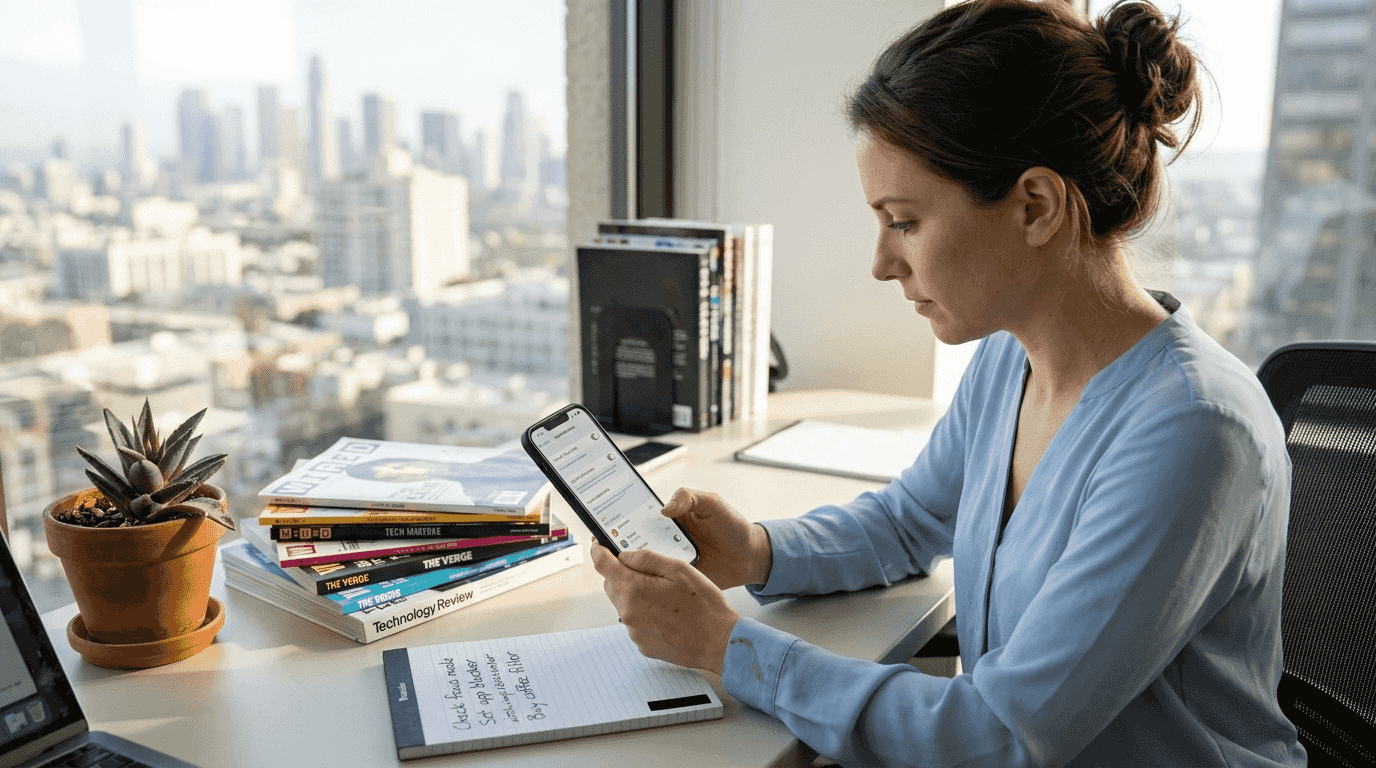
Most people think reducing app usage is just about willpower, but that's a misconception. App blocking uses technology to help you regain control over your digital life. Excessive screen time quietly drains focus, disrupts sleep, and weakens relationships. This guide explains what app blocking is, how it works across devices, and how it can transform your mental well-being and productivity through intentional device use.
Table of Contents
- What Is App Blocking And Why It Matters
- How App Blocking Works Today On IOS And Android Devices
- Evidence And Benefits Of Using App Blockers To Reduce Screen Time
- Practical Ways To Apply App Blocking For Better Well-Being And Productivity
- Discover Well O'Clock For Smarter App Blocking
- What Is App Blocking? Frequently Asked Questions
What is app blocking and why it matters
App blocking refers to software tools or features that monitor and restrict access to specific applications on your device. Think of it as a digital gatekeeper that helps you control when and how you use certain apps.
Users need app blocking for managing children's screen time, preventing unauthorized app usage, maintaining workplace productivity, or controlling content access. Parents use it to protect kids from inappropriate content. Professionals deploy it to stay focused during work hours. Individuals struggling with compulsive app checking rely on it to break autopilot behaviors.
App blocking relates directly to screen time management and mental well-being. By restricting access to distracting apps, you transform your device from a source of endless distraction into a tool for intentional use. This shift improves focus, reduces anxiety, and creates healthier digital boundaries.
The essential reasons for app locking extend beyond simple restriction. App blocking helps you recognize patterns, build awareness of your device habits, and create space for activities that truly matter.
Pro Tip: Choose app blockers that align with your specific goals, whether that's productivity, parental control, or personal wellness, to maximize effectiveness.
How app blocking works today on iOS and Android devices
iOS devices use Screen Time APIs to enable sophisticated app blocking. App blockers utilize the Family Controls, Managed Settings, and Device Activity frameworks on iOS to monitor and restrict app usage. These frameworks provide system-level enforcement, meaning blocked apps cannot be accessed even if users try workarounds.
iOS app blocking features include temporary unlocks that automatically relock apps after a set period, custom blocking screens that replace app icons, and category-based restrictions that block entire groups like social media or gaming apps simultaneously. The system operates at the operating system level, making it nearly impossible to bypass without device credentials.
Android takes a different approach. App blocking on Android restricts application access while keeping them installed and functional for authorized users. This works across multiple device brands and Android versions, though implementation varies by manufacturer.
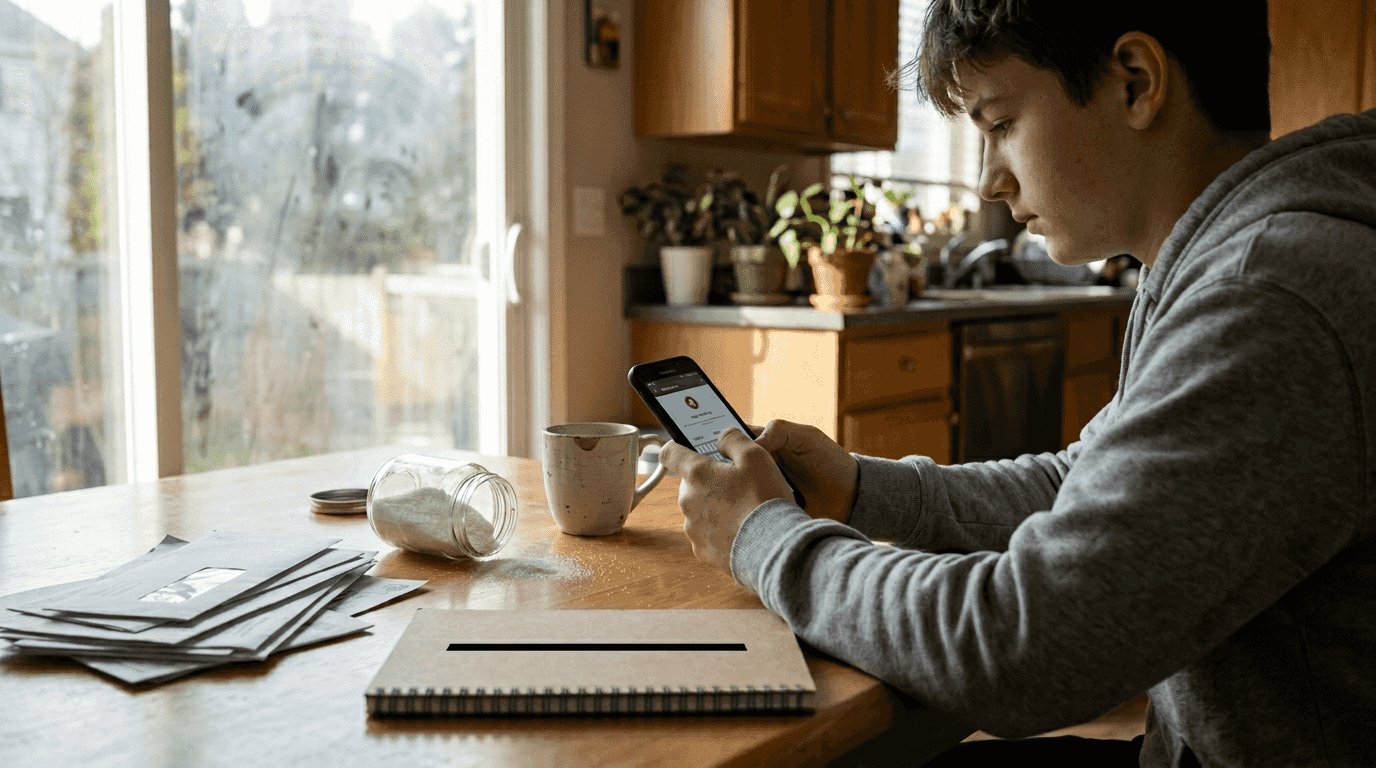
Common features across both platforms include:
- Category blocking to restrict entire app groups
- Scheduling to set specific blocking times
- Domain blocking to prevent access to certain websites
- Real-time monitoring to track usage patterns
- Password protection to prevent unauthorized changes
These technical capabilities enable mindful phone use techniques that help families and individuals build healthier digital habits.
Evidence and benefits of using app blockers to reduce screen time
Research provides compelling evidence for app blocking effectiveness. The intervention version that included core, LOCKOUT, TEXT, EARN components reduced recreational sedentary screen time by over 2 hours per day. This reduction represents a significant improvement in daily time allocation.
User satisfaction rates remain remarkably high. Participants were satisfied with the app, with over 94% finding it helpful for screen time reduction. These satisfaction rates indicate that users accept and value app blocking tools when properly implemented.
The data reveals substantial improvements across multiple dimensions. Reducing screen time by over two hours daily creates space for sleep, exercise, social connection, and productive work.
" The intervention that included app blocking features reduced recreational sedentary screen time by over 125 minutes per day, demonstrating the powerful impact of combining behavioral techniques with technology-based restrictions. "
Beyond screen time reduction, app blocking correlates with improved mental health outcomes. Excessive screen time links to increased anxiety, depression, and sleep disturbances, as documented in research on mental health effects of screen time. By limiting problematic app usage, individuals report better mood, improved sleep quality, and enhanced overall well-being.
These practical screen time tips work best when combined with app blocking technology for sustained behavior change.
Pro Tip: Combining behavioral techniques like awareness training and goal setting with app blocking technology maximizes health and productivity benefits compared to using either approach alone.
Practical ways to apply app blocking for better well-being and productivity
Implementing app blocking effectively requires a structured approach:
1. Identify your distraction triggers by tracking which apps consume most of your time.
2. Choose an app blocking solution that matches your device platform and specific needs.
3. Start with blocking your top three most distracting apps during peak productivity hours.
4. Gradually expand your blocking schedule as you build new habits and see results.
5. Set realistic expectations, understanding that adjustment takes time and experimentation.
6. Review your blocking schedules weekly to refine what works and adjust what doesn't.
Best practices for successful app blocking include:
- Set realistic schedules that you can maintain consistently rather than overly restrictive rules you'll abandon.
- Block distracting categories like social media, gaming, or news during work or family time.
- Use time-based blocking rules that align with your daily routines and energy patterns.
- Create exceptions for emergencies while maintaining general restrictions for discipline.
- Combine app blocking with physical environmental changes like keeping devices out of bedrooms.
Domain blocking offers powerful targeted control. Block food delivery apps during lunch hours to encourage home-cooked meals. Restrict gambling or shopping sites at night when impulse control weakens. Limit news websites during morning routines to protect mental energy for important tasks.
Pairing app blocking with natural screen time reduction methods creates synergistic effects. Physical strategies like designated phone-free zones complement digital restrictions from app blockers. Together, they reinforce new habits more effectively than either approach alone.
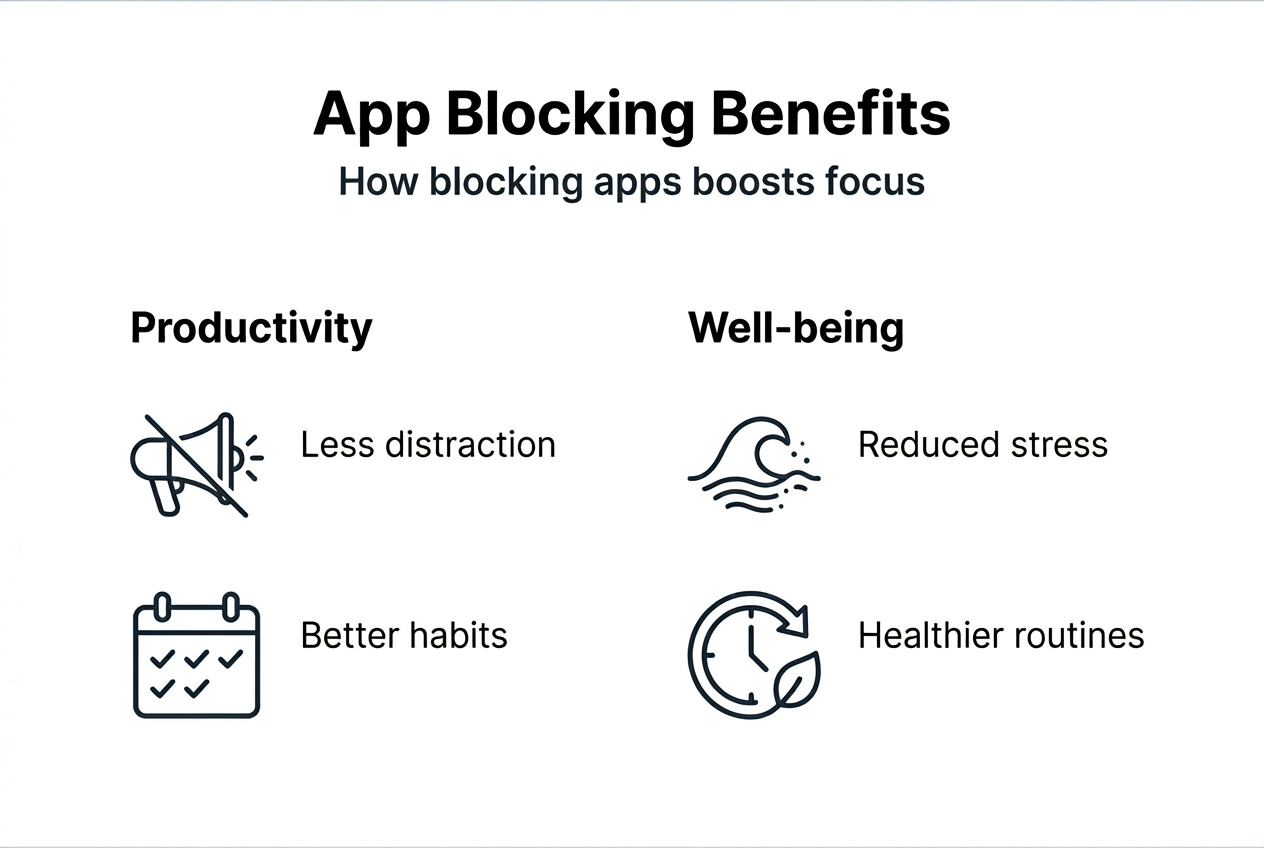
The key to sustained success lies in regular adjustment. Your needs change, your habits evolve, and your blocking schedules should adapt accordingly. Tools that help you boost productivity with screen time tools work best when customized to your unique situation.
Pro Tip: Review and adjust your blocking schedules monthly to stay aligned with evolving habits and goals, ensuring your system remains effective as your life circumstances change.
Discover Well O'Clock for smarter app blocking
If you're ready to take control of your screen time, Well O'Clock offers an innovative approach to app blocking and digital wellness.
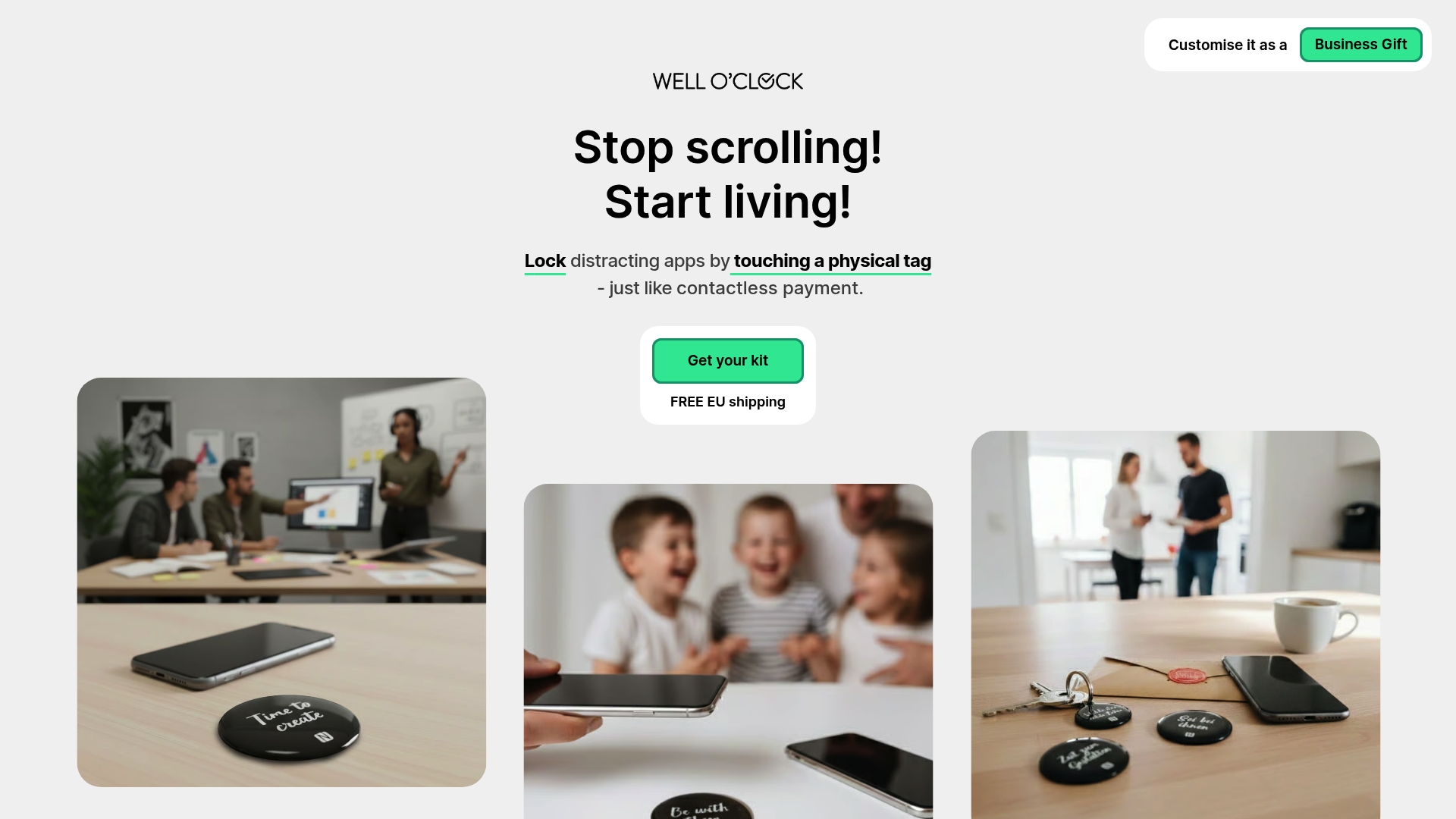
Well O'Clock combines physical NFC tags with smart app blocking to help you break autopilot phone checking. Simply tap a physical tag to lock distracting apps, creating a tangible interruption that builds awareness and intention. The system includes customizable blocking schedules, category restrictions, and an intuitive interface designed specifically for mental well-being and productivity.
Unlike purely digital solutions, Well O'Clock's physical component makes app blocking feel real and concrete. This tangible approach complements the evidence-based strategies discussed throughout this guide. Visit the Well O'Clock time management app to start reclaiming your time and focus today.
Pro Tip: Trying Well O'Clock alongside other screen time reduction strategies creates powerful synergy for building lasting digital wellness habits.
Frequently asked questions
What devices support app blocking and how does it differ by platform?
iOS and Android both support app blocking, though implementation differs significantly. iOS offers deep system-level integration through Screen Time APIs, making blocks very difficult to bypass. Android support varies by manufacturer and version, with Samsung, Google Pixel, and other major brands offering native solutions, while older devices may require third-party apps.
Can app blocking help with addiction to social media or gaming?
Yes, app blocking serves as an effective intervention tool for problematic app usage patterns. Research shows that blocking features reduce recreational screen time by over two hours daily. However, app blocking works best as part of a comprehensive approach that includes behavioral awareness, goal setting, and addressing underlying triggers for compulsive usage.
Are app blockers customizable to fit different user needs and schedules?
Modern app blockers offer extensive customization options. You can block specific apps or entire categories, set time-based rules for different days, create exceptions for emergencies, and adjust blocking intensity over time. Premium solutions often include location-based blocking, usage quotas, and detailed analytics to refine your approach based on actual behavior patterns.
Is app blocking detectable or possible to bypass?
App blocking on iOS using Screen Time features is extremely difficult to bypass without device passcodes. Android implementations vary in security strength depending on the specific blocking method used. Some users attempt workarounds like reinstalling apps or using web versions, which is why combining technical blocking with behavioral commitment produces the best results for sustained change.
How does app blocking relate to overall digital wellness strategies?
App blocking represents one component of comprehensive digital wellness. It works synergistically with practices like device-free zones, scheduled disconnection periods, mindfulness training, and physical activity. The most successful approaches combine app blocking technology with environmental changes, social support, and ongoing reflection about your relationship with technology and its role in your life goals.

Mak Kordić
Co founder
Mak Kordić is the founder and CEO of CNJ Digital, an agency based in Ljubljana, where he and his team develop UX/UI and digital products for demanding B2B projects. Over his career, he has led and co-created hundreds of digital solutions and worked with international clients.







What is app blocking? Boost focus by managing screen time
Mak Kordić
,
March 19, 2026
Most people think reducing app usage is just about willpower, but that's a misconception. App blocking uses technology to help you regain control over your digital life. Excessive screen time quietly drains focus, disrupts sleep, and weakens relationships. This guide explains what app blocking is, how it works across devices, and how it can transform your mental well-being and productivity through intentional device use.
Table of Contents
- What Is App Blocking And Why It Matters
- How App Blocking Works Today On IOS And Android Devices
- Evidence And Benefits Of Using App Blockers To Reduce Screen Time
- Practical Ways To Apply App Blocking For Better Well-Being And Productivity
- Discover Well O'Clock For Smarter App Blocking
- What Is App Blocking? Frequently Asked Questions
What is app blocking and why it matters
App blocking refers to software tools or features that monitor and restrict access to specific applications on your device. Think of it as a digital gatekeeper that helps you control when and how you use certain apps.
Users need app blocking for managing children's screen time, preventing unauthorized app usage, maintaining workplace productivity, or controlling content access. Parents use it to protect kids from inappropriate content. Professionals deploy it to stay focused during work hours. Individuals struggling with compulsive app checking rely on it to break autopilot behaviors.
App blocking relates directly to screen time management and mental well-being. By restricting access to distracting apps, you transform your device from a source of endless distraction into a tool for intentional use. This shift improves focus, reduces anxiety, and creates healthier digital boundaries.
The essential reasons for app locking extend beyond simple restriction. App blocking helps you recognize patterns, build awareness of your device habits, and create space for activities that truly matter.
Pro Tip: Choose app blockers that align with your specific goals, whether that's productivity, parental control, or personal wellness, to maximize effectiveness.
How app blocking works today on iOS and Android devices
iOS devices use Screen Time APIs to enable sophisticated app blocking. App blockers utilize the Family Controls, Managed Settings, and Device Activity frameworks on iOS to monitor and restrict app usage. These frameworks provide system-level enforcement, meaning blocked apps cannot be accessed even if users try workarounds.
iOS app blocking features include temporary unlocks that automatically relock apps after a set period, custom blocking screens that replace app icons, and category-based restrictions that block entire groups like social media or gaming apps simultaneously. The system operates at the operating system level, making it nearly impossible to bypass without device credentials.
Android takes a different approach. App blocking on Android restricts application access while keeping them installed and functional for authorized users. This works across multiple device brands and Android versions, though implementation varies by manufacturer.
Common features across both platforms include:
- Category blocking to restrict entire app groups
- Scheduling to set specific blocking times
- Domain blocking to prevent access to certain websites
- Real-time monitoring to track usage patterns
- Password protection to prevent unauthorized changes
These technical capabilities enable mindful phone use techniques that help families and individuals build healthier digital habits.
Evidence and benefits of using app blockers to reduce screen time
Research provides compelling evidence for app blocking effectiveness. The intervention version that included core, LOCKOUT, TEXT, EARN components reduced recreational sedentary screen time by over 2 hours per day. This reduction represents a significant improvement in daily time allocation.
User satisfaction rates remain remarkably high. Participants were satisfied with the app, with over 94% finding it helpful for screen time reduction. These satisfaction rates indicate that users accept and value app blocking tools when properly implemented.
The data reveals substantial improvements across multiple dimensions. Reducing screen time by over two hours daily creates space for sleep, exercise, social connection, and productive work.
" The intervention that included app blocking features reduced recreational sedentary screen time by over 125 minutes per day, demonstrating the powerful impact of combining behavioral techniques with technology-based restrictions. "
Beyond screen time reduction, app blocking correlates with improved mental health outcomes. Excessive screen time links to increased anxiety, depression, and sleep disturbances, as documented in research on mental health effects of screen time. By limiting problematic app usage, individuals report better mood, improved sleep quality, and enhanced overall well-being.
These practical screen time tips work best when combined with app blocking technology for sustained behavior change.
Pro Tip: Combining behavioral techniques like awareness training and goal setting with app blocking technology maximizes health and productivity benefits compared to using either approach alone.
Practical ways to apply app blocking for better well-being and productivity
Implementing app blocking effectively requires a structured approach:
1. Identify your distraction triggers by tracking which apps consume most of your time.
2. Choose an app blocking solution that matches your device platform and specific needs.
3. Start with blocking your top three most distracting apps during peak productivity hours.
4. Gradually expand your blocking schedule as you build new habits and see results.
5. Set realistic expectations, understanding that adjustment takes time and experimentation.
6. Review your blocking schedules weekly to refine what works and adjust what doesn't.
Best practices for successful app blocking include:
- Set realistic schedules that you can maintain consistently rather than overly restrictive rules you'll abandon.
- Block distracting categories like social media, gaming, or news during work or family time.
- Use time-based blocking rules that align with your daily routines and energy patterns.
- Create exceptions for emergencies while maintaining general restrictions for discipline.
- Combine app blocking with physical environmental changes like keeping devices out of bedrooms.
Domain blocking offers powerful targeted control. Block food delivery apps during lunch hours to encourage home-cooked meals. Restrict gambling or shopping sites at night when impulse control weakens. Limit news websites during morning routines to protect mental energy for important tasks.
Pairing app blocking with natural screen time reduction methods creates synergistic effects. Physical strategies like designated phone-free zones complement digital restrictions from app blockers. Together, they reinforce new habits more effectively than either approach alone.
The key to sustained success lies in regular adjustment. Your needs change, your habits evolve, and your blocking schedules should adapt accordingly. Tools that help you boost productivity with screen time tools work best when customized to your unique situation.
Pro Tip: Review and adjust your blocking schedules monthly to stay aligned with evolving habits and goals, ensuring your system remains effective as your life circumstances change.
Discover Well O'Clock for smarter app blocking
If you're ready to take control of your screen time, Well O'Clock offers an innovative approach to app blocking and digital wellness.
Well O'Clock combines physical NFC tags with smart app blocking to help you break autopilot phone checking. Simply tap a physical tag to lock distracting apps, creating a tangible interruption that builds awareness and intention. The system includes customizable blocking schedules, category restrictions, and an intuitive interface designed specifically for mental well-being and productivity.
Unlike purely digital solutions, Well O'Clock's physical component makes app blocking feel real and concrete. This tangible approach complements the evidence-based strategies discussed throughout this guide. Visit the Well O'Clock time management app to start reclaiming your time and focus today.
Pro Tip: Trying Well O'Clock alongside other screen time reduction strategies creates powerful synergy for building lasting digital wellness habits.
Frequently asked questions
What devices support app blocking and how does it differ by platform?
iOS and Android both support app blocking, though implementation differs significantly. iOS offers deep system-level integration through Screen Time APIs, making blocks very difficult to bypass. Android support varies by manufacturer and version, with Samsung, Google Pixel, and other major brands offering native solutions, while older devices may require third-party apps.
Can app blocking help with addiction to social media or gaming?
Yes, app blocking serves as an effective intervention tool for problematic app usage patterns. Research shows that blocking features reduce recreational screen time by over two hours daily. However, app blocking works best as part of a comprehensive approach that includes behavioral awareness, goal setting, and addressing underlying triggers for compulsive usage.
Are app blockers customizable to fit different user needs and schedules?
Modern app blockers offer extensive customization options. You can block specific apps or entire categories, set time-based rules for different days, create exceptions for emergencies, and adjust blocking intensity over time. Premium solutions often include location-based blocking, usage quotas, and detailed analytics to refine your approach based on actual behavior patterns.
Is app blocking detectable or possible to bypass?
App blocking on iOS using Screen Time features is extremely difficult to bypass without device passcodes. Android implementations vary in security strength depending on the specific blocking method used. Some users attempt workarounds like reinstalling apps or using web versions, which is why combining technical blocking with behavioral commitment produces the best results for sustained change.
How does app blocking relate to overall digital wellness strategies?
App blocking represents one component of comprehensive digital wellness. It works synergistically with practices like device-free zones, scheduled disconnection periods, mindfulness training, and physical activity. The most successful approaches combine app blocking technology with environmental changes, social support, and ongoing reflection about your relationship with technology and its role in your life goals.
Mak Kordić
Co founder
Mak Kordić is the founder and CEO of CNJ Digital, an agency based in Ljubljana, where he and his team develop UX/UI and digital products for demanding B2B projects. Over his career, he has led and co-created hundreds of digital solutions and worked with international clients.
What is app blocking? Boost focus by managing screen time
Mak Kordić
,
March 19, 2026
Most people think reducing app usage is just about willpower, but that's a misconception. App blocking uses technology to help you regain control over your digital life. Excessive screen time quietly drains focus, disrupts sleep, and weakens relationships. This guide explains what app blocking is, how it works across devices, and how it can transform your mental well-being and productivity through intentional device use.
Table of Contents
- What Is App Blocking And Why It Matters
- How App Blocking Works Today On IOS And Android Devices
- Evidence And Benefits Of Using App Blockers To Reduce Screen Time
- Practical Ways To Apply App Blocking For Better Well-Being And Productivity
- Discover Well O'Clock For Smarter App Blocking
- What Is App Blocking? Frequently Asked Questions
What is app blocking and why it matters
App blocking refers to software tools or features that monitor and restrict access to specific applications on your device. Think of it as a digital gatekeeper that helps you control when and how you use certain apps.
Users need app blocking for managing children's screen time, preventing unauthorized app usage, maintaining workplace productivity, or controlling content access. Parents use it to protect kids from inappropriate content. Professionals deploy it to stay focused during work hours. Individuals struggling with compulsive app checking rely on it to break autopilot behaviors.
App blocking relates directly to screen time management and mental well-being. By restricting access to distracting apps, you transform your device from a source of endless distraction into a tool for intentional use. This shift improves focus, reduces anxiety, and creates healthier digital boundaries.
The essential reasons for app locking extend beyond simple restriction. App blocking helps you recognize patterns, build awareness of your device habits, and create space for activities that truly matter.
Pro Tip: Choose app blockers that align with your specific goals, whether that's productivity, parental control, or personal wellness, to maximize effectiveness.
How app blocking works today on iOS and Android devices
iOS devices use Screen Time APIs to enable sophisticated app blocking. App blockers utilize the Family Controls, Managed Settings, and Device Activity frameworks on iOS to monitor and restrict app usage. These frameworks provide system-level enforcement, meaning blocked apps cannot be accessed even if users try workarounds.
iOS app blocking features include temporary unlocks that automatically relock apps after a set period, custom blocking screens that replace app icons, and category-based restrictions that block entire groups like social media or gaming apps simultaneously. The system operates at the operating system level, making it nearly impossible to bypass without device credentials.
Android takes a different approach. App blocking on Android restricts application access while keeping them installed and functional for authorized users. This works across multiple device brands and Android versions, though implementation varies by manufacturer.
Common features across both platforms include:
- Category blocking to restrict entire app groups
- Scheduling to set specific blocking times
- Domain blocking to prevent access to certain websites
- Real-time monitoring to track usage patterns
- Password protection to prevent unauthorized changes
These technical capabilities enable mindful phone use techniques that help families and individuals build healthier digital habits.
Evidence and benefits of using app blockers to reduce screen time
Research provides compelling evidence for app blocking effectiveness. The intervention version that included core, LOCKOUT, TEXT, EARN components reduced recreational sedentary screen time by over 2 hours per day. This reduction represents a significant improvement in daily time allocation.
User satisfaction rates remain remarkably high. Participants were satisfied with the app, with over 94% finding it helpful for screen time reduction. These satisfaction rates indicate that users accept and value app blocking tools when properly implemented.
The data reveals substantial improvements across multiple dimensions. Reducing screen time by over two hours daily creates space for sleep, exercise, social connection, and productive work.
" The intervention that included app blocking features reduced recreational sedentary screen time by over 125 minutes per day, demonstrating the powerful impact of combining behavioral techniques with technology-based restrictions. "
Beyond screen time reduction, app blocking correlates with improved mental health outcomes. Excessive screen time links to increased anxiety, depression, and sleep disturbances, as documented in research on mental health effects of screen time. By limiting problematic app usage, individuals report better mood, improved sleep quality, and enhanced overall well-being.
These practical screen time tips work best when combined with app blocking technology for sustained behavior change.
Pro Tip: Combining behavioral techniques like awareness training and goal setting with app blocking technology maximizes health and productivity benefits compared to using either approach alone.
Practical ways to apply app blocking for better well-being and productivity
Implementing app blocking effectively requires a structured approach:
1. Identify your distraction triggers by tracking which apps consume most of your time.
2. Choose an app blocking solution that matches your device platform and specific needs.
3. Start with blocking your top three most distracting apps during peak productivity hours.
4. Gradually expand your blocking schedule as you build new habits and see results.
5. Set realistic expectations, understanding that adjustment takes time and experimentation.
6. Review your blocking schedules weekly to refine what works and adjust what doesn't.
Best practices for successful app blocking include:
- Set realistic schedules that you can maintain consistently rather than overly restrictive rules you'll abandon.
- Block distracting categories like social media, gaming, or news during work or family time.
- Use time-based blocking rules that align with your daily routines and energy patterns.
- Create exceptions for emergencies while maintaining general restrictions for discipline.
- Combine app blocking with physical environmental changes like keeping devices out of bedrooms.
Domain blocking offers powerful targeted control. Block food delivery apps during lunch hours to encourage home-cooked meals. Restrict gambling or shopping sites at night when impulse control weakens. Limit news websites during morning routines to protect mental energy for important tasks.
Pairing app blocking with natural screen time reduction methods creates synergistic effects. Physical strategies like designated phone-free zones complement digital restrictions from app blockers. Together, they reinforce new habits more effectively than either approach alone.
The key to sustained success lies in regular adjustment. Your needs change, your habits evolve, and your blocking schedules should adapt accordingly. Tools that help you boost productivity with screen time tools work best when customized to your unique situation.
Pro Tip: Review and adjust your blocking schedules monthly to stay aligned with evolving habits and goals, ensuring your system remains effective as your life circumstances change.
Discover Well O'Clock for smarter app blocking
If you're ready to take control of your screen time, Well O'Clock offers an innovative approach to app blocking and digital wellness.
Well O'Clock combines physical NFC tags with smart app blocking to help you break autopilot phone checking. Simply tap a physical tag to lock distracting apps, creating a tangible interruption that builds awareness and intention. The system includes customizable blocking schedules, category restrictions, and an intuitive interface designed specifically for mental well-being and productivity.
Unlike purely digital solutions, Well O'Clock's physical component makes app blocking feel real and concrete. This tangible approach complements the evidence-based strategies discussed throughout this guide. Visit the Well O'Clock time management app to start reclaiming your time and focus today.
Pro Tip: Trying Well O'Clock alongside other screen time reduction strategies creates powerful synergy for building lasting digital wellness habits.
Frequently asked questions
What devices support app blocking and how does it differ by platform?
iOS and Android both support app blocking, though implementation differs significantly. iOS offers deep system-level integration through Screen Time APIs, making blocks very difficult to bypass. Android support varies by manufacturer and version, with Samsung, Google Pixel, and other major brands offering native solutions, while older devices may require third-party apps.
Can app blocking help with addiction to social media or gaming?
Yes, app blocking serves as an effective intervention tool for problematic app usage patterns. Research shows that blocking features reduce recreational screen time by over two hours daily. However, app blocking works best as part of a comprehensive approach that includes behavioral awareness, goal setting, and addressing underlying triggers for compulsive usage.
Are app blockers customizable to fit different user needs and schedules?
Modern app blockers offer extensive customization options. You can block specific apps or entire categories, set time-based rules for different days, create exceptions for emergencies, and adjust blocking intensity over time. Premium solutions often include location-based blocking, usage quotas, and detailed analytics to refine your approach based on actual behavior patterns.
Is app blocking detectable or possible to bypass?
App blocking on iOS using Screen Time features is extremely difficult to bypass without device passcodes. Android implementations vary in security strength depending on the specific blocking method used. Some users attempt workarounds like reinstalling apps or using web versions, which is why combining technical blocking with behavioral commitment produces the best results for sustained change.
How does app blocking relate to overall digital wellness strategies?
App blocking represents one component of comprehensive digital wellness. It works synergistically with practices like device-free zones, scheduled disconnection periods, mindfulness training, and physical activity. The most successful approaches combine app blocking technology with environmental changes, social support, and ongoing reflection about your relationship with technology and its role in your life goals.
Mak Kordić
Co founder
Mak Kordić is the founder and CEO of CNJ Digital, an agency based in Ljubljana, where he and his team develop UX/UI and digital products for demanding B2B projects. Over his career, he has led and co-created hundreds of digital solutions and worked with international clients.